
What is Dailymotion? Dailymotion is the second-largest video hosting website that has over 300 million monthly users. To learn more about Dailymotion, this post will tell you everything you need to know about this video-sharing platform. If you want to create videos and upload them to Dailymotion, try MiniTool MovieMaker developed by MiniTool.
What Is Dailymotion
Dailymotion is one of the biggest video-sharing platforms owned by Vivendi. Available in 43 countries and 25 languages, Dailymotion has over 300 million active users per month. However, for some reason, Dailymotion was banned in some countries including Kazakhstan and Russia.
Find YouTube videos banned in your countries? You may need this post: How to Unblock YouTube – 3 Methods.
Like other video-sharing platforms, Dailymotion allows users to browse, share and upload videos. Here you can explore Dailymotion videos by Featured, News, Sports, Entertainment, and Music. Or type the keywords in the search bar to find the videos you’re interested in.
When watching a Dailymotion video, you can adjust the speed of the video, change its video quality, add it to playlist and watch later.
Is Dailymotion Safe
Is Dailymotion safe? Of course, it’s safe to browse videos on Dailymotion. This website is free from malware and provides safety video content for teenagers. Moreover, inappropriate content doesn’t show in the search results.
How to Create a Dailymotion Account
If you want to upload videos to Dailymotion, firstly, you need to create a Dailymotion account.
Take the steps below to learn how to create a Dailymotion account.
Step 1. Go to the Dailymotion website to get its homepage.
Step 2. Click on Sign up to enter your email address, password, and date of birth. Or you can choose Continue to Facebook/ Continue with Google to create a Dailymotion account.
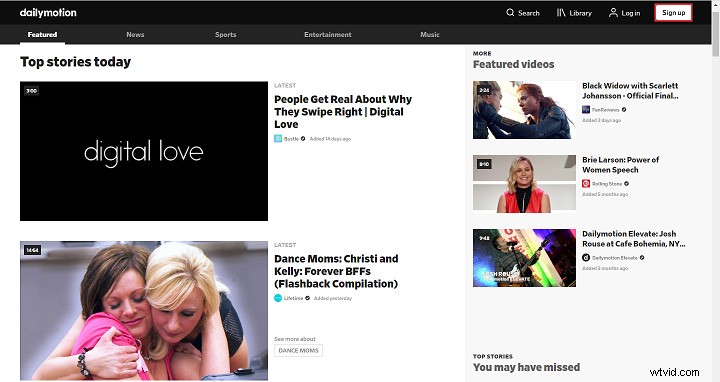
Step 3. Then you will automatically go back to the homepage.
Upload the first video to Dailymotion
After creating your Dailymotion account, let’s start to upload your first video to Dailymotion.
Step 1. Click on the profile picture icon in the top right corner of the screen.
Step 2. Choose the Settings option to continue.
Step 3. Switch to the Upload tab and tap on the Upload button.
Step 4. Choose Select video files to open the video you want to upload.
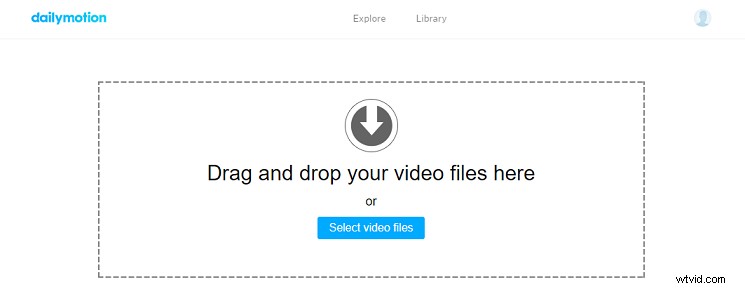
Step 5. Press the Edit and publish button to publish your Dailymotion video.
5 Best Dailymotion Alternatives
If you’re not much into Dailymotion, this part gives you a list of 5 best Alternatives to Dailymotion.
1. YouTube – The undisputed King of video-sharing platform in the world.
2. Vimeo – The best place for filmmakers.
3. Hulu – One of the best streaming video service that offers countless movies and TV shows.
4. DTube – You can watch videos online without ads.
5. Metacafe – It mainly provides short-form video content.
Conclusion
This post tells everything about what is Dailymotion. Now, go to Dailymotion and have fun!
If there is any problem, please post the comment in the comments section.