
Tons of Chrome extensions are available in the Chrome Web Store. Looking for some Chrome plugins to boost productivity in work, study, or entertainment? This post picks out the top 8 Chrome extensions to make your life easier!
Now, let’s take a look at 8 best extensions for Chrome.
Awesome Screenshot – Screen Video Recorder
The first Chrome plugin I would recommend is Awesome Screenshot. It’s a great screen capture tool that allows you to take screenshots and record screen (To trim your recorded video, try MiniTool MovieMaker developed by MiniTool). Different from other screen capture tools, this one lets you annotate the screenshot with arrows, circles, and text.
Besides, it offers you serval options for screen capture: capture the visible part of page, capture selected area, capture the entire page and capture desktop.
Meanwhile, this Chrome extension enables you to share the screenshots or recorded videos to Twitter, Facebook, Gmail, etc.
Related article: 4 Best Free Streaming Video Recorders for 2020.
Video DownloadHelper – Download Videos from Website
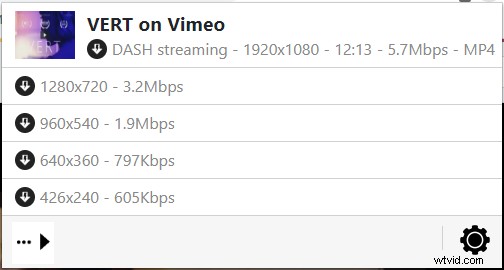
You may have lots of reasons to download embedded videos from the Internet. So adding a video downloader helper extension to Chrome is a good choice. Here Recommend Video DownloadHelper.
With it, you can download videos from hundreds of video hosting sites and save tons of time to search for Vimeo downloader, Dailymotion downloader, etc. What’s more, you can download and convert the streaming video to any format you want including flash videos.
Pinterest Save Button – Save Ideas
Pinterest Save Button is one of the best Chrome addons, with over 10 million users. It allows you to save ideas and beautiful pictures on the web. Once you find some interesting ideas, you can save them on Pinterest within just one click.
Moreover, its visual search tool can help you discover the similar ideas on Pinterest.
Pixlr – Photo Editor
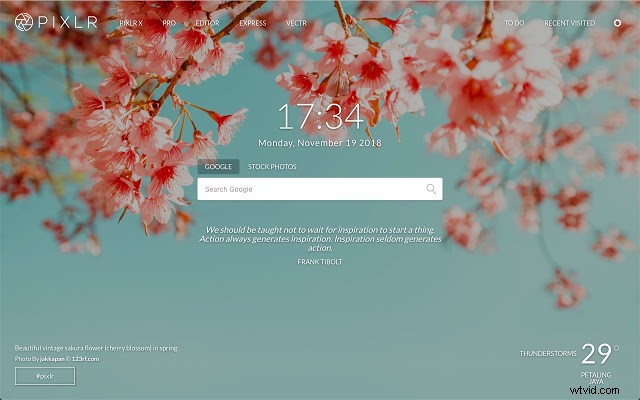
You may like to edit photos and publish them to Instagram, Twitter, and Facebook. Want to make things easier? Try the best Chrome plugins for photo editing – Pixlr. Just add this extension to Chrome, and you can edit your images like a pro. It comes with many advanced editing tools like Clone, Heal and Cutout.
Todoist – Organize Work
Todoist is the most popular Chrome extension for productivity. It lets you save webpages as tasks or plan your day. Once your tasks are done, this chrome plugin allows you to review your productivity trends. It’s a handy tool that helps you improve productivity in work and study.
Keepa – Amazon Price Tracker
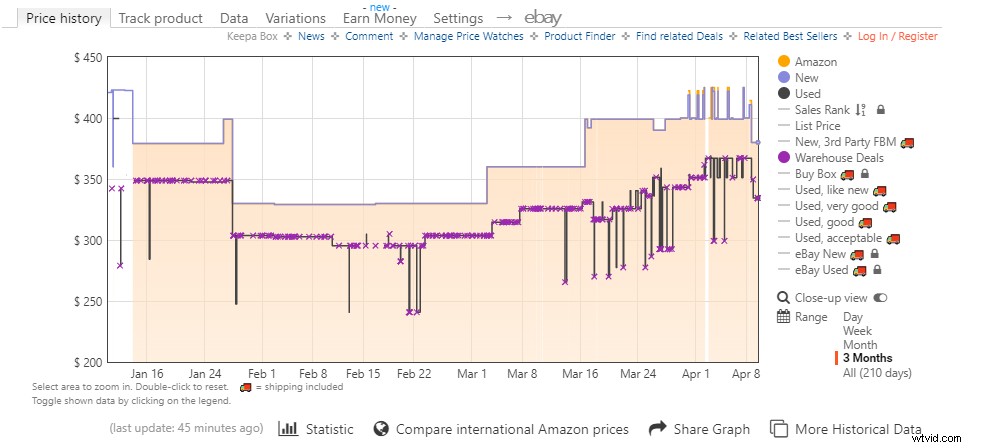
Want to buy products at the best price? Try the best Chrome extension for price tracker – Keepa. It’s an Amazon price tracker that offers you the price history charts. More than that, this price tracker plugin can track products and notify you when the price dropped.
This extension is also available in Firefox, Opera and Edge.
AdBlock – Block Ads
The pop-up ads keep distracting you when you browse the website. It’s terrible, right? Here recommend the excellent Chrome extension for blocking ads – AdBlock. It can block any ads on any websites including YouTube, Facebook, etc.
Related article: How to Block Ads on YouTube (Windows/Android).
LastPass – Free Password Manager
The last Chrome plugin is LastPass. It’s a free password manager that saves all your usernames and passwords. Then you can easily access all your saved websites. This Chrome extension will greatly improve your online security and simplify your life.
Conclusion
This post provides the top 8 must-have Chrome plugins for you. Which one do you prefer? Go to Chrome Web Store and add the extension you like to the Chrome browser.