
While it’s true that Adobe Illustrator is the industry-standard software for creating and editing vector graphics, it is really expensive. Fortunately, it’s not the only choice. There are many Adobe Illustrator alternatives out there. Some of them even enable you to create and edit vector graphics cost-free.
As is known to us all, Adobe Illustrator is a full-featured vector graphics editor and design program. The only drawback is that it is very expensive. Therefore, we’ve compared some affordable and free Adobe Illustrator alternatives here for you to choose from. If you need a professional video-editing tool, try MiniTool MovieMaker.
1. Affinity Designer
Compatibility: Windows & Mac & iPad
When it comes to the best Adobe Illustrator alternatives, most people will think of Affinity Designer developed by Serif. This software supports PSD, PDF, SVG, EPS, and AI files and can handle a very wide scope of design tasks, including web, branding, typography, and even repeating patterns.
Pros:
- Good interface and navigation
- Built-in many professional tools
- Support almost all file formats
- Real-time mixed mode preview
Cons:
- The free version has limited features
- Hard to learn for beginners
2. CorelDRAW
Compatibility: Windows & Mac
Another best Adobe Illustrator alternative on the list is CorelDRAW – a vector graphics editor developed by Corel Corporation. The latest version includes several improvements, such as for handling web graphics, editing vector effects, and the template menu has been simplified. If you’ve never used it, you could take advantage of the free trial and see how it feels in practice.
Pros:
- 30-day free trial
- 25+ new features & enhancements
- Fully featured suite with 7 apps
- Professional vector illustration, layout & photo-editing tools
Cons:
- The trial version has limited features
- A little bit expensive compared to other competitors
Recommended post: How to Overlay Images | A Step-by-Step Guide
3. Vectr
Compatibility: Web-based
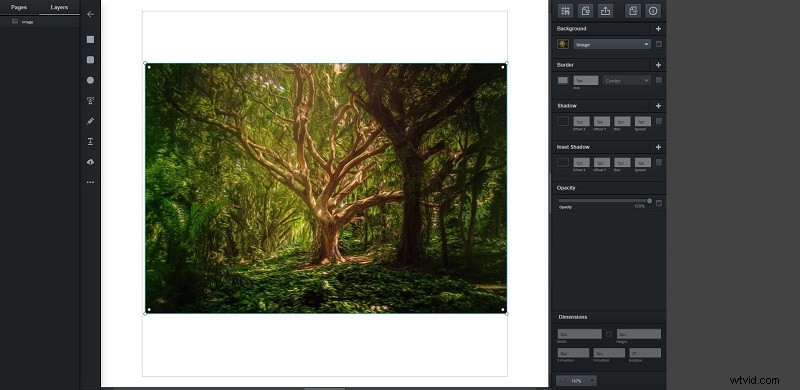
Vectr is a free online tool that offers a quick and easy way to get started with vector editing. It is the best web-based Adobe Illustrator free alternative, although it lacks many of the advanced features of Adobe Illustrator. Each image has a bespoke URL you can share with others, and you can export your finished work as an SVG, PNG, or JPEG file.
Pros:
- No installation is required
- Intuitive operating interface
Cons:
- Only run in the Chrome browser
- Lack of some advanced features
4. Inkscape
Compatibility: Windows, Mac, Linux
Inkscape is a free and open-source vector graphics package with unbelievably powerful features. It supports importing a range of formats, including SVG, PDF, EPS, AI (Adobe Illustrator), and CDR (CorelDraw), making it the best alternative to Adobe Illustrator.
Pros:
- Free and open source
- Work well on low-powered computers
Cons:
- Frequent lags
- Complex user interface
Related article: Top 10 Best GIF Makers + How to Make a GIF
5. Sketch
Compatibility: Mac
Sketch is a vector graphics editor for macOS, mainly focus on UI and icon design. It is the first choice when people are looking for an alternative to Illustrator and Photoshop. It has an option for multiple artboards and a full range of editing tools, built-in grid options for 960px, and a pixel preview mode.
Pros:
- Plugins support
- User-friendly interface
- Great for UI and icon design
Cons:
- Not as comprehensive as Illustrator
- Only for Mac
6. Gravit Designer
Compatibility: Web-based
The last best alternative to Adobe Illustrator on the list is Gravit Designer. It is a powerful vector graphic design app that available either online in your browser or on your desktop. You can use it to finish a diverse range of design tasks, including illustration, UI design, printed artwork, and logo design.
Pros:
- Work on all platforms
- Easy-to-use interface
- Support many vector and raster file formats
Cons:
- Limited functionality in the free version
- Several bugs
Bottom Line
Among the 6 best Adobe Illustrator alternatives, which one do you like most? If you have any questions or suggestions about it, please let us know via admin@wtvid.com or share them in the comments section below.