
Do you expect to create a panorama? To make it, you need a photo stitcher to stitch photos together. At present, there’re many photo stitchers available. This post is going to introduce 6 best photo stitching software to you. If you desire to create a photo slideshow, MiniTool MovieMaker is the best choice.
With photo stitchers, you can easily stitch photos together to make a panorama. The following part will provide you with photo stitchers available on the computer. Here is the list of the 6 best photo stitching software.
Top 6 Best Photo Stitching Software
- Hugin
- Fotor
- Autostitch
- Panoweaver
- GigaPan Stitch
- PTGui
Hugin
Hugin, a free photo stitcher, can stitch photos together into a panorama in horizontal format, assemble a mosaic of pictures into a panorama, stitching any series of overlapping images, and more. And it’s available to stitch multi-row photos together and flat scanned images. Besides, it’s adaptive to camera distortions and can generate HDR panoramas.
Fotor
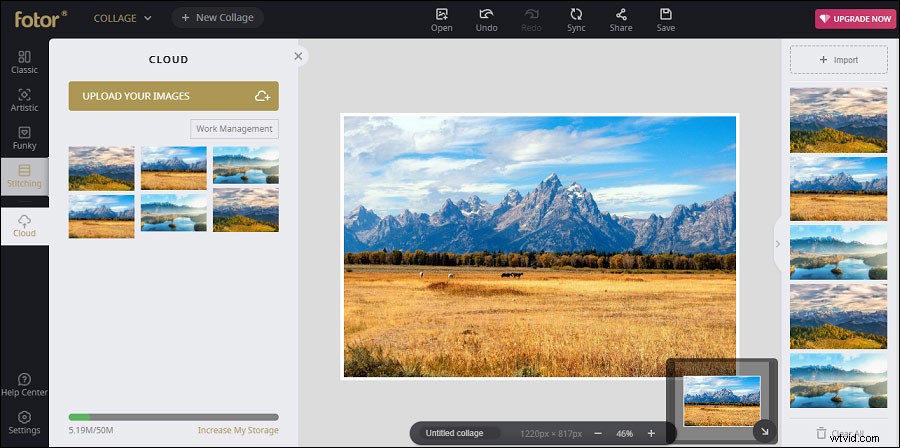
If you want to stitch photos together online, Fotor is the must-try tool to make stunning panoramas. With it, you can stitch pictures to flip horizontally or vertically. Besides, it enables you to change the thickness and color of the border, alter the canvas size, rotate photos. Fotor is also an excellent online photo editor, allowing you to add stickers and text to photos, applying effects, and resizing pictures, etc.
Autostitch
It’s another best photo stitching software and it’s simple to stitch 1D or 2D images automatically. And it can process and stitch many pictures in one click and automatically blend photos and do the light correction. Moreover, it’s a great technology for panoramic photography, VR, and visualization applications. But sometimes you need to crop images after the panorama is done.
Panoweaver
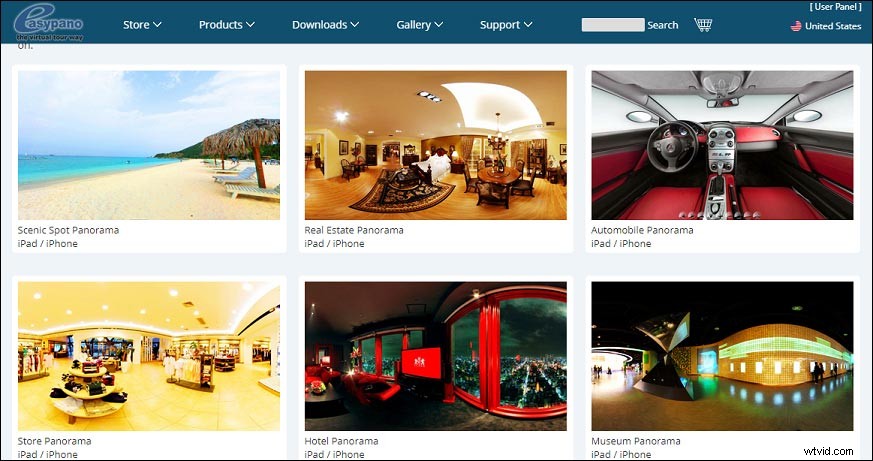
It’s a professional panorama software. It supports source images shot by all camera types and pictures in JPEG, PNG, BMP, TGA, TIFF, Camera Raw file, and 16bit formats. It offers automatic photo stitching and supports to stitch all types of panoramas.
And it can remove the tripod backward, stitch many groups of photos, and stitch circular, drum type, and full-frame fisheye photos into full 360 spherical panoramas, etc. What’s more, it provides copyright protection and business support for you.
GigaPan Stitch
This photo stitching software is designed for high-resolution panoramas. With it, you can create extremely high-resolution panorama images more easily than ever before. And the online GiganPan.com community offers over 50,000 panoramas from around the world to view and share. But the community membership fee is a bit expensive, varying from $25 to $100 per month.
PTGui
PTGui allows you to create panoramas automatically, stitch titles and rotated pictures, stitch and blend HDR source images into an HDR panorama, etc. And it supports JPEG, TIFF, and PNG source pictures. It has two versions: PTGui and PTGui Pro. The differences are that PTGui Pro supports HDR stitching, masking, viewpoint correction and vignetting, exposure and white balance correction.
Now, let’s look at the availability and price of the 6 best photo stitching software.
|
Photo Stitcher |
Availability |
Price |
|
Hugin |
Windows, Mac, Linux |
Free |
|
Fotor |
Online |
Free |
|
Autostitch |
Windows, Mac |
Free |
|
Panoweaver |
Windows, Mac |
Standard, $99, Professional, $299, with a free trial |
|
GigaPan Stitch |
Windows, Mac |
Free |
|
PTGui |
Windows, Mac |
$153 + a free trial |
Bottom Line
With the above photo stitchers, you can stitch photos together to make amazing panoramas on the computer. You can choose one and try to create a panorama. Among the 6 best photo stitching software, which one do you prefer? Want to recommend other photo stitchers with us? Please leave your suggestions below.