
Pixel art is one of the digital art forms, in which images can be edited at the pixel level. With the growing popularity of pixel art, more and more artists and beginners start their pixel artwork creation. Selecting a tool is important. Thus, this post will some of the best pixel art software for you to choose from.
Whether you’re an artist or a beginner who wants to create pixel artwork, it is very essential to choose the right pixel art software. In this post, we will describe 5 desktop best pixel art software in brief and also give a list of 7 pixel art apps for phones.
Want to make a video from pictures and music for free? MiniTool MovieMaker is recommended here.
Best Pixel Art Software on the Desktop
#Aseprite
Compatibility: Mac, Windows, Linux
Price: $19.99, a free trial
Aseprite is one of the best pixel art software that lets you create animated sprites and graphics. It features animation and layers, allowing you to create, copy, move, drag, and drop layers, frames, and enabling you to adjust the playback mode and select different onion skin modes, and more.
As for the color and painting, it offers a powerful palette control to crop, paste, drag, drop, and resize the palette. With the color wheel, you can choose color harmonies. Also, you can create light and shadows, create strokes for the pixel artwork, and make custom brushes for dithering, etc. Besides, this pixel art app can open or save PNG images, save animations as GIFs, export your work to sprite sheets in PNG or JSON files.
#Photoshop
Compatibility: Windows, Mac
Price: $9.99, a free 30-day trial
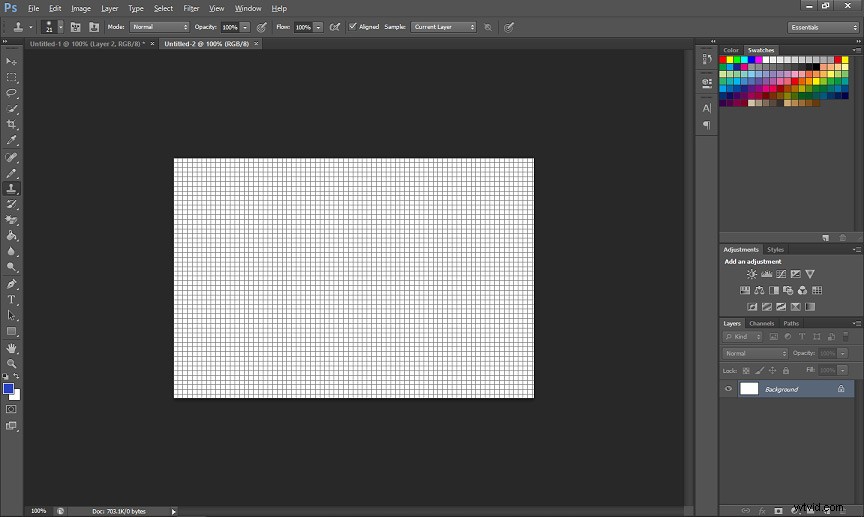
Photoshop is not only a powerful and comprehensive raster editor but also one of the best pixel art software and digital painting program. It has all of the basic tools and functions you need to create pixel artwork, such as a pencil tool, a brush tool, color palettes, textures. And it supports layers and lets you edit pixel artwork precisely.
#Pyxel Edit
Compatibility: Windows, Mac
Price: $9, and the old free version is still available
Pyxel Edit is another best software for pixel art designed for working with tiles. It has a user-friendly interface that lets you feel familiar with other graphics programs, and it is easy to learn. The first feature is the tile references with transformations. Also, it’s simple to make animations and save them as animated GIFs or sprite sheets.
Besides, it can import pictures of tilesets or models and automatically recognize all unique tiles, helping you edit and rearrange them. And it can export canvas tilemap in XML, or JSON, or plain text format.
#Lospec Pixel Editor
Compatibility: web-based
Price: Free
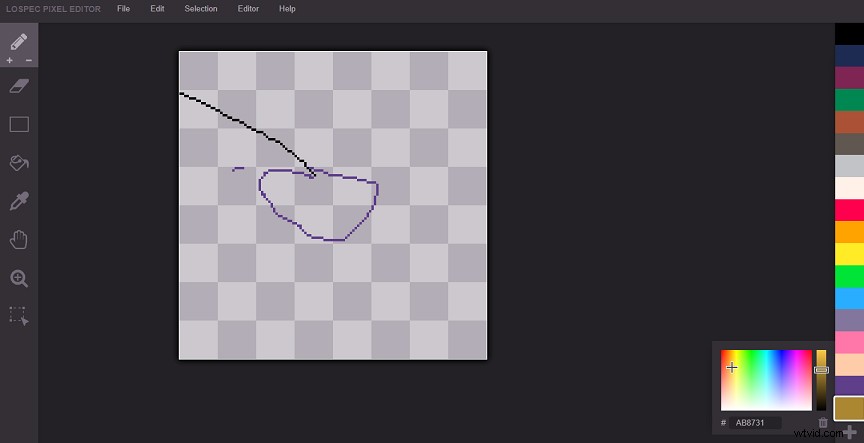
Lospec Pixel Editor is one of the best free pixel art software in your web browser. It’s easy to use and has an intuitive interface. Compared with other advanced desktop pixel art makers, it does not have all tools for pixel art creation. Now, it features a pencil tool, eraser, fill, pan, eyedropper, zoom tool, color palette, rectangular selection tool, and rectangle tool.
Lospec Pixel Editor is simple for artists, but it is powerful enough for beginners.
#GraphicsGale
Compatibility: Windows
Price: Free
GraphicsGale is also one of the best free pixel art software. This animation graphic editor is simple to master, yet provides powerful tools for sprite and pixel art. It works with many formats like ICO, GIF, AVI, CUR, ANI. It enables you to preview the animation while editing sprites. Also, it can export your animation as a single sprite sheet, or save the entire animation in a GIF file, or export each frame into its image.
Besides, GraphicsGale allows you to import pictures from your scanner, camera, and other devices supported by TWAIN, or you can make pixel artwork from scratch. And it’s also equipped with many other features, such as palette control, including palette control, selectively erasing colors.
How to turn GIF into AVI? Check this post - How to Convert Animated GIF to AVI on Windows/Mac/Online?
Best Pixel Art Software on the Phone
After learning about the 5 desktop pixel art generators, you may wonder what’s the best pixel art program on the phone. Now, you can check the below list and find your favorite pixel art software on your Android or iPhone.
Best Pixel Art Software for Android and iPhone
- Pixel Art: Color by Number
- Pixel Studio
- Pixilart
- dotpict
- Sandbox Pixel Coloring
- Pixel Art Editor
- Procreate
Conclusion
This post has introduced the 5 best pixel art software for your computer and shares a list of the 7 best pixel art apps for Android and iPhone. Now, you can choose any one of them to start your pixel art creation.
In addition to the pixel art programs mentioned in this post, there are many other ones. If you’d like to share other pixel art generators with us, just leave your recommendations in the below comments area.