
We can’t clone ourselves in real-time, but we can do it with some clone video makers that help to duplicate ourselves or other people in a video. With these clone video apps, we can create amazing videos to impress friends. Check this post and find your favorite cloning video app.
If you’re looking for ways to duplicate yourself in a video, just check the 5 clone video makers in this post. The 6 clone yourself video apps will offer an opportunity for you to experience the fun of cloning. (Try MiniTool MovieMaker to edit your video for free.)
#1. VSDC Pro
Compatibility: Windows
Cost: $19.99 per year
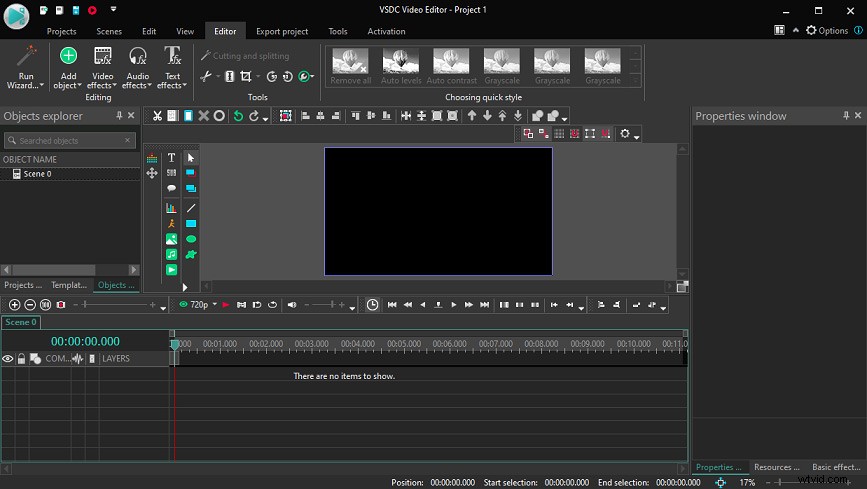
VSDC is the first recommended clone video maker. It uses the video masking feature to help you clone yourself in a video. Before the editing, you should take several shots of the same person in different positions with the same shooting angles. Then add your footage to the VSDC Pro, overlap your shots using the video masking feature. Finally, you’ll see the person appears in multiple positions simultaneously in the video.
Click here to check detailed steps on how to clone yourself in videos with VCDS Pro. And it also can make a freeze-frame clone effect.
As a professional non-linear software program for editing digital video and audio files in almost all popular formats, VSDC Pro includes many others abilities, including record screen, voice recording, stabilize video, Chroma Key effect, and more.
#2. VideoStudio
Compatibility: Windows
Cost: A 30-day free trial
$39.99 (before $79.99) for VideoStudio Pro
$49.99 (before$99.99) for VideoStudio Ultimate
As a powerful video editing package for Windows, VideoStudio is also a good choice to clone yourself video apps. This software also uses video masking to clone yourself in a video, and this feature allows you to adjust the reflection in a mirror, duplicate yourself to show time passing, etc. Also, this software enables you to clone yourself in videos by overlapping several clips with the picture in picture overlays.
Click here to learn how to duplicate yourself in a video with VideoStudio.
#3. iMovie
Compatibility: macOS, iOS
Cost: Free
iMovie is one of the best free video editors for macOS and iOS devices packed with multiple editing functions, such as video color adjustment, video stabilization, speed control, video cropping, and more. And this application also lets you create clone effects using the Picture in Picture feature to overlay two videos and adjust the transparency.
#4. Ghost Lens AR Fun Movie Maker
Compatibility: iOS
Cost: Free, in-app purchases
This cloning video app is designed to clone your ghost in a video or picture. By changing the transparency of the video character and applying the fade in and fade out effect, you’re able to make a looming ghost effect in your video. And this app also provides 100+ ghost stickers.
Additionally, this clone and ghost photo video editor lest you apply filters, make video and photo collage, trim video, add text and music to video, record videos up to 60 minutes, etc.
#5. KineMaster
Compatibility: Android, iOS
Cost: Free, in-app purchases
KineMaster is another clone video maker you can try. Before your creation, you should prepare suitable video footage that has enough separation between the same person in the video. And this clone video app can clone yourself by overlapping video clips. After cloning yourself in the video, you can continue to enhance your video with its various tools.
Conclusion
This post shares 5 clone video makers available for your computers and smartphones. Now, choose one and try to clone yourself in a video. if you’d like to recommend other clone video apps, just leave a reply below.