
Adding filters to photo is a great and simple method to create amazing images for any social platform. The sparkle photo effect is one of the most popular photo filters. How to add sparkle effect to photo? How to add glitter to photos? This post gives 2 methods and 4 photo glitter apps to help you out.
Are you attracted by the images with shiny bling-bling effects on Instagram or TikTok? Do you want to share this kind of picture? How to create a sparkle photo effect? How to add sparkle effect to photo? This post will show you how to add glitter to photo online and on TikTok, and it also provides several photo glitter apps.
Want to make a video from images and background music? Try MiniTool MovieMaker.
How to Add Sparkle Photo Effect Online
Glitterboo is a fantastic online tool to add sparkle to photo and graphics, helping you make animations and videos with perfect glitter and other effects. And the $8.99 one-year membership lets you access all effect categories, download images and GIF animations up to 2048x2048 pixels, and export video in Full HD.
This part describes how to add glitter to photo with the free version of the Glitterboo site.
Step 1. Go to the Glitterboo site, click the Click here to start button, then choose a glittery effect.
Step 2. Tap the Choose File to add your photo and click the Upload.
Step 3. Click the Select All, then tap the Apply to add the chosen glittery filter to your whole image.
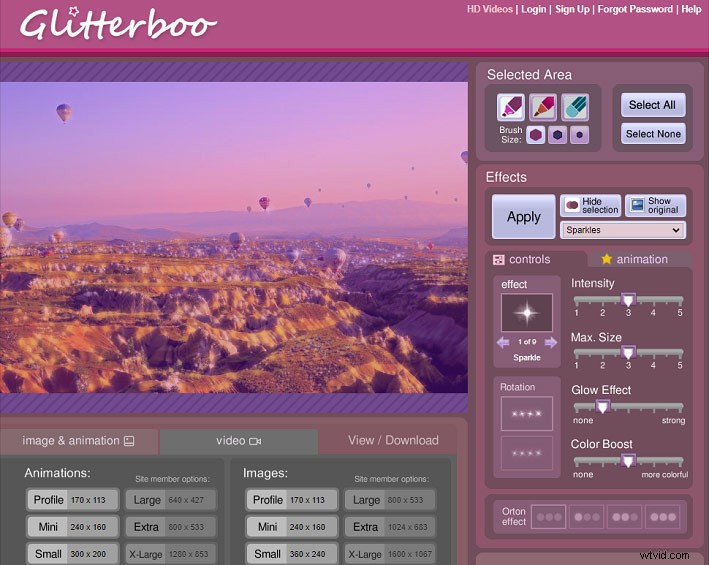
Alternatively, you can go to the effect section and choose a sparkling style like Sparkle, Star Sparkle, Soft Sparkle, then hover your mouse over the image and hit where you want to add the sparkle effect, and click the Apply. You can repeat this step as many times as you like.
Step 4. Click the Download button then click the download link to save this GIF animation.
How to Add Sparkle Photo Effect on TikTok
How to get the sparkle filter on TikTok? Where is the bling effect on TikTok? Look at the following steps to learn how to add sparkle to photo on TikTok Directly.
Step 1. Open TikTok on your phone, click the Plus icon to take a picture or upload one.
Step 2. Tap the Effects and you’ll many effect types, then find the Bling icon, and click it to apply the bling effect to the image.
Similarly, you can follow the same steps to add a sparkle effect to a video.
Top 4 Mobile Photo Glitter Apps
This part will introduce 4 mobile photo glitter apps that make it easy to add glitter effect to photo on your Android or iOS device.
1. Kirakira+
If you need to add glitter effect to photos before sharing them to Instagram on your iPhone or iPad, you can use Kirakira+ to beautify your image. This photo glitter app has about 12 sparkle settings and a bar to control the shine, which helps you create wonderful pictures with sparkle effects.
Also, you can directly use this app to shoot photos and videos with glitter effect. And this app cost $0.99.
2. Sparkle Effects Glitter Effect
Sparkle Effects Glitter Effect is also an iOS app that has multiple sparkle, glitter, and star effects for your pictures and videos. And it also lets you adjust the sparkle effect intensity. This photo glitter app is free but with in-app purchases.
3. KiraDroid
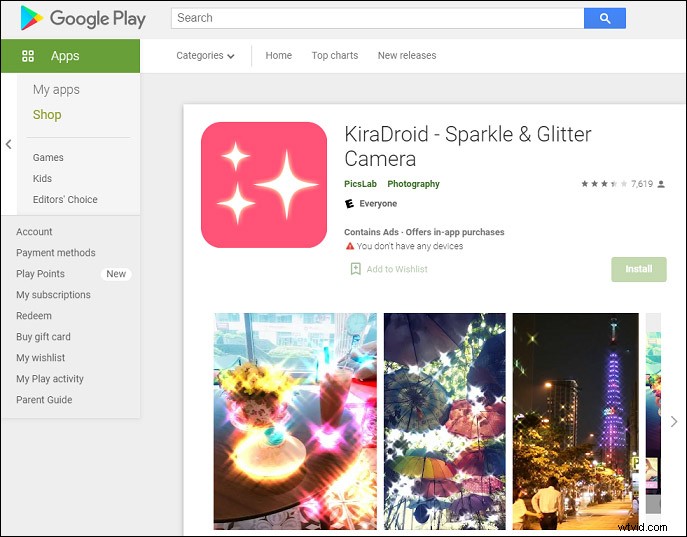
KiraDroid is a perfect tool to add glitter effect to photo on your Android, and this app also allows you to adjust the lighting levels or lighting size to customize the sparkle effect.
4. Artful - Photo Glitter Effects
Artful is also an Android photo glitter app designed to create sparkling photos with stunning glitter effects. And it features hand drawing. Also, it lets you add text or add stickers to photo.
Conclusion
This post tells you how to apply sparkle photo effect online and on TikTok and also offers 4 photo glitter apps to help you add sparkle effect to photo. Choose one way and create your unique pictures with glitter effects.