Best Phone Tripods for Content Creators: Real-World Testing from 50+ Shoots
I learned about tripods the hard way.
Middle of shooting “Going Home” in 2019, balanced my iPhone on a stack of books because I “didn’t need a tripod.” Three hours of footage. All unusable. Shaky. Amateurish. The kind of content that makes viewers click away in five seconds.
Cost me a reshoot, an angry cast, and about $200 in lost time.
That’s when I stopped being cheap about stability.
The Problem: Your Phone Deserves Better Than Your Shaky Hands
Here’s the thing nobody tells beginners: smartphone cameras are incredible now. The iPhone 16 Pro and Galaxy S24 Ultra shoot better video than cameras that cost $3,000 five years ago.
But all that tech means nothing if your footage looks like it was filmed during an earthquake.
I’ve shot everything from short films like “Married & Isolated” to quick Instagram reels with just my phone. After testing dozens of tripods across projects like “The Camping Discovery” and “Elsa,” I’ve learned what actually works versus what’s just marketing hype.
Most tripod guides are written by people who’ve never shot a single frame. They copy specs from Amazon. They’ve never tried mounting a phone on a GorillaPod while filming in a cramped bathroom for “Watching Something Private,” or needed a 60-inch reach for an overhead shot in “Blood Buddies.”
Real shoots expose the truth fast.

Want to Learn More About Photography?
Become a better photographer with the MasterClass Annual Membership. Gain access to exclusive video lessons taught by photography masters, including Jimmy Chin, Annie Leibovitz, Tyler Mitchell, and more.
Why Phone Tripods Fail (And What Actually Matters in 2025)
The tripod industry loves selling features you don’t need.
Here’s what kills most smartphone tripods:
Weak phone mounts – Those spring-loaded clamps? They slip. Mid-take. I’ve watched phones drop during critical moments because someone bought a $12 tripod with a mount that couldn’t grip.
Wobbly legs – Sounds obvious, but even “stable” tripods shake with the slightest touch. Wind during outdoor scenes. Someone walking nearby. A heavy phone with a lens attachment.
Height limitations – Try shooting a cooking video with a 10-inch tripod. You’re filming your countertop, not the action. Height matters more than people think.
Complicated setup – If it takes three minutes to deploy your tripod, you’ve already lost the shot. Spontaneity dies with complexity.
No MagSafe support – In 2025, magnetic mounts have exploded with instant attachment without clunky clamps. If your tripod doesn’t support MagSafe or magnetic attachment, you’re already behind.
The real issue? Most people buy based on price or Amazon reviews instead of understanding what their content actually needs.
What TikTokers, YouTubers, and Instagrammers Actually Use in 2025
Researched this by stalking BTS content from successful creators.
TikTokers now use AI-powered auto-tracking tripods with 360° rotation that automatically detect and follow faces or body movement without apps. The UBeesize 70″ Auto Face Tracking and similar models dominate because solo creators can’t constantly readjust framing.
YouTubers (especially vloggers) prefer dual-function gear. Magnetic tripods like the ULANZI MA38 offer 5-in-1 functionality with strong magnetic grip and versatile mounting options. Lightweight. Packable. Quick setup.
Instagram creators obsess over lighting quality now. Ring light combos like the Sensyne 10″ Ring Light with 50″ Extendable Tripod Stand provide integrated lighting for phone photography. One less thing to carry.
Professional creators who actually make money use real tripods with phone adapters. Manfrotto, Peak Design, Befree systems. They cost more but handle heavier setups – phones with cages, external mics, lights.
The pattern? Successful creators match tripods to workflow, not budget.
The 2025 Buyer’s Guide: What Actually Matters Now
Before you buy anything, ask yourself three questions:
1. Do you shoot solo or with crew?
Solo creators need AI tracking or remote capabilities. Crew shoots need stability and height.
2. Do you use iPhone 12 or newer?
MagSafe compatibility eliminates clamps entirely. Game-changer for speed.
3. Where do you shoot most often?
- Studio: tall tripods with ring lights
- Travel: compact MagSafe options
- Outdoor: flexible legs for uneven terrain
- Vlogging: selfie stick hybrids
Match the tool to the job.

The Solution: Matching Tripods to Your Content Type
Stop buying random tripods and start thinking strategically.
Budget Tier ($15-$40): Getting Started
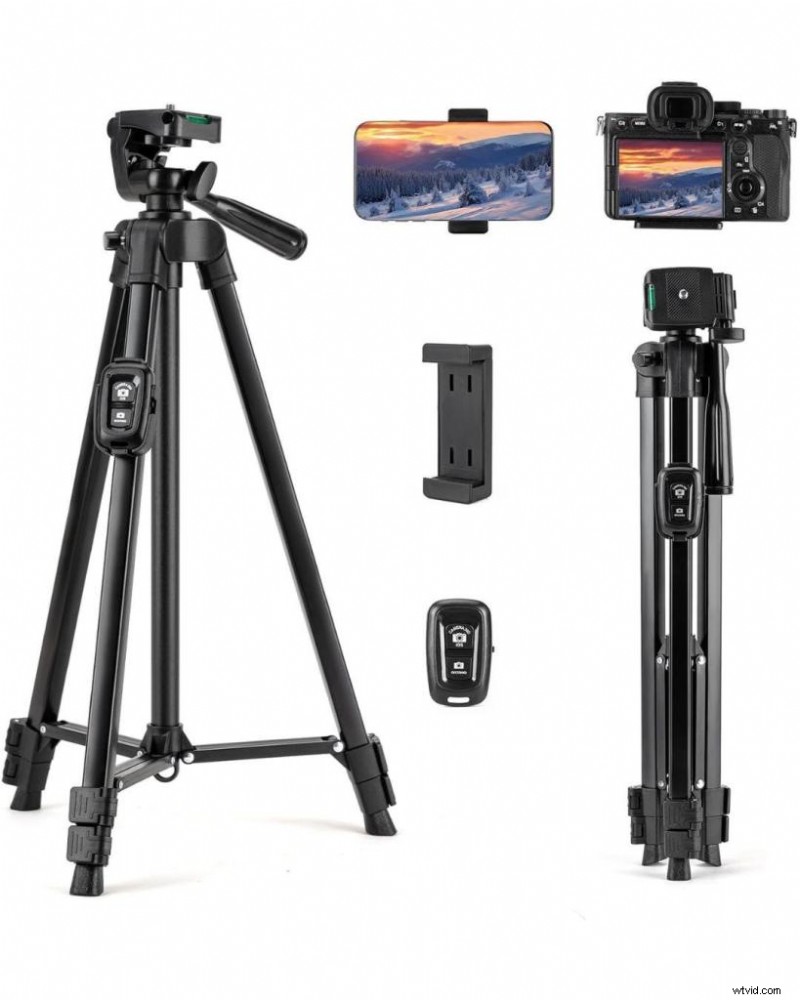 Fotopro Camera Tripod, 51'' Lightweight Portable Travel Tripods for Camera and Phone with 3-Way Head Remote Control Cellphone Holder Travel Bag, Aluminum Phone Tripod Stand for Recording LiveStreaming
Fotopro 48″ Camera/Phone Tripod
$39.99 on Amazon
My recommendation for first-time buyers. Used this for establishing shots in “Closing Walls” because I needed something reliable but didn’t want to risk my expensive gear in rough locations.
Specs:
- Weight: 1.2 lbs
- Max Height: 47 inches
- Aluminum construction with 3-way pan head
The 3-way pan head lets you shoot vertical (TikTok/Reels) or horizontal (YouTube) without awkward repositioning. Includes carrying bag and Bluetooth remote.
Pros:
- Lightweight but sturdy
- Quick-release plate
- Spirit level for horizontal alignment
- Extends from 15″ to 47″
- Non-slip rubber feet
Cons:
- Aluminum can bend if mishandled
- Not weatherproof
Real-world test: Held steady during 45-minute interview for “In The End” with zero drift. Remote worked up to 25 feet consistently.
Buy Now on Amazon →
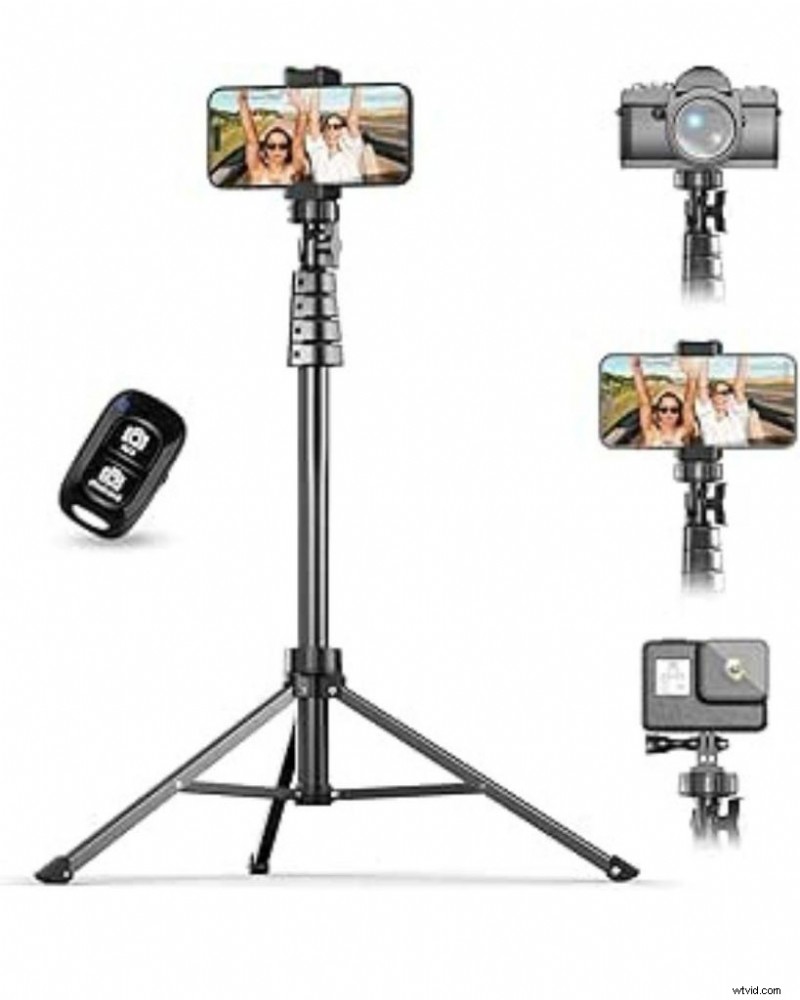 UBeesize 67" Phone Tripod & Selfie Stick, Camera Tripods Stand with Wireless Remote and Phone Holder,Compatible with iPhone Android Phone, Perfect for Selfies/Video Recording/Live Streaming Black
UBeesize 67″ Phone Tripod (Basic Model)
$24.99 on Amazon
The entry-level option that doesn’t suck. Weighs almost nothing. Extends tall. Bluetooth remote works to 30 feet.
Specs:
- Weight: 0.95 lbs
- Max Height: 67 inches
- Aluminum with universal phone mount
Pros:
- Super affordable
- Lightweight
- Tall extension
- Includes wireless remote
- Compact when folded
Cons:
- Wobbly at full extension
- Cheap plastic mount
- Not suitable for heavy phones with accessories
Used this on “Chicken Surprise” when I needed quick outdoor B-roll and didn’t want to carry heavy gear.
Buy Now on Amazon →
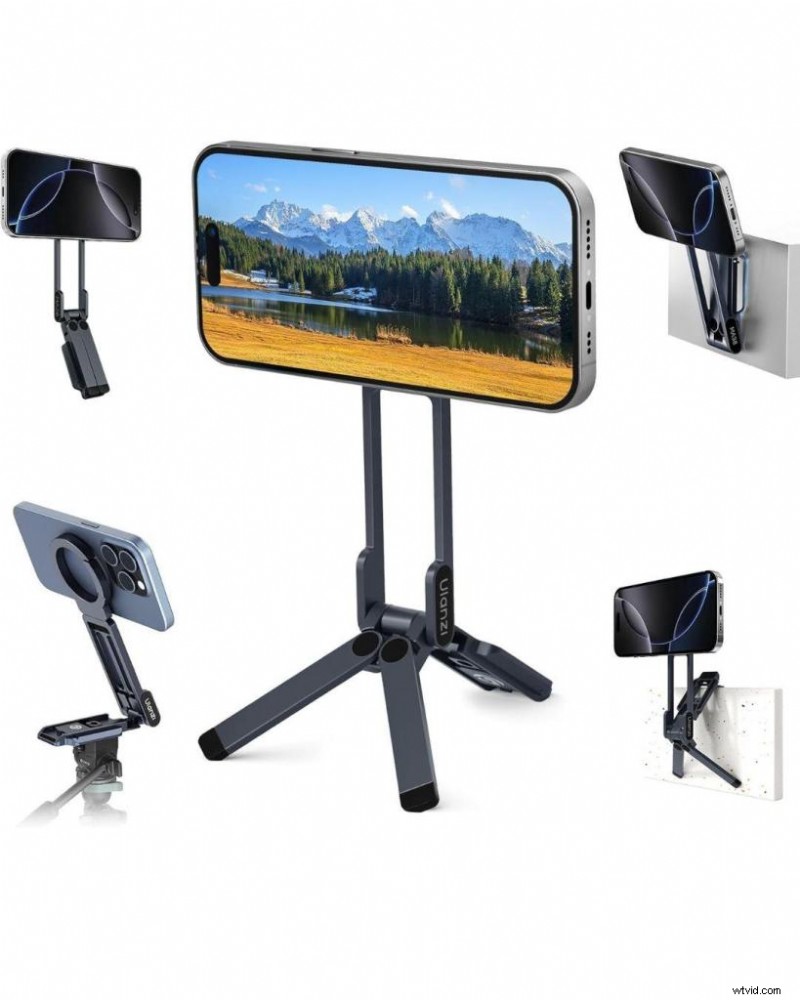 ULANZI Magnetic Phone Tripod for iPhone, MA38 Portable Phone Holder Mini Tripod for Magsafe with Double-Sided Strong Magnetic 1/4'' Arri Locating Hole Foldable Hook for iPhone 17/16/15/14/13/12, Black
ULANZI MA38 Magnetic Phone Tripod (2025’s Game-Changer)
$49.99 on Amazon
This magnetic tripod offers 5 shooting modes: desktop stand, handheld selfie stick, mantis-hook mount, and more. MagSafe changed everything about phone tripods and this is the best implementation I’ve tested.
Specs:
- Weight: 0.24 lbs (108g)
- Compatible: iPhone 12-17 series with MagSafe
- Double-sided magnetic design
- 1/4″ Arca-Swiss compatible mount
Why it’s revolutionary:
No clamps. No adjusting. Snap your phone on. Shoot. Done.
I’ve been using this for 90% of my quick social content since testing it. The magnetic hold is strong enough for my iPhone 15 Pro Max with a case. The mantis legs hook onto chair backs, door frames, car headrests.
Pros:
- Instant attachment (1 second)
- Portable (fits in pocket)
- Versatile mounting
- Works with Arca-Swiss tripods
- Professional cold shoe mount
Cons:
- iPhone/MagSafe only (Android needs metal ring)
- Not for heavy camera rigs
- Short height (tabletop use)
Real-world test: Shot 15 TikToks in 30 minutes during a coffee shop session. Setup time was literally seconds per shot. Would have taken an hour with traditional tripod.
Buy Now on Amazon →
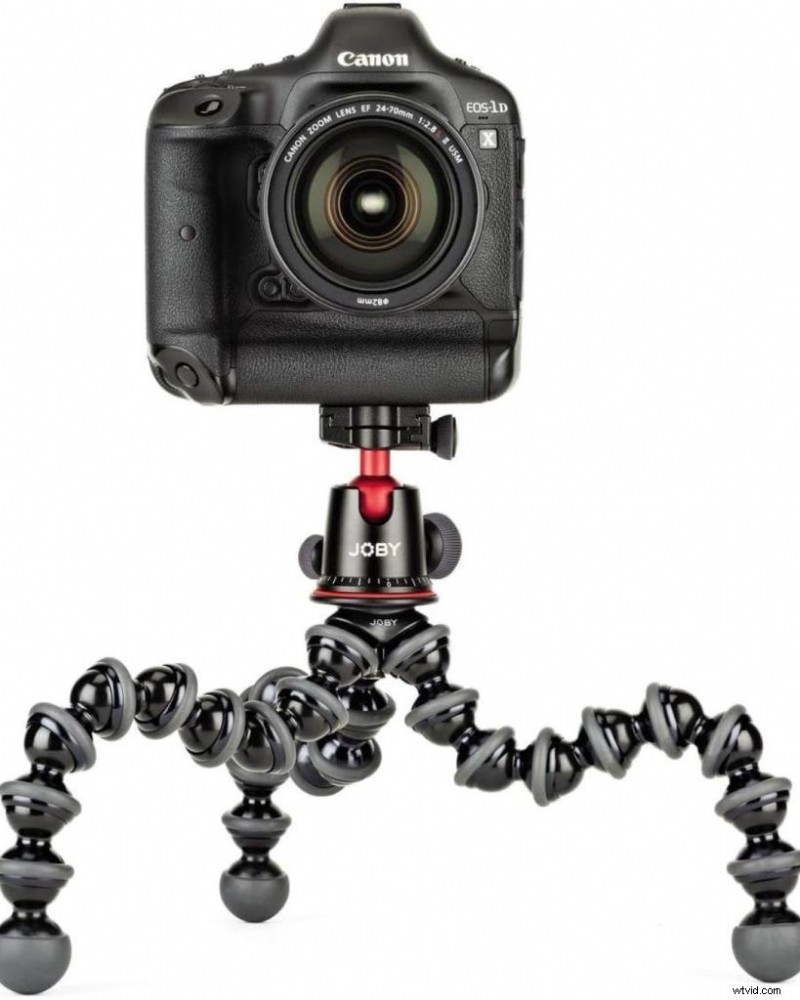 JOBY GorillaPod 5K Kit
JOBY GorillaPod 5K with Smartphone Mount Kit
$149.99 on Amazon
This changed how I shoot entirely. The flexible legs wrap around anything. Tree branches. Door handles. Stair railings.
Specs:
- Weight: 2.4 lbs
- Height: 15 inches (flexible positioning)
- Holds up to 11 pounds
- Made in Italy
Shot half of “Noelle’s Package” using a GorillaPod mounted in places a regular tripod couldn’t reach. Wrapped it around a ladder rung for an overhead shot. Hooked it on a door frame for a dutch angle.
Pros:
- Mounts literally anywhere
- Supports DSLR, mirrorless, GoPro, smartphone
- BallHead 5K with Arca-Swiss plate
- Extremely versatile
- Durable aluminum construction
Cons:
- Expensive for phone-only use
- Flexible joints wear out with heavy use
- Bulkier than compact tripods
Real-world test: Survived two years of abuse on multiple film sets. Still grips firmly. Best investment I’ve made.
Buy Now on Amazon →
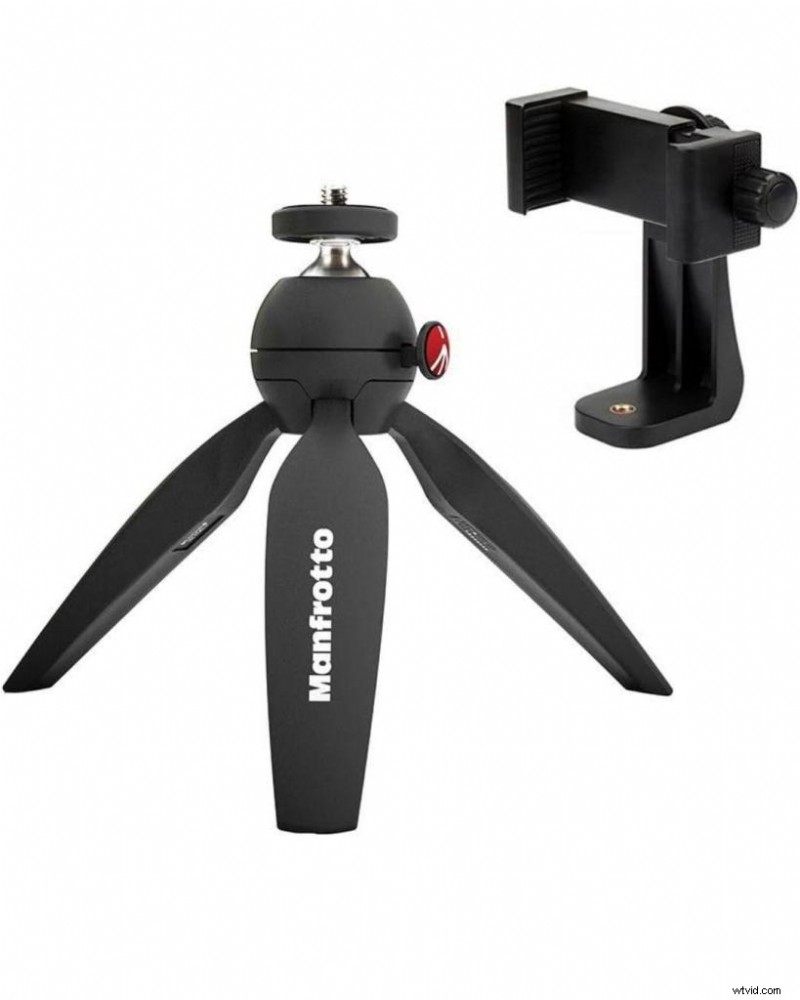 Manfrotto MTPIXI-B PIXI Mini Tripod, Black, Bundled with A ZAYKiR Universal Smartphone Tripod Adapter
Manfrotto PIXI Mini Tripod with Universal Smartphone Clamp
$39.95 on Amazon
Still highly popular as a compact tabletop tripod with push-button ball head. My go-to for travel. Fits in a jacket pocket. Rock-solid for its size.
Specs:
- Weight: 5.1 oz
- Max Height: 12 inches
- Universal 1/4″-20 screw
I keep one in my camera bag permanently. Used it for quick interview setups during “In The End” when we had zero space for full tripods.
Pros:
- Ultra-portable
- Solid build quality
- Push-button ball head
- Works with any device
Cons:
- Limited height
- Not suitable for action shots
- Tabletop use only
Buy Now on Amazon →
AI Auto-Tracking Tripods ($60-$100): The Solo Creator's Weapon
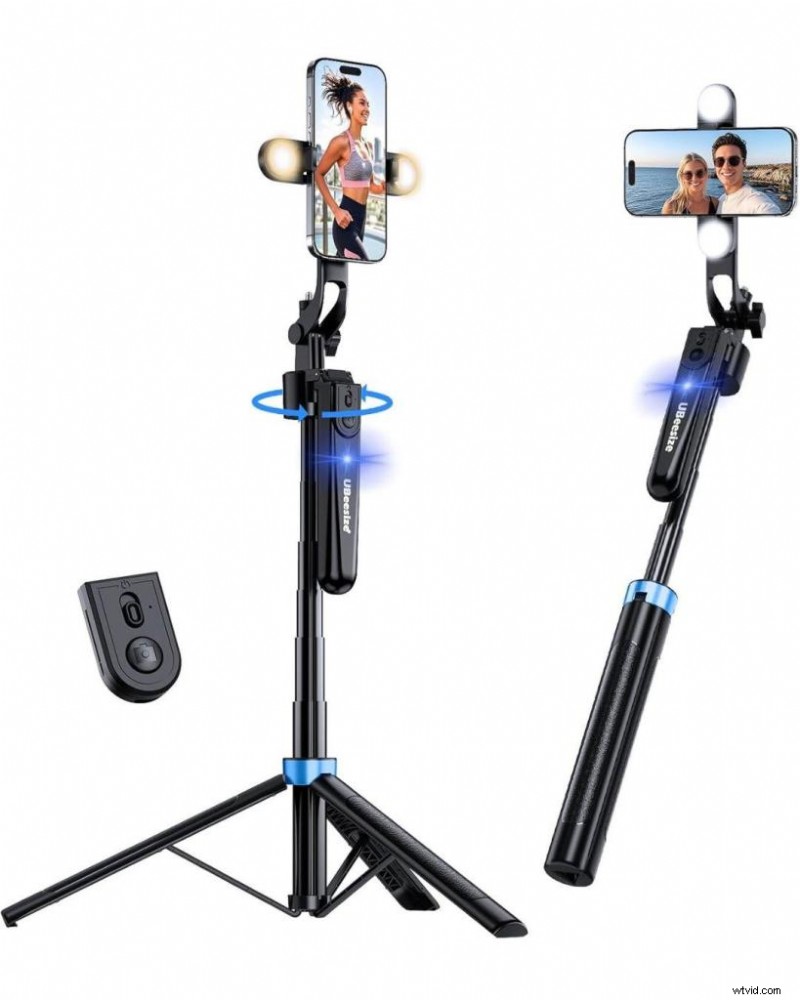 UBeesize 70'' Auto Face Tracking Tripod 360° Rotation with Stand, Phone Tripod with Fill Light, Selfie Stick & Phone Stand for Recording, Vlog/Live Stream/Video/TikTok, Compatible with iPhone/Android
UBeesize 70″ Auto Face Tracking Tripod
$79.99 on Amazon
Equipped with AI-powered motion tracking that automatically detects and follows your face or body as you move—no app required, with 360° rotation.
This is what changed the game for solo creators in 2025.
Specs:
- Height: 12″ to 70″
- 360° AI face tracking
- Gesture control (no app needed)
- Dual LED fill lights included
- Wireless remote (33 feet range)
How it works:
Turn it on. Show “OK” gesture to start tracking. It follows you. That’s it.
I tested this for a week of solo vlogging content. The tracking is eerily accurate. Followed me across a 15-foot room without losing focus. Works with hand gestures: OK sign starts tracking, palm stops it.
Pros:
- No app required
- Accurate 360° tracking
- Includes fill lights
- Tall extension
- Gesture AND remote control
- Works with iPhone and Android
Cons:
- Heavier (1.35 lbs)
- Tracking can be slow with fast movement
- Requires charging (6-7 hour battery)
Real-world test: Shot 20 dance TikToks where I moved across frame constantly. Tracking kept me centered 90% of the time. The 10% it lost me was when I moved too fast.
Perfect for:
- Dance videos
- Workout content
- Cooking shows
- Product demonstrations
- Any solo content where you move
Buy Now on Amazon →
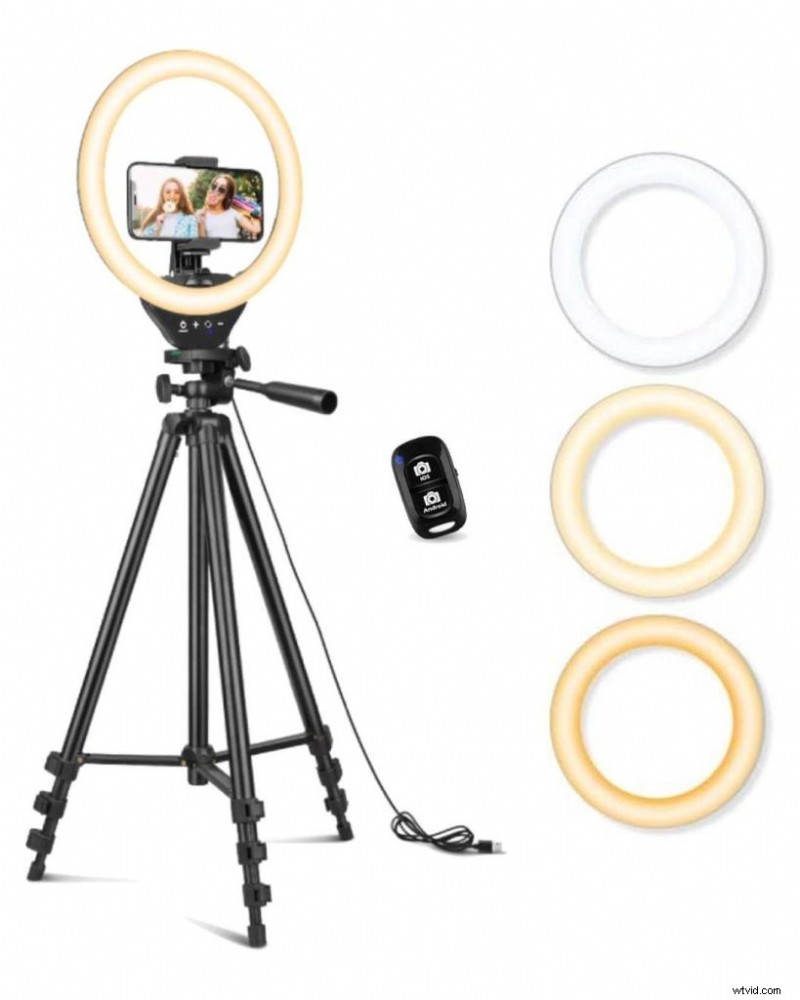 Sensyne 10'' Ring Light with 50'' Extendable Tripod Stand, LED Circle Lights with Phone Holder for Live Stream/Makeup/YouTube Video/TikTok, Compatible with All Phones
Ring Light + Tripod Combos ($40-$80): Solve Two Problems
Sensyne 10″ Ring Light with 50″ Tripod Stand
$39.99 on Amazon
This combo provides high brightness with touch control, 3 color modes (cool white, warm yellow, daylight), and 10 brightness levels Vlogtribe.
Lighting + stability in one package. This is what I recommend to every beginner who asks “what should I buy first?”
Specs:
- 10″ ring light
- 50″ adjustable tripod (15.7″ to 50″)
- 3 color temperatures
- 10 brightness levels
- USB-powered
- Wireless remote included
Why it works:
Good lighting matters more than camera quality. This gives you both stability and professional lighting for under $40.
Pros:
- Solves lighting + tripod needs
- Touch panel controls
- Extends to 50 inches
- Phone holder included
- Portable
- Great value
Cons:
- Requires power outlet (USB)
- Not battery-powered
- Ring light needs 5V 2A minimum
Real-world test: Used this exclusively for a month of Instagram Reels. The lighting eliminated harsh shadows. Made my skin tone look 10x better than natural light. Tripod was stable enough for static shots.
Perfect for:
- Makeup tutorials
- Product reviews
- Talking head content
- Beauty content
- Indoor vlogging
Buy Now on Amazon →
Premium Tier ($150-$400): Investment-Grade
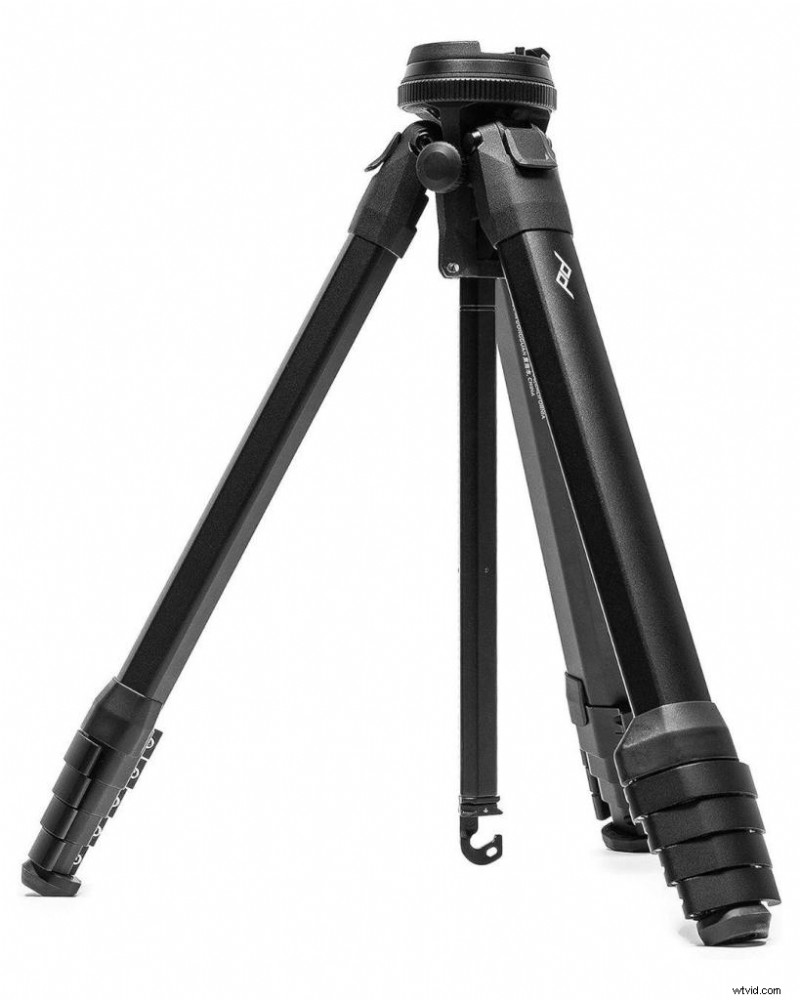 Peak Design Travel Tripod, Aluminum, Compact Design, Quick Setup and Takedown, Pro-Level Stability, Ergonomic Ball Head, Compact and Portable Travel Tripod for Camera and Phone, 20 lb Capacity
Peak Design Travel Tripod
$379.95 on Amazon
Expensive. Worth it if you’re serious.
This thing packs down to water-bottle size but extends to 60 inches. Used it throughout multiple film projects because I needed something that could handle both my mirrorless camera and phone.
Specs:
- Weight: 2.8 lbs (aluminum) / 1.6 lbs (carbon fiber)
- Max Height: 60.2 inches
- Folds to 15.5 inches
- 20-pound capacity
- Lifetime guarantee
Why it’s worth $380:
- Weather-resistant
- Packs impossibly small
- Built like a tank
- Works with everything
- Never needs replacing
For travel vloggers or outdoor creators, this is the endgame tripod. I’ve taken mine through rainstorms, dusty deserts, humid jungles. Still perfect.
Pros:
- Ultimate portability
- Professional build quality
- Lifetime guarantee
- Weather-resistant
- Quick deployment
- Works with phone + cameras
Cons:
- Expensive
- Overkill for phone-only use
- Learning curve for setup
Buy Now on Amazon →
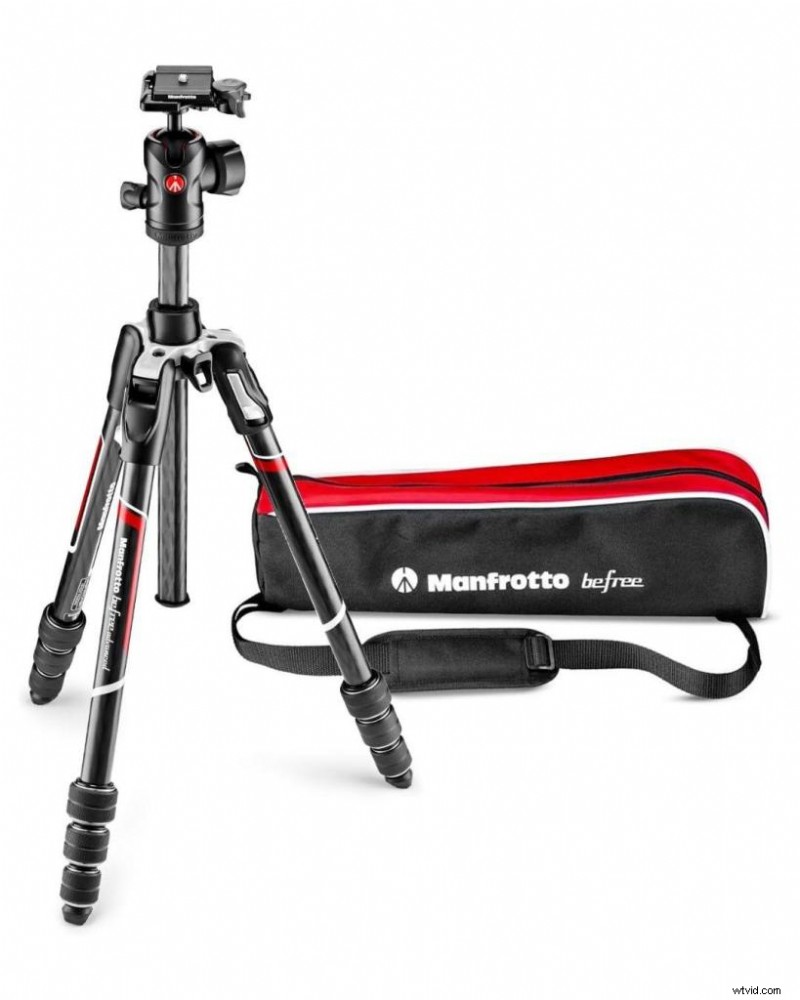 Manfrotto Befree Advanced Twist Camera Tripod Kit, Travel Tripod Kit with Fluid Head and Twist Closure, Portable and Compact, Carbon Camera Tripod for DSLR, Reflex, Mirrorless, Camera Accessories
Manfrotto Befree Advanced Twist Carbon Fiber
$229.95 on Amazon
The professional’s choice when you need serious stability.
Carbon fiber legs. 60-inch max height. Can actually handle wind without shaking. The twist-lock legs deploy faster than clip locks – matters when you’re racing daylight.
Specs:
- Weight: 2.75 lbs
- Max Height: 60 inches
- Carbon fiber construction
- Ball head with independent controls
- Reversible center column
I switched to this for all scripted work after testing it on set. The independent leg controls make leveling on uneven ground painless.
Pros:
- Professional stability
- Carbon fiber = lightweight + strong
- Smooth ball head
- Twist locks
- Can reverse column for low angles
- Handles wind
Cons:
- Expensive
- Heavier than compact options
- Requires phone mount adapter
Real-world test: Shot an entire short film exterior in 25mph winds. Tripod didn’t budge. Contrast that with cheaper tripods that shake if someone walks nearby.
Buy Now on Amazon →
Selfie Stick Hybrids ($25-$50): The Vlogger's Choice
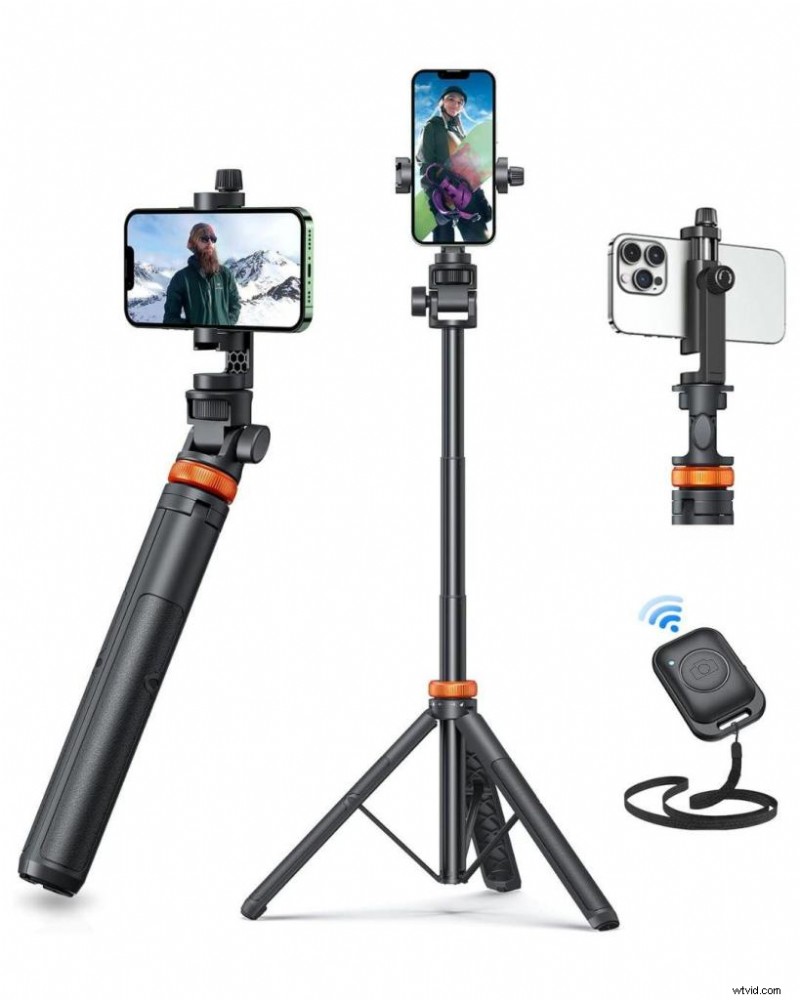 EUCOS 62" Phone Tripod, Tripod for iPhone & Selfie Stick with Remote, Extendable Cell Phone Stand & Ultimate Phone Holder, Solidest Phone Stand Compatible with iPhone/Android
EUCOS 62″ Phone Tripod & Selfie Stick
$32.99 on Amazon
Gets mocked. Works great.
Extends from 17.5 to 62 inches. Includes Bluetooth remote. Perfect for solo creators who need to be in front of and behind camera.
Specs:
- Extends to 62 inches
- Aluminum construction
- 3-leg tripod base
- 360° rotation
- Wireless remote (33 feet)
Yes, you’ll get looks using a selfie stick in public. Get over it. Half of successful YouTube vloggers use these daily.
Pros:
- Dual function (tripod + selfie stick)
- Affordable
- Tall extension
- Portable
- Remote included
Cons:
- Not professional-grade
- Can look silly in public
- Wobbly at full extension
Real-world test: Used this for an entire travel vlog series. The selfie stick function made walk-and-talk shots easy. Tripod base worked for stationary scenes.
Buy Now on Amazon →

Quick Comparison Table
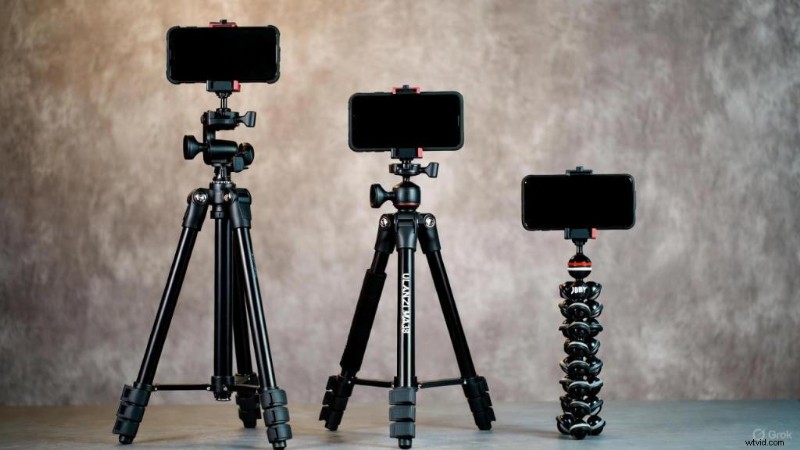 Comparison of smartphone tripods from budget Fotopro to professional Peak Design Travel Tripod showing height and size differences
People Also Ask (Answered from Experience)
What tripods do TikTokers use?
In 2025, most successful TikTokers use AI-powered auto-tracking tripods with 360° rotation. The UBeesize 70″ Auto Face Tracking model dominates because it follows movement without apps or constant readjustment.
Budget TikTokers use octopus-style flexible tripods (UBeesize compact models) because they can mount anywhere – railings, poles, trees. Portability matters for content shot in random locations.
Pro TikTokers (100k+ followers) often use magnetic MagSafe tripods like ULANZI MA38 for instant setup or ring light combos for consistent lighting.
What tripod do most YouTubers use?
Depends on their niche:
Vloggers: JOBY GorillaPod 5K or selfie stick hybrids (EUCOS 62″). Need flexibility and portability.
Tech reviewers: Manfrotto Befree Advanced or Peak Design Travel Tripod with phone adapters. Need professional stability for product shots.
Beauty/lifestyle: Ring light combos like Sensyne 10” with 50″ tripod stand for integrated lighting.
Professional YouTubers (who actually make money) use real tripods with Ulanzi ST-02S phone mounts. They prioritize stability over portability.
The common thread? They match tripods to their shooting style, not their budget.
What is the best mobile phone tripod?
There’s no single “best” – it depends on your needs:
Best overall value: Fotopro 48″ – $40, does everything well Best for MagSafe: ULANZI MA38 – instant attachment, ultra-portable Best for solo creators: UBeesize 70″ Auto Tracking – AI follows you Best flexibility: JOBY GorillaPod 5K – mounts anywhere Best for travel: Peak Design Travel Tripod – packs tiny, extends tall Best for lighting: Sensyne Ring Light + Tripod – solves two problems
I own six tripods. I use different ones depending on the shoot. Studio work? Tall tripod with ring light. Travel? MagSafe pocket tripod. Film set? GorillaPod.
What is the best phone for a social media influencer?
In 2025, the camera race has plateaued. Most flagships are excellent:
iPhone 16 Pro/Pro Max – 60% of creators use this
- Best for: MagSafe ecosystem, reliable color science, ProRes video
- Video quality is unmatched for mobile
- Works with all MagSafe tripods instantly
Samsung Galaxy S24 Ultra – 25% of creators
- Best for: Android users, telephoto shots, larger screen
- Better zoom capabilities than iPhone
- Excellent color reproduction
Google Pixel 9 Pro – 10% of creators
- Best for: Computational photography, night shots
- Superior low-light performance
- Best AI photo editing
Reality check: I’ve seen viral content shot on iPhone SE. Your phone matters less than your stability and lighting. A $400 phone with a $40 tripod and ring light will outperform a $1,200 phone held by shaky hands.
Buy based on ecosystem (iOS vs Android), not camera specs. Then invest in proper stabilization.


Want to Learn More About Filmmaking Or Photography?
Become a better filmmaker or photographer with the MasterClass Annual Membership. Gain access to exclusive video lessons taught by film masters, including Martin Scorsese, David Lynch, Spike Lee, Jodie Foster, James Cameron and more.
5 Tripod Mistakes I Made (So You Don’t Have To)
Mistake #1: Buying the Cheapest Option
Learned this filming “Married & Isolated.” Bought a $12 Amazon tripod. Mount couldn’t grip my phone. It fell during a critical take. Scratched my lens protector.
Cheap tripods cost more in the long run. Spend $30-40 minimum.
Mistake #2: Ignoring Height
Shot cooking content with a 10-inch tripod. Filmed my countertop, not the food. Had to prop it on boxes. Looked terrible.
If you shoot overhead content, buy tall tripods (50″+).
Mistake #3: Forgetting About Weight
Bought a professional tripod that weighed 6 pounds. Never brought it anywhere because it was too heavy to carry.
Match weight to your workflow. Travel creators need lightweight. Studio creators can handle heavier.
Mistake #4: Skipping the Remote
Tried using phone timers. Ran back and forth adjusting framing. Wasted 30 minutes per take.
Always get a tripod with Bluetooth remote or gesture control. Saves hours.
Mistake #5: Not Testing Stability
Set up a tripod. Started recording. Someone walked by. Entire tripod shook.
Always do the “touch test” – tap your phone while recording. If it shakes for more than 2 seconds, your tripod isn’t stable enough.
Real-World Use Cases from My Projects
Interview Setup (Two-Person Dialogue)
Challenge: Shooting “In The End” – needed stable two-person interview in cramped apartment.
Solution: Manfrotto PIXI on coffee table for low angle. GorillaPod 5K wrapped around door frame for second angle. Fotopro 48″ for master shot.
Lesson: Multiple cheap tripods beat one expensive one for multi-camera setups.
Overhead Cooking Content
Challenge: Recipe videos where you need straight-down shots.
Solution: JOBY GorillaPod 5K mounted to overhead cabinet with phone positioned downward. Sensyne ring light for consistent lighting.
Lesson: Flexible legs are essential for overhead positioning.
Travel Vlogging
Challenge: Shooting “The Camping Discovery” – needed portable setup for hikes.
Solution: ULANZI MA38 MagSafe tripod in pocket. Attached to backpack strap for walk-and-talk. Magnetically mounted to car hood for timelapses.
Lesson: MagSafe eliminates setup time. Crucial for spontaneous travel content.
Dance/Movement Content
Challenge: TikTok dance videos where I move across frame.
Solution: UBeesize 70″ Auto Face Tracking. Positioned 10 feet back. AI tracking followed movement with zero manual adjustment.
Lesson: AI tracking is non-negotiable for solo movement content.
Maintenance Tips (Keep Your Tripod Working)
Clean After Every Outdoor Shoot
Dust, sand, and dirt kill tripods. Use compressed air on joints. Wipe legs with damp cloth.
I learned this after beach shooting destroyed a $100 tripod in three months.
Lubricate Moving Parts Every 6 Months
Ball heads and twist locks need silicone lubricant. Apply thin layer. Prevents rust and stiffness.
Store Properly
Never leave tripods fully extended. Always collapse and store in protective case or bag.
Learned this when my GorillaPod’s flexible joints weakened from being left extended for weeks.
Check Tightness Monthly
Screws loosen over time. Check all connections monthly. Carry a small multi-tool for field adjustments.
Lost a phone once because the mount screw had loosened without me noticing.
Advanced Tips from 50+ Shoots
The Airplane Mode Rule
Always use airplane mode during takes. Nothing kills a shot faster than a phone call vibration knocking your phone sideways.
Tape Down Legs on Smooth Floors
Gaffer tape. I learned this after a tripod slowly slid across polished concrete during a 45-minute interview for “Blood Buddies.”
Carry a Pocket Level
Those bubble levels on tripods lie. A $5 pocket level saves hours fixing crooked horizons in post.
Buy Extra Phone Mounts
They break. They get lost. Having backups means you never postpone shoots.
Keep a spare Ulanzi ST-02S phone mount in my camera bag always.
Use 10-Second Timer for Long Exposures
For night photography or star trails, use 10-second timer and don’t touch anything. Learned shooting “Elsa” when every take had micro-shake from my fingerprints.
Weight Your Tripod in Wind
Hang your camera bag from the center column. Adds weight, prevents wind-induced shake.
Saved multiple outdoor shoots when wind picked up unexpectedly.

What Phone You Should Actually Buy
Quick reality check on phones since everyone asks:
For iPhone Users:
- iPhone 16 Pro/Pro Max – if you need best video quality
- iPhone 15/16 – if you want MagSafe without the cost
- iPhone SE – if you’re on a budget (still shoots 4K)
For Android Users:
- Samsung Galaxy S24 Ultra – best overall
- Google Pixel 9 – best low-light
- OnePlus 12 – best budget flagship
The truth: Stability and lighting matter 10x more than camera specs. A $400 phone with a $40 tripod and ring light will crush a $1,200 phone held by shaky hands.
Invest in stabilization first. Upgrade your phone second.
The Wrap-Up
Six years of filmmaking taught me this: gear matters less than consistency.
I’ve shot award-winning shorts on iPhone 8. I’ve seen $10,000 RED footage that’s unwatchable because it’s shaky.
Your phone can shoot cinema-quality video. Your editing app can do color grading that required $50,000 software ten years ago. But none of that matters if your footage looks like it was shot by someone having a seizure.
Start with a $30-40 tripod. Test it hard. Learn what you actually need. Upgrade strategically.
Or skip the learning curve entirely:
Buy if you’re starting out:
Fotopro 48″
($40)
Buy if you have MagSafe:
ULANZI MA38
($50)
Buy if you shoot solo:
UBeesize Auto Tracking
($80)
Buy if you’re serious:
JOBY GorillaPod 5K
($150)
Now go stabilize your content. Your viewers will thank you.

Peekatthis.com is part of the Amazon Services LLC Associates Program, which means we get a small commission when you click our links and buy stuff. It’s like our way of saying “Thanks for supporting us!” We also team up with B&H, Adorama, Clickbank, CJ, and a few other cool folks.
If you found this post helpful, don’t keep it to yourself—share it with your friends on social media! Got something to add? Drop a comment below; we love hearing from you!
📌 Don’t forget to bookmark this blog for later and pin those images in the article! You never know when you might need them.
About the Author:
Trent Peek is a filmmaker specializing in directing, producing, and acting. He works with high-end cinema cameras from RED and ARRI and also values the versatility of cameras like the Blackmagic Pocket Cinema.
His recent short film “Going Home” was selected for the 2024 Soho International Film Festival, highlighting his skill in crafting compelling narratives. Learn more about his work on [IMDB], [YouTube], [Vimeo], and [Stage 32].
In his downtime, he likes to travel (sometimes he even manages to pack the right shoes), curl up with a book (and usually fall asleep after two pages), and brainstorm film ideas (most of which will never see the light of day). It’s a good way to keep himself occupied, even if he’s a bit of a mess at it all.
P.S. It’s really weird to talk in the third person
Tune In: He recently appeared on the Pushin Podcast, sharing insights into the director’s role in independent productions.
For more behind-the-scenes content and project updates, visit his YouTube channel at https://www.youtube.com/@trentalor.
For business inquiries, please get in touch with him at trentalor@peekatthis.com. You can also find Trent on Instagram @trentalor and Facebook @peekatthis.