
If you follow Videomaker closely, you’ve likely seen us use the terms raw video and uncompressed video. We might say “Camera A captures uncompressed video” or “Camera B shoots raw.” Hopefully we’ve never said “Camera C shoots uncompressed raw video.” While they sound similar, they do mean different things and shouldn’t be used interchangeably.
So what’s the difference? Raw video is uncompressed, right? Well, it is, and raw video is always uncompressed. However, uncompressed video isn’t always raw.
To understand the difference between raw video and uncompressed video, we need to understand how a digital camera captures images.
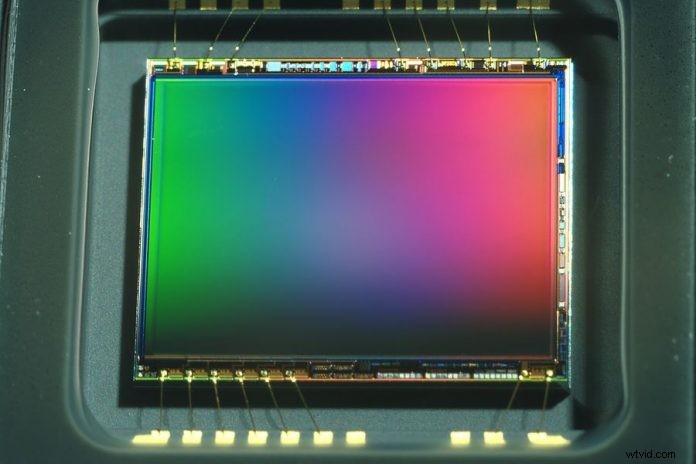
The first thing that happens is light hits an image sensor which turns that information into data. At this point, there is no video. There is simply data—just a bunch of zeros and ones. That data needs to be processed and interpreted as video before it can be seen. This is done by the image processor: a second chip in the camera. The image processor applies things like white balance or gain (ISO). Once the processor interprets the sensor data it compresses it into a video file.
So here we have two data streams in the camera. That’s where raw files and video files are created. That end file is the video that you and I normally work with. Some cameras, like the Nikon D800, can send that video out through an HDMI or other connection (SDI), to be recorded before it has a chance to be compressed. It still interprets the image, sends the video through chromatic subsampling (4:4:4, 4:2:2, etc), but there is no additional compression occurring. This footage is much nicer than normal, compressed video, but it’s nowhere near as flexible as raw.
Raw footage is simply the plain data from the image sensor before it has a chance to be processed. If you’ve ever worked with raw data from a video or still camera, you know that there’s no image until the data is run through a piece of software that can interpret it (Camera Raw or RedCine-X). When you do this, you get 4:4:4 subsampling and no set color temperature (you can fix white balance in post). It also means that you need to interpret all your footage before you can edit it. Don’t expect to be able to drop the files from your new Blackmagic Cinema Camera into your editing software and be able to work with it without interpreting the footage.
Is it worth the hassle? That depends on how much time you have in post and how much of a stickler you are for image quality. If you want to work with raw video, expect to work a lot harder for a much nicer end product. Uncompressed video is going to give you a pretty nice image for the added cost of recording on a device outside your camera. For the rest of us, normal, compressed footage captured to your cameras SD or CF card will probably work just fine.
[Image courtesy of BigStock.com]