
Jump to section:
- Why Instagram Real Estate Marketing Falls Short Without a Structured Content System
- Pre‑Launch: Build Anticipation Before the Listing Goes Live
- Live Listings: Maximize Impact with Existing Photos
- Under Offer: Keep Posting While the Deal Closes
- Sold: Turn Closings Into Long‑Tail Content
- No Active Listings: What to Post During Quiet Weeks
- How to Execute These Ideas Consistently Every Week
- FAQ
It’s Sunday night. You’re on the couch, phone in hand, staring at an empty slot on your posting calendar. You’ve already shared your two active listings twice this week, then scroll through other agents’ feeds for inspiration. Twenty minutes later, you upload a stock photo with a generic caption. You know it won’t drive results, but you post it anyway.
The real issue isn’t a lack of ideas—it’s a lack of a system. Agents who consistently generate inquiries aren’t more creative; they simply convert every photo set into a week’s worth of posts. A single shoot becomes reels, carousels, stories, and evergreen content. This guide gives you 30 actionable Instagram ideas, grouped by listing lifecycle stage, each with a format, example, and specific outcome.
Bookmark, screenshot, and implement these ideas every week. If you want to dive deeper into repurposing a single photo set across all channels, check out our guide to repurposing listing photos.
Why Instagram Real Estate Marketing Falls Short Without a Structured Content System
Most agents treat Instagram like a bulletin board: post only when something new happens. If there’s no new listing, there’s nothing to post. This reactive approach kills consistency, and Instagram’s algorithm rewards consistent, engaging content. Sporadic accounts see reduced reach, which feeds a vicious cycle of lower effort and fewer posts.
Successful agents post more frequently—not because they create more content, but because they plan ahead. A single photo set becomes a week of reels, carousels, and stories. With a system, a creative decision that once took 20 minutes becomes a 2‑minute scheduling task.
Below are 30 ideas grouped by listing stage so you can match them to your current inventory. No filming required—every idea works with photos you already have.
Pre‑Launch: Build Anticipation Before the Listing Goes Live
Turn the days before a listing hits the market into a content runway.
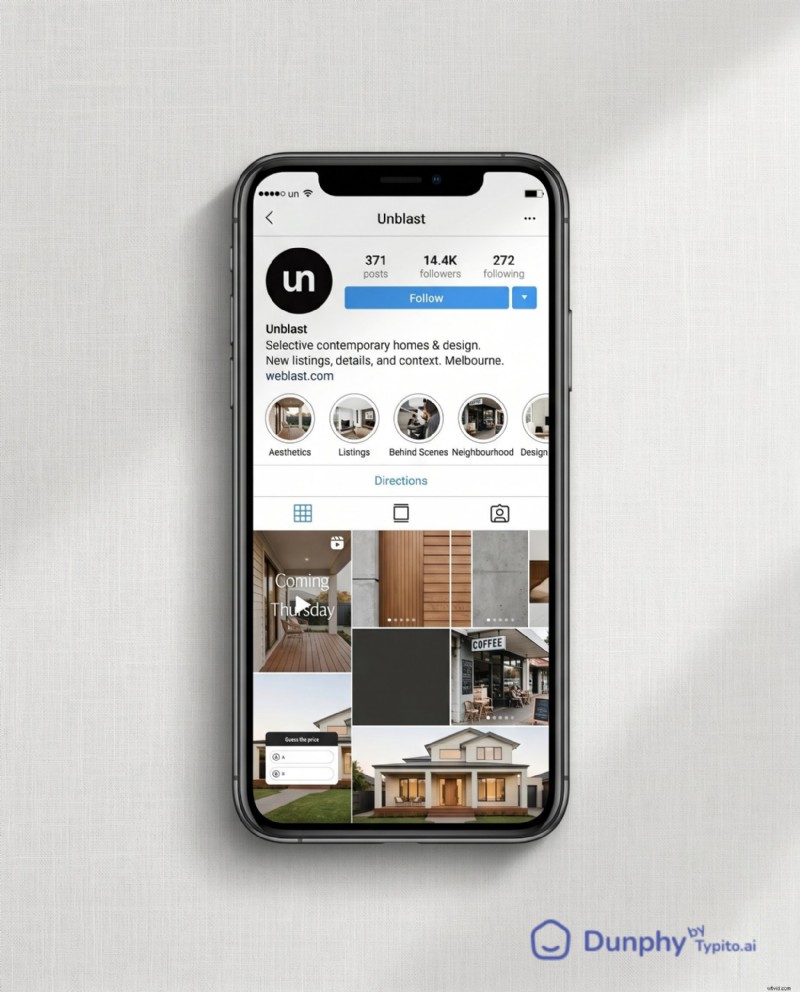
1. The “Before I List” Teaser Reel: Film a 10‑second phone clip walking up to the front door before staging is complete. No interior shots—just the approach, the door, and a text overlay that reads “Coming this Thursday.” This earns saves from local buyers eager to be first. Example: an agent walks down a tree‑lined path, camera tilts up to the porch, cuts to black with “DM me for early access.”
2. The Staging Before‑and‑After Carousel: Three slides—empty room, staging in progress, final reveal. Caption: “Same room, three days apart.” Shares from homeowners contemplating a sale.
3. The “Guess the List Price” Story Poll: Post one hero exterior shot to your story with a poll sticker offering two price options. Drives profile visits as followers tap to see the answer and explore your other listings.
4. The Neighbourhood Sneak Peek Single Image: Share a photo of a nearby coffee shop, park, or landmark—no listing photos. Caption: “Dropping a new listing in [neighbourhood] this week. Here’s why buyers are watching.” Generates DMs from area‑interested buyers.
5. The “What Would You Change?” Story Question Box: Post one interior photo and use the question sticker: “If this were your house, what’s the first thing you’d change?” Drives replies, boosting algorithm engagement.
Live Listings: Maximize Impact with Existing Photos
Many agents run out of ideas after “Just Listed.” Don’t. Your photo set is a goldmine.
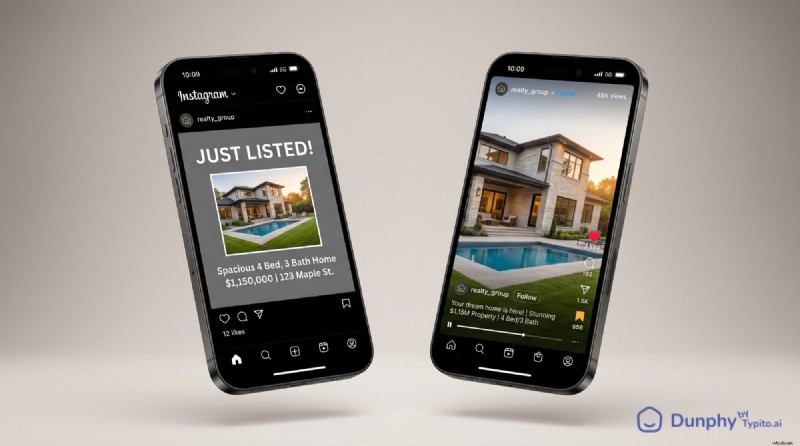
6. The “Just Listed” Reel (Not the Graphic): Convert MLS photos into a 15‑second reel with on‑screen text: address, beds/baths, price, and your contact info on the final frame. Reels receive higher reach than static graphics, so this format consistently reaches more accounts.
7. The 5‑Detail Carousel: Pull five close‑up shots—crown molding, faucet finish, pantry shelving, fireplace tile, built‑in shelving. Title: “5 details you probably missed at [address].” Saves increase as viewers swipe for hidden gems.
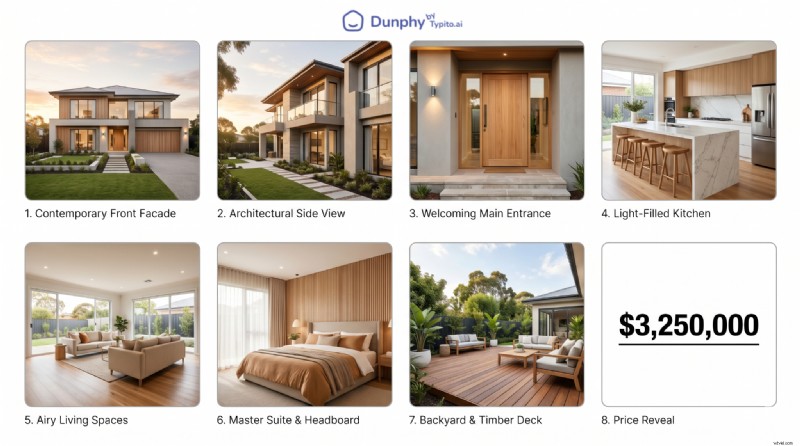
8. The Price Reveal Reel: Script: three exterior shots, four interior shots, on‑screen text counting down rooms (“3 beds… 2.5 baths… chef’s kitchen… private yard…”), final frame reveals price. Shared frequently in DMs between house‑hunting couples.
Build this reel in under five minutes with a tool like Dunphy—no editing app or videographer required. For a deeper dive into reel formats, see our guide to real estate reels.
9. The Floor Plan Walkthrough Story: Post your floor plan image to stories, draw arrows showing flow from front door to kitchen to backyard. Relocating buyers save these for reference.
10. The “What $X Gets You in City” Single Image: One hero shot with price overlay. Caption compares that price point to three other neighbourhoods. Shares from locals comparing markets.
11. The Neighbourhood, Not Just the Home Carousel: Slide 1: listing hero shot. Slides 2‑5: nearby spots—coffee shop, park, elementary school, favourite local restaurant. Saves from buyers researching the area.
12. The Agent Walkthrough Reel: Record yourself walking through the property, narrating one highlight per room. “This pantry alone sold me on this listing.” 15‑second phone footage—no production needed. Generates DMs for showing links.
13. The “Open House This Weekend” Countdown Story: Three stories posted on Thursday, Friday, Saturday, each featuring a different room with a countdown sticker. Creates urgency without feeling pushy.
14. The Buyer Objection Post: Single image of the listing with a caption addressing a common objection. “Yes, it’s on a busy street. Here’s why three of my buyers didn’t care.” Saves from agents who adopt the framework.
15. The MLS vs. Reality Reel: Show the MLS grid photo, then cut to a slow pan of the actual room. The contrast between flat grid photos and cinematic movement reliably earns shares.
Under Offer: Keep Posting While the Deal Closes
Most agents go silent between accepted offer and closing—a missed opportunity.
16. The “Under Contract” Celebration Post: Single image of the exterior with an “Under Contract” overlay. Caption narrates showings, offers, and speed. Shares from sellers curious about potential outcomes.
17. The “What Made This One Special” Carousel: Three to four slides highlighting features that secured the winning offer. Demonstrates to future sellers what buyers truly value.
18. The Buyer’s Perspective Story: Share a story (with client permission) detailing what drew them to this home over others. “They toured 14 homes. Here’s what made them write the offer.” DMs from buyers starting their own search.
19. The Inspection Day Behind‑the‑Scenes: One photo of you at the property with the inspector—no findings, just a caption explaining the process. Educational posts earn saves from first‑time buyers.
20. The “Closing Countdown” Weekly Story: Each week post a story with days until closing and a fun fact about the home or neighbourhood. Low effort, keeps visibility high.
Sold: Turn Closings Into Long‑Tail Content
A sold listing is proof of performance.
21. The “Just Sold” Stats Post: Single image with key numbers overlaid: list price, sale price, days on market, number of offers. Saves from sellers evaluating agents.
22. The Client Testimonial Carousel: Slide 1: photo of clients at the closing table (with permission). Slides 2‑3: pull quotes from their review. Slide 4: your contact info. Shares when clients repost to their followers.
23. The “Sold: Lessons Learned” Reel: Fifteen seconds, three text slides: what went right, what was tricky, what you’d tell the next seller. Saves from agents and future clients who value transparency.
24. The Market Proof Point Single Image: Hero shot of the sold property with caption: “Three listings in [neighbourhood] this year. All sold within 10 days.” Positions you as a top performer and drives profile visits from local sellers.
No Active Listings: What to Post During Quiet Weeks
Dry spells happen. These formats keep your account active and your audience growing without requiring inventory.
25. The Agent Introduction Reel: Fifteen seconds of you speaking to the camera: who you are, what area you cover, one unique differentiator. Drives profile visits and follows from new viewers. Pin it to the top of your grid.
26. The “Buyer FAQ” Carousel: Five slides answering common questions: “How much do I need for a down payment?”, “What does earnest money actually mean?”, “Can I back out after inspection?” Saves from first‑time buyers who share with friends.
27. The Local Business Spotlight Single Image: Photo of a favourite coffee shop, lunch spot, or barber. Caption explains why it matters to the neighbourhood. Shares from the business owner and their followers see your profile.
28. The “What I’m Seeing This Month” Story Series: Three to four stories with quick observations from your showings—no full market report, just real texture. “Seeing a lot more move‑in‑ready inventory under $400K this month.” DMs from buyers seeking your take.
29. The Myth‑Busting Single Image: One common misconception debunked in the caption. “You don’t need 20% down to buy a home. Here’s what most first‑time buyers actually put down.” Shares from buyers who want to correct misinformation.
30. The “This Day Last Year” Throwback: Repost a listing you sold a year ago with updated context: “Sold this one for $485K last May. Comps in the same neighbourhood are now at $510K.” Saves from sellers tracking their equity.
How to Execute These Ideas Consistently Every Week
Ideas alone are useless without a system. Turn this list into a running content calendar.
Step 1: Audit Your Existing Listings. Open your camera roll and count every listing photo set from the last 90 days. Each set is raw material for three to five posts.
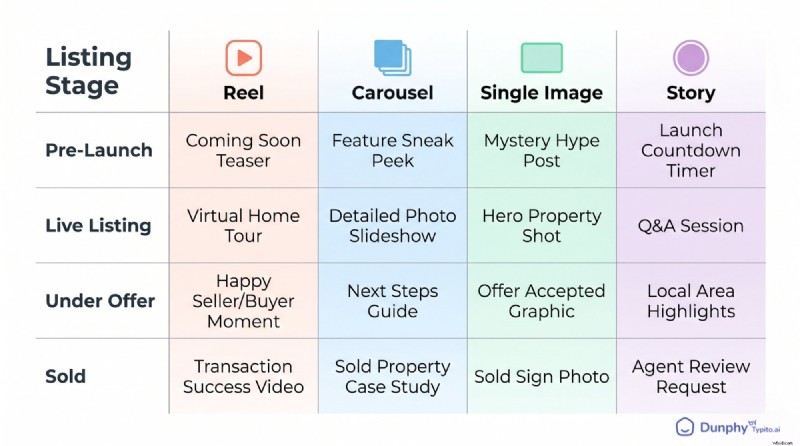
Step 2: Map Post Types to Listing Stages. Choose two or three formats from each lifecycle section and assign them. Pre‑launch gets a teaser reel and a story poll. Live listings get a reel, carousel, and neighbourhood post. Decide once, repeat for every listing.
Step 3: Pick Evergreen Formats. Select ideas from the “no active listings” section so you always have content queued, even during slow stretches.
Step 4: Batch Your Captions. Sit down once a week and write seven to ten captions using a simple structure: hook line, value or insight, call to action. For deeper guidance on caption writing that converts, see our caption formula resource.
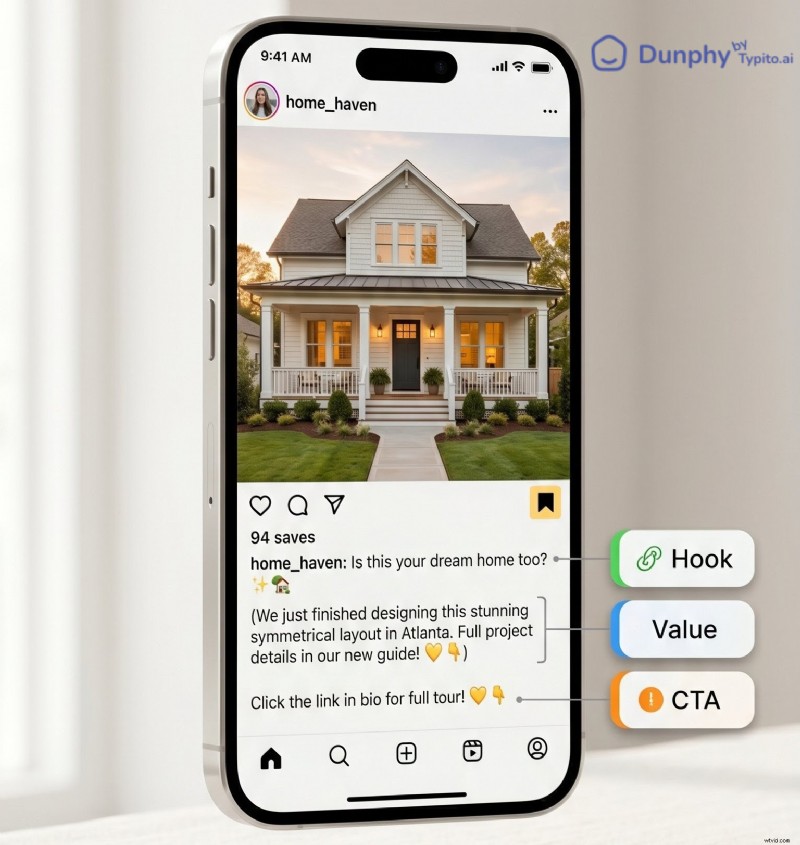
Step 5: Build Reels and Carousels from Your Photos. Many agents stall because they think video editing is a production project. It isn’t. Upload your listing photos, pick a style template, add text overlays, and get a polished reel in minutes with a tool like Dunphy. Your MLS photo set becomes a reel you can post tonight.
Step 6: Schedule a Two‑Week Buffer. Use any scheduling tool to load posts ahead so you never scramble on Sunday night. A two‑week buffer lets you take a vacation without your account going dark.
Step 7: Track Saves and Shares. Likes are vanity; saves and shares reveal what resonates with buyers and sellers. Check insights weekly, note which formats earn saves, and double down on those.
FAQ
How often should real estate agents post on Instagram?
Three to five times per week is the sweet spot for most agents. Consistency beats volume—three strong posts trump five mediocre ones. Use the lifecycle framework to keep a steady flow.
What’s the best type of Instagram post for real estate: reels, carousels, or single images?
Reels currently get the most reach because Instagram prioritises video. Carousels earn the most saves by rewarding swipe. Single images work for quick updates and market proof points. The optimal strategy uses all three: reels for reach, carousels for saves, single images for speed.
How do I make a real estate Instagram post if I only have listing photos and no video?
You don’t need to film anything. Listing photos can be turned into reels with tools like Dunphy, which convert stills into polished videos with text overlays and transitions. Carousels are built entirely from photos, and stories can use a single photo with a poll or question sticker.
What should real estate agents post on Instagram when they have no active listings?
Agent introduction reels, buyer FAQ carousels, local business spotlights, myth‑busting posts, and throwback listings all work without inventory. These formats build your audience and authority, so when you do have a listing, more people see it. The “no active listings” section above has six ready‑to‑use ideas.
Do real estate Instagram posts actually generate leads?
Yes, but not the way most agents expect. Instagram rarely produces a cold DM that turns into a closing. Instead, it keeps you top‑of‑mind so that when someone in your network is ready to buy or sell, you’re the agent they think of first. Posts that earn saves and shares extend your reach into new networks—those second‑degree connections are where most social leads originate.
Make every property listing stand out with video
Transform static photos into engaging listing videos buyers actually stop for.
Get Early Access