
Explainer videos turn intricate ideas into clear, engaging stories that capture attention and simplify understanding. A well‑structured approach ensures your message resonates and keeps viewers hooked. In this guide, we walk you through four essential steps—from scripting to polishing—to craft videos that deliver measurable results.
What Is an Explainer Video?
An explainer video is a concise visual narrative that combines animation, voiceover, and straightforward messaging to break down complex concepts into digestible content. Designed to cut through clutter, these clips guide viewers step‑by‑step through a product, service, or idea, ensuring clarity and retention.
Because they cut to the chase and keep viewers focused, explainer videos are a staple in tech, education, marketing, and beyond. Many businesses use ready‑made templates to accelerate production while maintaining a professional look. Curious about how to make an animated explainer video? The process is simpler than you think.
Why Create an Explainer Video?
Explainer videos serve a single purpose: communicate value quickly and memorably. By distilling core benefits into a short visual story, they:
- Boost brand recall and visibility.
- Encourage social sharing and extend reach.
- Drive conversions by demonstrating real‑world value.
- Make technical or abstract concepts accessible.

Creating an Explainer Video with Renderforest
You don’t need advanced editing skills to produce a polished animated clip. Renderforest’s intuitive explainer video maker guides you through each phase with a library of ready‑made templates and AI‑powered tools.
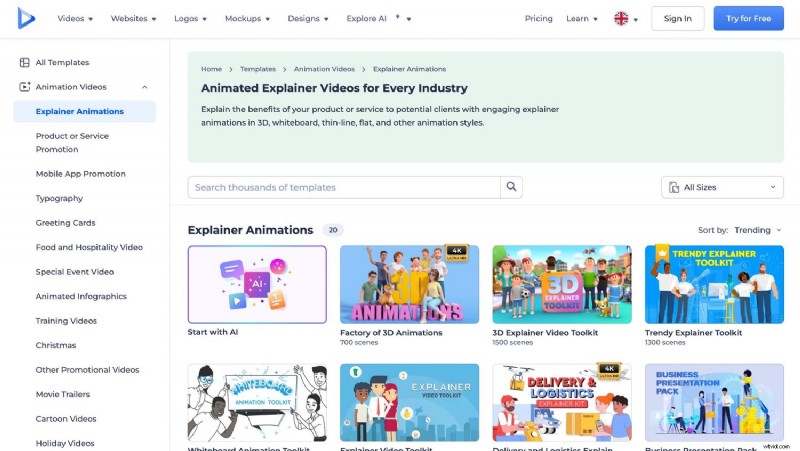
1. Choose a Template
Browse Renderforest’s extensive collection by category, style, or industry. Whether you prefer playful, corporate, or creative tones, there’s a template that aligns with your brand’s voice.
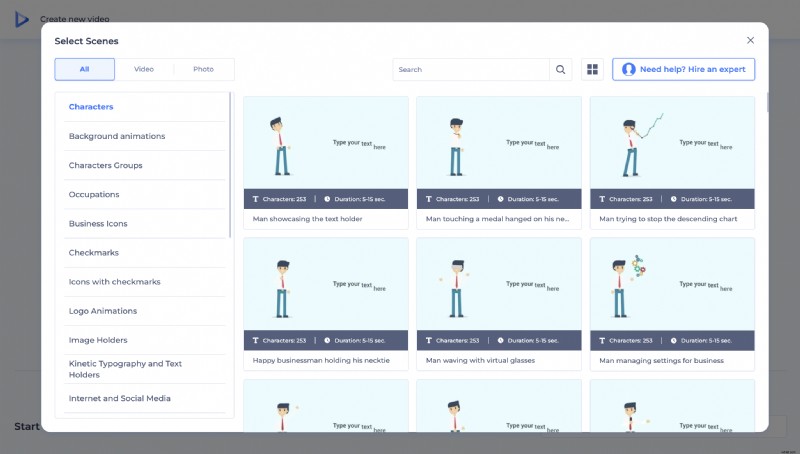
2. Select Scenes
Pick the storyboard scenes that best illustrate your message. You can rearrange or remove sections to keep the narrative tight and relevant.
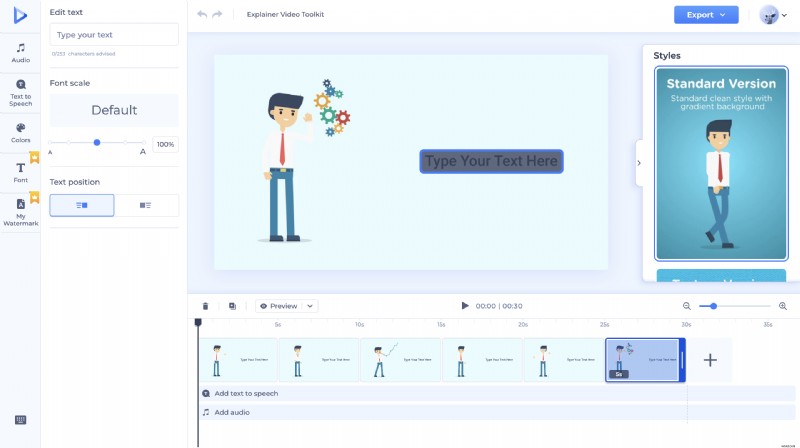
3. Customize Your Video
Personalize every element—upload your logo, adjust fonts, tweak colors, and add music or a voiceover. Renderforest’s AI tools can auto‑generate text‑to‑video clips and suggest visual tweaks to match your brand identity.
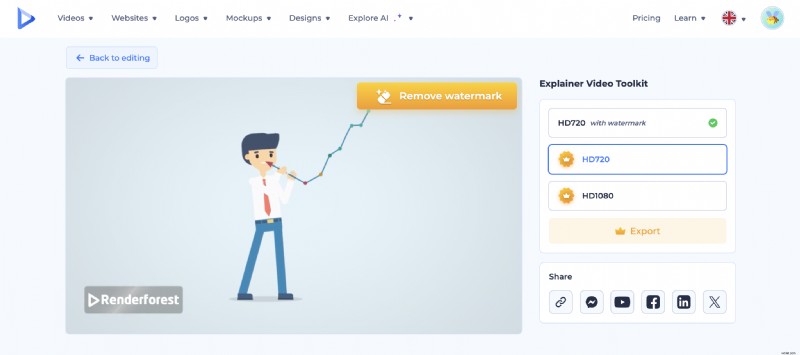
4. Export and Share
When you’re satisfied, export in your desired resolution. You can also share directly to social media or embed the video on your website.
Cost of an Animated Explainer Video
Pricing varies by animation style, length, and production quality. Key factors include:
- Animation Style: 2D is typically more affordable; 3D or custom illustrations increase costs.
- Video Length: 30‑60 second clips are less expensive, while longer videos demand additional resources.
- Production Elements: Professional voiceovers, original music, and custom graphics all add value and price.
Industry averages range from $2,000 for entry‑level videos to $5,000–$20,000 for high‑end productions. Renderforest offers a budget‑friendly alternative, enabling you to produce high‑quality videos at a fraction of that cost. If you’re curious about free options, Renderforest’s library of templates and AI tools can help you create an effective explainer without breaking the bank.
5 Inspiring Explainer Videos
Need creative sparks? Here are five standout examples that showcase humor, clarity, or storytelling to captivate audiences.
Online Check‑In Guide
AzureSky’s video eases pre‑flight anxiety by guiding users through online check‑in with a friendly virtual agent. Clean visuals, concise text, and consistent brand colors keep the experience short, sweet, and engaging.
What Is Miro?
Miro’s clip contrasts outdated workflows with modern digital solutions, culminating in a dynamic showcase of its collaborative whiteboard. Fast pacing and real‑time screencasts let the product speak for itself.
What Is CoachHub?
Focusing on outcomes rather than mechanics, CoachHub’s animation highlights personal growth and business development. Subtle sound cues, thoughtful color palettes, and a clear call to action create an emotional connection.
ODV’s Brand New Explainer Video!
With humor at its core, One Day Video’s clip features founders and staff, mirroring the viral style of the Dollar Shave Club. Authenticity and wit convey expertise while building trust.
What Is Airbnb?
Airbnb takes viewers on a first‑person world tour, blending vivid visuals, a catchy soundtrack, and a “feel‑like‑home” narrative. The storytelling approach emphasizes experiences over features.
Build Your Explainer in Minutes
Creating an impactful explainer is straightforward—just four key steps. Whether you’re promoting a product or explaining a process, a polished video will captivate and convert.

Related reading:
- How to make a tutorial video in 3 steps
- What is 3D animation? Types, process, and how‑to
- How to make educational videos
Explainer Video FAQ
Which software is best for explainer videos?
Options abound—from whiteboard animators to presentation tools. Renderforest stands out for its drag‑and‑drop interface, cost‑effective templates, and AI features, making it ideal for beginners and pros alike.
How do you create a video explanation?
Start with a clear script outlining key points. Gather supporting visuals (animations, screen recordings, or stock footage), then use a video tool like Renderforest to combine elements, add voiceover and music, and finalize the cut.
What should an explainer video include?
Key components: a hook that presents a problem, a concise solution narrative, engaging visuals, and a strong call to action that directs viewers toward the next step.
What is an explainer video?
A short, engaging clip that demystifies complex ideas. Typically 30 seconds to 2 minutes, it blends visuals, voiceover, and clear messaging to educate, boost brand awareness, and drive conversions.