
In this review, we’ll take a look at the set.a.light pre-visualization program, its virtual assets and limitations, and how to use it.
Set.a.light 3D is a pre-visualization program for photographers and filmmakers. Users can realistically simulate lighting setups and learn how lights and cameras interact to create an image.
I’ve been using set.a.light for a couple of months now, and I’ve spent endless hours tinkering with different lighting setups. There are three main windows. You have a perspective view that lets you see your scene, a “rendered view” that lets you see what the camera is seeing, and a top-down “lighting diagram” view that you can output (once you’re done) to help recreate the lighting on set.
Create an Environment
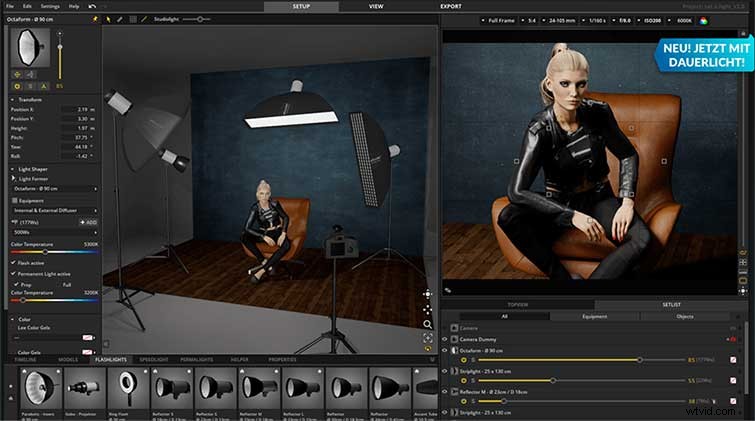
The first step is to create an environment and something to shoot. This is one of five preset models that you can customize with different outfits, hair styles, and skin colors. There are also multiple poses to choose from, some right out of Zoolander, but standing and sitting have worked out fine (so far) for me.
Fit Your Scene
You can then choose the camera lens, sensor size, position, f-stop, and ISO that fits your scene. The camera sprite is a generic-looking DSLR on a lighting stand, which I hope will change in future versions.
Light the Subject
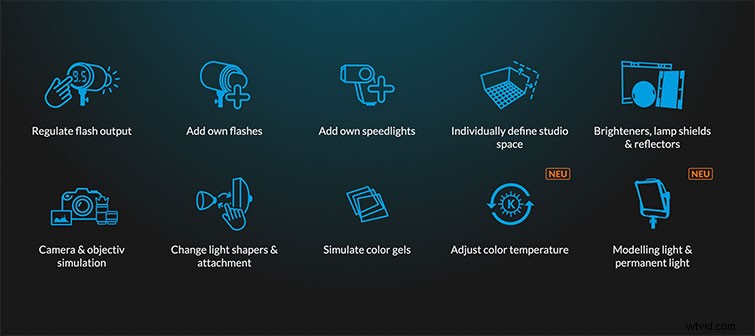
You’re now free to light the subject to your heart’s desire. You can bring in fifty Skypanels, line the roof with spot lights, or just recreate a scene from your favorite film. You can use bounced light, and there’s even a “light blocker” for negative fill.
Limitations
Set.a.light does have a couple of limitations. It doesn’t (yet) have diffusion or silks that you can use to diffuse lights. Most of the lights featured are flashes or flash modifiers, though they do have several ARRI LEDs and tungsten spotlights.
With the basic version at $70, set.a.light is a great way to get some time on set, even if it’s virtual, and discover how to use light to best tell your story.
Interested in the tracks we used to make this video?
- “Tulips” by Origami Pigeon
- “Never Gonna Be the Same” by Joseph
- “Homeworks” by Weird Visions
- “Feelings” by Joseph
Want more on lighting? Check these out.
- Lighting in a Pinch: Five Tricks Using Your Mobile Phone
- A Cheap Trick for Lighting a Daylight Interior Car Scene
- Nature’s Lighting: A Guide on Shooting With or Against the Sun
- Follow Fill: The Simple Solution to Lighting a Difficult Scene
- Inside the Electric Department: Lighting, Tools, and Safety Skills