
Audacity is a free, open‑source audio editor that lets you record, edit, and mix multi‑track audio on Windows, macOS, and Linux. This guide walks you through installing and uninstalling Audacity on Ubuntu 20.04 LTS (Focal Fossa) using both the official PPA and the Snap Store.
Key Features of Audacity
- Released under the Creative Commons Attribution‑NonCommercial‑ShareAlike license
- Cross‑platform: works on Linux, Windows, and macOS
- Supports import, editing, and exporting of a wide range of audio formats (AIFF, WAV, FLAC, MP2, etc.)
- Live recording and playback, with support for 16‑bit, 24‑bit, and 32‑bit audio
- Available in 38 languages, making it highly accessible
- Keyboard‑rich interface for efficient workflow
- Plugin support: VST and Audio Unit effects can be added or created by the user
- Advanced editing tools: duplicate, chop, splice, and combine tracks
Installation
The official Audacity website lists version 2.4.2 as the latest release. You can install this version on Ubuntu 20.04 via the community PPA or the Snap Store.
1. Install Audacity via PPA
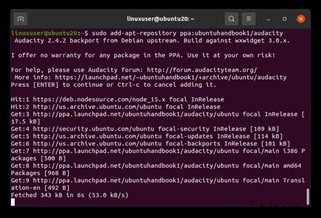
- Open a terminal and add the "ubuntuhandbook" PPA:
sudo add-apt-repository ppa:ubuntuhandbook1/audacity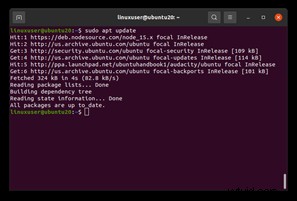
- When prompted, press Enter to confirm the addition.
- Update your package list:
sudo apt update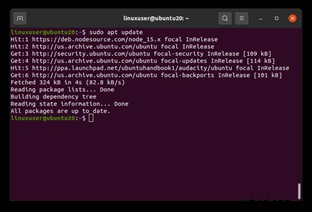
- Install Audacity:
sudo apt install audacity - Launch Audacity from the Activities overview by searching for "audacity".

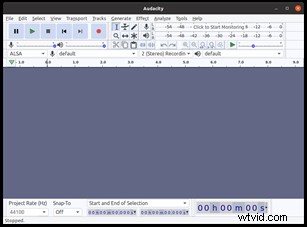
2. Install Audacity via Snap Store
- Snap is pre‑installed on Ubuntu 20.04. If for some reason it’s missing, install it with:
sudo apt install snapd
- Once Snap is ready, install Audacity:
sudo snap install audacity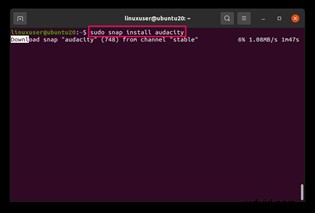
- After installation, launch it by searching for "audacity" in the application menu.
Uninstalling Audacity
Choose the method that matches how you installed the software.
Method 1: Snap
sudo snap remove audacity
Method 2: PPA
- Remove the PPA:
sudo add-apt-repository --remove ppa:ubuntuhandbook1/audacity - To revert any packages that came from the PPA to the official Ubuntu versions, install and run ppa‑purge:
sudo apt install ppa-purge sudo ppa-purge ppa:ubuntuhandbook1/audacity - Finally, remove Audacity itself:
sudo apt remove audacity
Conclusion
With these steps, you can confidently install, use, and remove Audacity on Ubuntu 20.04 LTS. The tool’s robust feature set, combined with the simplicity of PPA or Snap installation, makes it a reliable choice for audio editing on Linux.