
Looking for a reliable free online tool to fade MP3 files? You’re in the right place. Online MP3 faders let you effortlessly edit the start and end of audio tracks, giving you creative control over mood, pacing, and narrative flow.
These platforms apply advanced editing techniques—crossfades, volume envelopes, and more—to your uploads, so you can highlight key moments or create seamless transitions without installing software.
Below, we present five top‑rated free online faders that deliver professional results, along with a robust desktop alternative for users who prefer offline editing.
In this article
- Why Fade MP3?
- Top 5 Online Audio Faders
- Online vs. Offline Tools
- Who Should Opt for Offline Solutions?
- Powerful Desktop Fader: Wondershare Filmora
- Conclusion
Why Fade MP3?
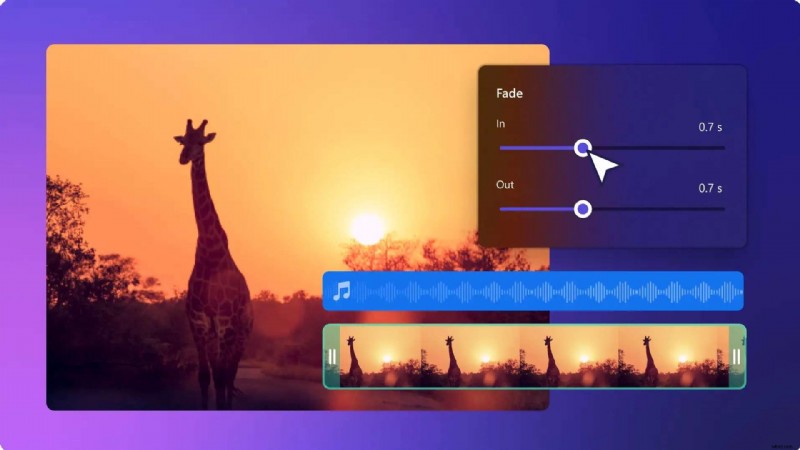
Fading is a versatile technique that can:
- Add intrigue with a gradual fade‑out at the end.
- Create suspense by fading in at the start.
- Blend multiple clips through crossfades.
- Distinguish instructional content from music tracks.
- Emphasize narration highlights with timed fades.
- Signal the beginning or conclusion of a presentation.
Top 5 Online Audio Faders to Fade Out MP3 for Free
Our selection focuses on ease of use, file‑format support, and feature set. Below is a detailed comparison of each tool.
1. Aspose Online Audio Fader
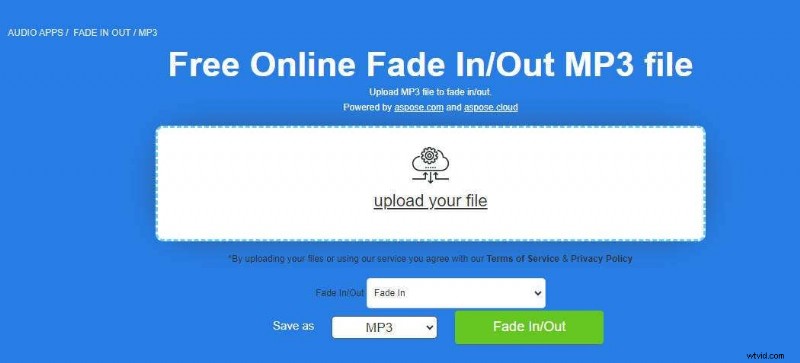
Aspose isn’t just a fader—it’s an all‑in‑one cloud editor. Besides fading, it offers voice recording, mixing, speed control, noise reduction, and format conversion.
Key Features
- Fade in or out MP3 and other audio formats.
- Export to MP3, AAC, FLAC, OGG, and more.
- Cross‑platform access (Windows, macOS, Linux, iOS, Android).
- Email or cloud download of finished files.
How to Fade MP3 with Aspose
- Upload your MP3.
- Select “Fade out” and hit the Fade In/Out button.
- Download the processed file.
Pros: No account needed, supports a wide range of formats, completely free.
Cons: Files auto‑delete after 24 h; no preview option.
2. Audio Trimmer
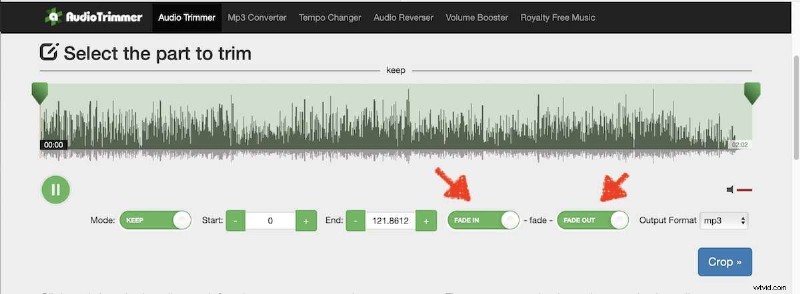
Audio Trimmer is a lightweight, browser‑based editor that adds crossfades to MP3s. With a single click, you can soften the start or end of any track.
Key Features
- Fade, trim, convert, reverse, and boost volume.
- Create ringtones and embed album art.
- Video trimming and a royalty‑free music library.
How to Fade MP3 with Audio Trimmer
- Choose your file.
- Toggle “Fade out” and press Crop.
- Download the faded MP3.
Pros: Device‑agnostic, multi‑format support.
Cons: Only MP3/M4R downloads, 250 MB size limit, auto‑delete after 2 h.
3. Clideo Online Audio Cutter
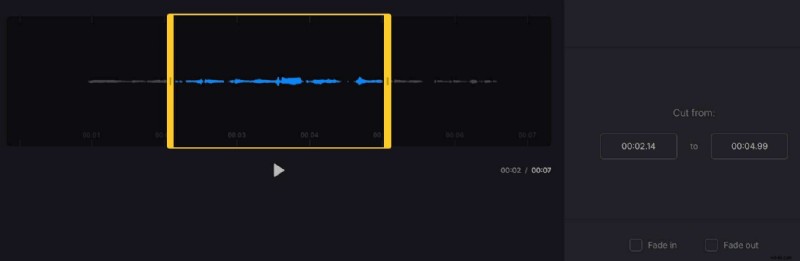
Clideo unites cutting, fading, and format conversion in a single interface. It’s ideal for users who need both basic edits and more complex workflows.
Key Features
- Dual‑mode trimmer with marker or time‑in‑seconds input.
- Section extraction or deletion.
- Subtitle addition and audio merging.
- Direct download to Google Drive or Dropbox.
How to Fade MP3 with Clideo
- Upload your audio.
- Check the “Fade out” box.
- Select format and click Export.
Pros: Supports many formats, one‑click fading.
Cons: Fade time and volume are fixed; account required for advanced features.
4. Bear Audio Tool
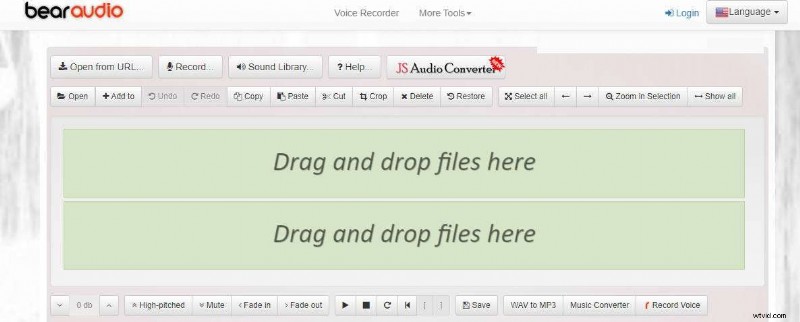
Bear Audio Tool is a browser‑based editor that lets you drag‑and‑drop files, apply fades, and listen to the result instantly.
Key Features
- Simple fade in/out controls.
- Record and edit directly in the browser.
- Free audio library and format conversion.
- Basic trimming, muting, and volume adjustment.
How to Fade MP3 with Bear Audio Tool
- Drop the MP3 into the editor.
- Click Fade out.
- Preview and save.
Pros: Zero cost, fast processing, multiple source support.
Cons: Limited import/export formats, ad‑driven interface.
5. 123apps Audio Cutter
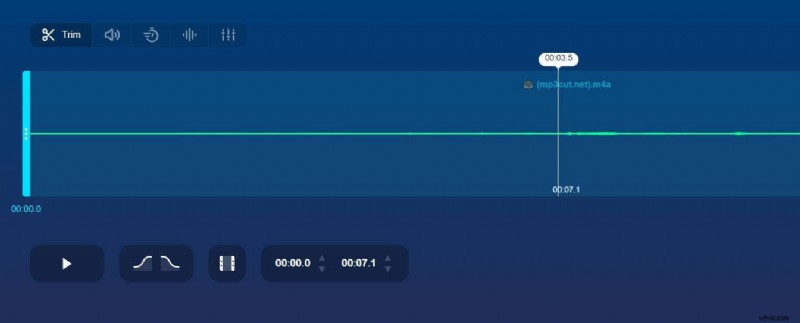
123apps offers a comprehensive suite of audio tools, including a robust fading feature that lets you set custom durations and export to various formats.
Key Features
- Fade in/out with adjustable time.
- Export to AAC, M4A, M4R, FLAC, WAV.
- Trim, volume control, speed change, equalizer, pitch shift.
How to Fade MP3 with 123apps
- Upload your file.
- Set fade in/out duration.
- Play and choose output format.
- Click Save.
Pros: Supports >300 formats, large file limit (10 GB), ringtone creation.
Cons: Limited export options, 35 files/day cap for free users.
Online vs. Offline MP3 Fading Tools
Choosing between cloud‑based and desktop editors depends on your workflow, file size, and privacy needs. Below is a quick comparison.
| Tool Type | Pros | Cons |
| Online MP3 Fader |
|
|
| Offline MP3 Fader |
|
|
Online tools shine when you need quick edits without installation, while offline solutions excel for large projects, advanced editing, and privacy‑conscious users.
Who Should Opt for Offline Editing?
- Concerned about data security and potential breaches.
- Operating in low‑bandwidth environments.
- Using legacy operating systems that limit browser compatibility.
- Facing restrictions on free online tiers.
Powerful Desktop Fader: Wondershare Filmora
Wondershare Filmora is a feature‑rich audio editor available on Windows, macOS, Android, and iOS. Its AI‑powered tools include auto‑beat sync, silence detection, and audio ducking.
Key Features
- One‑click fade in/out with adjustable duration.
- Silence detection and removal.
- Audio ducking for clearer mixes.
- Noise reduction and audio stretching.
- Custom sound effects and visualizations.
- Auto‑beat sync for seamless integration.
Three Ways to Fade MP3 in Filmora
1. Using the Audio Fade Panel
- Open Filmora and import your MP3.
- Launch the Audio Editor.
- Navigate to the Fade In/Out controls.
- Drag the slider to set your fade curve.
2. Editing the Waveform
- Place the MP3 on the timeline.
- Locate the fade handles on either side of the waveform.
- Adjust the slider to create a fade‑out.
3. Applying Exponential Fade
- Import two MP3 files and place them on the timeline.
- Navigate to Transitions > Audio Transitions > Exponential Fade.
- Drag the transition onto the timeline and set its duration.
- Play and export when satisfied.
Conclusion
Whether you’re adding a dramatic fade‑out to a podcast, softening the start of a music track, or blending multiple clips, a professional‑grade fader will elevate your audio production. Online editors offer convenience, but desktop solutions like Wondershare Filmora provide deeper control and AI enhancements for serious creators.
Try a free online fader today or download Filmora for unlimited, high‑quality MP3 fading without constraints.