
Here’s how you can narrow down the options at PremiumBeat to find the perfect track for your video project.
For a video production blog hosted on a royalty free music licensing site, we don’t really talk about music that often — specifically, how to find the right song for your project, or faster ways to dig through our seemingly endless number of songs.
Whenever I am searching for music, I have a few go-to tricks that help speed up the overall process. Some of these suggestions work on other sites as well, but some are exclusive to PremiumBeat. This article will help you find the right track, no matter where it’s from.
I won’t discuss picking the right mood or deciding to use a track with or without vocals. You can find plenty of that information here and here. Instead, I’ll share the actual steps I take to speed up a music search.
1. Create a Playlist for Each Project

I listen to a lot of production music — A LOT! The very first thing I do when searching for music is create a new playlist for a project. (I also maintain dedicated playlists for repeat projects like wedding videos or quick social media edits.) With a playlist ready, I’ll start adding any potential songs that might work. If I happen to hear a song I really like, but it may not work for this particular project, I’ll add it to one of my repeat project lists or “favorite” the song. Before you know it, you’ll have several curated lists of music that you really like.

The other benefit of creating music playlists is the ability to share playlists with clients. This is particularly helpful with corporate clients, as they can quickly preview tracks you’re thinking of using — even if you have to explain a million times that the final song really won’t repeatedly say “PremiumBeat Dot Com.”
2. Use the PremiumBeat.com Keyboard Shortcuts
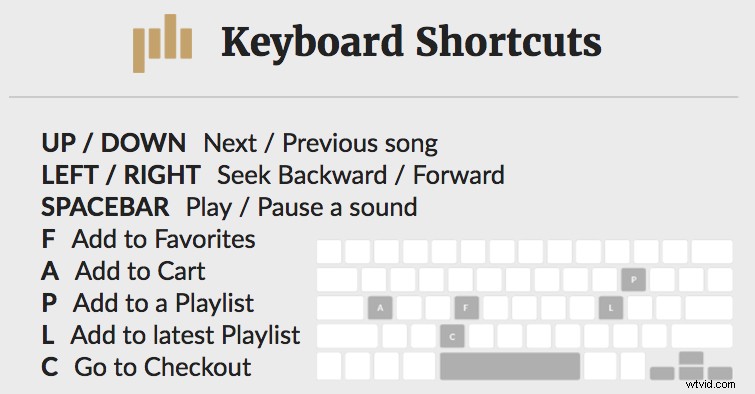
If you aren’t already familiar with PremiumBeat’s keyboard shortcuts, you really are missing out. Perhaps the best time-saving feature of this site is the keyboard shortcuts for browsing and bookmarking songs. This is additionally beneficial once you’ve created playlists, as you can breeze through tracks and just hit “P” to open the add to playlist pop-up menu. Afterward, you can hit “L” to add a song to the latest playlist.
Select the genre, mood, or artist you are looking for. As soon as the page loads, you can hit the spacebar to play the first track. Hit the spacebar again to pause. Video editors can usually get a strong sense of a track within the first few seconds. If the intro doesn’t grab you right away, you can hit the down arrow to hear the next song. If the intro is a maybe, but you aren’t sure about the song yet — you can hit the right arrow to jump forward in the song or the left arrow to go backwards.
The other keyboard shortcuts are “F” to add a song to your favorites, “A” to add a song to your cart, and “C” to go to the checkout page.
3. Narrowing Down the Most Popular Songs
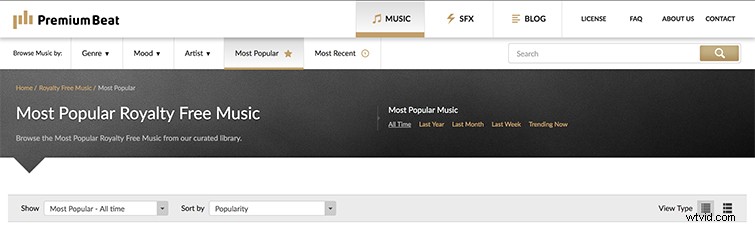
Now, it’s certainly easy to hop over to the Most Popular tab to find the top royalty free tracks, but since they are the most popular songs, you may see many of the same songs on the list over and over. If you need to refresh the playlist, you can change the Show tab to Most Popular — Last Week and then update the list to sort by Most Recent.

This will update the list with the top-selling tracks over the past week, which will add some diversity to the playlist. I use the keyboard shortcuts to burn through the list pretty quickly and then move on to more options — especially once I start narrowing down the type of song I am looking for.
4. Find Similar Songs Based on Songs You (or Your Clients) Like
If your playlist already has a few tracks you really like, then you can go to an individual song’s page. There are a few options here. The individual song page will automatically generate similar songs once you scroll down.
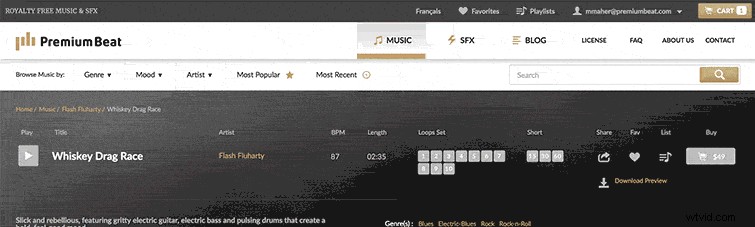
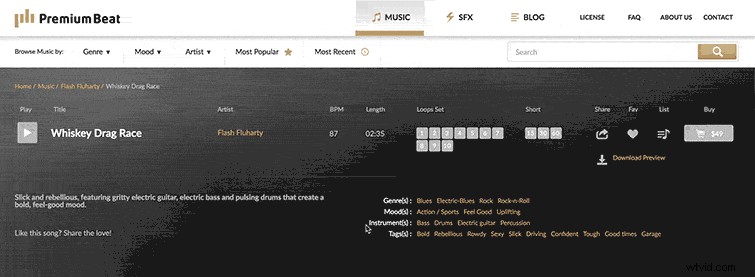
I tend to take a look at a song’s tags and instruments. If there is a certain aspect that a client likes, such as a kazoo or a clapping sound, you can click on that instrument to find other songs with the same instruments. When you click on a song’s tag, the site will direct you to an array of songs with the same feel.
5. Use Advanced Filters
Much like sorting by popularity, genre, tags, and instruments, Advanced Filters allow you to search by song length or BPM (beats per minute).
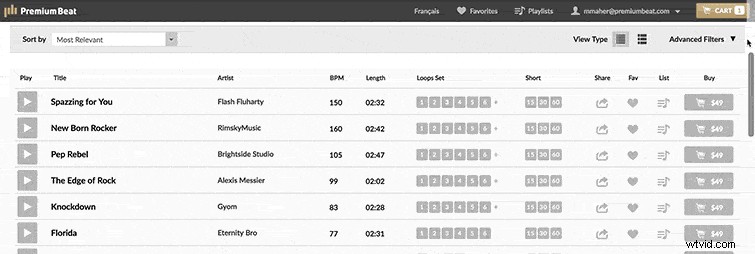
I don’t often use the advanced filters for a song’s length, as I would much rather see if there are any available loops or short versions that work with a project.
6. Listen to Loops and Shorts
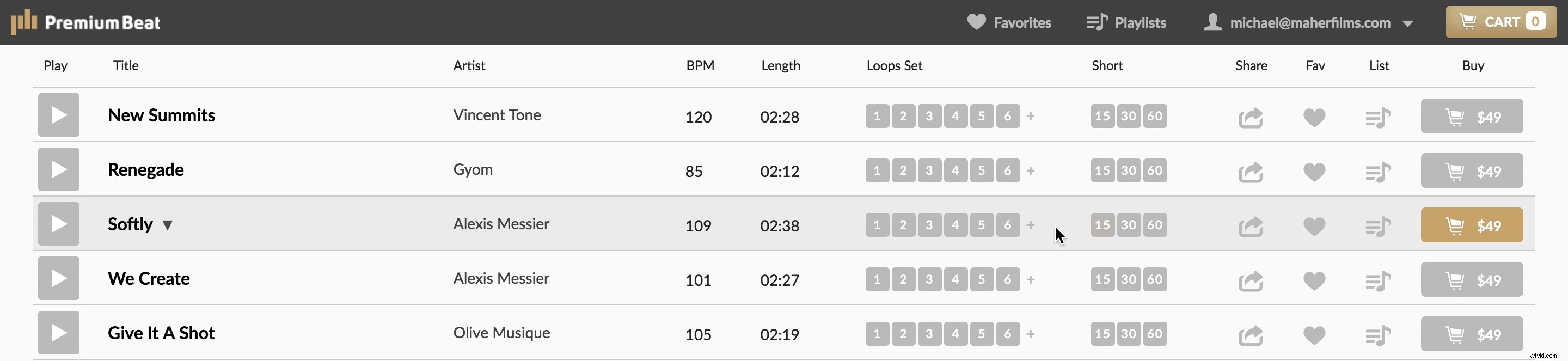
Loops and shorts are awesome. They can save so much time versus re-cutting a song to the right length. This is also helpful when you are cutting the same spot for different platforms at different lengths — like 15-, 30-, and 60-second versions of the same spot.
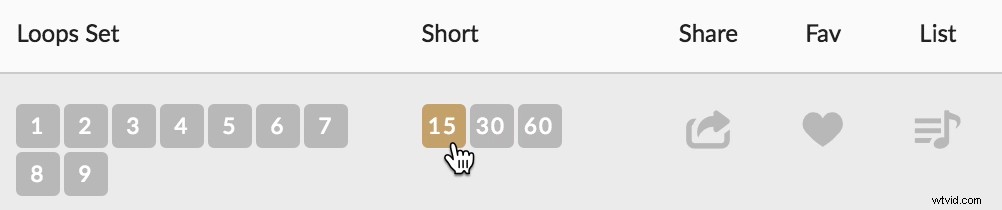
If you still need to do some light audio editing to end a track, you can cut the song to the length you need and then rework the end of the song by adding reverb.
How Other Video Editors Search for Music
Every video editor has their own process for finding production music. In this Cinecom video, you’ll see how Jordy Vandeput digs through the PremiumBeat library using keywords and searching by mood. He then uses the advanced filters to pick the genre and downloads a preview track in his edit to see if the song works.
In this example, Jordy also shows you how he uses the loops to create the perfect soundtrack for his video.
Royalty Free Music Suggestions from PremiumBeat Music Licensing Specialists
Now that you know how to find the right track, it’s up to you to decide which techniques are the most helpful. Hopefully this will keep you from going crazy listening to audio watermarks every hour for days at a time.
If you’re looking for where to start, our music licensing specialists have put together this list of royalty free music genre suggestions. The PremiumBeat music team includes touring musicians who collaborate with PremiumBeat artists to curate tracks just for video editing. Based on the latest trends, here are the top genres for these types of videos.
- Fashion films
- Independent
- Punk Rock
- Trap
- Family-oriented promos and commercials
- Acoustic Folk
- Human Drama
- Automotive commercials
- Trailer
- Cinematic
- Alcohol, retail, and utilities videos
- Indie Rock
- Wedding videos
- Indie Pop
- Electro Pop
- Real estate videos
- Chill Out
Do you have any tips for navigating PremiumBeat’s library? Let us know in the comments.