

Trying to figure out YouTube Shorts?
We get it. Improving your channel yet staying relevant in the world of YouTube is a struggle.

Plus, not all YouTube viewers are there for long-form content. Some love those quirky, quick videos.
And, that’s what YouTube Short videos offer.
Often seen as a TikTok, Instagram Reels, and Snapchat Spotlight rival, YouTube Shorts give creators full creativity to take their brand to the next level.
How?
We will discuss that and more about this YouTube feature in this guide.
So, let’s get started.
What is YouTube Shorts?
Introduced in 2020, YouTube Shorts is a YouTube app feature that enables artists and creators to make short videos with musical overlays.
Cool, right?
But, the most amazing aspect of Shorts is that it lets you create videos using just a mobile phone. YouTube Shorts videos cannot exceed 60 seconds, and they don’t come with a host of special effects. But unlike Stories, YouTube Shorts don’t disappear – which is a pro for brands aiming to create a lasting impression through their video content.
YouTube Shorts Requirements
- Duration: As mentioned before, YouTube Shorts can go up to 60 seconds. But the default length of a YouTube Short is 15 seconds – which means you can create several 15-second Shorts that will be combined as one continuous video and can go up to a minute in length.
- Orientation: YouTube Shorts videos can only be shot in a vertical orientation.
- Audio: This feature lets you leverage YouTube’s library to add audio. Remember, though, videos that use third-party music can only be up to 15 seconds in length.
How to make YouTube Shorts?
Open the YouTube app on your mobile phone and follow the steps mentioned below to create Shorts:
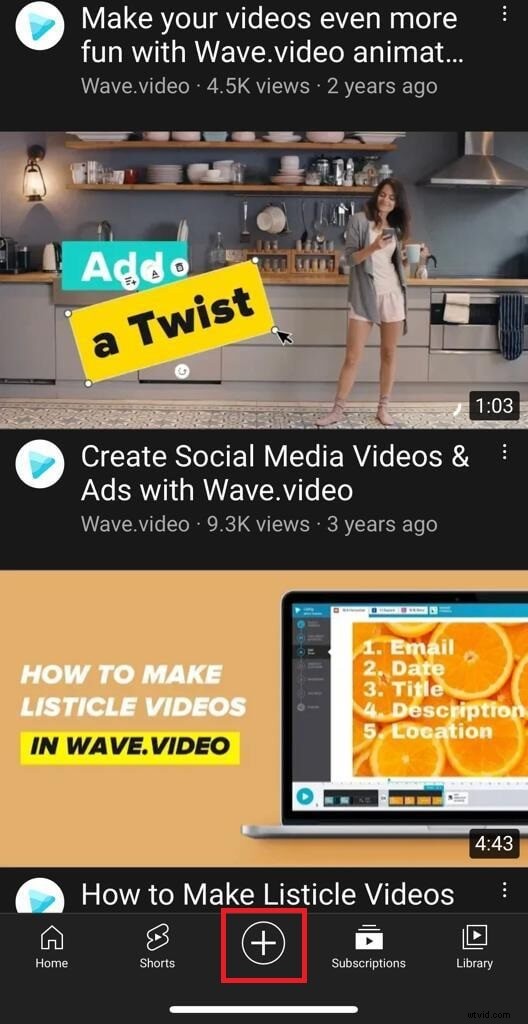
Step 1: Tap the “+” icon at the bottom center.
Step 2: In the pop-up, select Create a Short.
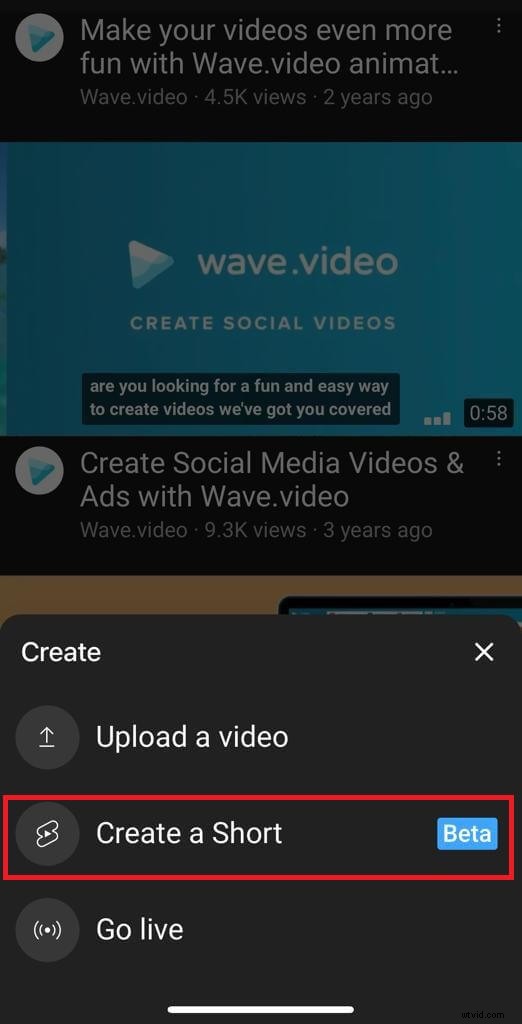
Now, you may be asked to allow mic and camera access if you are using this feature for the first time. Allow the access and move on to the next step.
Step 3: After landing on the YouTube Shorts page, you’ll find the default length of 15 seconds.
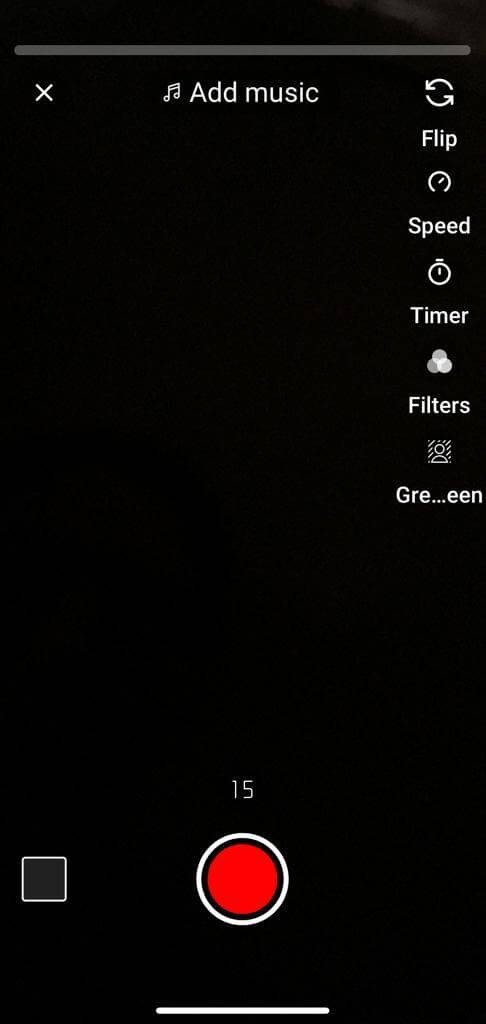
You can change the duration to 60 seconds by tapping on “15” above the record button.
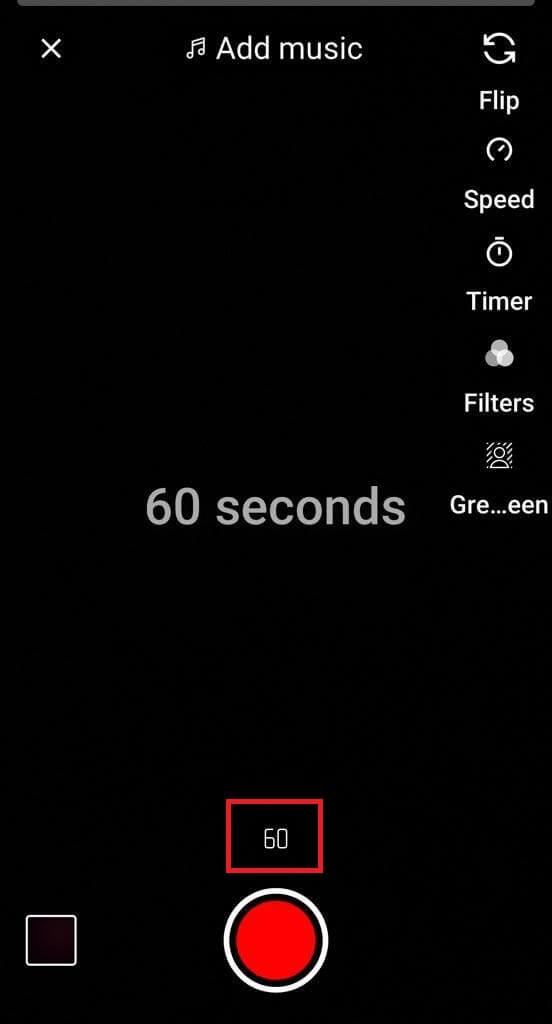
Step 4: Click “Flip” to switch between front and rear cameras for recording your Short.
Step 5: Tap on “Speed” to speed up or slow down your recording. You can go as fast as 3x and as slow as 0.3x using this option.
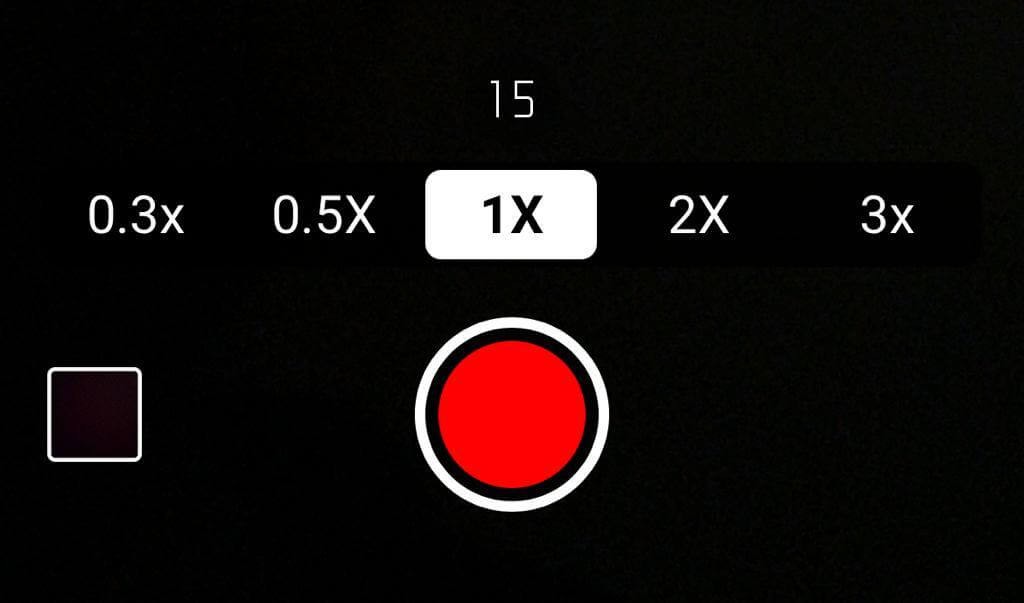
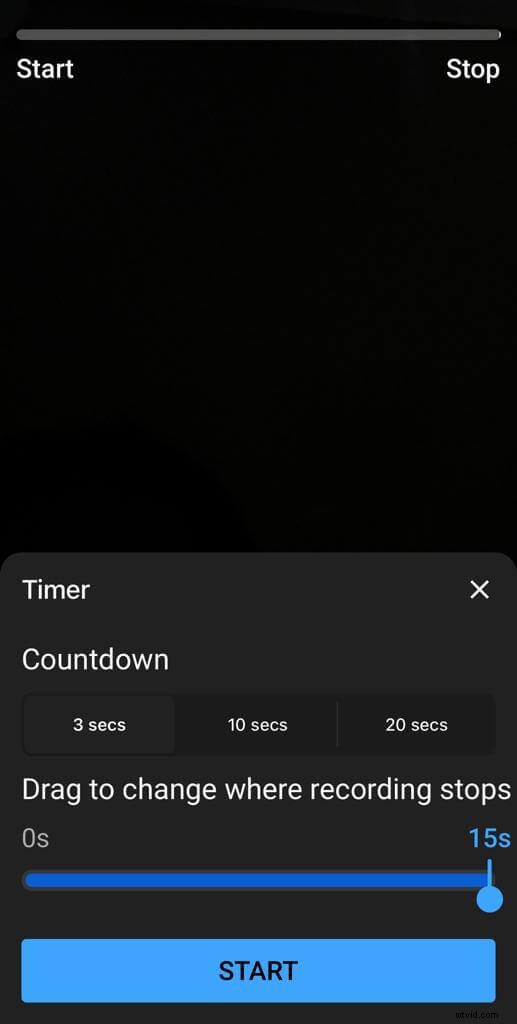
Step 6: If you want to record your Short hands-free, tap “Timer” and set a countdown from 3 secs to 20 secs.
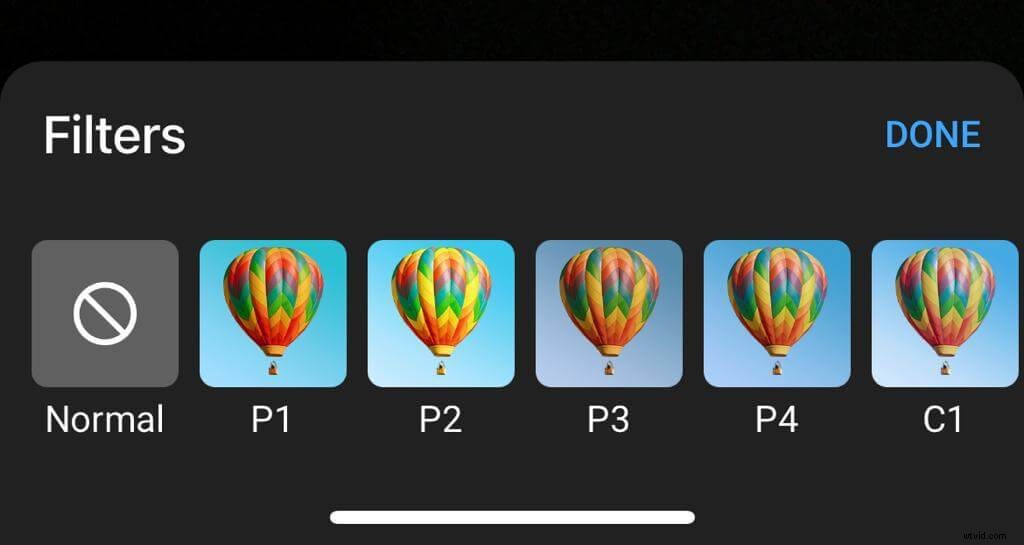
Step 7: Tap “Filters” to pick your desired filter and jazz up your recording.
Step 8: Another exciting feature in YouTube Shorts is “Green Screen”. Tap it to replace your background with an image of your choice.
Step 9: Finally, tap the red Record button to begin recording and again to stop it. If you want to record another segment, then tap again and record.
Note – You can remove the last recorded segment by tapping Undo (left-facing arrow icon) on the left of the Record button. And if you want to add a removed segment to the video, hit Redo (the right-facing arrow icon) on the right of the Record button.
Step 10: Once you’re done recording, preview your Short by hitting the checkmark in the bottom right. You can also edit the video by adding music, text, and filters.
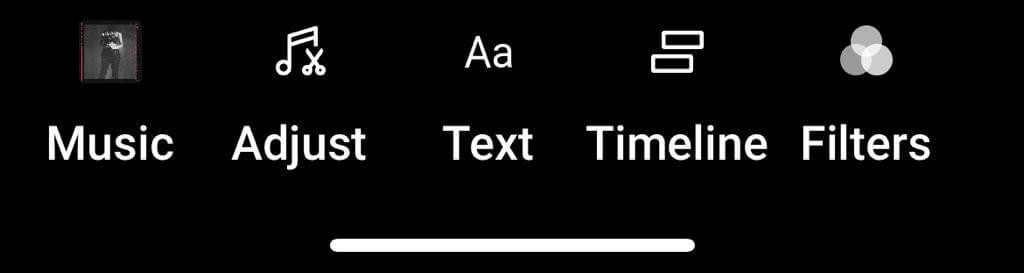
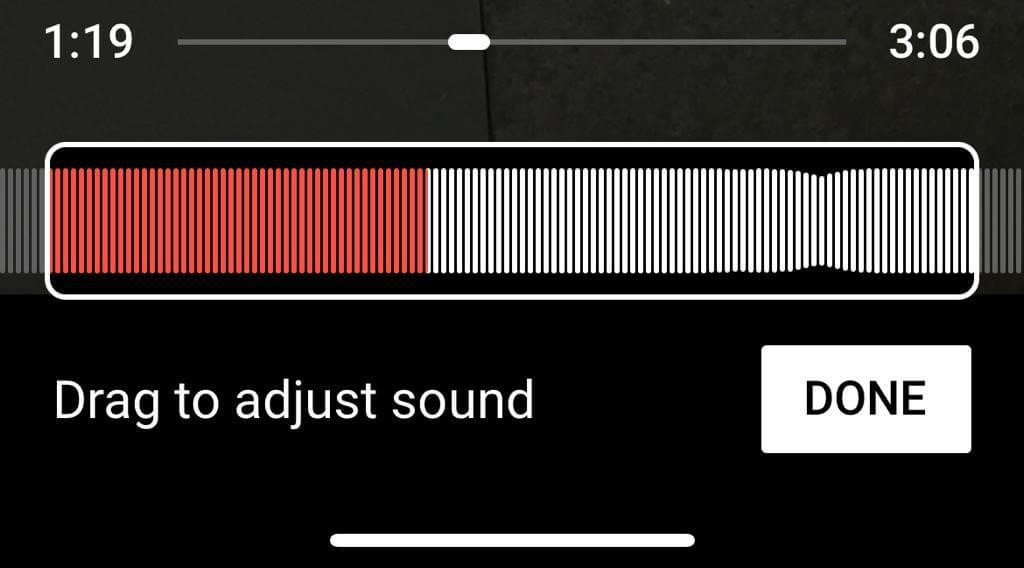
Step 11: YouTube Shorts also lets you adjust the sound by dragging it. Hit “DONE” once you’re ready.
Step 12: Your Short is now ready. Add a title and fix the settings. Don’t forget to add #shorts to increase the reach of your YouTube Shorts videos. Whenever ready, tap “Upload,” and your Short will go on your YouTube channel.
YouTube Shorts: Tips & Tricks
Pin CTA as a comment
While Shorts are designed to keep the scroll going, you can keep the viewers hooked to your brand by including a CTA in the comments and pinning it to the top.
Leverage YouTube Stories
Promote your YouTube Shorts by highlighting them through Stories. Also, within the story, ask the viewers to Subscribe to your channel and leave a comment to drive extra engagement.
Loop your YouTube Shorts
This one is a gold nugget. When you post a YouTube Short, ensure you loop it to increase the watch time (a key metric in determining your YouTube channel’s success). YouTube algorithm also pushes videos with high Watch Time to viewers.
But ensure that the video is short enough to make the loop seem natural because let’s face it: a 60-second video on a loop may not be compelling. Also, ensure that the video has no music. Otherwise, the viewers will identify that they are watching the Short on a loop.
Create compelling titles
To get more clicks and views on your Shorts, create compelling titles that tell the viewers what they are about to see in the videos. Also, don’t forget to include #shorts for easy identification.
Focus on thumbnails
Although YouTube Shorts are available on the Shorts page, viewers can also watch them on their feed as other videos. That’s why having a custom thumbnail is vital for every Short video that you post. Use Wave. video’s online thumbnail maker to create click-grabbing video thumbnails.
Stay consistent
As with any other social media content type, you need to be consistent with Shorts. Posting one Short video in a month may not bring the desired results. So, create a schedule and stick to it. The frequency, of course, depends on your overall video content strategy and goals.
12 YouTube Shorts Ideas + Examples
Learned how to make a YouTube Short video? Great!
Now, if you want to find some motivation, here are some interesting ideas with examples to get you moving:
1. Tips/Hacks
Sharing tips or hacks is an effective way to drive online engagement, and when you share them in a short video, it’s a killer. That’s because quick information delivery comes as a relief from those mundane, long-form videos that seem never-ending.
Check out how 5-Minute Crafts aces the world of tips and hacks with their Shorts, like this one:
2. Start or join a challenge
Talk about a format that both the viewer and the creator enjoy to the fullest. The Challenge YouTube Shorts are what you need to expand into a beacon of exciting content.
Here’s a video from Ellen and Brian to inspire you:
3. Facts
Move over the usual Did You Know videos by using Shorts to reveal the lesser-known facts with the world.
Here’s an example from Luke Davidson Facts:
4. Tutorials
Tutorials are what industry experts love to cash in on, especially those who want to stay in the minds of their customers.
SeanDoesMagic shares an excellent tutorial that tells why this artist is a genius:
5. Myth busters
Want to bust a myth about your industry in general or your brand in particular? Create a Short on it. Apart from establishing you as an industry authority, myth-busting YouTube Shorts also make for unique viral content.
See how PJFPerformance exposes a rather popular defense myth in this Short:
6. Entertainment
Huh, aren’t all types of YouTube Shorts meant for entertainment? Well, not really. Some may solely be educational. But if you want to share nothing but fun content on your channel, this is the ultimate idea you need to try.
This one from Buttered Side Down shows how this idea is always a winner when you’ve tried everything and feel like you’re stuck in a rut.
7. Stories
Want to cover a sensitive topic but are worried about people misinterpreting you? Or do you have a funny anecdote to share with your viewers? Combine storytelling and Shorts to share your message in a subtle yet engaging way. Just like iAmJordi does in this video:
8. Experiments
Whether it’s a physics activity, a cool magic trick, or a random experiment, Shorts offer you the perfect platform to perform and share your experiments online.
The below-mentioned Short from Unique Daily is a superb example here.
9. Comparison Videos
Well, comparison videos need no introduction. From the “Then” and “Now” videos to the “Before” and “After” ones, you can create awesome comparison videos using Shorts.
If you want to go beyond the usual, consider creating something like this one from The Fitness Marshall?
10. Hop on a trend
If you want to dip your toes into a trend, you can always create a Short on it and gather views, just like Vogue does with this video:
11. Repurpose other content
One of the best ideas to elevate your video content using YouTube Shorts is repurposing your long videos or even your sales pages/web copies/blog posts, etc.
But as you do it, don’t forget to edit your Shorts to make them look neat and more professional.
Here’s a fantastic example of a Short video that WebFX repurposed from their Social Media Pricing webpage:
12. Reviews
Okay, so think of this as a mini version of those detailed review videos rampant on YouTube. Tried a much-hyped product or a newly launched service? Create YouTube Shorts and share your experience with your viewers in less than 60 seconds, like Dental Digest does in this video:
The Takeaway
We hope this post helps you steer your video marketing efforts in the right direction by including YouTube Shorts into the action plan.
And now that you have learned how to create YouTube Shorts, create something worth watching and remembering.
Happy creating!