
Seamless Wistia and Adobe Marketo Engage Integration
Leverage Wistia’s robust video analytics within Adobe Marketo Engage to capture leads from videos and webinars, then automatically enrich your lead records, score them, segment them, and assign them to the right teams.
How the Wistia + Adobe Marketo Engage integration works
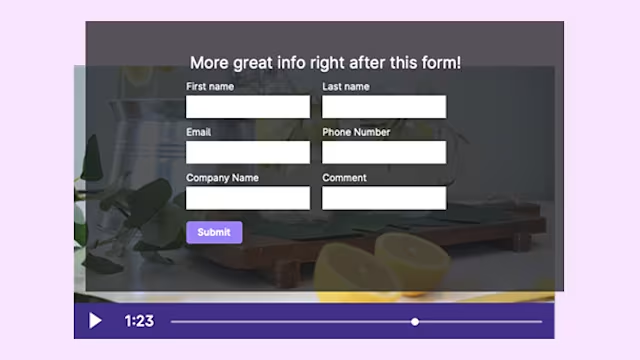
Add Marketo Engage forms to Wistia videos
Create a custom Marketo Engage form and embed it directly in any Wistia video. When viewers submit, a new contact is created and all subsequent video interactions—watch time, CTA clicks, poll responses—flow into their Marketo record.
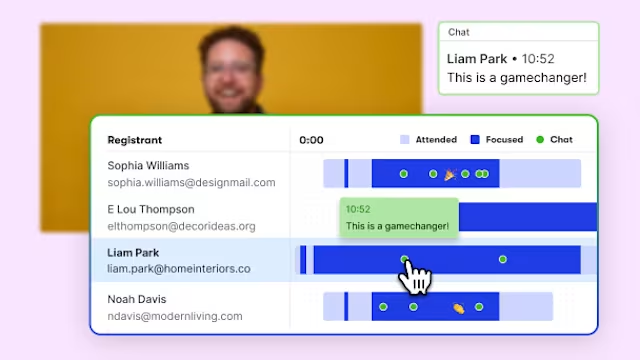
Personalize webinar follow‑ups
For Wistia‑hosted webinars, registration, attendance, and engagement data—including poll responses and watch metrics—sync straight into Marketo Engage, enabling precise segmentation and automated, personalized follow‑up campaigns.
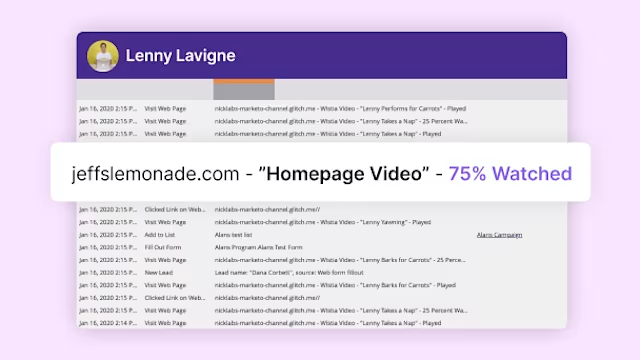
Enhanced segmentation and lead scoring
Leverage detailed viewing metrics—such as CTA clicks or completion percentage—in Marketo’s Smart Lists and scoring models. These insights trigger alerts to sales or automate nurturing workflows.
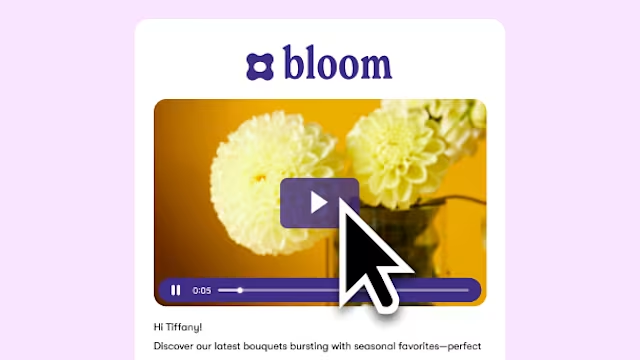
Improve email engagement
Embed thumbnail images and unique tracking codes into your marketing emails to showcase Wistia videos and boost click‑through rates.
What can I do with the Wistia + Adobe Marketo Engage integration?
Capture leads from videos and webinars, sync engagement data (watch time, CTA clicks), trigger smart campaigns, and automatically enrich lead profiles in Marketo Engage.
Does the integration work with both videos and webinars?
Yes—supports Wistia‑hosted videos, webinars, and Channels, enabling automated follow‑ups and lead scoring across all video content.
Can I add Marketo Engage forms to Wistia videos?
Yes. Embed native Marketo Engage forms into any Wistia video. Submissions create contacts in Marketo and link to future engagement.
What's the difference between Wistia forms and Marketo Engage forms in videos?
Marketo Engage forms are built in your Marketo account and can capture fields critical for lead scoring, appearing in Wistia videos just like native Wistia forms. Wistia forms have fewer fields to reduce friction, but the captured data still syncs back to Marketo for scoring and automation.
Where does Wistia video and webinar data appear in Marketo Engage?
Viewer behavior and event engagement show up as Custom Activities and Lead Field updates, which you can use in Smart Lists, scoring models, and campaigns.
Can I trigger campaigns based on video views or webinar engagement?
Absolutely. Use metrics like watch percentage, CTA clicks, or poll responses as triggers for nurturing flows, segmentation, and alerts.
Can I use Marketo Engage forms to register people for my Wistia webinars?
Yes. Select a Marketo form for your webinar registration. Registrants are sent to your Marketo instance, capturing audience and attendance data directly.
Can I use Wistia video data in Marketo Smart Lists and lead scoring?
Yes. Video and webinar engagement is sent as Custom Activities and Lead Fields, enabling you to build Smart Lists and scoring rules based on specific interactions.
Does Wistia send UTM parameters and location data to Marketo Engage?
Yes. When using Wistia-hosted forms with UTM parameters, campaign attribution and IP‑based location data sync directly to lead records in Marketo Engage.
Is there a guide to help me set up the Wistia + Marketo integration?
Yes—our step‑by‑step setup guide covers connecting accounts, adding forms, syncing data, and automating campaigns with Wistia engagement.