
When you see a brand’s high‑quality video on social media, you might think a massive budget and a full production crew are required. That’s a myth. With the right tools, a single smartphone can capture, edit, and publish professional‑looking videos.
Below is a curated list of tools that empower anyone—from beginners to seasoned marketers—to produce engaging video content without costly equipment or extensive filming experience.
Pre‑Production Essentials
While you don’t need a cinema‑grade camera, preparing the right gear can make a world of difference.
1. Smartphone
Almost everyone owns a smartphone, yet many overlook its video capabilities. Director Steven Soderbergh famously shot two feature films on an iPhone, and the latest models continue to improve dramatically. For Apple users, the iPhone 12 offers vibrant 4K video; Android fans can opt for the Samsung Galaxy S21, which records up to 8K. The choice ultimately depends on which device you’re most comfortable with.
2. Ring Light
Low‑light footage can look grainy and hard to read. A ring light delivers even, flattering illumination, ideal for direct‑to‑camera talks and interviews. The Auxiwa Clip‑On Selfie Ring Light, priced at $13.99 on Amazon, clips easily onto most smartphones.
3. Tripod
Stability is crucial. The UBeesize 50‑inch Phone Tripod, available for $18.99 on Amazon, is lightweight, adjustable, and compatible with a wide range of smartphones, eliminating jittery shots.
4. Lapel Microphone
Clear audio is as important as clear visuals. The Rode smartLav+ Lavalier Microphone plugs into your phone and clips onto clothing, delivering broadcast‑quality sound for $65 on Amazon.
Creation and Editing Tools
Once your gear is set, these apps and platforms streamline the editing and publishing process.
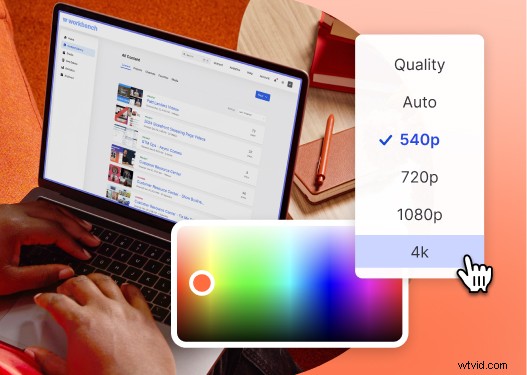
5. Recording in Wistia
Wistia’s webcam and screen‑recording feature lets you capture polished videos directly from your device and share them instantly. Ideal for explainer videos, tutorials, and ads, it supports webcam, screen, and split‑screen recording.
6. FiLMiC Pro
Transform your smartphone into a mini‑cinema with FiLMiC Pro. The app offers advanced controls—color grading, exposure, focus—so your videos look cinematic. Available for $14.99 on the Apple Store or Google Play.
7. Animoto
Need a quick, on‑brand video? Animoto’s drag‑and‑drop editor lets you apply templates, logos, and brand colors. The Professional tier costs $16/month and includes 3,000+ licensed tracks and 40+ fonts.
8. InShot
InShot is a lightweight editing app that handles trimming, merging, speed changes, and filter effects. It’s free on the Apple Store and Google Play, making it ideal for rapid social media posts.
9. Canva
Canva’s Online Video Maker offers a simple drag‑and‑drop interface, pre‑made templates, free stock footage, graphics, and music. It’s accessible on both desktop and mobile.
10. Typito
For text‑heavy marketing clips, Typito provides high‑resolution photos, instant captions, and 500+ templates. The professional plan is $66/month, supporting five users, 15 projects, and custom branding options.
Need More Ideas?
These tools cover everything from capturing footage to final edits, ensuring you can produce consistent, high‑quality content that resonates with your audience.