
REC

Recommended: Video Production, Editing & Gear Maintenance Guide

 WTVID >> WTVID >  >> video >> Livestreaming

Elevate Your Virtual Events with Epiphan Connect for Zoom and Microsoft Teams

Elevate Your Virtual Events with Epiphan Connect for Zoom and Microsoft Teams

Elevate Your Virtual Events with Epiphan Connect for Zoom and Microsoft Teams

Create immersive video experiences with Zoom and Microsoft Teams

Cloud‑to‑Cloud™ for unrivaled video capture

Unlike local setups, Connect is fully cloud‑based, delivering reliable, high‑quality video streams no matter where you are.

  • Full HD 1080p video
  • Isolated audio tracks for clarity
  • SRT for ultra‑low‑latency connections

Make every video a polished experience

Unleash the power of the Epiphan Ecosystem to create live and hybrid productions that feel like a studio on any screen.
Elevate Your Virtual Events with Epiphan Connect for Zoom and Microsoft Teams

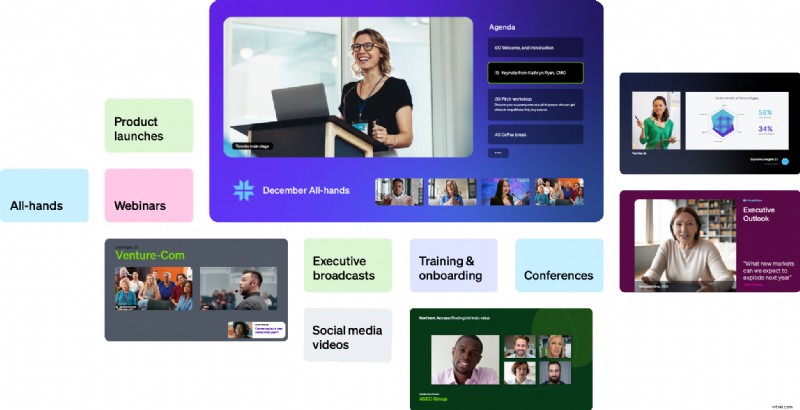
Transform any space into a virtual studio

  • Elevate Your Virtual Events with Epiphan Connect for Zoom and Microsoft Teams

    Virtual green room

    Turn your meeting into a green room where you can chat, provide cues, or speak directly to participants to offer live production support.

  • Elevate Your Virtual Events with Epiphan Connect for Zoom and Microsoft Teams

    Confidence monitor inside the call

    Share a virtual confidence monitor via an SRT return‑feed so participants see how they appear in the broadcast.

  • Elevate Your Virtual Events with Epiphan Connect for Zoom and Microsoft Teams

    Simple, fail‑safe screen sharing

    Epiphan Connect continuously captures the active screen share, even if the presenter changes, ensuring nothing is missed.

  • Elevate Your Virtual Events with Epiphan Connect for Zoom and Microsoft Teams

    Isolated audio feeds

    Separate each participant’s audio into its own track, giving you granular control over the final mix.

  • Elevate Your Virtual Events with Epiphan Connect for Zoom and Microsoft Teams

    Camera and mic management

    Enable producers to mute, unmute, or toggle cameras, ensuring presenters always look their best.

  • Elevate Your Virtual Events with Epiphan Connect for Zoom and Microsoft Teams

    Capture up to nine sources

    Record up to nine participants plus screen share and feed them into your production software for a seamless broadcast.

Supported by the most popular production tools

Control everything, from anywhere

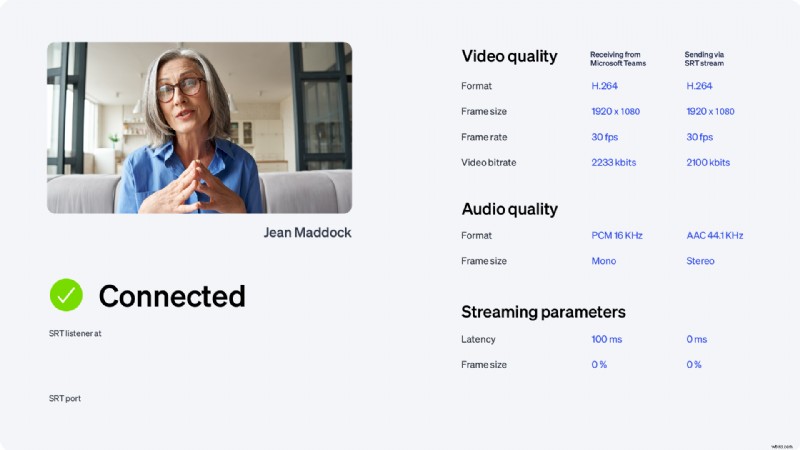
Producers receive detailed connectivity data, guaranteeing each video source meets the highest quality standards.
Elevate Your Virtual Events with Epiphan Connect for Zoom and Microsoft Teams

Connect runs redundant services concurrently, so any underlying infrastructure hiccups are automatically covered.
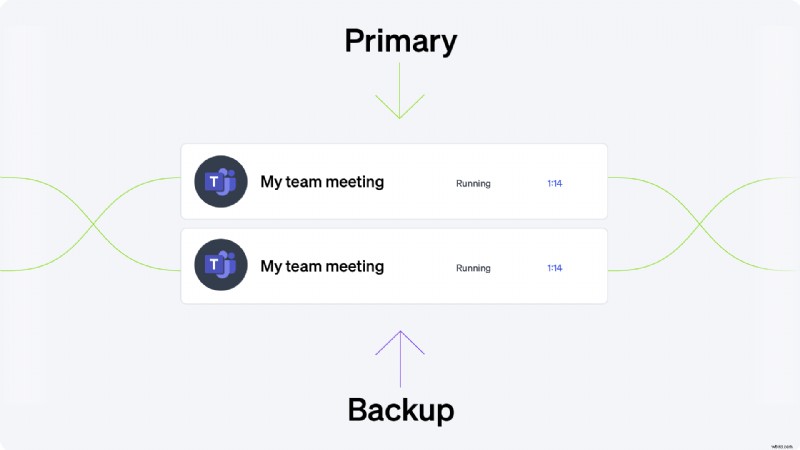
Elevate Your Virtual Events with Epiphan Connect for Zoom and Microsoft Teams

Manage multiple Teams accounts and host several events simultaneously.

Elevate Your Virtual Events with Epiphan Connect for Zoom and Microsoft Teams

Partnering with Microsoft and Zoom, Epiphan Connect encrypts all traffic, keeping your video content private and secure.

How we protect your data Elevate Your Virtual Events with Epiphan Connect for Zoom and Microsoft Teams

Elevate Your Virtual Events with Epiphan Connect for Zoom and Microsoft Teams

“One of my colleagues turned to me and said that was the best virtual event that he has attended at Microsoft.”

Kerri Connoly, Director ISV Partnerships, Microsoft


  1. Epiphan AV.io 4K Capture Card: Simple 4K Video Recording & Streaming

  2. Effortless Multi-Source Streaming to Social Platforms with OBS and AV.io Capture

  3. Key Factors to Consider When Choosing the Best Live Streaming Platform

  4. Essential Guide: Top 6 Must-Haves for Building Your Live Streaming Studio

  5. SRT Studio: Cloud-Based Remote Production for Virtual Productions

Livestreaming
  1. Create Stunning Bokeh Portraits for Under $10: Easy DIY Guide

  2. How to Trim and Edit Microsoft Teams Recordings – A Step‑by‑Step Guide

  3. Enhance Holiday Photos in Minutes: Quick Guide to Accent AI Filter in Luminar Neo

  4. Top 6 Alternatives to Hailuo AI for Stunning Animated Videos

  5. Mastering Histograms: How to Read and Use Them for Perfect Exposures

  6. 5 Key Content Marketing Trends for 2021: Shape Your Winning Strategy

  7. Mastering Video Direction: Insights from a Professional Photographer

  8. How to Add Text Behind Images: 3 Simple & Effective Methods