
AVI and MKV are both widely used video container formats. AVI, introduced earlier, tends to produce larger files and offers limited track support. MKV, on the other hand, delivers superior compression, multiple audio tracks, and robust subtitle handling—making it the preferred choice for many due to its flexibility and broad device compatibility.
Converting AVI to MKV offers tangible advantages: reduced file size, expanded playback compatibility, and smoother streaming. For editors, it preserves quality, minimizes data loss, and supports multi‑layer editing workflows.
This article evaluates three proven conversion approaches—desktop software, media player utilities, and online converters—so you can choose the most efficient, user‑friendly solution for your specific needs.

Our Top 3 AVI to MKV Converter Picks
Below we highlight three trusted methods for converting AVI to MKV: a comprehensive desktop editor, a lightweight media player, and a fast browser‑based converter.
1. Wondershare Filmora – All‑In‑One Video Editor & Converter
Wondershare Filmora merges high‑quality conversion with powerful editing tools, letting you refine clips during export.
Get Started for Free – For Win 7 or later (64‑bit) / For macOS 10.14 or later
2. VLC Media Player
VLC is a trusted media player that doubles as a simple offline converter. It’s ideal for quick, lightweight format changes without installing bulky software.
3. CloudConvert
CloudConvert offers a secure, browser‑based conversion experience supporting over 200 formats, including AVI to MKV. No software installation required.
Part 1. Converting AVI to MKV on Desktop (Windows/Mac)
Filmora’s intuitive interface makes AVI to MKV conversion fast and efficient while preserving video quality.

Key Features
- Seamless AVI to MKV conversion with high‑quality output.
- Background noise reduction, advanced editing, and effect application during export.
- Zero quality loss—maintains original sharpness and detail.
- Supports a wide range of formats: MKV, MOV, MP4, WEBM, and more.
- Cross‑platform sharing—files are ready for any device.
Filmora is more than a converter; it’s a complete editing suite.
Pros
- Compatible with Windows and macOS.
- AI‑driven features streamline conversion and editing.
- Rich library of transitions, overlays, and effects.
- User‑friendly interface for beginners and pros alike.
- Flexible subscription options tailored to different needs.
Cons
- Free version adds a watermark to output videos.
- Some advanced tools require a paid plan.
Get Started for Free – For Win 7 or later (64‑bit) / For macOS 10.14 or later
How to Convert AVI to MKV
Step 1: Import your AVI file.
- Choose File > Import Media or drop the file into Filmora.
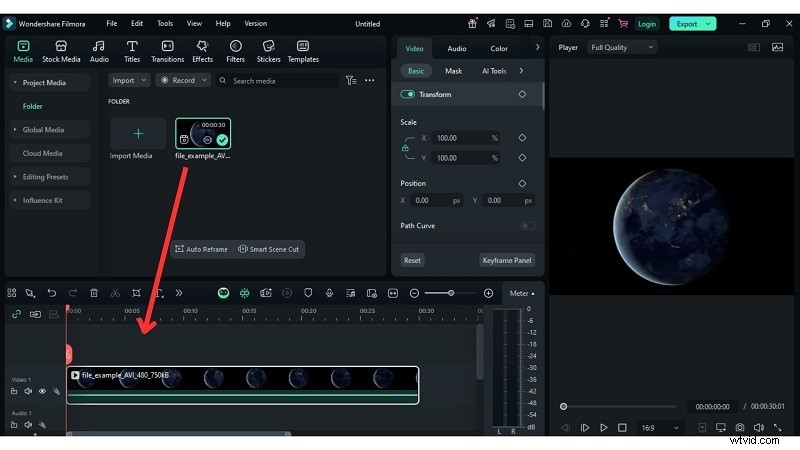
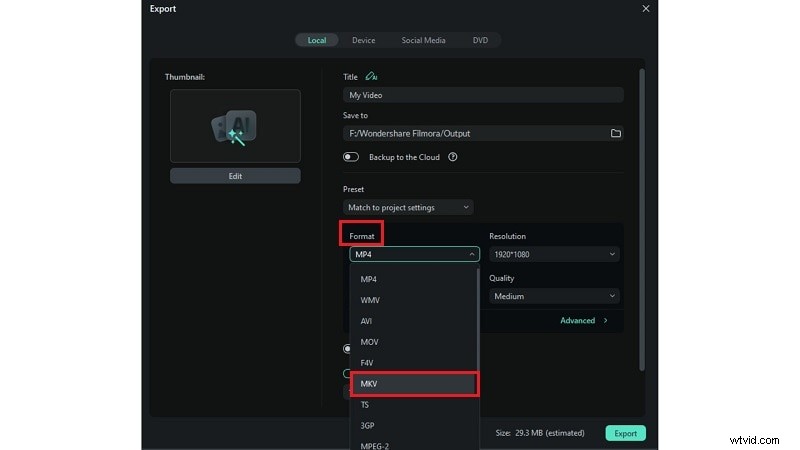
Step 2: Select MKV as the output format from the Local tab. Other options include WMV, MP4, MOV, etc.
Step 3: Click Settings to adjust bitrate, resolution, and other export options. Click Export to create your MKV file, then share or save it locally.
Get Started for Free – For Win 7 or later (64‑bit) / For macOS 10.14 or later
Part 2. Converting AVI to MKV with VLC Media Player

Key Features
- Supports over a thousand video, audio, and subtitle formats.
- Handles media files, discs, and device streams.
- Subtitle sync, audio/visual filters, and no bundled ads.
- Allows simple conversion from AVI to MKV with basic customization.
Pros
- Completely free with no watermark.
- Works with both audio and video files.
Cons
- Conversion speed can be slower for large files.
- No built‑in video editing tools.
How to Convert AVI to MKV
- Launch VLC on your computer.
- Select Media > Convert / Save.
- Click Add and choose the AVI file.
- Under Profile, pick MKV as the output format.
- Press Convert to start the conversion.
Part 3. Online AVI to MKV Converters
Online converters provide quick, software‑free conversions, ideal for occasional use.
1. CloudConvert
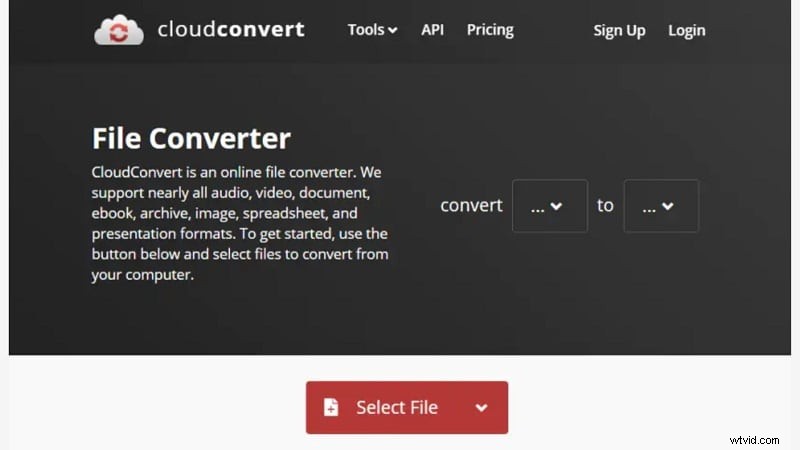
CloudConvert is a free, secure, browser‑based tool that supports over 200 formats, including AVI to MKV. The free tier allows 25 conversions per day; paid plans unlock higher limits.
Key Features
- Handles archives, audio, video, and document formats.
- Intuitive interface—upload, choose MKV, and convert in a few clicks.
- Adjust file size, quality, and resolution.
- End‑to‑end encryption protects your data.
Pros
- Encryption protects all conversions.
- Supports over 200 formats, including AVI to MKV.
Cons
- Free tier limited to 25 conversions per day.
How It Works
- Visit CloudConvert’s website and click Select File to upload your AVI video.
- Choose MKV as the output format and tweak quality or resolution as needed.
- Click Convert to start the process; download the file once finished.
2. FreeConvert Online Converter
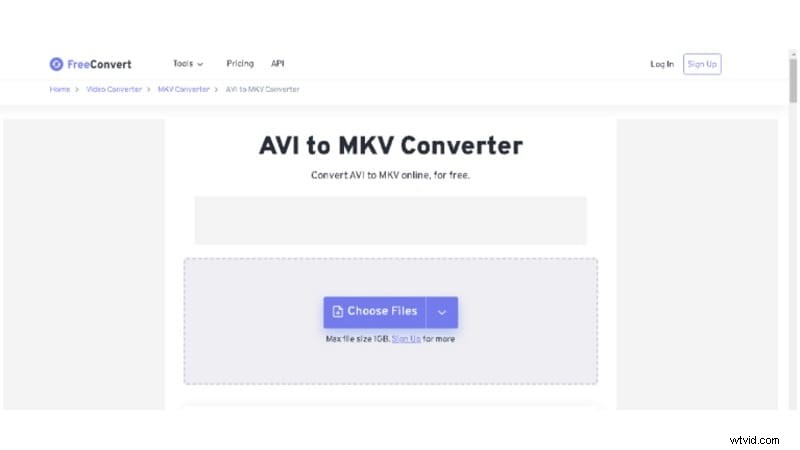
FreeConvert offers batch AVI to MKV conversion with support for uploads from devices, URLs, or cloud services.
Key Features
- Supports over 1,500 file types across documents, images, audio, and video.
- Advanced options to modify codec, resolution, aspect ratio, and frame rate.
- Greater control than many online services.
Pros
- Converts AVI to MKV and 60 additional popular video formats.
- Encryption at 256‑bit security.
Cons
- Free plan limits uploads to files under 1 GB.
How It Works
- Open the FreeConvert website, click Choose Files or drag your AVI files into the upload area. Dropbox and Google Drive are also supported.
- Select MKV as the target format and adjust advanced settings if desired.
- Click Start to begin conversion; download the result when complete.
3. ConvertFiles
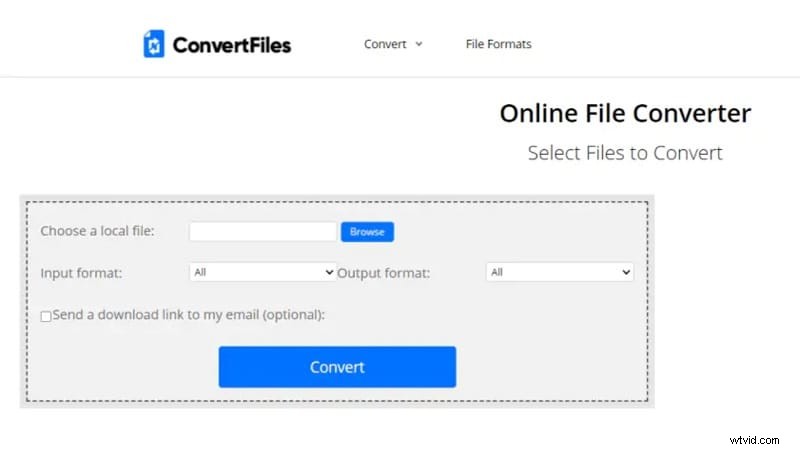
ConvertFiles is a free, online AVI to MKV converter that sends a download link via email once the process completes, allowing you to close the browser during conversion.
Key Features
- Supports AVI to MKV conversion alongside other video formats.
- Simple, rapid interface with no software download.
- All conversions are private; files are removed after processing.
Pros
- Fully free service.
- Download link emailed, so you can close the browser.
Cons
- Limited format support compared to other tools.
How It Works
- Open the ConvertFiles website and click Browse to upload your AVI file.
- Select MKV as the output format.
- Click Start to initiate conversion; you’ll receive a download link by email upon completion.
Conclusion
Switching from AVI to MKV delivers clear benefits: smaller files, wider playback compatibility, and flexible editing. This guide has compared the best tools—from robust desktop editors to lightweight media players and convenient online converters—so you can choose the solution that best fits your workflow.
Filmora excels for users seeking a single platform for editing and conversion. VLC offers a lightweight alternative for quick conversions. For casual or one‑off needs, CloudConvert, FreeConvert, and ConvertFiles provide reliable browser‑based options.
For polished, lossless videos, Filmora’s advanced editing suite surpasses basic converters.
Get Started for Free – For Win 7 or later (64‑bit) / For macOS 10.14 or later