
As a photographer you may not have had any experience in creating or editing video material, but maybe you should consider opening yourself up to learning new skills to not just enhance your marketing materials, but perhaps also start offering something different to your clients that can make you stand out in the crowd?
Although there are plenty of professionals who excel at marrying photography and videography in their business, there are still many of us who don't make the most of what video has to offer. With Facebook driving higher engagement to posts with videos, now is a good time to start learning new skills and adding video materials into your brand and business to make the most of it. You don't need to set a large budget aside for the whole process of creating and editing, either. As a photographer, it's highly likely that you already own a camera that's capable of producing video footage.
There are so many areas where video could add value to your business. As a social photographer, you may want to produce personalized slideshows that your clients can share and spread your business name. Perhaps you will want to produce educational tutorials on YouTube to gain an audience and share your knowledge. As a fashion or lifestyle photographer, you may find it useful to film behind the scenes to show who you are, what you do, and more importantly, how you do it. Or, maybe travel photography is your specialty and you want to start adding vlogs to reach a bigger audience.
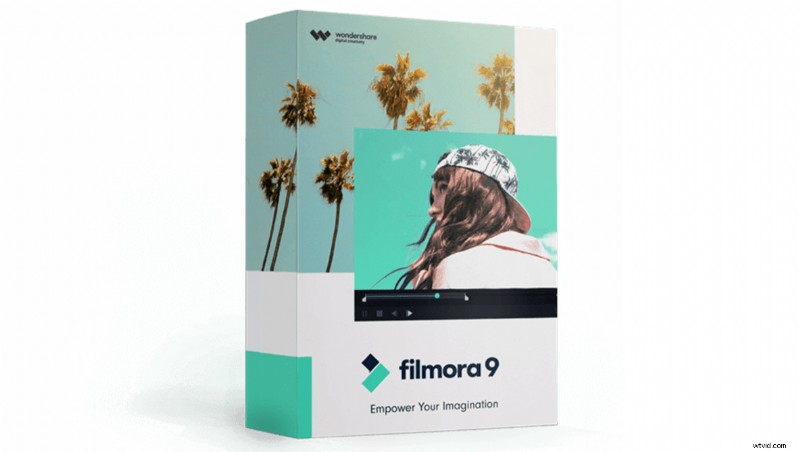
When you are ready to sit down at your desk and dive deeper into video post-processing, take a look at Filmora9, a video editing software available for both Mac and Windows. This editor has been designed with all creators in mind, so even if you have never been involved in doing anything remotely related to video, it's not a complicated software to use. There are also plenty of beginner-friendly tutorials available to get you started with the software. However, if you have prior experience and want to push the software's limits, you can work with multiple layers to create a more complex final product.
What I found useful was the option to choose an appropriate aspect ratio for each video project. For example, if you are aiming to produce a video purely for mobile viewing, such as for Instagram, you can choose the 1:1 square ratio without having to manually change the sizing yourself. And, if you are looking to add additional stock media to the already existing free media library, you can find images, audio and video files, effects, transitions, and more on the dedicated Filmora9 stock library page, Filmstocks. There are also plenty of free assets for you to download directly onto the software.
Whether you are a beginner video editor or a more advanced one, Filmora9 offers a freely accessible and comprehensive library of video courses that cover tutorials and advice from generating an idea for a video to how to shoot it, and of course, how to edit it. This guide covers almost every possible aspect of using the software and more. There are even tips and tricks on utilizing videos as a part of your business marketing plan and advice on things that will cover both professionals and hobbyists, such as, steps to acquire YouTube sponsorship for a smaller channel. Even before using the software it may be beneficial to browse through this library.
The Filmora9 can be downloaded for free to test it out first. Note, that in the free trial version the project that you will produce will contain a watermark. If you are ready to take the next step, you can purchase the software here. For individuals, Filmora9 offers an annual plan for $44.99 a year, a lifetime plan for $69.99, or an annual bundle plan for $164.87 which also includes unlimited downloads from the Filmstocks Standard Library. You can also choose one of the Business plans, which cater to those using assets for commercial purposes. These plans range from $12.99 a month to $57.99 a month, all billed individually. To view specifications of each Business plans, view Filmora9 pricing guide. And, if you are a student or an educator, you may be eligible for a discount. Whichever plan you choose, all software updates are completely free.
So, how will you incorporate video in your photography?