
Are you a photographer who's self-conscious about trying your hand at doing video? Don't worry, most modern cameras are suitable for video, so let's get started!
If you're like me, then it's likely you enjoy doing photography and have left the video side alone, thinking it's either not for you or that you won't even know where to start. Or, why bother when there're so many videographers creating breathtaking videos already. Well, during the latter end of my summer wedding season, I promised myself to set time aside to either learn something new through a tutorial or to experiment with a new method hands-on and get over this feeling of "I am not good enough; therefore, I won't even try it".
So, Why Bother With Video at All?
If you're a social photographer and you do weddings, couples, families, or events, you will already know how crucial great customer service is and how much the little touches you do help you get more referrals in the future. So, taking this thought into consideration, I started wondering how I could add something that wouldn't cost me a fortune but could still give an extra something to my clients and boost their experience.
I'd never dreamed of becoming a videographer nor did I want to; however, I still had a feeling that adding simple video material could boost me in the eyes of my clients. I had zero experience in this, apart from one attempt at trying to figure it out without looking at any resources, when I tried to film a brief promo material about a boudoir album I had just received in post. After a few hours of messing around and uploading my video material onto my laptop, I decided the only place it belonged in was the virtual trash bin on my desktop.
Putting my negative experience aside, I thought I'd give this another try and this time do it during a wedding. Now, I didn't tell my clients I'd be experimenting with filming clips throughout the day, as I didn't want to get their hopes up in case I failed miserably, and luckily, I had two great photographers with me on the day who were photographing angles I couldn't get, so I knew I'd have enough time to quickly film several clips throughout the day to create a brief highlight compilation.
Although it wasn't the best quality material, the couple was over the moon. The bride gushed about showing it to the bridesmaid's baby when he grows up to be old enough to date and she can pull out the video and show his crush just how adorable he used to be, and she was also thankful for capturing people who may not be with us in the future, yet their laughter and smiles will be documented in this brief highlights video I filmed.
Something like this can really help you upsell your brand, and if you already have a camera that allows video capture, why not give it a go and see where you can take your business?
How I Got Started
First steps first, I made myself sit down and listen to the first four parts of Fstoppers' tutorial "Intro to Video: A Photographer's Guide to Filmmaking." I struggle to sit down for hours and listen to information that I also have to process and memorize, so I knew I'd be taking out only the most important bits for me at this point. I definitely wouldn't be able to watch all 14 videos in this tutorial in one sitting, so my plan was to start with the first section, see what information I retained and how I managed to translate it into actually creating video material, and then proceed with the next tutorials if I wanted to try filming again some other time.
The first four parts, which altogether will take you less than one hour to watch, focus on the very bare basics to start thinking about filming. It's not about creative editing or the artistic side of filming, it's purely about how to set up your camera to start filming, what settings you should be looking out for, and the different types of gear suitable for filming, including stabilizers.

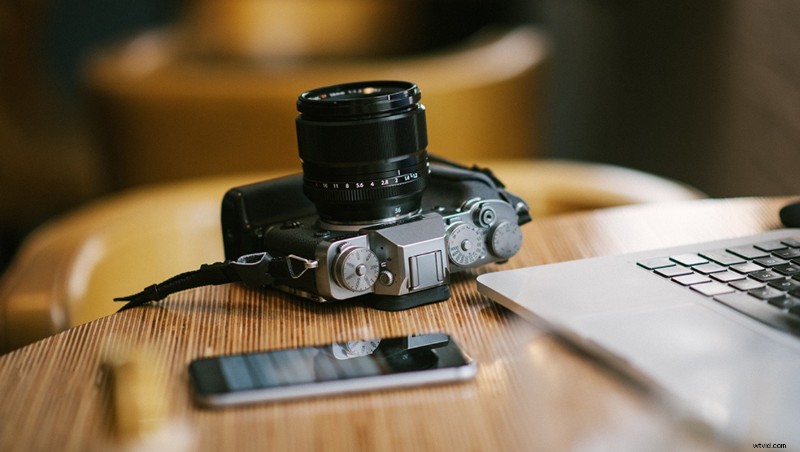
This is the key information I wanted before I got involved in upgrading my kit to include a camera dedicated to filming, and before I immersed myself in being more creative with different ways of filming a scene. I didn't have a stabilizer as I didn't want to invest any money before I tried it, so all my footage was handheld, as I quickly swapped from my main camera I used for photography to my small Fuji X-Pro1, which I had only been using for personal and street photography up to that point.
Being able to experiment and practice with filming on an actual wedding day was incredible, because I'd never be able to motivate myself to start filming footage at home or of my friends. Of course, you have to bear in mind that you should never jeopardize the main job you're there for, which meant there were moments I wish I had captured on video, but I didn't have the opportunity to swap my cameras around, as I was photographing at the time.
What's Next?
My next goal is to start learning about editing the footage in Adobe Premiere, because the footage I delivered I put together in a very basic manner. This tutorial covers using Adobe Premiere in its fifth and sixth lesson, and it goes into detail from starting a project to exporting it and everything in-between. These two lessons are just under two hours long, so everything you may need to get started with is there.
I'm still on the edge of whether I want to invest more money in equipment for filming in the future, but I definitely intend to set time aside for learning. Dedicating time for at least one lesson a month could prove invaluable for you and your business in the future, because the opportunities for video are endless. You can potentially start adding highlight videos as a bonus to your wedding packages once you're happy with what you produce, but until then, if you're shooting with a modern camera, you can already start learning and practicing! These types of videos are also suitable for family sessions, boudoir, even portraits, and you can also use these to advertise your services on social media!

If you'd like to see more what's included in the seven-hour long "Intro to Video: A Photographer's Guide to Filmmaking" tutorial, take a look here. It's currently sold for $199 and includes the added bonus of a two-hour lesson using Adobe Premiere for editing your work!
So, will you try your hand at video? Have you found it to add value to your business?