
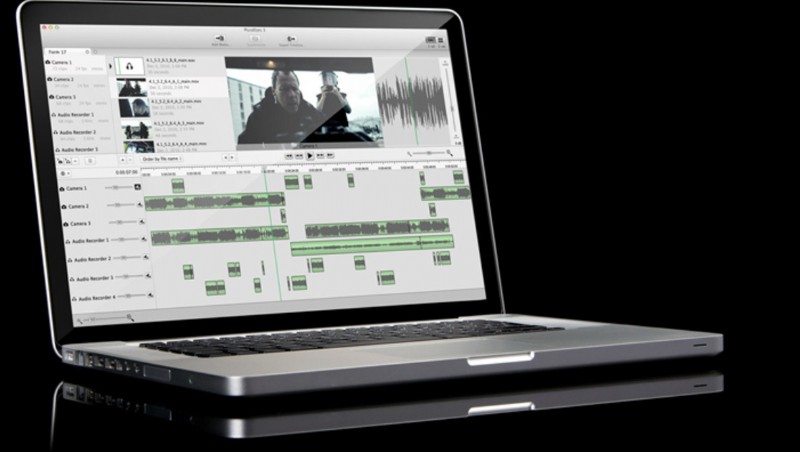
If you aren't using some sort of software to sync audio, you're sitting in your edit bay manually matching audio to video queues, be that sounds, video hints or timecodes. But what if you could just dump all your camera footage from an interview and all the audio from your recorder into one program and hit one button to sync them all quickly and accurately? You can with Red Giant Pluraleyes, and it's nearly perfect.
I say "nearly" because I have run into some hiccups, but by and large Pluraleyes does exactly what it claims to, and does it astoundingly quickly. Let me break down why I now use Pluraleyes all the time, and what process it replaced.
Firstly, I nearly always record my audio separately, because I Iike to control the input and quality exactly to what I know works best in post. I don't rely on the camera at all to capture anything other than reference audio (audio I use as a reference during syncing). Generally speaking, audio quality is better when you record it separately, but has been a pain in the butt to sync, even using Adobe Premiere's build in functionality (as explained in the video below).
Now, the downside of the process in Premiere is you actually need to know exactly what audio clip corresponds to the video clip with which you want to sync. When your editing folders look like this...
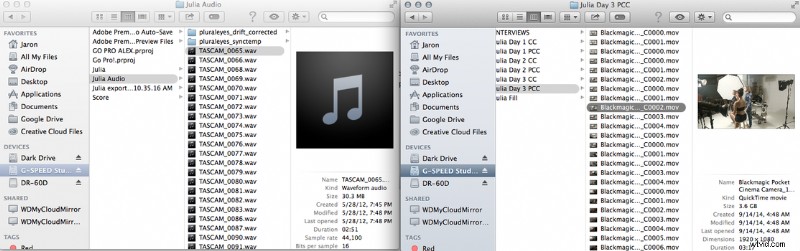
...That might not be the easiest approach. You see, I don't remember which audio file went with which video file. The more I shoot, and the more I shoot before I get back to my main workstation, the worse this becomes. I can feasibly spend hours just trying to figure out which audio clip corresponds with which video clip.
Pluraleyes takes all that out of the equation. Instead of needing to know specifics, I just need to know which day I shot all the footage. Since I am at least organized on a per-day basis, this isn't asking too much of me. All you have to do is drag in your video files from the multiple (or single) cameras and also bring in your audio. Click "Synchronize" and it's done! You can then export the file as a premiere XML and when you open that in Premiere, it comes in as a perfecly synced and organized timeline. What could have taken me all day now takes about 5 minutes.
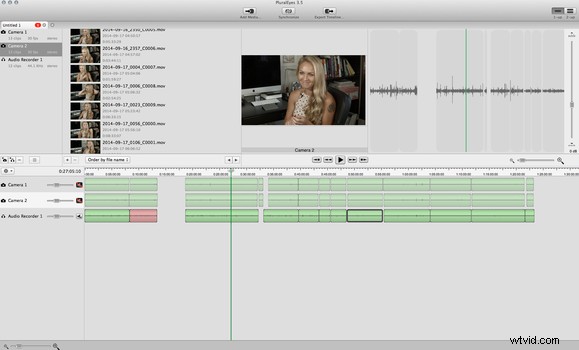
I have found some hiccups though. Sometimes multiple syncs on the same batch of footage can result in different results. When would this happen? For example, if I bring in a batch of video files and a batch of audio files and I'm not sure which audio files I need, I often will just drag in a bunch and delete the extraneous ones after syncing. The problem here, though, is that sometimes audio and video clips that it once successfully synced oddly don't sync the next time, and I'm left with 95% of my work done instead of 100%. It's not a big deal because I can usually easily fix the one or two clips that failed to sync right very quickly in Premiere, but I would certainly like the product to work 100% how they say it will 100% of the time.
I also ran into an issue where Sony a7S footage was unrecognized by the software, which was bizarre. I haven't had any trouble with other camera brands generating the same file type as the a7S video clips, so it was pretty strange that this was happening.
My final weird issue came when I once did record audio internally on one camera and just wanted to sync that clip set with another camera that I was running. Because I did not have a standalone audio file, just two video files, Pluraleyes refused to export the XML for Premiere. It required an audio clip in order to consider the product "done." I got around this by separating the audio in Audition and bringing it in redundantly, but it was annoying.
These issues aside, life with Pluraleyes is monumentally easier for me than life without it. I absolutely loathe the idea of going back to my previous method, since using Pluraleyes is just so... easy. And if you are a video editor like I am, you'll take quick and easy any day of the week.
What I liked:
- Fast, accurate audio syncing for multiple cameras and multiple audio streams
- Program loads quickly and operates smoothly
- Simply? It works.
What could use improvement
- Sometimes give varying results for same series of clips
- Didn't work for all video types
- Won't sync unless you recorded audio separately
Pluraleyes from Red Giant is available for $200, which in my book basically pays for itself after one editing session with the amount of time it saved me. It's not perfect, but it's much closer than anything else I've tried in the past.