
I’m not sure if you’ve heard, but Adobe is offering a pretty great discount on their subscription during all of this COVID-19 craziness.
Basically, you can choose one of the following:
- Get the next 2 months of Adobe CC subscription free (a savings of $105.98)
- Swap your plan from $52.99/mo to $29.99/mo – or $19.99/mo for first time subscribers (an annual savings of $276)
Pretty great deal!
We thought it might have been too good to be true but tried it on our FEP account and it actually worked. Might as well save some money if it’s easy right?
Here’s how to get the Adobe COVID-19 savings:
Get Two Months Free on Your Adobe Subscription
1. Sign into your Adobe account here: account.adobe.com
2. Click on “View plan details”
3. Choose “Cancel plan”
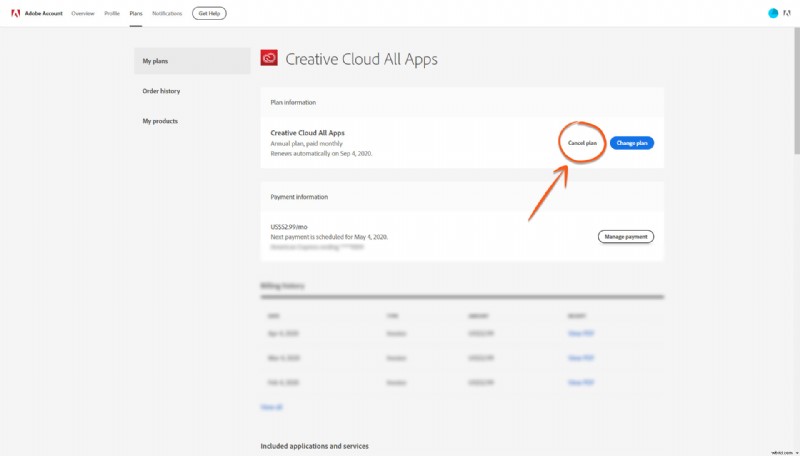
4. Choose “It’s too expensive” and hit “Continue”
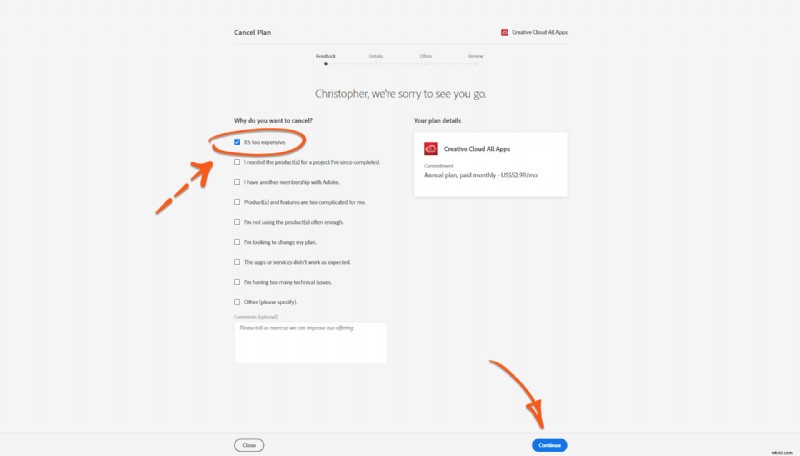
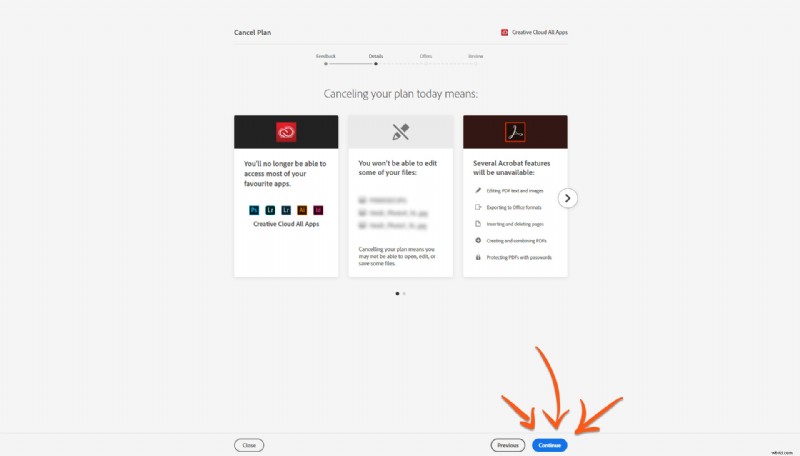
5. Click “Continue” again
6. Now on the left, choose the option for 60 days free if you keep your plan
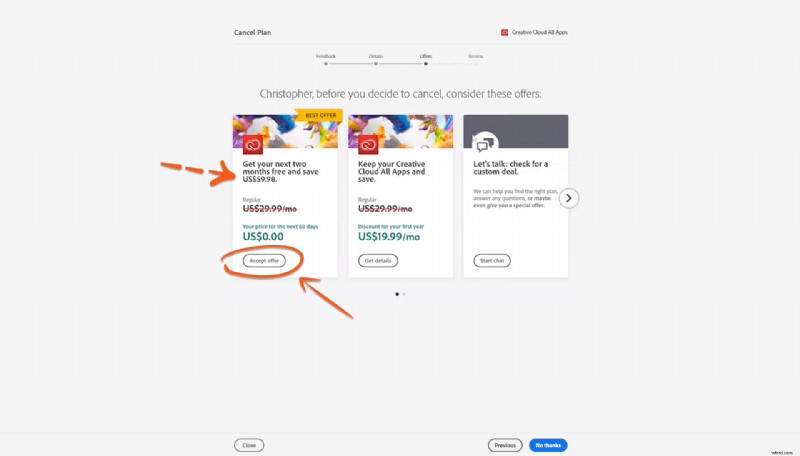
7. Now you’ll see that you account has been credited with the free usage time.
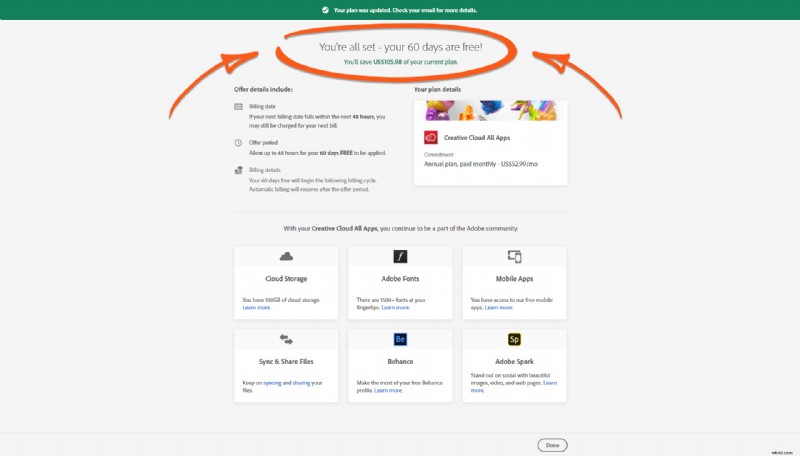
8. Pocket $105.98 in savings.
Or Choose a Discounted Adobe Annual Subscription
This follows the same process as the “two free months” discount, but step #6 will be slightly different.
- Sign into your Adobe account here: account.adobe.com
- Click on “View plan details”
- Choose “Cancel plan”
- Choose “It’s too expensive” and hit “Continue”
- Click “Continue” again
- Now choose the option for the $29.99/mo plan (or $19.99/mo for the first year if you’re new to Adobe)
- Pocket $276 in annual savings.
Which option do I choose? Can I do both?
From what we can see, you can only choose one of these. If you need to reduce your bills right now and save money for the next two months, go with the free two months option. If you’d rather get more savings over the course of the year, choose the discounted annual subscription.
Important note from FEP
We were a little hesitant to post this, as we can’t end up serving as Adobe’s customer support by answering a huge number of questions.
So, fair warning, we won’t be responding to emails or comments that ask additional questions and we won’t be able to help with any problems people might have with their Adobe accounts. The Adobe customer support phone number is 800-833-6687 and their support chat can be found here: https://helpx.adobe.com/support.html
All that said, it was super easy to do so I doubt anyone will run into trouble. I’m not sure how long this offer is going on for but as of today (April 17th) it’s definitely active.
Enjoy the savings!
—