
Apple has introduced the M4A audio file format. What is it? Apple is positioning M4A as the successor standard to MP3, based on M4A's superior audio quality and reduced size compared to MP3. Songs and audio clips are becoming more and more available in this new format.
The Apple family of smartphones and mobile devices, including the iPad, iPod and iPhone, are all able to play M4A files without a problem, and PCs and laptops running iTunes or QuickTime are also compatible. However, many other devices are M4A unfriendly, including Android, Samsung and other non-Apple devices.
Part1.The need for converting M4A files to MP3
Compatibility issues drive the desire to convert M4A audio files to MP3 and other formats. Having a good audio file converter allows you take take music and audio files that are incompatible with your device and enjoy them without having to change devices. This expands the versatility of your devices, and increases convenience and enjoyment.
Being able to convert M4A audio files into MP3 or other formats allows you greater ability to share music and audio files with friends, to social media, and more.
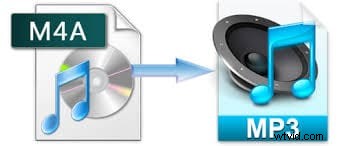
Part2. Recommended M4A to MP3 audio converter: Wondershare Filmora
Wondershare Filmora is a program that offers a tool to convert M4A audio files to MP3 and other audio formats: the interface is simple to grasp, it works quickly, and the program is geared toward new users. Another benefit to Wondershare Filmora is that it does so much more than simply convert audio files. It is a fully-functional audio and video editing and special effects program, with professional level capabilities.
Reviews and critical response have been enthusiastic:
“Geared to the first-time non-linear video editor, Wondershare Video Editor provides all the freedom you need to arrange clips and music with a wealth of available filters and transitions. This is a beautiful and capable piece of software.” – CNET
““With over 300 different opportunities to explore, it is one of the best video editor software programs for anyone who is new to video editing available on the market.”– TopSoftReviews
Download a free trial version of Filmora below:
Whether you just want to convert M4A audio files to MP3 or you want added functionality, Wondershare Filmora is an exceptional choice.
You may also interested in: How to convert M4A to MP4
Part3. Converting M4A to MP3 using iTunes
iTunes is very convenient for converting M4A to MP3, if you have an Apple computer:
- 1. Launch iTunes
- 2. Add the M4A files you would like to convert: click File and select Add to Library to browse files
- 3. On the menu, click iTunes and select Preferences; from the pop up menu, click the Import Settings button, and from the pop up menu change Import Using to “MP3 Encoder” and select file quality using the Setting field (“Good” is recommended)
- 4.From your iTunes library, select a file to convert, right click and select Create MP3 Version
- 5.Repeat, or select multiple files for simultaneous converting

Part4. Free M4A to MP3 converter tool
If you don't have iTunes and your conversion needs are modest, a free audio file converter is your best option. One option is ManiacTools Free M4A to MP3 Converter. This program does not require registration or code entry to use, and even includes a built-in audio player in case you want to listen to M4A files without converting them.
The ManiacTools converter also supports AAC, MP4, M4B and certain MPEG-4 audio formats, making it a surprisingly versatile program. The interface is designed to be user-friendly, and conversion is fast and allows for good quality files.