
Previously, we have shared with you about How to Easily Resize Photos with some Image Resize software, but if you want to re-size a photo without losing out on any quality then you know you have come to the right place! There are so many different photo software types out there and this can make it all the more difficult to choose one that meets your every need and more. That is why we have compiled this guide for you, so you can learn everything that you need to know about photo re-sizing as well as finding out how you can get your photos looking picture perfect again.
Bonus: Resize image videos on Windows and Mac [Free Trial]
Wondershare Filmora is an easy to use video editing software which also provides powerful features to make a Hollywood style movie with ease. With Filmora, you can resize the video with changing the resolution, the bit rate, or by cropping the unwanted frames from the frame. Download the free trial version and give it a try today.
Inpixio Photo Maximizer
With this photo editing software you can change your photos up to over 1000%. You will also find that this software can give you over 9 different functions as well so you can edit your photos the way you want them to be edited without any difficulty at all. On top of this, when you do re-size your photos, you will be able to improve the quality as opposed to losing it and this is a great way to ensure that you get the best possible result every single time. There are three stages in this program if you want to resize your picture and they are upload, subject and zoom. This means that if you have a collection of photos that need resizing or changing, you don't need to do them all in the same way and this is ideal if you are a professional or simply someone who wants to get all of their photos edited with ease then this is certainly the software for you.
Resize Images with Media.io
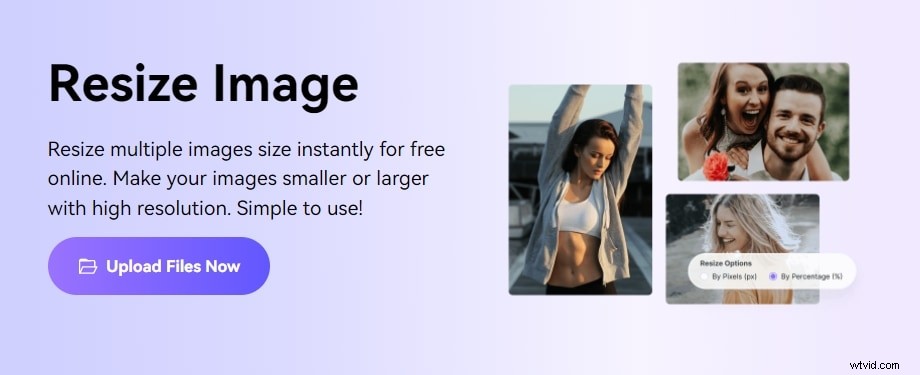
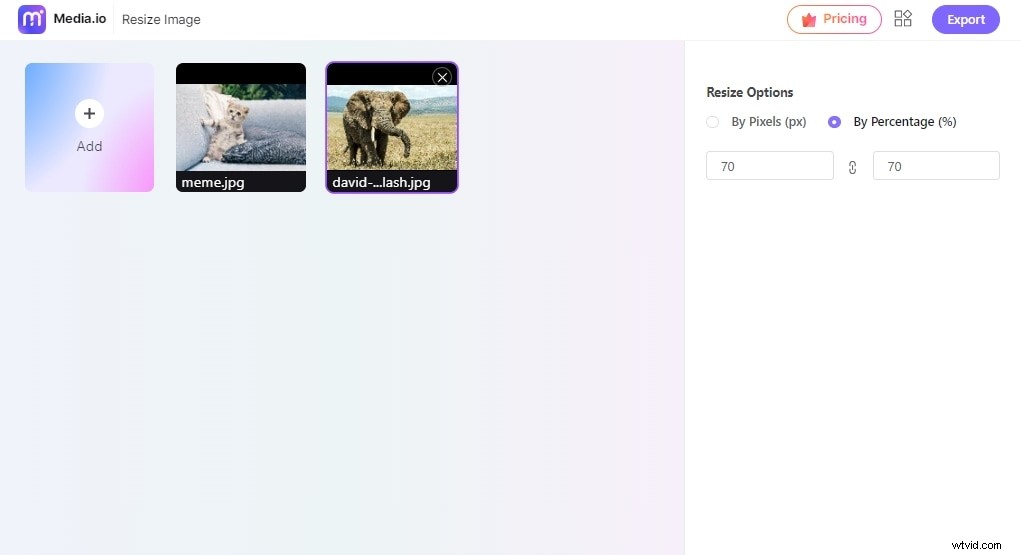
Media.io Image Resizer is a quick, easy, and free tool to increase or decrease image size. Users can modify the picture proportions by pixels or percentage to make photographs appropriate for social network sharing.
You can also add a sense of professionalism to your resized picture by adding black or white borders. Media.io photo resizer is compatible with most image formats, including JPG, PNG, Web, and TIFF, among many more. Another thing, you can bulk resize pictures.
You can use Media.io to resize many photos in bulk, saving you time. Media.io Image Resizer supports resizing JPG, PNG, TIFF, BMP, Web, and more image formats.
It allows free picture resizing with no watermark. There are no distracting advertisements on the simple UI. In contrast to cropping and stretching photographs, the Media.io web resizer enables you to resize images without sacrificing quality or removing image topics.
Adobe Photoshop
Adobe Photoshop is one of the best photo editing software products on the market at the moment. You wouldn't believe how much you can do with this and there are so many options available as well so you won't have a problem at all. If you want to re-size your images then you can do that and you can do it all in a couple of clicks. You will also find that in PhotoShop that you can edit your photos so you can have some images in the foreground and some in the background if you wanted so there are plenty of options available. If you want to change the colour of the pictures you have re-sized then that also isn't a problem and it has never been easier to get the quality you want. On top of this, if you wanted to resize an image so you can combine it with another then you can do that and there are plenty of editing tools available so you can change the look and texture of your photo as well.
So as you can see, there are plenty of options available if you want to edit your own photos and it is a great way for you to get the finish you want and at a price you can afford. Of course, there are free trials available if you want to try them out before you buy and this is a great way for you to see what is available. This is also a great way to go about getting things done if you only want a single photo edited or if you just want to do a quick re-size without all the hassle and fuss, so why don't you give it a go for yourself today to see how you could benefit from using the above. You really won't regret it and it has never been easier either.
Download them today for yourself to see what you can come up with and take your editing to the next level.