Let’s look at CineMatch, a new plugin from FilmConvert. We’ll discuss how to use it and if it’s actually worth your time.
The consumer camera market has successfully adopted many features typically once reserved for cinema cameras only, such as LOG profiles and RAW image processing. However, while many cameras can house LOG profiles, it’s important to note that the profiles will vary from camera to camera. V-LOG will be slightly different than S-LOG, and S-LOG will vary from BRAW film.
Even though they may all look like the same dull and lifeless clips waiting to be graded and brought to life, they all have slightly different properties, especially when it comes to color science. As a result, if you apply a standard REC 709 LUT to a flat image from both the Sony A7S III and the Panasonic S1H, you’d find variances in the colors. That’s true even if you recorded both images at the same time and in the same location.
As a result, you’d need to color match one or the other clips. If you have used a color chart on set, then using Resolve’s built-in Color Match panel makes the process incredibly helpful.
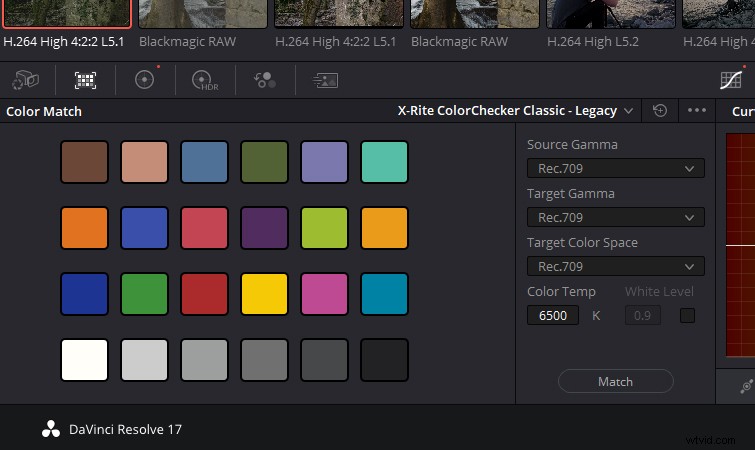
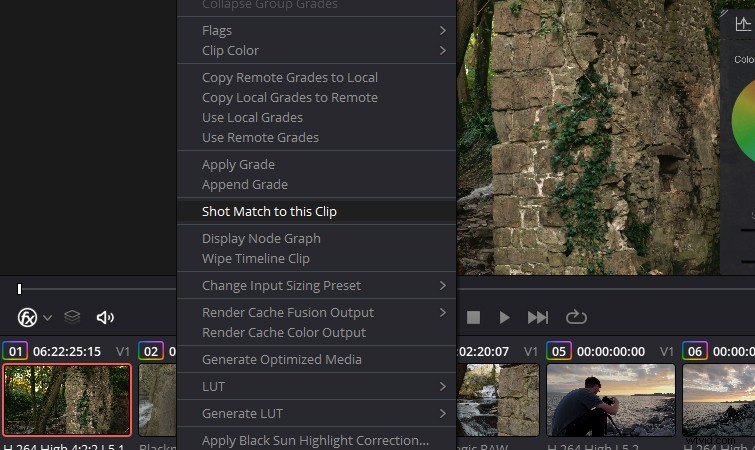
However, test charts can cost anywhere between $100 to $2000, so it’s not a tool no-budget to low-budget filmmakers are likely to have. Likewise, if the media is from a spontaneous travel video, the creator probably won’t carry a test chart with them. In these cases, you’ll find that many NLEs house their automated Shot Match function.
Resolve has one built-in, and for the most part, it’s good. However, when it misinterprets contrast or a color cast, it can also fall apart quickly.