
Whether capturing a call, meeting, or music, you always want to get a high-quality recording that contains no background noise. However, it is much more difficult to achieve that goal, as you cannot ensure you are in a completely silent environment. So, to record voice without background noise, you can opt for a professional voice recorder with noise cancellation.
Here, we have tested some popular noise reduction recorders, and picked out the best 6 to share with you. Whether you are a Windows, Mac, Android, or even iOS user, you can find the right program here.
No.1 EaseUS RecExperts
Applies to Windows and macOS
EaseUS RecExperts ranks at the top of our audio recorder with noise cancellation list. It can aid you in recording screen, audio, webcam, and gameplay with a few simple clicks. Here we will focus on its audio recording function.
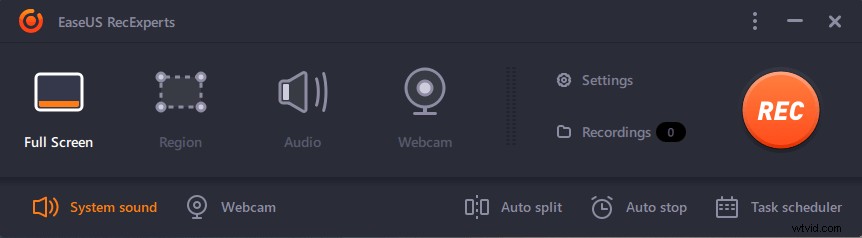
This audio recording software allows you to record system sound, microphone, external audio device, or both simultaneously. To capture voice without noise, you can go to "Settings" to enable the "microphone noise reduction" feature; plus, it also can boost the recording volume of your microphone while recording. Once the recording is done, you can preview the record audio file with the inbuilt player, and trim/cut it according to your needs.
Last but not least, you can export your audio recordings in various formats, including MP3, FLAC, AAC, OGG, WMV, and many more!
Let's find other amazing features of EaseUS recording software:
Record Screen:
It lets you capture screen flexibly in different sizes, like full screen, partial screen, fixed region, etc. Most importantly, you can record videos from streaming services, like Netflix, Hulu, Disney, etc., with almost the original quality.
Record Webcam:
It allows you to add a webcam overlay while screen recording, or create a webcam video separately.
Advanced Settings:
This software will automatically start or stop the recording at a specific time you set before or split recordings into multiple parts for saving.
How to Screen Record without Background Noise
You cannot miss this article if you want to screen record without background noise. Here you will learn about some tips for getting rid of noise in screen recording.
No.2 Audacity
Applies to Windows, macOS, and Linux
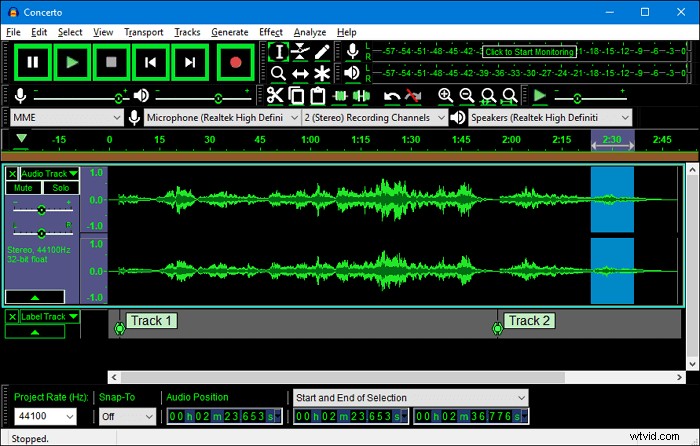
Audacity is an open-source audio recorder that lets you record voice with reducing background noise, and it is compatible with Windows, macOS, and Linux computers.
Only by taking a few simple steps, you can record your voice without background noise. Moreover, you can find some useful editing tools here, like trimming, cutting, copying, pasting, etc. This free audio recording software also supports LADSPA, LV2, and Audio Unit effect plug-ins, and these effects can be easily modified in a text editor, or you can even write your own plug-in if you like.
Key features:
- Cross-platform and easy-to-use
- Support a wide range of output formats
- Provide some basic and advanced editing tools
- Completely free for all users
No.3 Ocenaudio
Applies to Windows, macOS, and Linux
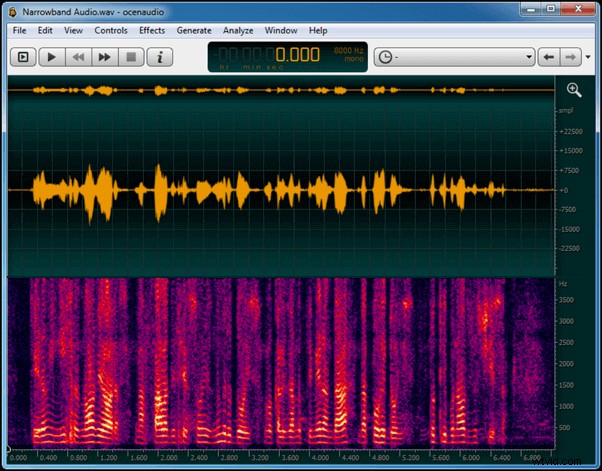
Like Audacity, Ocenaudio also run perfectly on Windows, Mac, and Linux computers as a noise-canceling audio recorder. Coming with a pretty intuitive user interface, it makes it extremely easy to handle this program by any level of user. If you have tried some other noise-canceling software, you may find that the large files will cause the application to hang or crash. But for Ocenaudio, it will not happen.
This software is suitable for all podcasters, spoken artists, or anyone looking to create audio entertainment for home.
Key features:
- Available for all major operating system
- Provide lots of professional editing tools
- Allow applying effects such as EQ, gain, and filtering
- No limit to the length or the quantity of the audio file you can edit
No.4 Krisp
Applies to Windows and macOS
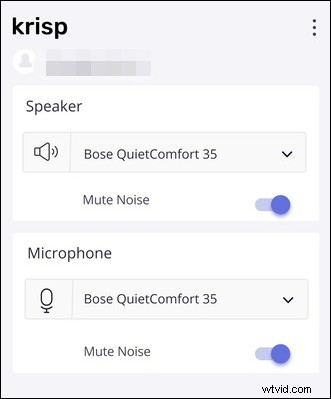
Another noise reduction recorder is Krisp. Whether you are attending an online meeting or having calls with your friends, you can always remove disruptive noise from both ends of the line. This program will eliminate background noise from your microphone and your speaker because of its AI-powered, bi-directional Noise cancellation.
Besides, it also performs well in removing the background voices of anyone other than the owner of the device. All in all, it will always reduce the background audio while recording, whether you are working from home or from the office.
Key features:
- Support recording your webcam with virtual background
- Offer the Talk Time mode to ensure every online meeting is collaborative and inclusive
- Record your audio in HD quality
No.5 Voice Memo
Applies to iOS
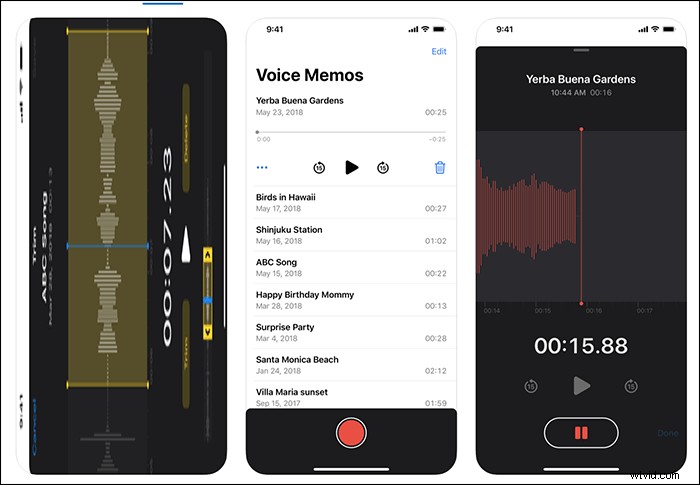
If you used to record voice on your iPhone, you must be familiar with Voice Memo. This inbuilt application lets you capture meeting records, interviews, or lectures anytime. However, it may also record the background noise while recording. Luckily, the later version (above iSO 14) has overcome this problem: it can clean up the background noise and echos with a single tap now.
More than that, it also provides some simple editing tools to trim and copy your recording if needed. So, if you are not a heavy user, the Voice Memo will satisfy your needs.
Key features:
- Pre-installed on your iOS devices
- Complete free
- No time limit for your recording
No.6 Noise Reduction
Applies to Android
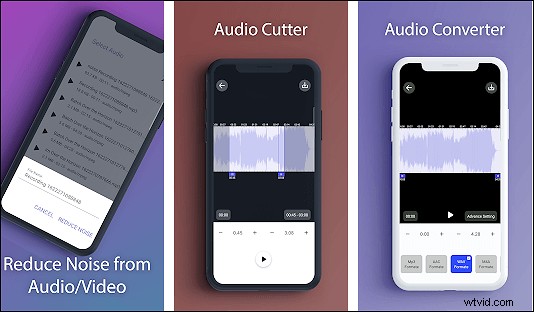
If you are an Android user, Noise Reduction is a nice tool for recording audio without background noise. It offers a feature for batch noise reduction from a list of the recorded audio or video files, and it is also specially optimized for audio files.
In addition, it lets you record audio with simple clicks, and then edit or convert the recorded file based on your needs.
Key features:
- Super easy to use
- Reduce noise from audio or video files
- Convert audio recordings into different formats, like MP3, AAC, M4A, etc.
Best Audio Recording Software for Windows & Mac
The Bottom Line
An excellent voice recorder with noise cancellation is necessary if you want to capture voice without background noise. On this page, we have talked about the top 6 ones with their key features, and you can choose anyone to start your recordings. Here we do want to emphasize that EaseUS RecExperts is a nice choice for Windows users, no matter what you want to do about screen recording. It can always meet your needs. Now, hit the below button to try this program.