
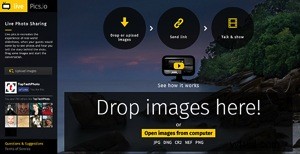
 It happens all the time. You came from a shoot, moved everything from memory cards and… your phone rings. It’s your friend and he wants to see what you’ve got. Right now.
That’s not always so easy, especially if you are shooting RAW. You need to export images to JPEG, upload somewhere, send your friend a link and occasionally explain what to do with this link in a series of emails. Things get even harder if it’s a client and you want to get directions before starting the post-processing step.
I have a good news. Just recently appeared a new web-service that leverages HTML5 and WebRTC technologies to deal with situation in a new way.
Live Pics io is a service for live photo sharing.
The sweetest part – it integrates seamlessly into your existing workflow. Here’s what you need to do to show someone a photo-shoot from within Lightroom:
Step 1. Run Lightroom and select a number of images from your recent shoot.
Step 2. Open Chrome or Firefox and type https://live.pics.io into the address bar. Allow the app to use your microphone and check that it’s connected to a computer (in case you use an external one).
Step 3. Drag and drop the images from Lightroom to the browser window.
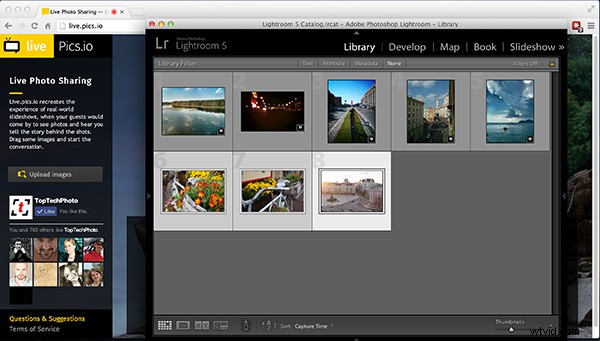
Live.pics.io supports CR2 and NEF formats, so if you’re Canon and Nikon owner it should work perfectly (Editor’s note, I tested it with a DNG and that worked also)
Step 4. Copy share album link to your clipboard.
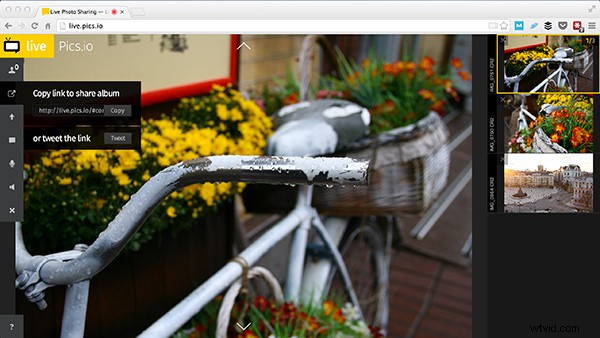
Step 5. Send it to your friend/client via IM, Skype or something else. Note, that they have to enable their microphone too and use the same browser (and not the mobile version).
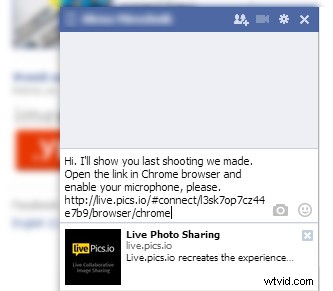
Step 6. Navigate to the next image using arrow keys or simply clicking on a thumbnail. The image will change on your friend or client’s screen keeping you in the same context.
Note that images aren’t compressed. They are always displayed as is. But without the possibility to save an image (right-click protection).
Step 7. You can start another session simply reloading the page.
Important! Don’t close the window or the session will be closed and they won’t see anything. This is for real-time communication, nothing’s getting saved on servers.
P.S.: if you want to show images to more than one person, it’s totally ok. Send the same link to others.