
Embarking on a game‑streaming career can feel overwhelming, but with the right strategy you can transform your passion into a thriving community. This guide walks you through platform selection, gear setup, studio design, software optimization, and audience‑building tactics. It also spotlights Movo’s top‑tier microphones, headsets, and webcams that deliver broadcast‑grade quality.
Choosing Your Platform
The right streaming platform can significantly impact your success and audience reach. Each platform offers unique features and caters to different types of audiences. Let’s delve into the specifics of each to help you make an informed decision.
Twitch: The Livestreaming Giant
Twitch remains the dominant force in game streaming, hosting over 3.9 million daily active users as of 2024. It offers a dedicated community and a robust suite of monetization options, including Twitch Prime, channel subscriptions, and interactive chat. For streamers who want to build a large, engaged following, Twitch’s ecosystem is a natural fit.
YouTube Gaming: The Content Creator’s Paradise
YouTube Gaming blends live streaming with YouTube’s powerful video‑on‑demand platform. The reach is amplified by YouTube’s billions of users, and creators can supplement live sessions with polished, edited videos. If you’re looking for versatility and the ability to repurpose content, YouTube Gaming is ideal.
Facebook Gaming: The Social Media Powerhouse
Facebook Gaming leverages the extensive reach of Facebook’s social network. It’s especially effective for streamers who already have a following on Facebook and want to tap into a broader, more diverse audience. Features that promote easy sharing and community building help Facebook Gaming carve out a growing niche.
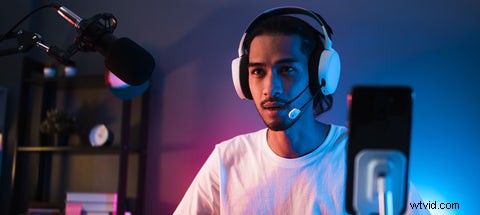
Essential Equipment for Game Streaming
High‑quality gear is the backbone of a successful stream. From crystal‑clear audio to crisp visuals, the right equipment elevates every broadcast.
The Right Microphone
A professional‑grade microphone is non‑negotiable. Clear, consistent audio keeps viewers engaged and signals production quality. Movo offers a range of microphones—from condenser to dynamic models—designed specifically for streaming.
The Visual Edge—Cameras and Webcams
Your visual presence matters as much as your voice. A high‑resolution camera or webcam creates a connection with viewers and enhances brand identity. Look for low‑latency, high‑frame‑rate options that remain sharp even in low‑light environments.
Headsets for Immersive Audio
A comfortable, noise‑isolating headset is essential for both gameplay audio and chat. Features to evaluate include microphone clarity, closed‑back design for isolation, and ergonomic comfort for long sessions.
Crafting Your Streaming Space
Designing an ergonomic studio is key to long‑term success. A powerful PC, supportive chair, and well‑lit backdrop create a professional environment that keeps you comfortable and viewers engaged.
Start with a high‑performance computer—an 8‑core processor, 16 GB of RAM, and a dedicated GPU are baseline requirements for smooth 1080p or 4K streaming.
Ergonomics matter. Invest in a chair that supports good posture, and choose a desk that allows easy access to cables and equipment. A tidy, visually appealing background signals professionalism and keeps distractions to a minimum.
Good lighting not only sharpens video quality but also defines mood. Softbox or ring lights provide even illumination without harsh shadows.

Software and Settings for Game Streaming
Choosing the right streaming software sets the foundation for a smooth broadcast. OBS Studio and Streamlabs are industry leaders, offering extensive customization while remaining user‑friendly.
Optimise your settings: select 720p–1080p resolution, 30–60 fps frame rate, and an appropriate bitrate based on your upload speed. Test different configurations to find the sweet spot between visual fidelity and bandwidth usage.
Growing Your Streaming Audience
Audience growth hinges on consistency, engagement, and authenticity.
Consistency and Schedule
Maintain a predictable streaming timetable. Regularity builds viewer habits and signals reliability, both crucial for retaining a loyal audience.
Viewer Engagement
Interact in real time—read chat, host Q&A sessions, and cross‑post highlights on social media. Engagement turns passive viewers into active community members.
Collaboration and Networking
Partner with fellow streamers to expose each other to new audiences. Co‑streaming, shout‑outs, and joint events create mutual growth opportunities.
Authenticity and Personality
Your genuine personality is your competitive advantage. Be transparent, share stories, and let your unique voice resonate—viewers gravitate toward authenticity.
With a solid platform, professional gear, and proven engagement tactics, you’ll be well‑positioned to build a thriving game‑streaming brand. Movo’s specialised equipment gives you the edge you need to deliver high‑quality, engaging content that captivates viewers worldwide.
Check out this helpful guide to creating and protecting your gaming setup!