
Explore the gear and accessories iPhone pros use to get those ridiculous “Shot on iPhone” shots.
You may have seen them on billboards or on the sides of buildings downtown, or you may see them in television commercials or online ads, but how much weight do you put into Apple’s “Shot on iPhone” claims in their marketing photography and videos?
Popular YouTube personality Marques Brownlee recently caused an internet stir when he pondered the mysterious “additional equipment and software used” disclaimer that often appears when Apple shows their “Shot on iPhone” footage.
Sure, iPhones (and several other lines of smartphones) are becoming powerful photography and videography tools. While filmmakers are starting to take notice, it’s worth noting that to achieve the “Shot on iPhone” glamour, it may take some add-on equipment and accessories to get the same results.
Let’s look at three types of innovative iPhone filmmaking accessories that are currently on the market.
Lens Adapters
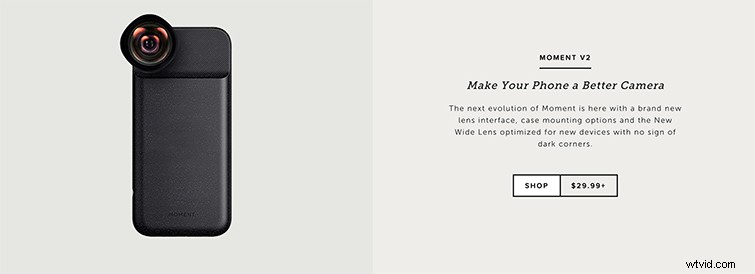
In Brownlee’s video, the first (and arguably most important) accessory he suggests is a lens adapter. While the market is beginning to fill up with many different offerings for everything from wide fisheye lenses to extreme close-up macros, he suggests the latest lens adapter from Moment (which you can see above). You can watch a video shot on the lens adapter here.
Here’s their full catalog of lens adapters.
Stabilization
After a lens adapter, one of the biggest and most noticeable differences between basic smartphone shooting and cinematic “Shot on iPhone” filming would be the use of some sort of stabilization device. Brownlee recommends a couple of options, like the DJI Osmo Mobile and Zhiyun Crane, but again, there are plenty more out there as well.
Here’s DJI’s smartphone gimbal options.
As well as Zhiyun’s expensive crane option.
Audio Recording
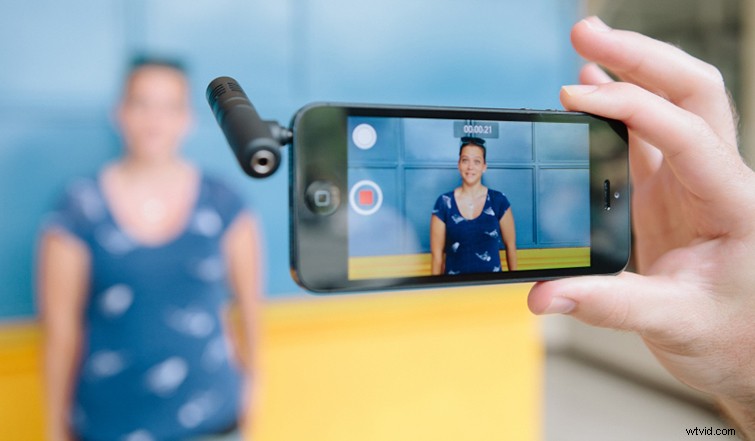
While he doesn’t go much into it in the video, one other major aspect of smartphone filmmaking is recording quality audio — which iPhones and many smartphones will often leave you without. However, there are several in-camera apps and tricks, along with external options, to get professional-sounding audio on your project.
Turn your iPhone into a 48kHz audio field recorder with this app.
Check out the Mighty Mic attachable microphone (pictured above).
What are your thoughts on the “Shot on iPhone” shots? Let us know in the comments.