
In this write-up, we take a look at the new encoding options that come with Blackmagic RAW: constant bitrate and constant quality.
Earlier this year, Blackmagic Design retired the CinemaDNG format from their camera line (not you, URSA Mini 4.6K) and replaced it with Blackmagic RAW. The new codec offers some exciting features to the BMD camera lineup. We’ll look at the specifics at a later date; however, Constant Bitrate offers four encoding options: 3:1, 5:1, 8:1, and 12:1. And Constant Quality offers two quality settings: Q0 and Q5. What do these new settings mean? Let’s take a look.
Constant Bitrate
Constant Bitrate is Blackmagic RAW’s offering to make sure your file sizes remain predictable and manageable because your media is never going to surpass the selected data rate. Low on card storage but have a lot to capture? Setting the RAW encoding to 8:1 will ensure that the data will not surpass 50MB/s. (The ratios, by the way, are derived from the file size of a single, unprocessed frame from the camera’s sensor.) While Constant Bitrate is a surefire setting, to make sure the file sizes and quality will remain as advertised, it may cause issues when the footage being captured could do without the extra compression, ensuring that all details of a busy scene are clear. Such examples include confetti, snow, bustling trees, and anything with a high number of interconnecting, moving objects. The system will need to adjust for more detail, but it can’t because the information to account for this is unavailable, which results in a drop in quality.
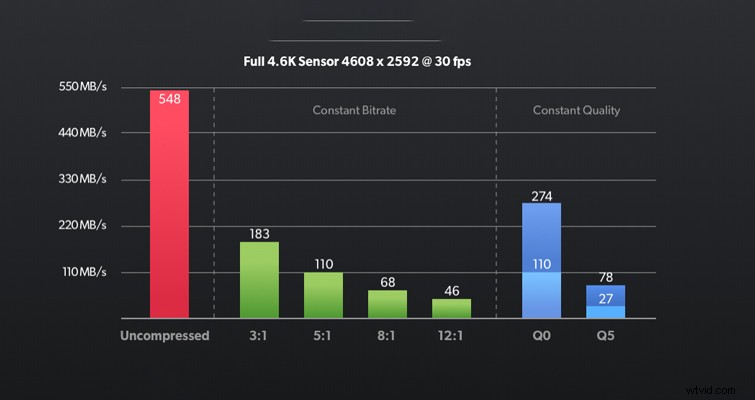
Likewise, you may be recording something that doesn’t need a high bitrate, but due to this encoding, the camera will continue to capture footage that could have been captured at a significantly smaller file size.
Constant Quality
Constant Quality, on the other hand, has a variable bitrate with no upper data limit. This means if you’re filming a wedding and the guests start throwing confetti and rice, and more objects enter into focus, the bitrate will adjust to account for the increase in complex frame information, maintaining the overall quality of the entire image. Of course, this comes with larger file sizes that you can’t predict.
Note, however, that the drop in quality between the two encoding options and between the various options is, of course, minimal. It’s not as if you’re dropping from 4K to 720p. The difference in image data, at most, is only going to be visible at a zoomed-in level, and the discrepancy in quality will be yours to judge for your content. In the images below, can you tell which photo was shot at Constant Bitrate 12:1 and Constant Quality Q0?
Image 1
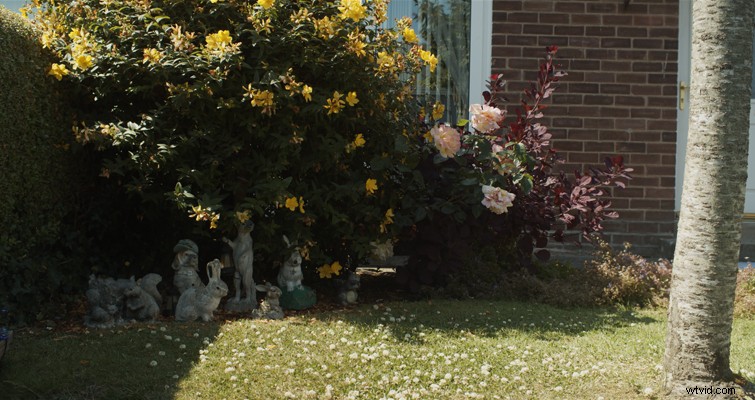
Image 2
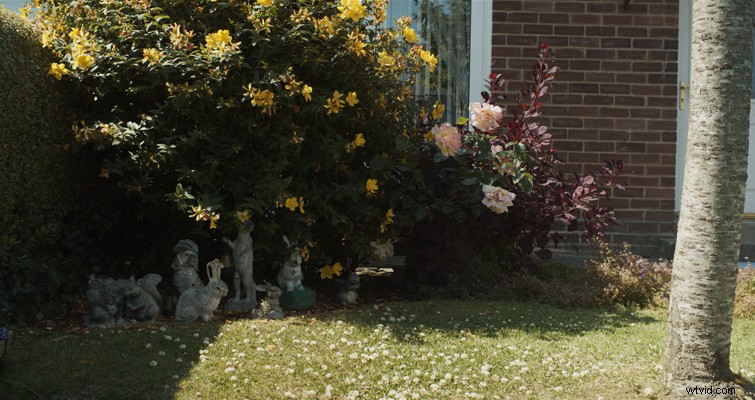
Okay, both stills are only 755 x 400. It may be tough to compare, but on the surface, there isn’t a noticeable difference. It’s only when we zoom in at 225 percent that we can see the level of detail disregarded at 12:1. Even then, at 225 percent, it’s not terrible.
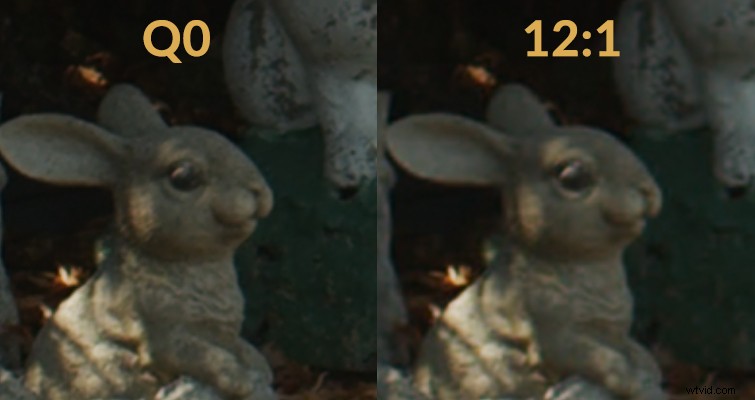
We can see the image detail holds less clarity, which would be more predominant in the flowers and foliage. Ideally, we would need a video comparison to properly show this. In the following video from LumaForge, Patrick Southern demonstrates (using video) an example of the encoding difference — along with further deconstructions of the Blackmagic Raw Encoding. But still, we need to acknowledge that at the lowest 4K RAW setting, this is zoomed in at 225 percent and still holds up great.
Deciding how to shoot ultimately comes down to what you’re filming. Visual effects (VFX) plates and scenes with bustling information should be shot at Constant Quality, while elements that maintain similar image values throughout the entire scene can be shot at a Constant Bitrate.