
Considering a wireless video feed for your next project? Find out how to maximize this tool on set with this brief guide.
A wireless video feed is a fantastic tool on any set. Being able to monitor your image without the hindrance of cabling is a huge logistical advantage. However, when you begin working with wireless video options for the first time, it can be overwhelming. Let’s take a minute to talk about transmission distances and the joy of a cable-free environment.
Why Go Wireless
A standard cable is reliable and much easier to set up than a wireless feed. However, going wireless obviously has some advantages. For example, being wireless for gimbal work gives you freedom to move around without the disruption of monitor cabling. Also, going wireless can make production go a lot smoother for everyone on set.
Wireless Options
There are tons of great companies and wireless brands that offer great feeds. However, one of the most popular on the market (and in rental houses) is Teradek. Teradek makes a wide range of wireless video feed options for every type of production.
The Teradek Cube transmits H.264 proxy files directly to an app you can easily display on an iPad or a phone. This format is great when you have lots of eyes on your set but don’t have the budget to rent multiple monitors.
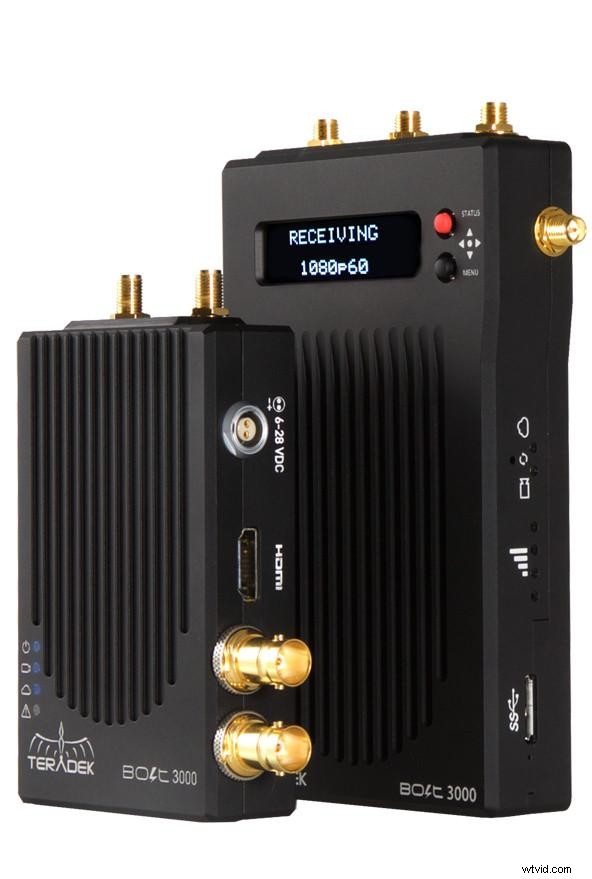
The Teradek Bolt series is the ideal way to wirelessly send a video feed to a director’s monitor or a focus monitor. The bolt ranges from a 300 all the way up to a 3000. The numbers indicate how far the device can transmit — in feet. (That number depends on an ideal scenario involving wide open fields with zero interference.)
Typically, cutting the number in half, to 1500 in an open-field scenario, will give you the best results. If you’re mostly indoors, then you can cut that number again in half to 750. So, with a Bolt 3000, you can typically get the best performance at 1500 feet outdoors and 750 indoors. However, this is definitely not a science.
I was recently on a shoot with a Teradek Bolt 3000, and video village was only 75 feet away. Once we closed the metal door at the location, we lost the feed. So, when it comes to working with wireless video feeds, flexibility is ideal.
Have Options
I always carry BNC/SDI cables just in case wireless video ever goes down (and it inevitably will). It’s a smart choice to have a hardwire option just in case you need it.
Overall, wireless video is a fantastic tool for cinematographers and their fellow crewmembers. It gives you the ability to monitor your image at a distance without getting in anyone’s way.