
All DJI Drones have a serial number that is unique to each aircraft.
Some of the common areas to look for the serial number on DJI drone products include on the packaging, the bottom of the drone, near the battery compartment, inside the battery compartment, or on the tail of the drone.
The exact location of the serial number on DJI drones depends on the model of the aircraft.
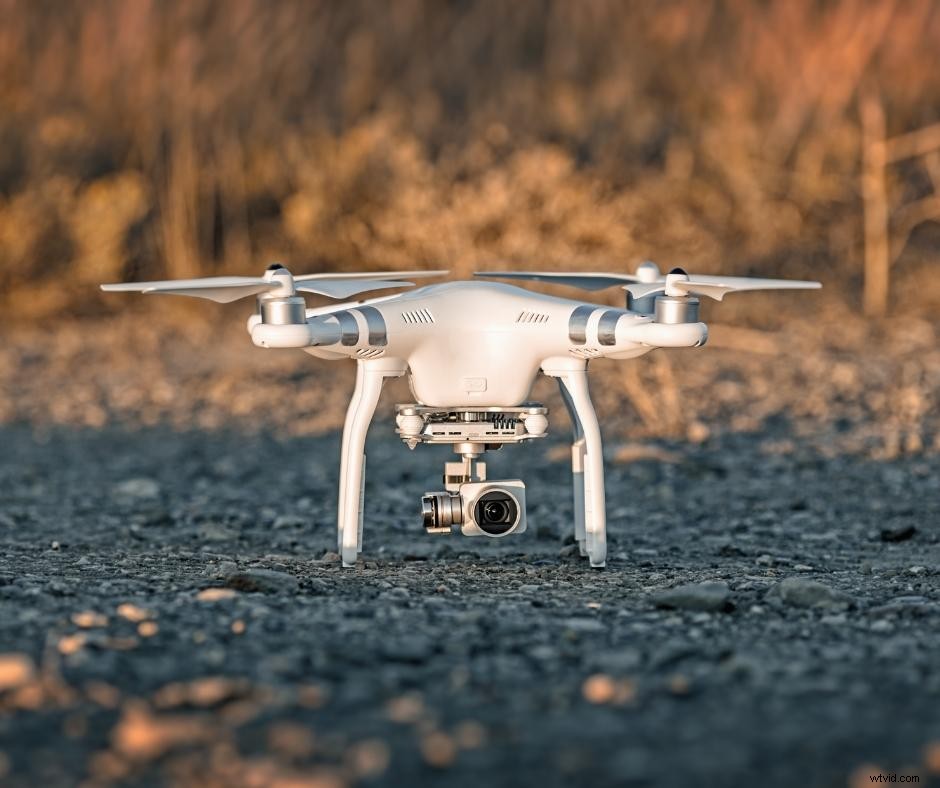
Once you locate the serial number on your DJI drone, it is a good idea to write it down and keep it in a safe place or take a photo of the serial number sticker so you can quickly reference it in the future.
What is a serial number?
A serial number is a set of 14 characters in the form of numbers and letters. Every drone manufactured contains a unique serial number which allows the drone to be traced from the manufacturing production line to the end-user.
Why do I need to know the serial number of my drone?
There will be times when you need to know the serial number of your drone. The serial number of your drone is important as it is your drone’s identity when it comes to registration, repair, and other maintenance related to your quad.
Some of the most common reasons you may need to access the serial number to your quad now or in the future include:
Registration with FAA
All drones weighing over 250 grams must be registered with the FAA. This process requires you to know the serial number at the time of registration.
Keep in mind, that even if you fly a sub 250g drone such as the Mavic Mini or the Mini 2, you will still need to register your drone with the FAA if you plan on attaching any accessories such as prop guards or landing gear as these items will bring the weight of your drone in the air to over 250g.
Also, if you plan to sell your drone in the future, your buyer will need this number to register the drone also.
DJI Care Refresh
If you plan to purchase DJI Care Refresh insurance on your drone, you will need the serial number when you sign up for Refresh and also for any claims in the future.
Drone Repair
Accidents happen and if you have a crash with your drone, you’ll need the serial number if you want to send the drone for repairs.
If the part of your drone that contains the serial number is damaged or ruined in the crash and you haven’t saved the original packaging, this could leave you in a pickle with no way to find your serial number, causing a big headache.
Where can I find the serial number on my DJI drone?
As stated above, the serial number location depends on the model of your drone. Use the guide below to locate where to find the serial number on your specific DJI Drone.
DJI Spark Series
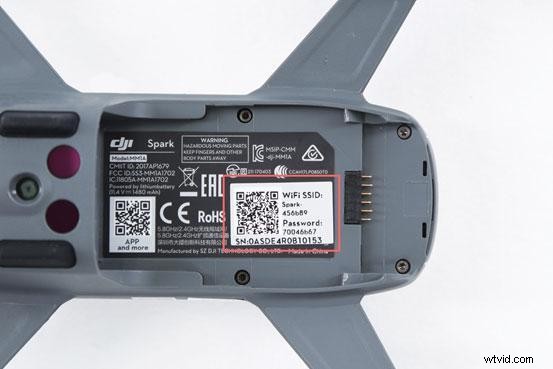
The DJI Spark serial number will be found by removing the battery. The serial number is inside the battery compartment as well as on the side of the foam box it came in.
DJI Mavic Series
DJI Mavic 3/Mavic 3 Cine
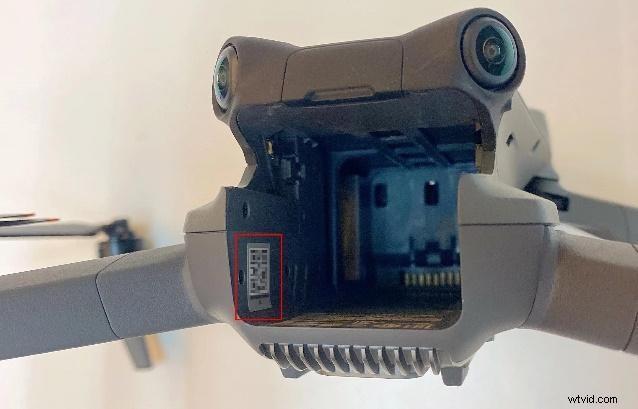
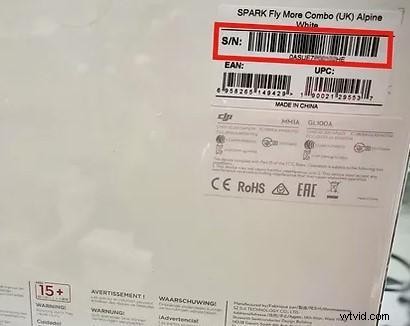
For the DJI Mavic 3, the aircraft serial number can be found in two places. It can be located on the sticker inside the battery compartment, and also on the bar code sticker on the package.
DJI Mavic Air/ Air 2S
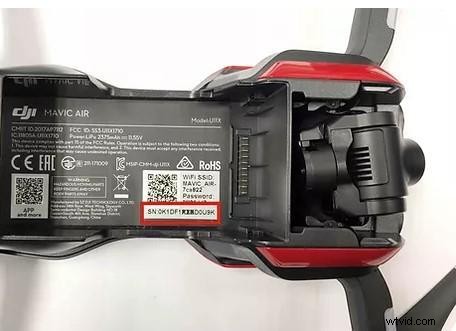
For the DJI Air or DJI Air 2S, the aircraft’s serial number can be found inside the battery compartment, and on the bar code sticker on the side of the package.
DJI Mavic Mini Series
DJI Mavic Mini Se / Mini 2
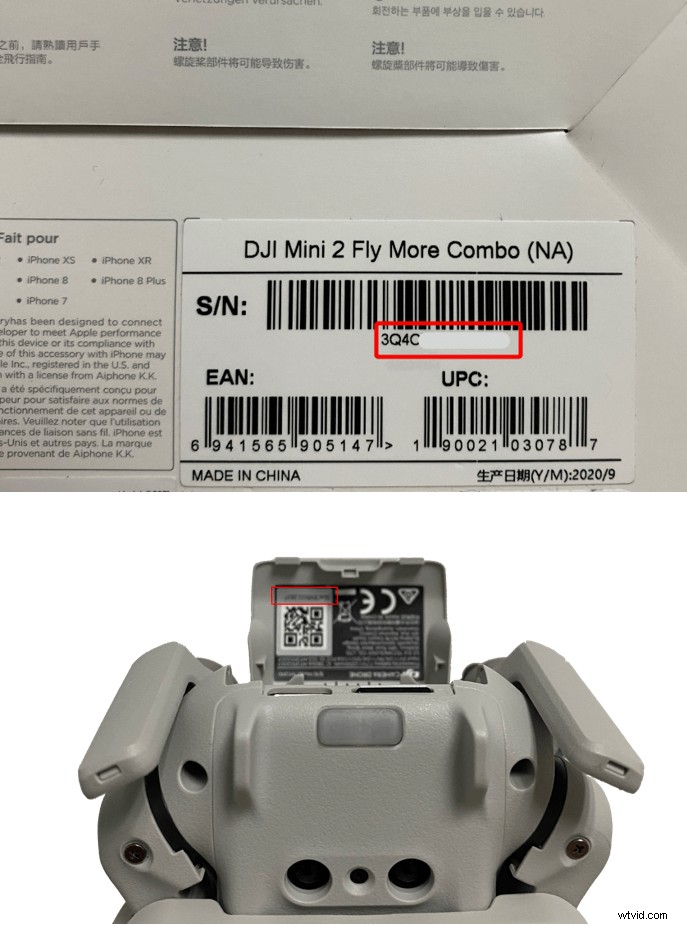
For the Mavic Mini series, the aircraft serial number can be found in 2 places. It can be located on the sticker inside the battery compartment, and also on the bar code sticker on the package.
DJI Mavic Pro Series
DJI Mavic 2 / Mavic 2 Pro / Mavic Pro Platinum / Mavic 2 Pro Zoom
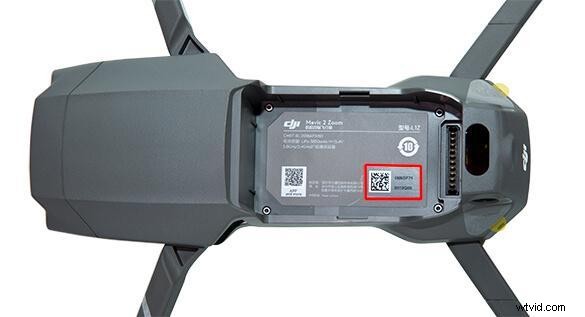
On the Mavic 2, Mavic Pro, or Mavic 2 Pro Zoom, the drone serial number is located in the battery compartment and the serial number for the gimbal is located on the gimbal axis.
DJI Phantom Series
Phantom 2
For the Phantom 2 aircraft, the serial number can be found on the tail of the aircraft.
Phantom 3, 3 SE
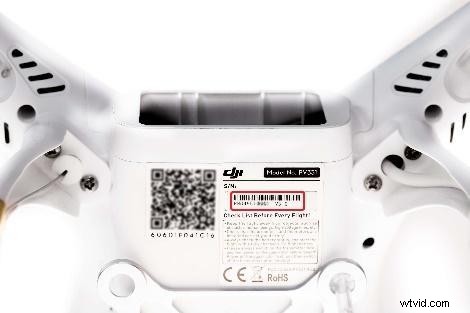
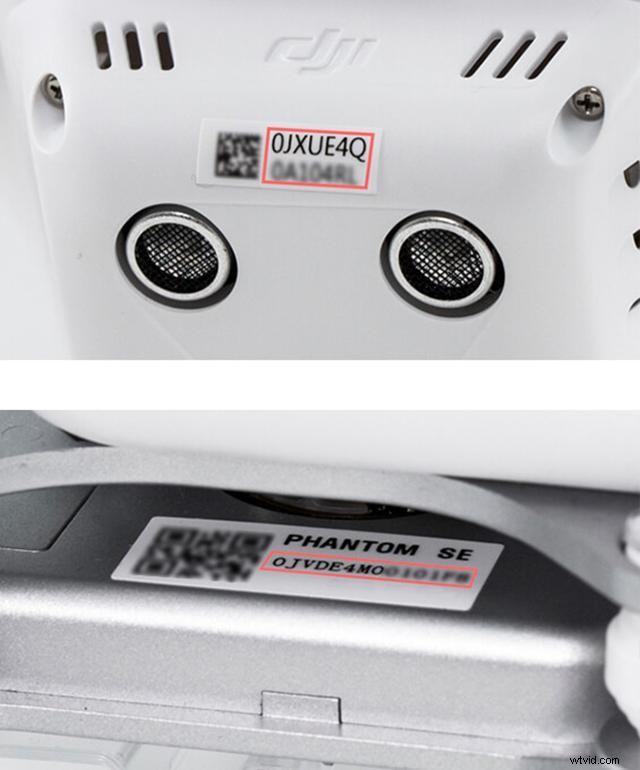
For the Phantom 3 and Phantom 3 SE, the aircraft serial number can be found on the bottom of the aircraft, and the gimbal S/N can be found on the gimbal board.
Phantom 4
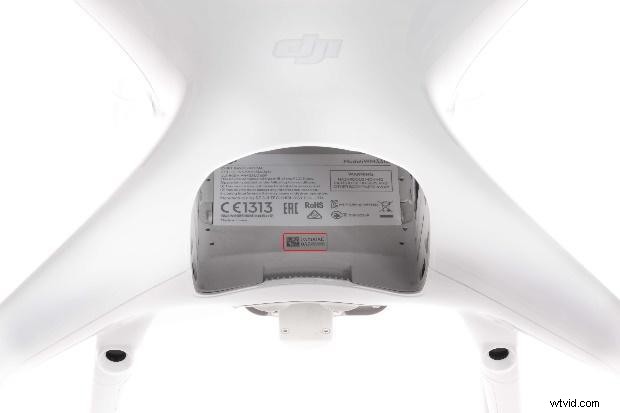
For the Phantom 4 series, the aircraft serial number can be found inside the battery compartment.
DJI Inspire Series
DJI Inspire 2
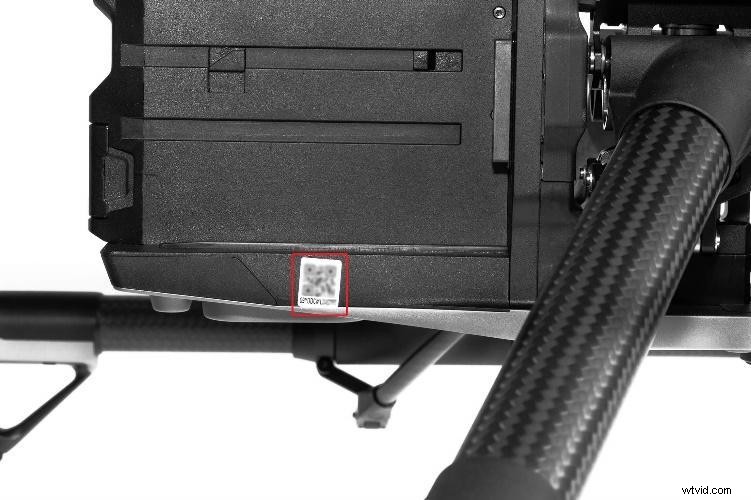
For the Inspire 2, the aircraft serial number can be found on the tail of the aircraft.
DJI Inspire 1
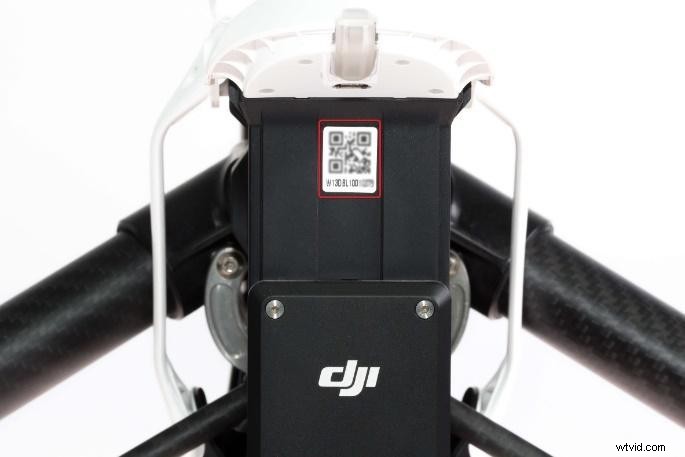
For the Inspire 1 series, the aircraft serial number can be found on the tail of the aircraft and the gimbal serial number can be found on the gimbal axis.
DJI FPV Series
The serial number for the DJI FPV drone can be found in three places. There will be a serial number on the outer box packaging, and a sticker on the battery compartment of the drone.
Furthermore, you can turn on the DJI FPV drone and goggles V2 and press the 5D button to enter the ‘menu’ then choose ‘about’ and you will see the flight control serial number which will match the serial number of your FPV drone.
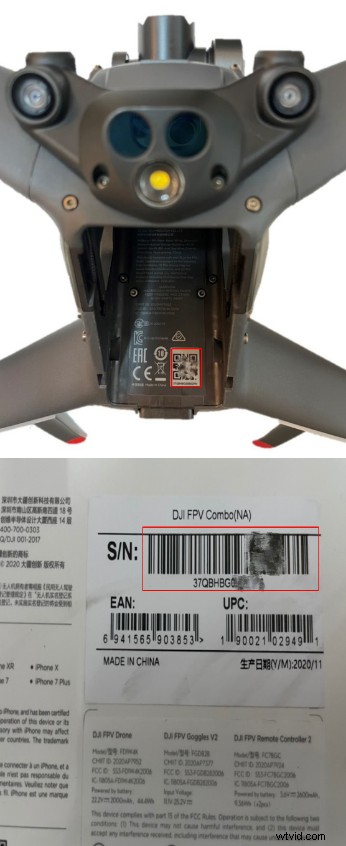
Where to find the serial number on DJI Enterprise Aircraft
- Matrice 200 V2: Serial number is located below the extension port at the aircraft tail
- Matrice 300 RTK: Serial number is located on the aircraft nose
- Matrice 600 Pro: Serial number is located below the No 1 battery
- Phantom 4 RTK and P4 Multispectral aircraft: Serial numbers are located within the battery compartment
- Mavic 2 Enterprise Series and Mavic 2 Enterprise Advanced aircraft: Serial numbers are located within the battery compartment
- Zenmuse Z30, Senmuse X5S, Zenmuse H20, Zenmuse H20T, and Zenmuse L1: Serial numbers are located on the gimbal axis
- Zenmuse P1: Serial number is located on the camera cover
- M2EA RTK module: Serial number is located at the bottom of the RTK module