
Fujifilm gives their Instax instant film cameras a makeover
By Stan Horaczek | Published Sep 10, 2014 5:18 PM EDT
We may earn revenue from the products available on this page and participate in affiliate programs. Learn more ›
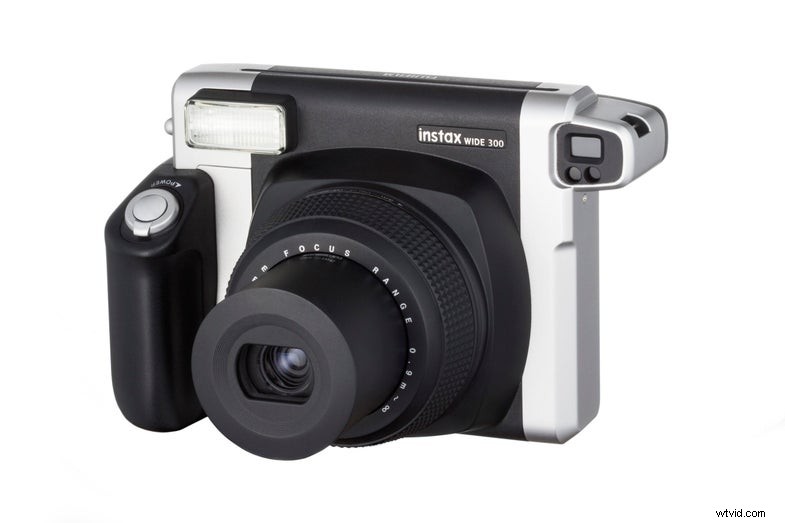
When I’m shooting portraits for clients, I almost always start out the session by taking an Instax Wide shot of them together. I think it’s a great little ice breaker and it gives them something to take away from the session. So, I’m extremely glad to see that the Instax Wide 300 camera should be a considerable upgrade to the plasticky camera I’m currently using.
The camera itself keeps basically the same form factor as the current Instax Wide camera, but it draws its retro styling from the Instax Mini 90 Neo Classic. The shots that come out of the Wide, however, are roughly twice the size as the mini film.

Like the Mini 90, the Wide 300 now has a ring around the lens to control the two-zone focusing system. There’s a built-in tripod socket in the bottom and the flash can automatically brighten up a scene, or you can use the “lighten” and “darken” settings two tweak the exposure. Of course, it also comes with the close-up adapter.
The Mini 90 Neo Classic is getting a bit of a style upgrade, getting a new brown color way, while the Instax Mini 8 now comes in “raspberry” and “grape.”
The Instax Wide 300 will be available in spring 2015 for $129.
