
If you’ve ever worked with AVI files, you know the quirks they can bring. We’ve compiled the most dependable AVI editors for 2026, from lightweight free options to full‑featured commercial suites like Wondershare Filmora and its competitors.
Whether you need a zero‑cost solution, a powerful desktop application, or an online editor that runs directly in your browser, we’ve gathered the best choices for every creator.
Our Top 3 AVI Video Editor Picks
Each editor on this list offers distinct strengths, but the following three stand out for their blend of usability, power, and versatility:
Wondershare Filmora
Filmora delivers a comprehensive editing experience with an intuitive interface and advanced features—AI tools, 4K export, a vast media library, and creative templates. It’s the top recommendation for users who want professional results without a steep learning curve.

Avidemux
For straightforward, no‑frills editing, Avidemux excels at quick cuts, basic filtering, and lossless encoding. Its lightweight design and support for multiple formats make it a reliable free alternative.
Clideo
Clideo offers a seamless browser‑based workflow with text tools, speed control, and a recorder. It’s ideal for users who prefer to edit without installing software.
How We Test It
Our evaluation involved uploading real AVI files and performing typical editing tasks—trimming, applying filters, exporting, and monitoring performance. Editors that provided a smooth, bug‑free experience were shortlisted for this guide.
Part 1. Quick Overview: The Best AVI Editors at a Glance
The side‑by‑side table below summarizes key attributes, pricing, and target audiences for each editor, helping you spot the right fit at a glance.
| AVI Editors | Platform | Free or Paid | Best Features | Ideal For |
| Filmora | Windows, macOS, iOS, Android, iPadOS | Free & Paid | AI features, 4K export, extensive library, creative templates. | Creators who want pro results with ease. |
| Avidemux | Windows, macOS, Linux, BSD | Free | Basic trim, filter, and export. | Quick edits and simple tasks. |
| Clideo | Online, iOS | Free & Paid | Edit in browser, text tools, speed control, recorder. | Easy web‑based editing. |
| Premiere Pro | Windows, macOS | Paid | Full pro tools, smart captions, Adobe sync. | Advanced and pro‑level projects. |
| iMovie | Mac, iPhone, iPad | Free | Clean interface, no watermarks, 4K export. | Apple users and casual creators. |
| Lightworks | Windows, Mac, Linux | Free & Paid | Audio tools, motion graphics, YouTube export. | Serious editors on a budget. |
| Online Video Cutter | Online | Free | No sign‑up, quick cuts, no watermark. | Fast edits without downloads. |
Part 2. Top 7 AVI Video Editors: Free, Online & Pro Software
Below we dive deeper into each editor’s standout features, pricing, and why it earns a spot on our list.
1. Wondershare Filmora
Filmora’s strengths include direct AVI compatibility, lossless compression, and batch processing. AI tools such as AI Mate, AI Image Generator, and Text‑to‑Video accelerate content creation, making it a compelling alternative to Premiere Pro.

Key AI Features
- Instant quality enhancement for social media videos.
- One‑click background removal.
- Automatic tone and mood matching.
Compatibility: Windows, macOS, iOS, iPadOS, Android.
- Extensive royalty‑free media library.
- Custom AI‑generated content.
- 4K export with built‑in compressor.
- Free version adds a watermark.
Ratings: 4.7/5 on the Apple App Store.
Recommendation: Filmora balances ease of use with professional‑grade tools, making it suitable for beginners and seasoned editors alike.
2. Avidemux
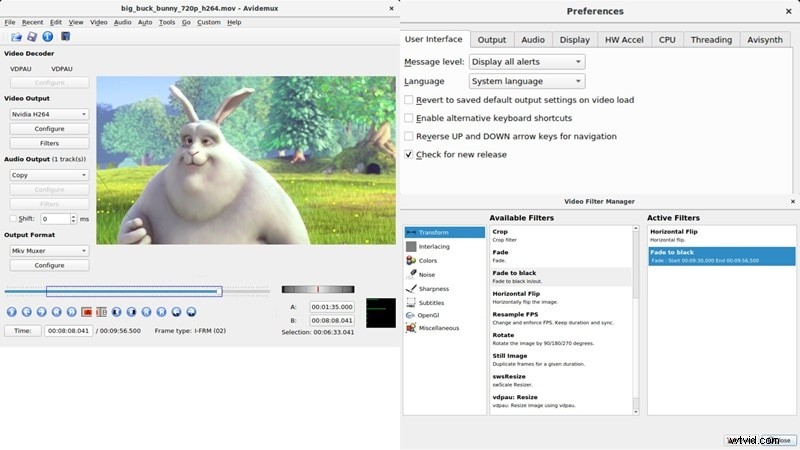
Avidemux is the go‑to free editor for simple trimming, filtering, and re‑encoding. Its cross‑platform support (Windows, macOS, Linux, BSD) and absence of a timeline keep it lightweight and fast.
- Free, no ads, quick export.
- Basic filters: fade, flip, rotate.
- Subtitle and logo overlay support.
- Transcode between formats.
Ratings: 4.2/5 on Capterra.
Recommendation: Ideal for users who need a fast, free tool for basic edits without a learning curve.
3. Adobe Premiere Pro
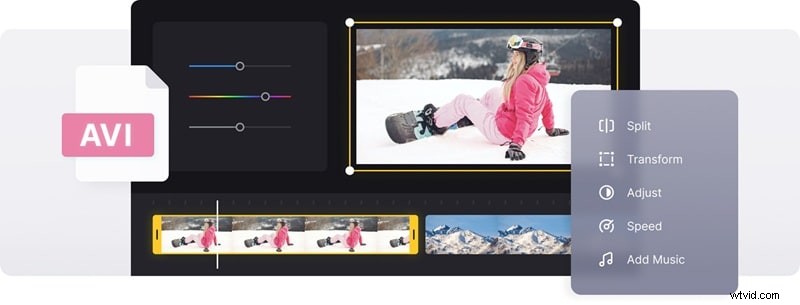
Premiere Pro remains the industry standard for advanced AVI editing. Its robust toolset, AI‑powered transcription, and seamless Adobe ecosystem integration empower professional‑level workflows.
Pricing: $22.99/month billed annually.
- Free transitions, templates, animated titles.
- Team Projects for real‑time collaboration.
- Steep learning curve for newcomers.
- Some features require additional Adobe apps.
Ratings: 4.5/5 on PCMag.
Recommendation: Best for creators demanding full control and advanced features.
4. Clideo
Clideo excels as a browser‑based editor that offers trimming, aspect‑ratio changes, speed adjustments, and color tweaks without installation.
Pricing: Free tier; Pro starts at $9/month.
- No account required for basic editing.
- Watermark on free exports; 720p limit.
- Rich library of stock videos and images.
Ratings: 4.8/5 on Trustpilot.
Recommendation: Perfect for quick, no‑frills edits straight from the browser.
5. iMovie
iMovie offers a solid free AVI editor for macOS, iOS, and iPadOS users. Its clean interface, 4K export, and built‑in effects make it a reliable choice for casual projects.
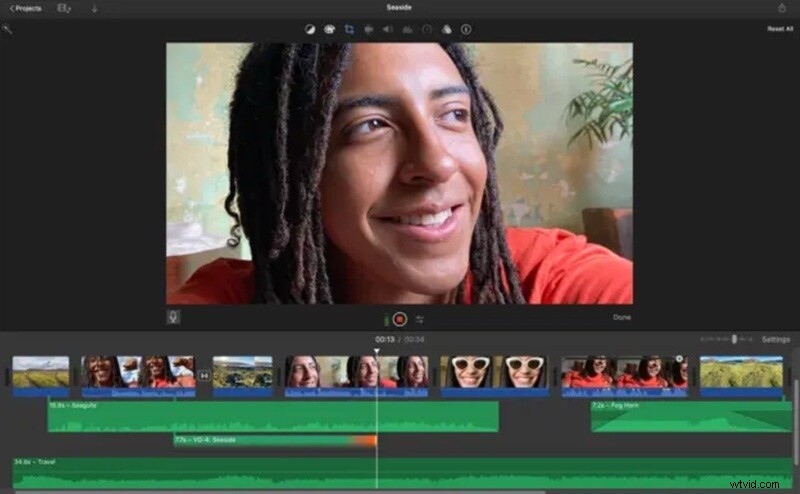
- 4K export, no watermark.
- Lacks advanced AI tools.
- Struggles with very long or complex timelines.
Ratings: 3.5/5 on the Apple App Store.
Recommendation: Ideal for quick edits and projects that fit within iMovie’s feature set.
6. Lightworks
Lightworks provides a Hollywood‑grade editing experience with proxy support, LUTs, and a free version that covers most basic needs.
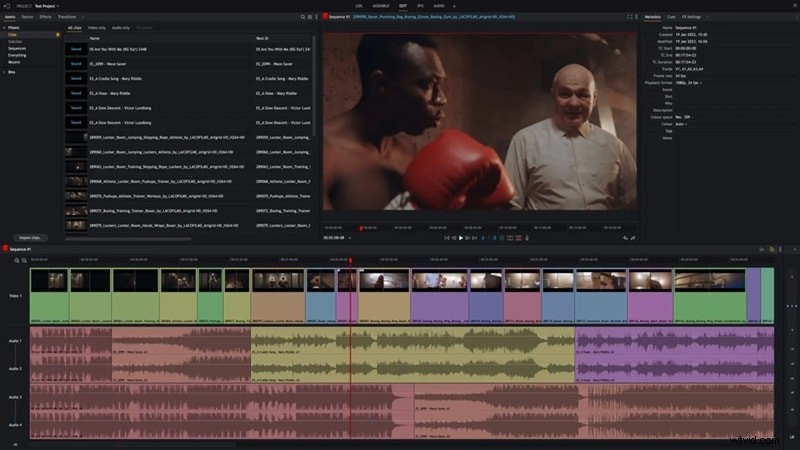
Pricing: Free tier; paid plans start at $13.99/month.
- Direct YouTube export.
- Rich toolset in the free version.
- Rendering can be slow; pricing structure is complex.
Ratings: 4/5 on TechRadar.
Recommendation: Best for users willing to invest in a professional editor that scales with their projects.
7. Online Video Cutter
For simple, fast, and free AVI edits, Online Video Cutter offers no‑sign‑up, no‑watermark, and unlimited file size support—all within a browser.
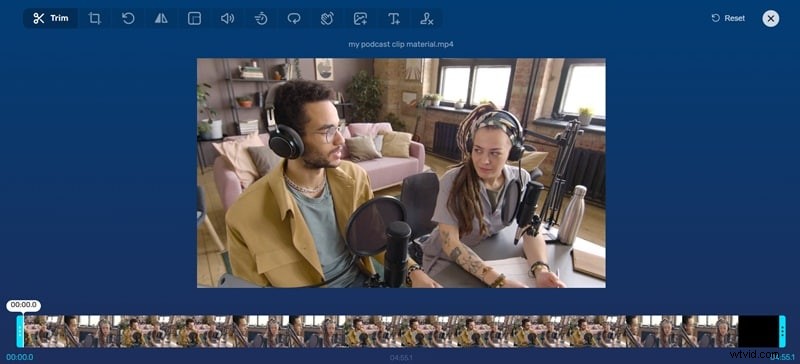
- No watermark; no account needed.
- Occasional crashes; ad‑rich interface.
- Supports color adjustments and text overlays.
Ratings: 3.3/5 on Trustpilot.
Recommendation: A straightforward tool for quick, basic edits.
Part 3. How to Choose the Right AVI Video Editing Software
- Platform Compatibility: Pick an editor that runs smoothly on your device. Cross‑platform options avoid workflow interruptions.
- Editing Objectives: Simple trimming? Go free. Complex effects? Opt for a robust editor like Filmora or Premiere Pro.
- Budget Considerations: Free tools suffice for basic tasks; paid plans unlock advanced features and support.
- Bonus Features: Built‑in media libraries, audio tools, and templates can elevate your edits without extra apps.
- Export Quality: Ensure the editor supports high‑resolution output and format flexibility.
- Support & Updates: Regular updates and responsive support reduce downtime and keep the tool current.
Conclusion
AVI offers superior quality and flexibility over standard MP4, but it demands a reliable editor for smooth handling. Our curated list spans free options like iMovie and Online Video Cutter, online editors such as Clideo, and full‑featured commercial software including Premiere Pro and Filmora.
After a thorough evaluation, Wondershare Filmora emerges as the standout choice—combining an intuitive interface, powerful AI tools, and extensive creative resources. It also offers a free version, allowing you to test its capabilities before committing.

FAQ
- Are online AVI editors safe? Most reputable online editors keep your files private. Stick with trusted sites for peace of mind.
- Does editing reduce AVI quality? No, unless you export at low settings. Monitor compression levels to preserve sharpness.
- Can I convert AVI to MP4? Yes—most editors include a built‑in converter for quick format changes.
🎪 AVI Video Editor Showdown: Pick Your Fave! ⚡