
The Best Adobe After Effects Alternatives: Filmora & More
Try a Better Alternative: Filmora Now
- Various AI editing tools to increase your video creation efficiency.
- Offer popular templates and royalty-free creative resources.
- Cross-platform functionality for editing everywhere.
100% Security Verified | No Subscription Required | No Malware
Table of Contents
Our Top 3 After Effects Alternatives Picks Adobe After Effects Alternatives Comparison Chart The Best Adobe After Effects Alternatives – Paid
- Wondershare Filmora
- Apple Motion
- Pinnacle Studio Ultimate
- DaVinci Resolve (Studio)
The Best Adobe After Effects Alternatives – Free
- Blender
- Natron
- Kdenlive
- Shotcut
After Effects Alternative for Mobile Devices
- Filmora for Mobile
- Alight Motion
- VN Video Editor
Conclusion FAQ

- Home
- Video Edit Software
- The Best Adobe After Effects Alternatives: Filmora & More
Looking for a powerful yet easy-to-use After Effects alternative? Adobe After Effects is a top choice, but its complexity and high price can be a roadblock. This guide breaks down the best alternatives, including the AI-powered Filmora, which simplifies motion graphics and visual effects for creators of all levels.
Some find it too expensive, too complex, or incompatible with their system. That's why many creators are searching for an After Effect alternative free of cost or something more beginner-friendly.
This guide has rounded up the top alternatives for Adobe After Effects, both paid and free. We've also included a comparison chart and a bonus section for mobile users. Keep reading to find the one that fits your workflow best!
Our Top 3 After Effects Alternatives Picks

Wondershare Filmora
A beginner-friendly editor with built-in motion tracking, keyframing, and VFX tools. It's perfect for beginners and intermediate editors who want polished results fast.
Download Download Download
Apple Motion
A budget-friendly motion graphics tool for Mac users. It's fast, affordable, and integrates seamlessly with Final Cut Pro, making it ideal for animation, motion graphics, and titles.
View detail
Blender
It's a free charge and open-source tool. While it's known for 3D animation, its VFX and compositing features make it a solid After Effects alternative.
View detail
Part 1. Adobe After Effects Alternatives Comparison Chart
Before we dive into the full breakdown of each tool, here's a quick side-by-side look at the top alternatives for Adobe After Effects. This comparison chart highlights what each tool is best known for, its key features, compatibility, and pricing. Thus, you can quickly scan and spot which one fits your editing needs.
| Software Name | Best For | Key Features | Compatibility | Price |
| Wondershare Filmora | YouTubers, content creators, social media editors, educators, and marketers. | Motion Tracking, Keyframe Animation, AI Smart Cutout & AI Portrait, Built-in VFX and Effects Library, Green Screen & Blending Modes. | Windows, macOS, iPadOS, iOS, and Android. | Free plan, One-time or Subscription |
| Apple Motion | Mac users who want to create motion graphics with Final Cut Pro integration. | Real-Time Rendering, 2D/3D Title Creation, Final Cut Pro Integration, Behavior-Based Animation, Visual Effects & Filters. | macOS | $49.99 |
| Pinnacle Studio Ultimate | Windows users who need advanced editing tools without a subscription. | Multi-Camera Editing & 360° Support, Smart Object & Mask Tracking, Blend Modes & Video Masking, Audio Tools & Color Grading. | Windows | $129.99 (often discounted to $89.99) |
| DaVinci Resolve (Studio) | Professionals who need advanced VFX, color grading, and editing tools in an all-in-one platform. | Fusion Compositing & VFX, Pro-Level Editing & Color, AI-Powered Enhancements. | Windows, macOS, and Linux. | $295 |
| Blender | Editors and animators looking for free 3D tools and advanced compositing. | Node-Based Compositing, 3D and 2D Animation, Motion Tracking, Visual Effects Tools, Full Keyframe Control. | Windows, macOS, and Linux. | Free |
| Natron | Compositing artists who prefer node-based workflows without editing tools. | Node-Based Workflow, Rotoscoping & Masking, OpenFX Plugin Support, 2D Tracking & Keyframing. | Windows, macOS, and Linux. | Free |
| Kdenlive | Hobbyists who want timeline-based animation and basic effects for free. | Keyframe-Based Animation, Titler Tool, Video Effects & Transitions, Multi-Track Editing, Render Profiles & Proxy Editing. | Windows, macOS, and Linux. | Free |
| Shotcut | Users who need a lightweight, open-source editor with basic motion effects. | Keyframe Animation, Filter-Based Effects, Multitrack Timeline, Color Grading Tools. | Windows, macOS, and Linux. | Free |
|
Show more Show less |
If you're looking for a powerful After Effects alternative for motion graphics, paid software often offers better performance. They also give you more advanced features and reliable customer support. Many of them also offer free trials, so you can test the features before committing.
1. Wondershare Filmora: The Best AI-Powered After Effects Alternative for Beginners
Wondershare Filmora is perfect for creators who want motion graphics and video effects without a steep learning curve. It has visual effects, motion tracking, and keyframing tools in a simplified editing environment.
 Secure Download
Key Features
Motion Tracking
Attach graphics, text, or effects to moving subjects in your video. Great for creating callouts, animated labels, or dynamic titles that follow movement.
Keyframe Animation
Customize the motion, scale, opacity, and rotation of any element over time. This feature gives you precise control over transitions and object behavior.
AI Smart Cutout & AI Portrait
Instantly remove backgrounds or isolate people in footage without using a green screen.
Built-in VFX and Effects Library
Choose from hundreds of drag-and-drop transitions, overlays, and filters. You'll also find creative packs for cinematic looks, glitch effects, and more.
Compatibility
Windows, macOS, iPadOS, iOS, and Android.
Pricing
Free version; Check the purchase page for full subscription pricing.
Pros & Cons
- AI-Powered Simplicity: AI Smart Cutout, Text-to-Video, and AI Image let you create stunning effects without complex workflows.
- Rich Effects Library: Access a huge library of royalty-free music, transitions, built-in templates, and AI-generated creative assets.
- Faster Editing: Tools like AI Mate Editing and Auto Beat Sync save you hours, letting you focus on your creative vision.
- Competitive Advantage: Unlike After Effects, Filmora is a lightweight video editor optimized for fast performance on both Windows and Mac, perfect for all creators.
- Lacks advanced compositing (no node-based or layer expressions).
- The free version adds a watermark.
Rating and Reviews
- Rated 4.5 out of 5 on G2 and Capterra.
- Most reviewers praise Filmora for its intuitive design and creative flexibility, especially for quick VFX and social media projects.
2. Apple Motion
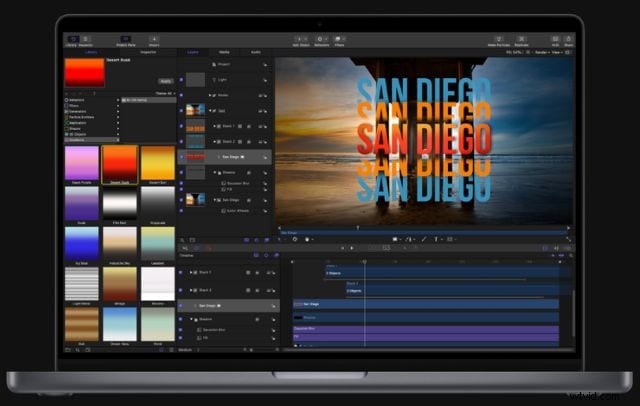
Apple Motion is ideal for Apple users who want a lightweight After Effects alternative for Mac. It offers real-time design, quick rendering, and full integration with Final Cut Pro. Motion handles animated titles, transitions, and effects without demanding hardware or a steep learning curve.
Key Features
Real-Time Rendering
Create and preview effects, transitions, and animations instantly without waiting for long exports. This saves time during tight editing sessions.
2D/3D Title Creation
Build dynamic text effects and title animations in both 2D and 3D space with easy-to-use presets and customization options.
Final Cut Pro Integration
Use Motion to design effects and templates, then apply them directly in Final Cut Pro. This workflow improves efficiency for editors in the Apple ecosystem.
Behavior-Based Animation
Animate objects with drag-and-drop behaviors instead of keyframes. This feature simplifies the process for users who want motion but not complexity.
Compatibility
macOS (Mac-only).
Pricing
One-time purchase via Mac App Store: $49.99
Pros & Cons
- Affordable one-time price with pro-level tools.
- Seamless connection with Final Cut Pro.
- Fast performance and smooth preview playback.
- Easy setup for animated titles and effects.
- Limited to macOS, no Windows version.
- Lacks complex VFX tools like 3D particle systems or node-based compositing.
- The interface may feel dated compared to newer software.
Rating and Reviews
- Rated 4.2 out of 5 on G2.
- Users appreciate Motion's speed and its synergy with Final Cut Pro. Many editors say it handles titles, transitions, and simple effects better than expected.
3. Pinnacle Studio Ultimate
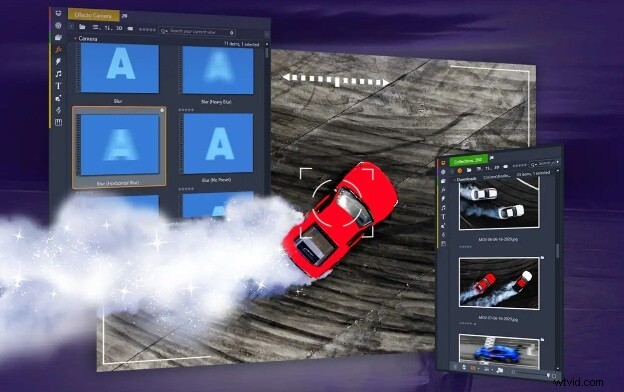
Pinnacle Studio Ultimate serves as a powerful After Effects alternative for Windows users. It offers multilayer compositing, motion tracking, and advanced effects, all available without subscription costs. It's a solid choice for content creators who work on Windows.
Key Features
Multi-Camera Editing & 360° Support
Edit footage from several cameras simultaneously, and work with 360° video across unlimited tracks.
Smart Object & Mask Tracking
Track masked objects intelligently, reducing manual adjustments.
Blend Modes & Video Masking
Choose from 16 blend modes with keyframe control and create refined mask effects.
Audio Tools & Color Grading
Apply noise reduction, audio ducking, and precise color curves and LUTs.
Compatibility
Windows only
Pricing
One-time license; originally priced at $129.99, often discounted to $89.99.
Pros & Cons
- Advanced masking and keyframing features.
- Built-in motion tracking and 360° video editing.
- One-time payment, no subscription required.
- Flexible enough for both intermediate and pro users.
- Windows only, no Mac version available.
- The interface may feel cluttered to first-time users.
- Occasional stability issues on lower-end PCs.
Rating and Reviews
- Rated 4.0 out of 5 on PCMag, TechRadar, and 3.9 out of 5 on G2.
- G2 reviewers highlight its beginner-friendly yet feature-rich design, but mention occasional lag and instability.
- TechRadar ranks it as the top non-subscription Windows editor, praising its completeness while noting some glitchy imports.
4. DaVinci Resolve (Studio)
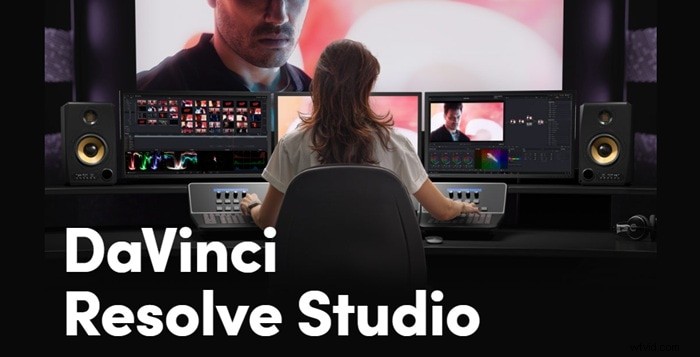
DaVinci Resolve Studio delivers a powerful all-in-one solution combining video editing, color grading, motion graphics, and VFX. It's integrated with the Fusion compositing engine and supports Windows, macOS, and Linux. Thus, it stands out as a top After Effects alternative for Linux users and professionals across platforms.
Key Features
Fusion Compositing & VFX
Work with layer effects, 3D compositing, particle tools, and planar tracking inside Fusion. Studio adds Face Tracking, Lens Flare, powerful motion blur, and video noise reduction.
Pro-Level Editing & Color
Use timeline editing, multicam, curve-based grading, HDR color work, and Fairlight audio mixing.
AI-Powered Enhancements
Unlock SuperScale upscaling, smart reframing that follows action, speech-to-text, neural filter effects, and noise reduction.
Compatibility
Windows, macOS, and Linux.
Pricing
One-time license; originally priced at $129.99, often discounted to $89.99.
Pros & Cons
- Offers a unified platform for editing, grading, VFX, motion graphics, and audio.
- Node-based compositing gives fine control over effects and adjustments.
- Studio adds AI enhancements like smart reframing, noise reduction, and multi‑GPU acceleration.
- A lifetime license feels fair compared to ongoing Adobe fees.
- Steep learning curve for new editors, especially for Fusion's node-based workflow.
- Demands high-end hardware for smooth performance on complex projects.
- Smaller plugin ecosystem versus After Effects.
Rating and Reviews
- Rated 4.0 out of 5 on PCMag.
- Users call Resolve one of the best professional video editors on the market and praise its Fusion VFX.
Not every creator needs premium software to achieve impressive motion graphics. If you're on a budget, a free alternative for After Effects can still provide solid features. Below are four of the most reliable free options worth trying in 2025.
1. Blender
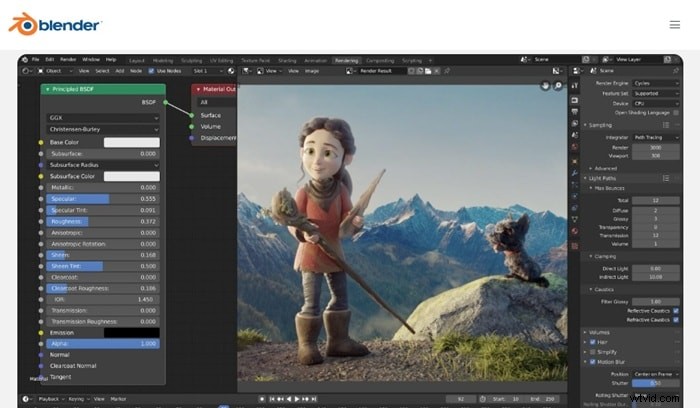
Blender is one of the most powerful free After Effects alternatives available today. Though it's widely known as a 3D animation tool, Blender also includes a full compositor, motion tracking, and VFX capabilities.
Key Features
Node-Based Compositing
Use Blender's compositor to layer, blend, mask, and color correct footage with full node control.
3D and 2D Animation
Animate characters, scenes, and text in 3D or use Grease Pencil for 2D animation inside a 3D space.
Motion Tracking
Add effects to real-world footage using camera and object tracking features.
Visual Effects Tools
Work with particles, smoke, fluid simulation, green screen (chroma key), and motion blur.
Compatibility
Windows, macOS, and Linux.
Pros & Cons
- 100% free and open-source with no feature lock.
- Handles both 2D and 3D animation in one environment.
- Offers advanced VFX and compositing without needing plugins.
- Active global community and rich tutorial base.
- It has a steep learning curve, especially for new editors.
- The interface may feel overwhelming if you're used to timeline-based tools.
- Not designed for quick social video edits
Rating and Reviews
- Rated 4.6 out of 5 on G2.
- Users praise Blender for its flexibility, power, and value. While it takes time to learn, professionals and indie creators agree it rivals paid tools in terms of capability.
2. Natron
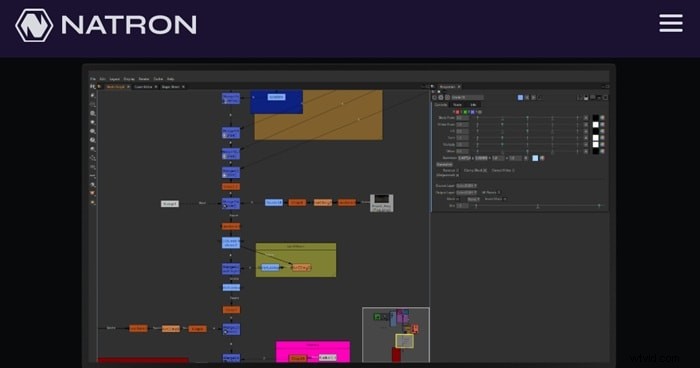
Natron is an open-source node-based compositor that focuses on 2D and motion graphics workflows. As a free alternative to After Effects, Natron gives users a professional compositing setup without the cost.
Key Features
Node-Based Workflow
Connect and manage visual effects using a non-linear, node graph.
Rotoscoping & Masking
Draw, animate, and keyframe masks for detailed cutouts and transitions.
OpenFX Plugin Support
Use third-party OpenFX plugins to expand your visual toolkit.
Multi-Layer Management
Stack and organize elements with ease using layers and channels.
Compatibility
Windows, macOS, and Linux.
Pros & Cons
- Free and open-source with no paywall features.
- A familiar layout for VFX professionals used to node-based tools.
- Supports industry-standard formats and plugins.
- Lightweight install and runs on most systems.
- Lacks built-in video editing tools.
- Development updates have slowed in recent years.
- No support for 3D animation or camera tracking.
Rating and Reviews
- Rated 3.5 out of 5 on G2.
- Users appreciate Natron for its clean approach to compositing and its similarity to higher-end tools like Nuke. While it lacks built-in editing tools, it performs well as a focused VFX solution.
3. Kdenlive
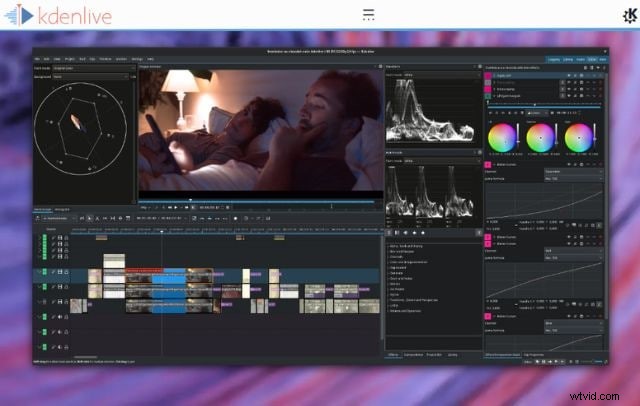
Kdenlive is a free, open-source video editor with built-in animation and effects tools. It's a strong After Effects alternative for casual editors and hobbyists. It doesn't offer node-based compositing like Blender or Natron. But, it gives you keyframe animation, transitions, title tools, and timeline control, all without costing a cent.
Key Features
Keyframe-Based Animation
Animate parameters like position, scale, and opacity for smooth transitions and basic motion graphics.
Titler Tool
Create animated titles and lower thirds with built-in templates or custom designs.
Video Effects & Transitions
Apply blur, color grading, green screen, and more from a broad collection of real-time effects.
Multi-Track Editing
Stack and edit unlimited video and audio tracks with timeline flexibility.
Compatibility
Windows, macOS, and Linux.
Pros & Cons
- 100% free and open-source with no feature limits.
- It offers keyframing, title animation, and a solid effects library.
- Runs smoothly on most devices, even low-spec systems.
- It has a customizable interface to suit different editing styles.
- Doesn't support motion tracking or 3D animation.
- The interface may feel outdated to some users.
- It can crash during complex edits or heavy effects use.
Rating and Reviews
- Rated 4.4 out of 5 by TunesKit Acemovi
- Users said it can handle multiple formats, offers flexible timeline editing, and earns praise for its open-source versatility. Some users note occasional instability on lower-end hardware.
4. Shotcut
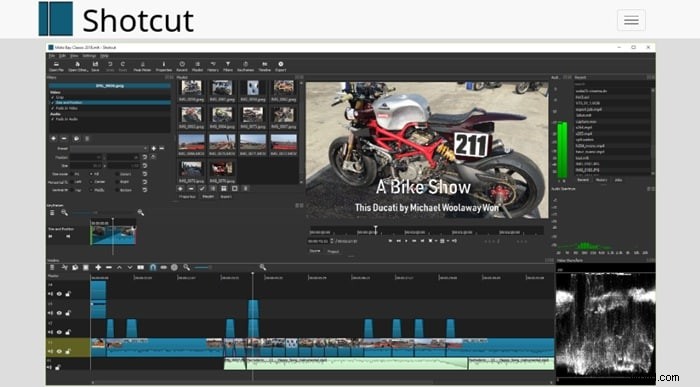
Shotcut offers a clean, open-source video editing experience for those who want basic motion graphics without complex workflows. While it doesn't match After Effects in terms of VFX complexity, Shotcut still covers many essential animation and compositing needs.
Key Features
Keyframe Animation
Adjust video properties like scale, rotation, and opacity over time using curve-based keyframes.
Filter-Based Effects
Stack visual filters, add transitions, and apply chroma key to build dynamic compositions.
Multitrack Timeline
Layer multiple video and audio tracks with drag-and-drop flexibility.
Color Grading Tools
Use scopes, LUTs, and grading filters to fine-tune footage.
Compatibility
Windows, macOS, and Linux.
Pros & Cons
- Fully open-source with no locked features or watermarks.
- Clean interface that supports beginners.
- Strong filter library and customizable layout.
- Keyframing support across video and audio properties
- No built-in motion tracking or 3D compositing.
- Lacks native templates or visual presets.
- Complex edits may slow performance on older devices.
Rating and Reviews
- Rated 4.5 out of 5 on SoftwareAdvice and praised by PCMag as one of the best free editors with pro-grade timeline tools.
- Users highlight its flexibility and reliability for everyday animation work, though some note that it misses high-end VFX capabilities.
Bonus: Are You Looking for an After Effects Alternative for Mobile Devices?
Do you need an Adobe After Effects alternative for Android or iPhone? Mobile editing apps have come a long way; many now support keyframes, effects, and motion design straight from your phone.
If you want to animate titles, apply VFX, or make stylized videos on your phone, here are three powerful mobile-friendly tools you should check out.
1. Filmora for Mobile
Filmora for Mobile brings motion effects, animation, and creative tools straight to your phone. It's a strong After Effects alternative for mobile creators. You can animate text, apply visual effects, add music, and use AI tools, no desktop required.
Secure Download
Key Features
AI Auto Cut
Automatically trims and merges clips into polished highlight reels using smart AI‑driven analysis.
Keyframe Animation
Control motion, scale, rotation, and opacity with precise temporal and spatial keyframe support.
Motion Tracking & Green Screen
Pin effects or text onto moving subjects, and replace backgrounds with one-tap chroma key tools.
Smart Cutout & AI Remover
Erase unwanted objects or isolate subjects using brush-based masking and AI-powered object removal.
Compatibility
Android and iOS.
Pros & Cons
- It offers advanced features like motion tracking, AI cutout, and keyframing on mobile.
- Huge built-in library of effects, transitions, music, and stickers.
- Regular updates with new AI tools and creative presets.
- Works smoothly on both Android and iOS devices.
- The free version adds a watermark to exports.
- Some advanced effects and features require a premium subscription.
- Occasional lag is reported on older devices when editing longer videos.
Rating and Reviews
- Apple App Store: 4.7 out of 5 with 80,200+ ratings.
- Google Play Store: 4.1 out of 5 from over 1 million reviews.
- TechRadar verdict: "A good free video editing app with a well‑designed interface," praised for tools but noted for limited Store add-ons
2. Alight Motion
Alight Motion is a feature-rich animation and motion graphics app made for mobile users. It's one of the closest After Effects alternatives available on Android and iOS. It offers vector support, keyframing, and visual effects in a portable setup.

Key Features
Keyframe Animation
Animate every element with precise control. You can set position, scale, rotation, and opacity on any layer.
Vector & Bitmap Support
Create motion graphics using shapes, drawings, or imported images with full layering control.
Visual Effects Library
Apply blur, shadows, glows, warps, and other customizable effects to text, images, and video layers.
Blending Modes & Masks
Use blend styles and masking layers to craft cinematic transitions and layered visuals.
Compatibility
Android and iOS.
Pros & Cons
- Full keyframe animation and masking support on mobile.
- Ideal for creating intros, animated logos, and social media motion content.
- Supports both vector drawing and image import.
- Free tier includes core editing features.
- Adds a watermark unless you subscribe.
- Complex timelines can feel cramped on smaller screens.
- Some advanced effects are locked behind a paywall.
Rating and Reviews
- Google Play Store: 4.0 out of 5 from over 900,000 reviews.
- Apple App Store: 4.2 out of 5 from 23,000+ reviews.
- Slashdot users say it balances pro-level tools and accessibility, but performance varies by device.
3. VN Video Editor
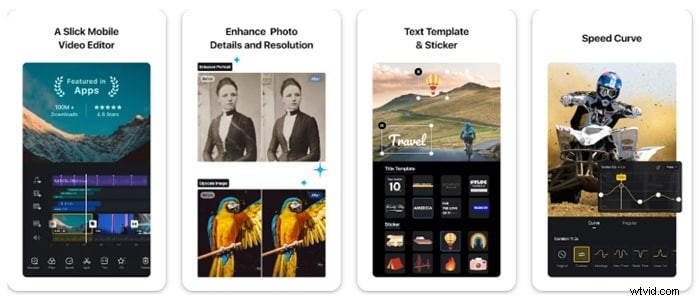
VN Video Editor is a fast, free editing app that supports keyframe animation, effects, and motion titles. It works great as a lightweight After Effects alternative for mobile users who want smooth edits and polished visuals for vlogs, TikToks, and reels.
Key Features
Keyframe Animation
Animate text, stickers, and clip parameters like position, rotation, and scale with full keyframe control on mobile.
Multi-Layer Timeline
Layer video, audio, text, and effects in a user-friendly timeline that mimics desktop editing layouts.
Visual Effects & Filters
Apply LUTs, transitions, slow motion, and chroma key tools for dynamic video effects.
Custom Templates & Fonts
Save editing presets or use prebuilt animated titles and transitions with downloadable assets.
Compatibility
Android and iOS.
Pros & Cons
- Free to use with no watermark or ads.
- Offers desktop-style editing in a mobile interface.
- Supports keyframe motion and green screen effects.
- Great export options, including 4K and 60fps.
- Lacks motion tracking and AI tools.
- The interface may feel limited for high-end compositing.
- No cloud sync or backup between devices.
Rating and Reviews
- Google Play Store: 4.5 out of 5 from 1.5 million+ users.
- Apple App Store: 4.7 out of 5 with over 110,000 reviews.
- PremiumBeat Review: "VN hits a sweet spot between power and simplicity," making it ideal for mobile filmmakers who need quick results.
Conclusion
Finding an After Effects alternative doesn't mean sacrificing quality. From powerful desktop editors like Filmora and DaVinci Resolve to free open-source tools like Blender and Kdenlive, there's something for every skill level and workflow.
If you're on a budget, try a free After Effects alternative like Natron or Shotcut. They offer great motion graphics features without a subscription. For editing on the go, apps like Filmora Mobile and VN Video Editor give you keyframe animation, effects, and flexibility right from your phone.
Still not sure which alternative for Adobe After Effects fits you best? Revisit the comparison chart and pick the one that matches your editing style!

Filmora
AI Video Editing App & Software
Best tool for making videos anywhere for all creators!
Simplify all your steps in video editing, from the pre-processing to finalizing, Filmora AI stays tuned.
FAQ
-
What's the difference between a video editor and a motion graphics tool?
A video editor focuses on cutting, trimming, and arranging video clips. A motion graphics tool, like After Effects, lets you add animated text, visual effects, and layered compositions. Some software, like Filmora and DaVinci Resolve, offer both, while others focus more on one side.
-
Do I need a powerful computer to run After Effects alternatives?
Not always. Some After Effects alternatives like Shotcut, Kdenlive, and Filmora are optimized for mid-range systems. However, tools with advanced features like Blender or DaVinci Resolve Studio may need stronger hardware, especially for rendering VFX-heavy projects.
-
Do free After Effects alternatives have watermarks?
It depends on the software. Truly free tools like Blender, Natron, Kdenlive, and Shotcut have no watermarks or locked features. But some freemium apps, like Alight Motion or Filmora's free version, do add a watermark unless you upgrade.
-
Can I open After Effects project files in any alternative?
No. After Effects uses its own proprietary project format (.aep), which isn't compatible with other software. Most After Effects alternatives don't support .aep imports, so you'll need to rebuild your project manually if switching tools.