
Effortlessly create video with AI
- Various AI editing tools to increase your video creation efficiency.
- Offer popular templates and royalty-free creative resources.
- Cross-platform functionality for editing everywhere.
100% Security Verified | No Subscription Required | No Malware

- Home
- Video Edit Software
- Best AI Writing Tools for Every Need in 2026
AI writing tools have revolutionized the way we make content in 2025. They are the one-stop solution for writing issues from the composition of essays to the enhancement of emails. The main role of these AI writing tools is to provide the utmost assistance to users during the whole writing process.
However, countless people encounter the writer's block challenge and, at the same time, must deal with time restrictions and the need to come up with perfectly written content.
We, in this guide, will talk about the top AI writing tools that cater to different needs in 2025, their usefulness, and how your writing productivity gets a great lift from them—regardless of what type of content you are making.
Selection Criteria
We help you to find the perfect AI writing tool for your needs by ranking this list of points that were considered in the evaluation.
- Quality of writing and accuracy: The degree of grammatical correctness, clarity, and reliability of the produced text and the extent to which the instructions are followed.
- Ease of use and user interface: The tool is great to work with; a novice can operate it without any difficulty, and it is designed efficiently for quick writing.
- Pricing and free availability: The price-to-feature ratio you get, i.e., what features are available in the free version.
- AI generation control and customization: The extent to which users can change the tone, style, format, or depth of their output so that the final product meets their exact requirements.
How We Test
We put each AI writing tool to the test through practical writing tasks to come up with this list. We looked at their capability to generate content, to rewrite the text, to improve the clarity, and to do the editing. Also, we measured their speed, correctness, and willingness to follow detailed instructions.
AI Writing Tools Comparison Chart
| Tool | Best for | Key Features | Pricing |
| ChatGPT | Students, writers, marketers | Text generation, multi-turn chats, content creation, coding help | Free (GPT-3.5), Plus $20/mo (GPT-4) |
| Claude | Professionals, developers, researchers | Advanced problem solving, code generation, text & image analysis, productivity integrations | Free, Pro $17/mo, Max from $100/mo |
| Jasper | Marketers, content creators | Automated content pipelines, brand voice control, SEO support | Pro $59/mo |
| Filmora AI Copywriting | Creators, video editors | Scripts, titles, descriptions, in-editor AI | $9.99/mo Basic, $34.99/yr Advanced, $49.99 one-time |
| Copy.ai | Teams, creators | Quick marketing content, blog/social posts, tone adjustment | $29/mo Chat, $249/mo Agents |
| Anyword | Marketing teams, enterprises | Performance prediction, personalized ads/emails, A/B-tested content | $49/mo Starter, $99/mo Data-Driven |
| Ahrefs Paragraph Generator | Writers, students | Quick paragraph generation, proofreading, AI detection | $129–$449/mo |
| Grammarly | Professionals, students | Grammar fixes, tone/style adjustment, plagiarism/AI detection | Free, Premium $12/mo, Enterprise custom |
| Reword | Professionals, students | Rewriting, multiple modes, grammar correction, plagiarism removal | $4.99/week; $8.97/month |
| Sudowrite | Long-form writers, novelists | Story/essay assistance, outlines, brainstorming, expansion tools | $10–$44/mo |
| Novel Crafter | Novelists, authors, screenwriters, writing teams | World-building Codex, planning modes, collaboration, AI (BYOK) | $4/mo Scribe; $8/mo Hobbyist; $14/mo Artisan; $20/mo Specialist |
| RivalFlow AI | SEO teams, agencies, freelancers | Competitor gap analysis, ready-to-paste improvements, GSC integration, white-label reports | Starter $79/mo; Pro $119/mo; Elite $199/mo |
| Lavender | Sales, recruiters | Email scoring, personalization, multi-inbox integration | Free, Starter $27/mo, Pro $45/mo |
| Rtyr | Copywriters, marketers, freelancers | 40+ use cases, rewriting, AI autocomplete, tones, plagiarism checker | Free – $0/month Unlimited – $7.50/month Premium – $24.16/month |
| Gemini for Google | Professionals & Gmail users | Summaries, AI drafting, smart replies, inbox search, side-panel Q&A | Google One AI Premium ~$19.99/mo; Workspace from $6.30/user/mo |
|
Show More Show Less |
Top 3 Overall AI Writing Tools in 2025
As multifaceted power units, these AI writing tools are the perfect solutions for any sort of writing requirement that you may have.
1. ChatGPT
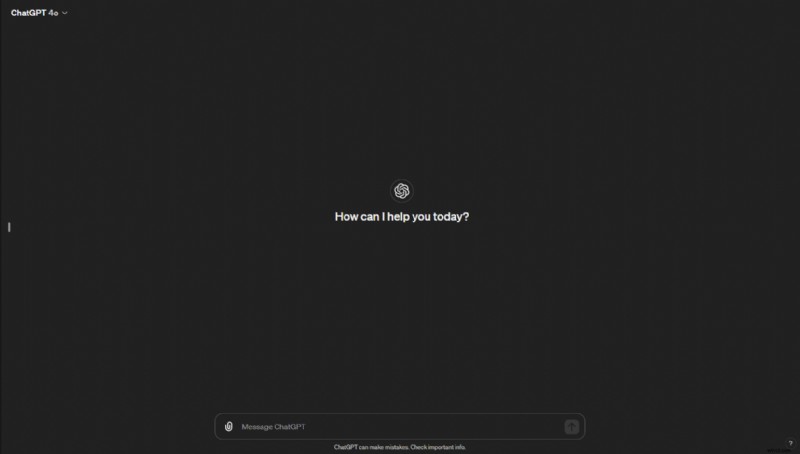
ChatGPT is an AI assistant that helps you write, research, and solve problems quickly by generating text that is like what a human would produce.
Key Features
- An NLU system that can handle questions, generate text, and give suggestions.
- Multi-turn conversations with the ability to keep the context for a meaningful dialogue.
- Content creation facilitation for blogs, social media, emails, code, and creative writing.
- AI-powered problem solving, such as coding help, calculations, and research guidance.
Best For
Students, writers, developers, marketers, and anyone who needs AI-powered conversational assistance or content creation.
Pricing
- Free Plan: Limited access to GPT-3.5
- ChatGPT Plus: $20/month for GPT-4 access
2. Claude
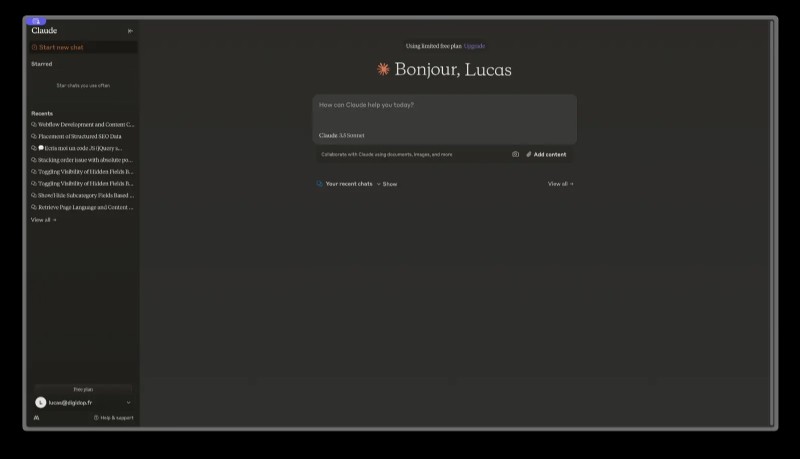
Claude is an AI assistant who can handle intricate problem-solving, research, coding, and content creation tasks.
Key Features
- Expert-level collaboration to expand ideas, logic, and simplify complex problems.
- Claude Code-powered code generation, execution, and debugging support.
- Both text and image can be analyzed, summarized, created, or edited by the AI.
- By integrating Google Workspace and other tools, one can enhance their productivity.
- Several AI models (Haiku, Sonnet, Opus) are available for either fast, logical, or heavy-duty tasks.
Best For
The use of developers, professionals, researchers, teams, and solo-runners who require advanced AI support in coding, data analysis, content creation, and strategic thinking.
Pricing
- Free Plan: $0
- Pro Plan: $17/month (billed annually)
- Max Plan: Starting at $100/month
3. Jasper
Jasper is an AI content automation platform that enables marketing teams to efficiently plan, create, and scale content while keeping brand consistency intact.
Key Features
- AI-powered content pipelines that fully automate creation from idea to publication.
- Jasper Studio and Grid for personalized workflows and campaign orchestration.
- Jasper IQ and Brand IQ to maintain quality, brand voice, and audience targeting.
- Multi-modal content support, including text, images, and SEO-optimized copy.
Best For
Marketers, content creators, brand managers, and teams who want to automate content workflows, preserve brand voice, and speed up campaign execution.
Pricing
- Pro Plan: $59/month (billed annually)
Best AI Writing Tools for Copywriting & Marketing
AI writing tools can be utilized in creating different marketing copies and the process will turn out to be much easier and faster than before such as ads, emails, product descriptions, and social posts. Listed below are the foremost tools which assist the marketers in writing more intelligently, being consistent, and increasing their output.
1. Filmora AI Copywriting
Filmora AI Copywriting is an all-in-one content generator that is integrated directly within the Filmora video editor.
 Secure Download
Key Features
- ChatGPT-driven content production that gives you the ability to make scripts, titles, and descriptions out of a few prompt sentences.
- AI video script generation that interprets your video idea or topic and creates a new script in a matter of seconds.
- In-editor copywriting help, which enables you to produce text while working on the file without the need to change apps or tools.
- Automated YouTube titles and descriptions assist you in enhancing SEO, increasing user interaction, and saving time by not doing the same tasks repeatedly.
Best For
Creators, marketers, influencers, freelancers, and video editors looking to easily generate AI-powered scripts, titles, and descriptions without leaving their editing workflow.
Pricing
- Basic Plan: $9.99/month
- Advanced Plan: $34.99/year
- Perpetual License: $49.99 one-time
How to Use?
- Step 1. Start Filmora - Get the latest version if you don't have it and then open the editor.
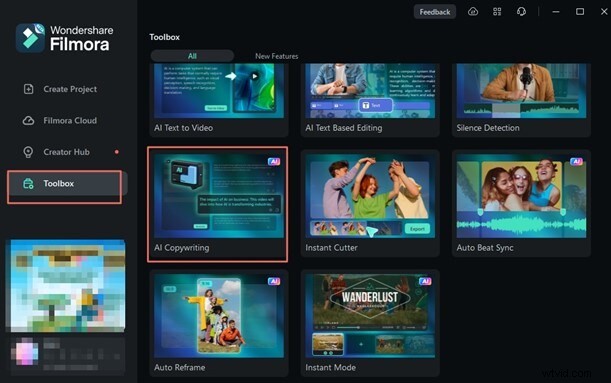
- Step 2. Turn on AI Copywriting - Navigate to the Toolbox and click on AI Copywriting.
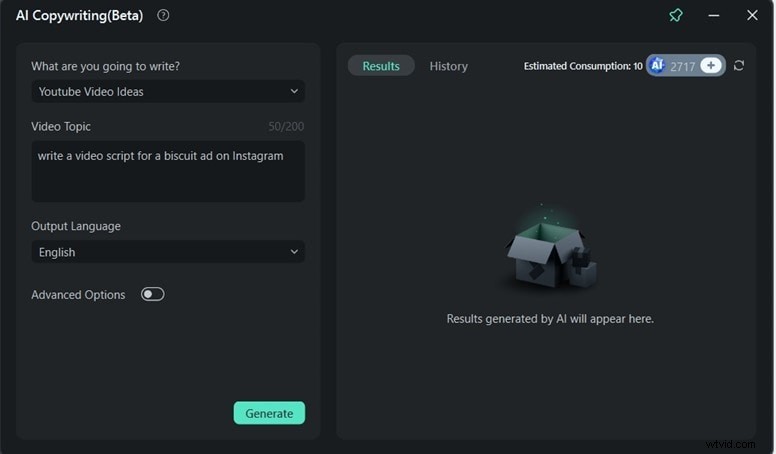
- Step 3. Make content - Put in the topic of your video or the idea and press Generate if you want to make text, titles, or copy right away.
Secure Download
2. Copy.ai
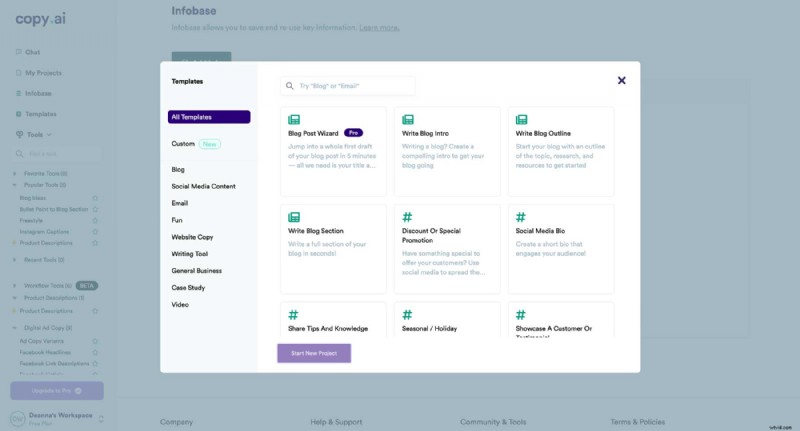
Copy.ai is a writing platform powered by AI that enables teams and creators to quickly produce high-quality content for marketing, blogs, social media, and sales.
Key Features
- Creates in a very short time marketing emails, blog outlines, product descriptions, captions, and social posts.
- Provides 90+ completely free AI tools like slogan makers, meta description generators, hashtag tools, and so on.
- Has paraphrasing, rewriting, and paragraph-generation features for super-fast content enhancement.
- Allows brand-consistent writing through adjustable tone and voice settings.
Best For
Teams and creators that would like to have access to fast and high-quality AI writing tools for the generation of emails, captions, blog content, sales copy, and the like without the need for advanced prompt skills.
Pricing
- Chat Plan: $29/month — includes 5 seats, unlimited words, and unlimited chat projects.
- Agents Plan: $249/month — includes up to 10 seats, workflow automation, Content Agent Studio, and 10k workflow credits per month.
3. Anyword
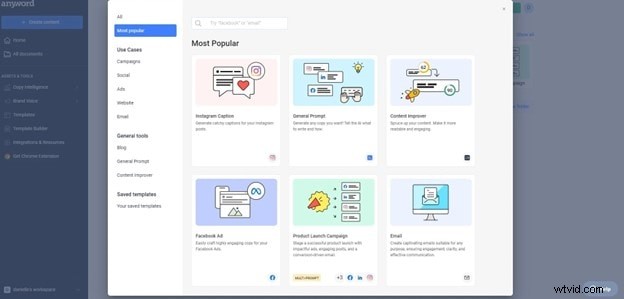
Anyword is an AI-powered content platform that mines A/B-tested data to accurately forecast which content will yield the best results, thus enabling marketers to effortlessly create the most effective ads, emails, and social posts.
Key Features
- Employ performance prediction to select the best content variation with an accuracy of up to 82%.
- Quickly generates ad copy, email campaigns, social media posts, and blog content.
- Offers performance predictions and A/B-tested feedback in real-time.
- Enables highly personalized content for different people and target audiences.
- Provides brand voice control, tone adjustment, and messaging consistency.
Best For
Marketing teams and enterprises are leveraging AI content creation to drive up user engagement, conversion rates, and overall performance metrics.
Pricing
- Starter: $49/month
- Data-Driven: $99/month
AI Writing Tools for Paragraph Writing & Editing
Below are the best options that excel at single-paragraph generation, rewriting, and fine-grain editing.
1. Ahrefs' Paragraph Generator
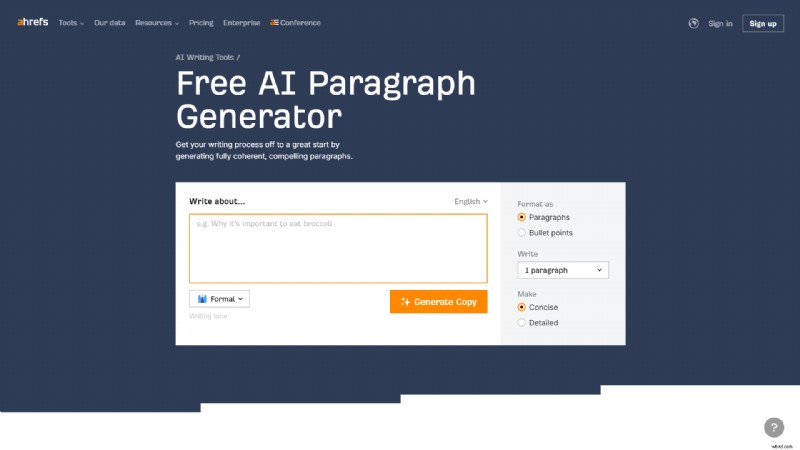
Ahrefs' Paragraph Generator is an automatic tool that helps you to produce brief, clear, and attractive paragraphs on any subject or with any prompt.
Key Features
- Creates well-organized, logical paragraphs based on a brief prompt or topic.
- Enables you to convert, shorten, extend, or translate a paragraph with only one click.
- It comes with proofreading features that help fix grammar, clarity, and style issues very quickly.
- Help you to pinpoint the next refinement steps as you check the text.
- It lets you set custom writing tasks that can be done automatically and thus save you time.
- Comes with a trustworthy AI detector tool that can inform you about the AI share of the text.
Best For
Writers, students, marketers, and basically any person who requires quick and easy paragraphs for blogs, emails, essays, product descriptions, etc.
Pricing
- Lite: $129/month
- Standard: $249/month
- Advanced: $449/month
2. Grammarly
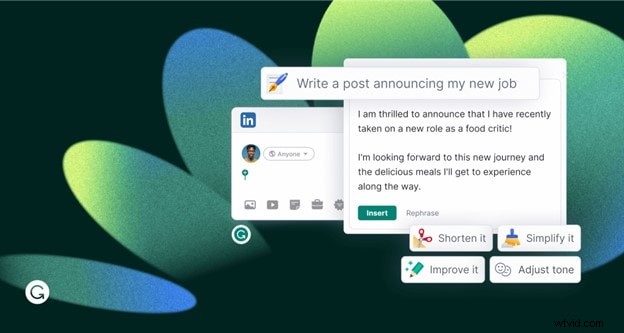
Grammarly is an AI-powered writing assistant that is widely used. It enables you to write clearly, correct mistakes right away, and create refined content in a matter of seconds.
Key Features
- AI writing generator to create blog posts, emails, outlines, social captions, and essays in seconds.
- On the go grammar, spelling, and punctuation fixes for over 1M+ apps and websites.
- Usage of different tone words, like formal, friendly, confident, or concise, to suit your writing style.
- Sentence rewrites and getting rid of any writing flaws for clearer, smoother writing.
- Checking for plagiarism as well as detecting AI-generated content as the source of writing.
Best For
Professionals, students, marketers, and any other people who require writing that is free from mistakes, well-structured, and grammatically correct.
Pricing
- Free plan available
- Premium: $12/month (billed annually)
- Enterprise: Custom pricing
3. Reword
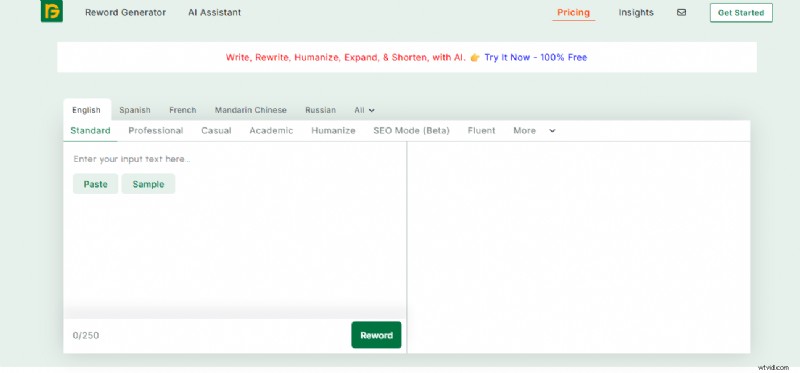
Reword is an AI-powered rewriting tool designed to help users transform text into clearer, unique, and plagiarism-free content with minimal effort.
Key Features
- Rewrites sentences, paragraphs, and full articles while preserving context
- Grammar and spelling correction built-in
- Multiple writing modes (Standard, Professional, Casual, Academic, Humanize, SEO Mode)
- Supports file uploads (txt, .doc, .docx, .pdf) and imports from Drive/Dropbox
- No word-count limitations; rewrite up to 200+ words at once
- Instant, high-quality rephrasing using advanced NLP
- Removes plagiarism and AI-similarity automatically
Best For
Students, bloggers, writers, marketers, and professionals who need fast, high-quality rewriting without losing the original meaning.
Pricing
- Weekly: $4.99
- Monthly: $8.97 (Save 58%)
AI Writing Tool for Essays & Long-Form Content
This AI tool facilitate you to research, organize, and create essays and other long-form content that are not only well-structured but also clear and deep.
1. Sudowrite
Sudowrite is a highly efficient AI writing assistant that is only one long-form content.
Key Features
- Story-focused AI that helps with outlining, worldbuilding, and character development.
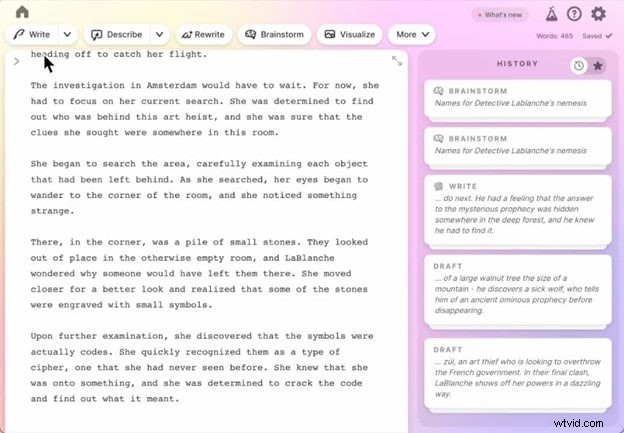
- "Write" uses your style and voice to create the next 300 words of your work, thus helping to overcome writer's block.
- Expand, rewrite, and describe tools to improve pacing, clarity, and immersion.
- The feedback tool provides actionable changes you can make to tone, flow, and structure.
- The brainstorming tool comes up with ideas, twists, titles, names, and much more.
Best For
Novelists, long-form writers, screenwriters, and anyone who produces essays, stories, or book-length content.
Pricing
- Hobby & Student: $10/month
- Professional: $22/month
- Max: $44/month
2. Novel Crafter
NovelCrafter is an advanced writing platform built specifically for authors who want powerful organization, AI support, and world-building tools in one seamless ecosystem.

Key Features
- Codex world-building system for characters, locations, lore, and story elements
- Multiple planning modes to highlight plot issues, inconsistencies, and structure
- Collaboration options for co-authors, editors, and writing teams
- AI integration (bring your own API key) with support for OpenAI, Claude, Gemini, Llama, Mistral, and local models
- AI features: scene summaries, character extraction, beat-to-scene generation, workshop chat (higher tiers)
- Share Codex across multiple books in a series
- Customizable prompting system with variables and shortcuts
Best For
Novelists, screenwriters, fiction/non-fiction authors, and writing teams who need structured planning, world-building, and AI-assisted storytelling.
Pricing
- Scribe: $4/month — Unlimited books, basic review tools, Codex
- Hobbyist: $8/month — Includes AI (BYOK) and advanced summarization tools
- Artisan: $14/month — Adds chat features and advanced review tools
- Specialist: $20/month — Full collaboration suite, team management, priority support
3. RivalFlow AI
RivalFlow AI is an SEO optimization platform that finds gaps in your content, shows what competitors answer that you don’t, and provides ready-to-paste improvements to boost rankings quickly.

Key Features
- Automatically analyzes competitor pages to identify unanswered questions and missing content
- Provides ready-to-paste content updates with exact placement guidance
- Generates new improvement ideas weekly, daily, or instantly (based on plan)
- Connects with Google Search Console for real-time performance tracking
- White-label support for agencies (branding, exportable reports, client-ready content)
- Unlimited team members on all plan
Best For
Agencies, SEO teams, freelancers, and businesses that want automated content improvement, ranking boosts, and data-backed recommendations.
Pricing
- Starter – $79/month
- Pro – $119/month
- Elite – $199/month
By using the AI tool below, you can produce well-structured, professional emails in less time, as well as efficiently handle other email-related activities using intelligent suggestions and rapid responses.
1. Lavender
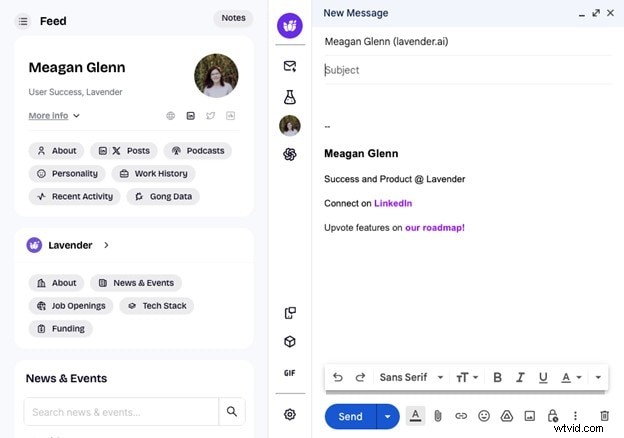
Lavender is an AI-powered assistant that supports the writing, personalizing, and optimizing of emails with the primary aim of getting more replies and saving time.
Key Features
- AI email scoring to get the best possible replies and engagement.
- Personalization is implemented by analyzing prospect data and personality insights.
- On-the-spot coaching leveraging trillions of data points to enhance email effectiveness.
- Support for multi-inbox and smooth integration with Gmail, Outlook, HubSpot, Apollo, Salesloft, and others.
- Email writing is made easy by AI, with emails formatted for the mobile device.
Best For
Sales representatives, recruiters, and any other professionals who desire to increase email engagement and effectively handle multiple inboxes.
Pricing
- Free Forever: $0/month
- Starter: $27/month
- Individual Pro: $45/month
2. Rtyr
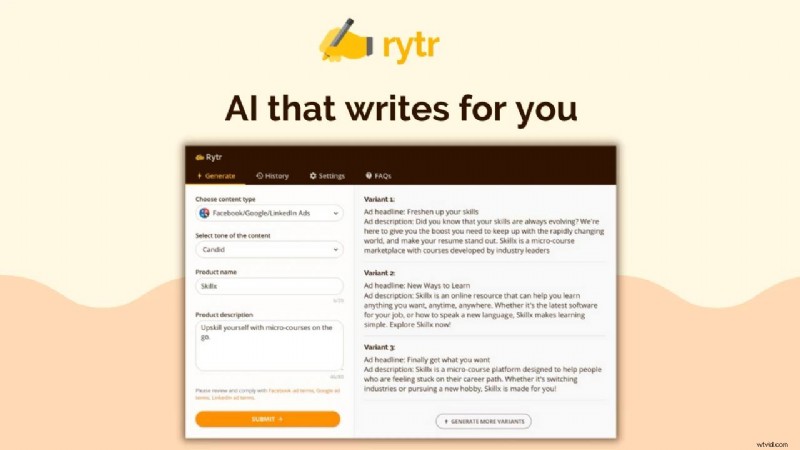
Rytr is a lightweight, fast, and highly affordable AI writing assistant designed for short-form content creation across marketing, SEO, social media, and everyday writing tasks.
Key Features
- 40+ use cases for emails, social posts, captions, CTAs, outlines, video descriptions, and more
- AI autocomplete that finishes sentences/paragraphs naturally
- Grammar checker, text improver, rewording generator, and sentence shortener
- AI paragraph generator for adding contextual depth
- Tone-matching (“My Voice”) that mimics your writing style
- Plagiarism checker included in paid plans
- Chrome extension to write anywhere online
Best For
Copywriters, marketers, small businesses, freelancers, and creators who need quick short-form content, rewrites, and tone-matched copy on a budget.
Pricing
- Free – $0/month
- Unlimited – $7.50/month
- Premium – $24.16/month
3. Gemini for Gmail
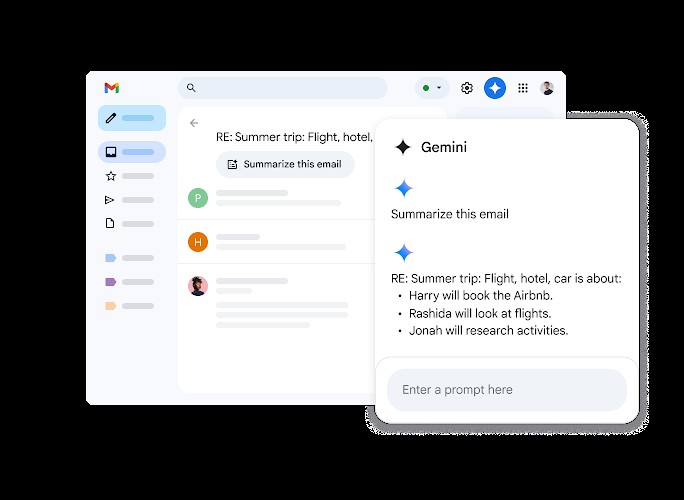
Gemini for Gmail is Google’s built-in AI assistant that helps you write, summarize, search, and manage emails faster directly inside your inbox.
Key Features
- One-tap email summaries to quickly catch up on long threads
- Side-panel summaries for more detailed, complex breakdown
- AI-powered drafting that turns short notes into polished emails
- “Help me write” for generating full email drafts from a prompt
- Automatic tone improvement and grammar refinement
- Contextual Smart Reply for faster, personalized responses
- Side-panel Q&A to find dates, receipts, confirmations, and details hidden deep in your inbox
Best For
Professionals, teams, businesses, and everyday Gmail users who want AI-assisted email writing, summaries, and smarter inbox search across desktop and mobile.
Pricing
- Google One AI Premium: ~$19.99/month (for personal Gmail users)
- Workspace Business Plans: Start at $6.30/user/month
How to Choose the Best AI Writing Tool for You
Pick the right AI tool based on the type of writing you do and the way you work.
By writing type
- For essays & reports: Use tools that facilitate research, outlining, and writing of long-form content. Consider an AI that can keep the tone and clarity consistent throughout.
- For copywriting & ads: Acquire AI that quickly produces catchy, persuasive, and concise texts to attract the reader's attention without delay.
- For academic writing: Turn to AI that takes care of the correct formatting, referencing, and generating of originality-checked text.
- For creative writing: Get an AI that assists you in writing a story, creating a setting, developing characters, and getting over writer's block.
- For email writing: Opt for AI that makes emails more personal, thus helping to get more replies, and that can be easily connected with widely used inbox platforms.
By user type
- Students: Discover AI tools that make research, paraphrasing, and essay writing easier and keep the work your own.
- Marketers: Choose AI that can efficiently produce content that your audience will find interesting, such as ad copies, email campaigns, and social media posts.
- Professionals: Employ AI that can quickly and accurately upgrade your reports, proposals, emails, and other professional communication needs.
- Content creators: Invest in AI that can accomplish the tasks involved in blogging, scripting, social media posting, and long-form storytelling, thus helping to increase your output.
How to Use AI Writing Tools Most Effectively
Below are some of the ways that one can leverage most of their potential.
Prompting is the key
The main factor that determines how good the content is, which in turn is produced by AI, is the amount of work put into instructing the machine. Be as detailed, thorough, and straightforward with your objectives as possible.
Always double-check and rewrite
AI tools should be seen as helpers rather than replacements. You should always check the facts and make necessary changes to the content produced by AIs to keep the information correct, your brand voice intact, and avoid dull, repetitive phrasing.
Work on a Workflow that is well planned
Employ AI tools in a tactical manner to different phases of content creation work. The examples are:
- Brainstorming: Generate ideas, outlines, or topic lists.
- Drafting: Create initial paragraphs or long-form content.
- Editing and polishing: Refine tone, structure, and clarity.
Conclusion
AI writing tools should be at the forefront of one's work to increase productivity, create new ideas, and improve the writing of texts such as emails, essays, reports, or even creative projects. If you use accurate prompts, check the results thoroughly, and set up a well-organized flow of work, you will be able to keep high quality and your personal voice.
To content creators and video editors, Filmora AI Copywriting is just one step ahead, enabling you to generate scripts, titles, and descriptions right in your video editing workflow—thus giving you more time, improving SEO, and making your creative process more efficient.
Secure Download
FAQs
-
Is the usage of AI content legal?
AI content is legal, but you must be sure that it doesn't violate copyrights and that you disclose the usage of AI if it is required.
-
What are the differences between AI and human writing?
AI-generated content usually has the same tone throughout, uses the same words or phrases repeatedly, and is sometimes made up of very general statements. Human writing normally includes the writer's experience, the writer's deeper understanding of the topic, and different types of sentences.
-
What are AI writing tools?
Artificial writing tools utilize machine learning models that have been trained on vast amounts of data to produce text. They select the most probable next words from the user's input and thus are able to generate connected and context-aware texts.
-
Is AI-generated content 100% original and plagiarism-free?
Many AI writing tools produce unique content; however, it is advisable to use plagiarism detection tools to verify uniqueness since there could be instances where the generated texts are similar to some existing ones without the intention.
-
Will AI writing tools take human writers' jobs?
AI tools are not replacements but rather facilitators of human work. The involvement of human inventiveness, decision-making, and deep comprehension is still very much needed in the production of quality content.