
With more than 10 million downloads on Google Play, inMelo has quickly become a go‑to choice for creators who need a fast, mobile‑first solution for short‑form videos.
The surge of TikTok, Reels and Shorts has pushed the demand for lightweight editing tools that deliver professional results in minutes. In our quest to identify the best app for this market, we put inMelo through a rigorous test‑drive to see whether it can truly meet the needs of everyday creators.
Quick Overview of inMelo
Developed by AppByte Ltd., inMelo began as a music‑video editor before expanding into a full‑featured short‑form video platform. The app boasts AI‑powered editing, an extensive library of templates, an AI generator, and instant export options tailored for social media.
| Features | Details |
| Editing Features | Template‑based editing, clip trimming, beat‑style edits, slideshow workflows |
| AI Capabilities | AI enhancer, AI art generator, background removal, night enhancement, AI extend |
| Performance & Speed | Lightweight design, quick loading, streamlined workflow |
| Value for Money | Free with ads, in‑app purchases on Android, “InMelo Pro” subscriptions on iOS |
| Compatibility | iPhone and Android |
For a safe download, always use the official Google Play Store or the Apple App Store. Avoid APKs from third‑party sites, which can expose your device to security risks. There is no web version of inMelo.
1. What Is inMelo? Current Version and Pricing
By 2026, inMelo has evolved into a versatile short‑form content maker, handling everything from TikTok clips and Instagram Reels to birthday montages and small‑business promos.
It is now positioned as a general “short‑form content maker” rather than a niche music‑video editor.
Is inMelo Free?
The app is free to download and provides core editing tools, a limited set of templates, and 4K export quality. New users typically receive a 3‑day free trial of the Pro version.
Upgrades are available through monthly or yearly subscriptions ranging from $4.99 to $17.99, depending on the plan. The Pro tier unlocks:
- Over 300 exclusive templates
- Full access to advanced AI tools
- Premium effects, filters, and animations
- Ad‑free, watermark‑free exports
Prices vary by region and platform; iOS and Android may differ slightly.
2. inMelo Editing Features & Capabilities
inMelo brands itself as a “create‑in‑a‑few‑steps” editor, thanks to features that accelerate the creative process.
Instant Reels Maker
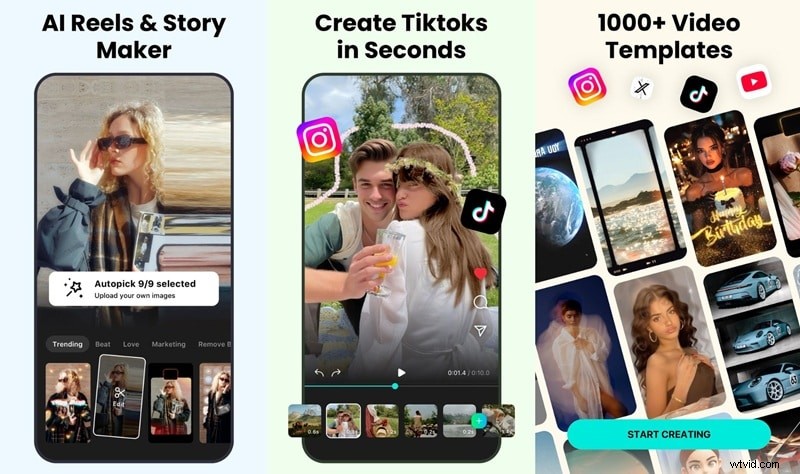
Instead of starting from scratch, the Instant Reels Maker automatically arranges selected photos or videos. It syncs clips with music, adds transitions, and applies effects within seconds.
Edit Videos with AI
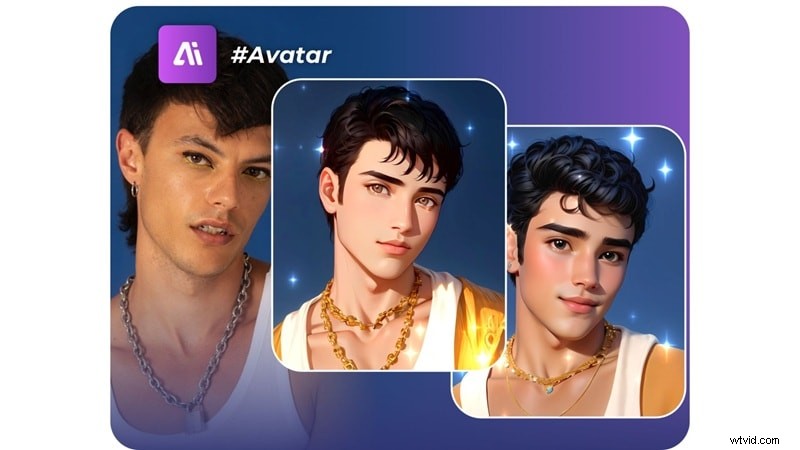
AI tools in inMelo streamline editing:
- Photo/Video Enhancer – sharpens pixelated or blurry footage
- AI Art Generator – transforms photos into stylized cartoons
- Background Removal – isolates subjects for new backgrounds
- Night Enhancement – brightens low‑light scenes
- AI Extend – lengthens clips by generating extra frames, useful for beat‑matching or smoothing transitions
Explore 1,000+ Templates

The template library is a standout feature, offering more than 1,000 professionally designed templates across categories such as Aesthetic, New Year, Birthday, Love, Retro, Mood, and many more.
Each template comes pre‑loaded with transitions, effects, and motion text synced to popular tracks. Replace the media, hit export, and you have a polished video in seconds.
Enhance Videos with Filters and Effects
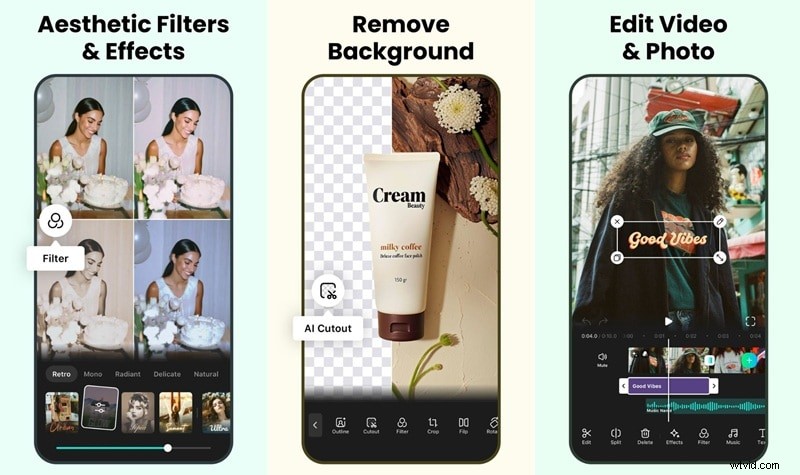
Beyond templates, the app hosts a broad selection of effects: glitch, slow‑motion, freeze‑frame, neon lights, flash warnings, and beat‑matched transitions. These tools give your video a dynamic feel without manual tweaking.
Animated Text Tools
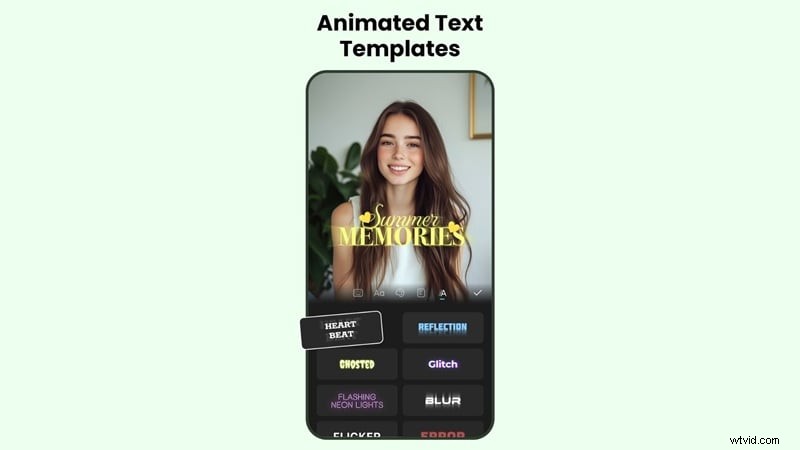
The Text Art feature turns plain words into eye‑catching typography with preset styles. With dozens of fonts, colors, and motion presets that sync to the beat, you can position each text layer precisely on the timeline.
3. User Experience and Interface
Upon launch, inMelo greets users with a clean, intuitive home screen. Options such as “New Video,” “HD Enhance,” “AI Tools,” and trending templates are prominently displayed.
The template editor showcases a modern design with rounded buttons, vibrant colors, and clear icons, making navigation effortless.
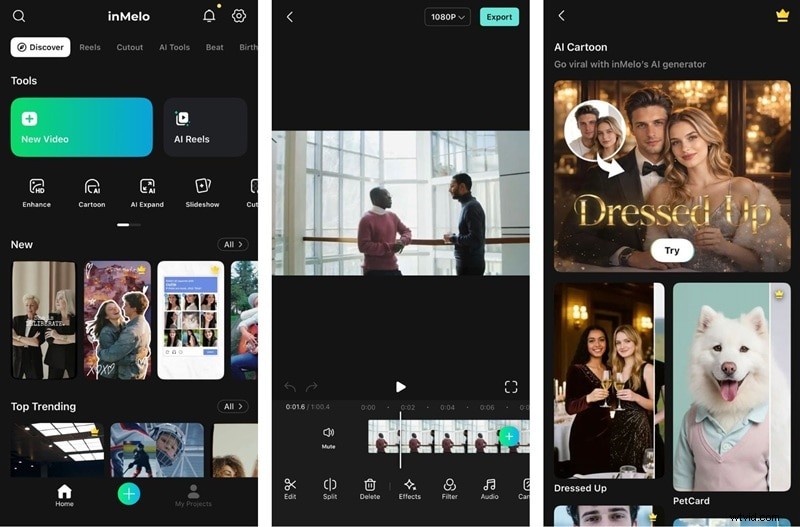
Performance is generally smooth. Stickers, fonts, filters, and effects appear at the bottom of the screen for quick access. The timeline interface is streamlined, focusing on essential tracks.
Lightweight projects load swiftly, but layering multiple effects can occasionally introduce lag.
Beginner‑Friendly?
Yes. inMelo is built for users with no editing experience. Visual guides accompany every tool, and the template‑first workflow delivers polished results without complex settings.
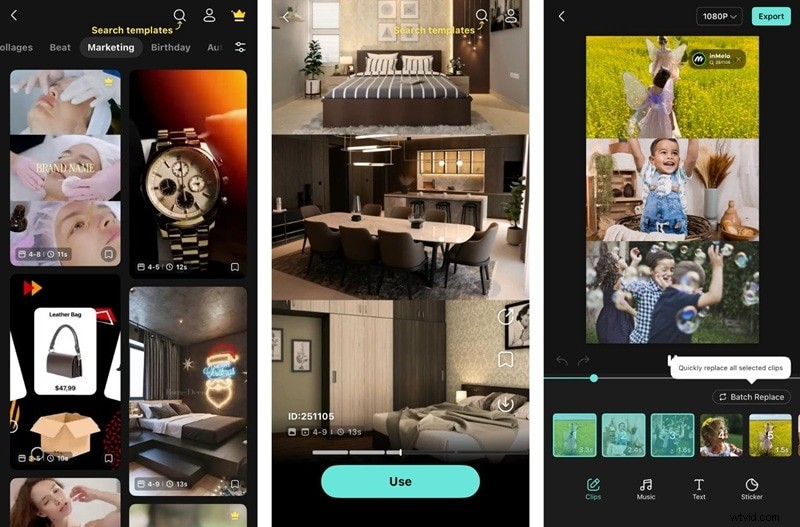
The simplified timeline omits advanced keyframe controls, which may limit power users working on complex compositions.
Onboarding tutorials walk users through template selection and export steps.
Template Variety and Use Cases
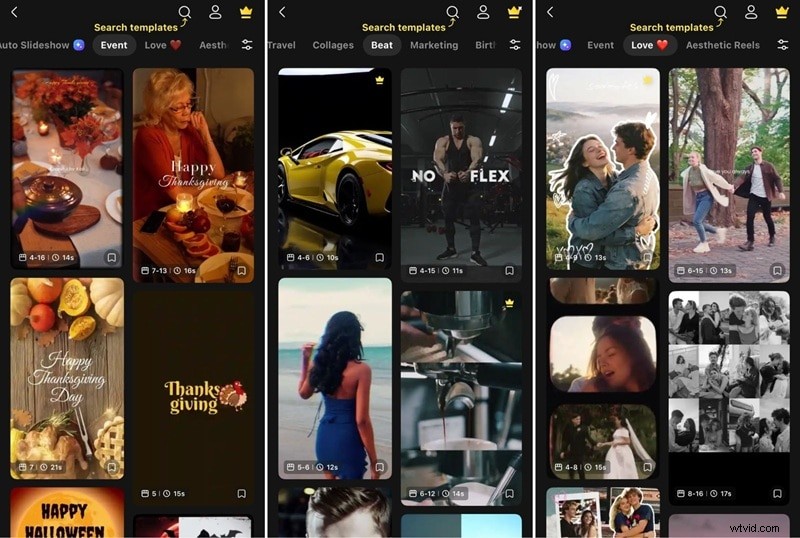
The library’s breadth is impressive. Key categories include:
- Beat – fast‑paced, rhythm‑heavy templates for viral content
- Iconic – ideal for quotes or song lyrics
- Daily Pick – pastel‑tinted templates for lifestyle and fashion
- Love – couple‑centric designs
- Travel – atmospheric storytelling
- Seasonal – Christmas, New Year, Valentine’s Day, birthdays, and business themes
4. Performance and Rendering Quality
Reviews on the App Store and Google Play show a consistent 4.8‑star rating, reflecting high satisfaction with stability, ease of use, and export results.
App Stability and Speed
The app remains stable, with no crashes. Background rendering allows continued editing while exports run.
Export and Rendering Times
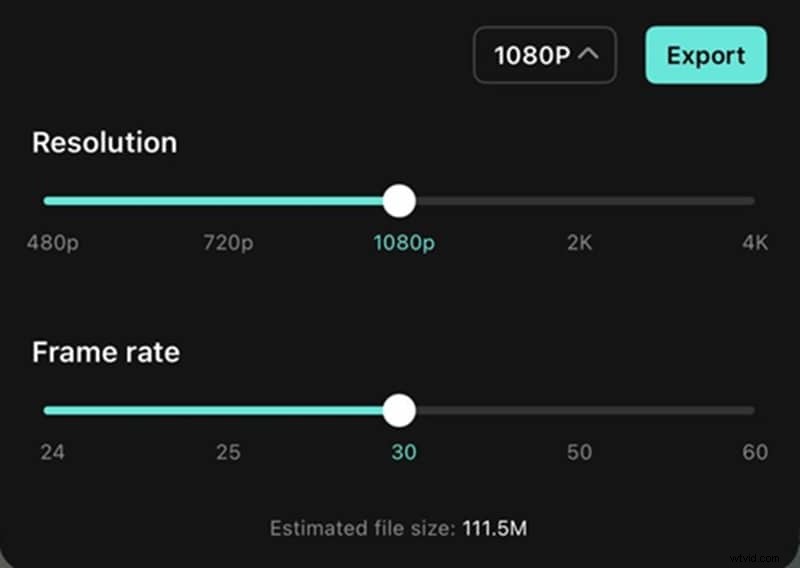
A 30‑second, 1080p, 60fps project with effects and music exports in roughly 30 seconds on an iPhone. Mid‑range Android devices take 30–45 seconds for similar projects. These times are competitive with other mobile editors.
Support for 4K, HDR, and 60fps
The free plan supports 4K export and 60fps for compatible projects, delivering smoother playback. HDR export is not yet available; most renders use standard dynamic range.
5. Verdict: Strengths, Limits, and Ideal Use Cases
After extensive testing, we can pinpoint where inMelo excels and where it falls short.
Pros
- Beginner‑friendly: Professionals can create polished videos in minutes.
- Large template library: Over 1,000 templates spanning dozens of themes.
- Robust AI suite: Enhancement, cartoon conversion, background removal, and color correction.
Cons
- Simplified timeline: Lacks keyframe control and multi‑track flexibility for advanced users.
- Mobile‑only: No desktop version for complex projects.
- Limited export formats: Only MP4 is available.

Who Benefits Most From inMelo
- Social media creators focused on TikTok, Reels, and Shorts.
- Small businesses needing quick promotional videos without hiring editors.
- Influencers and micro‑creators seeking trend‑aligned content.
- Casual users producing birthday compilations, travel memories, or personal videos.
Who Might Skip It
- Professional editors who require deeper manual control.
- Filmmakers or YouTubers needing desktop‑grade tools.
- Brands seeking a unique visual identity beyond template uniformity.
6. When You Need More Control: Filmora as an Alternative
If inMelo’s simplicity feels restrictive, Wondershare Filmora offers a comparable AI‑powered start while delivering advanced editing capabilities for larger projects.
Filmora works across desktop and mobile, providing seamless cross‑platform editing. Its AI features are more flexible, and the software supports detailed keyframe animation, color grading, multi‑track audio, and a broader range of export formats.

Why Filmora Is Worth a Look
- Cross‑platform integration for desktop and mobile workflows.
- Manual keyframe animation for precise movement.
- Advanced color correction tools: color wheels, LUTs, scopes.
- Detailed audio editing: multi‑track envelopes, ducking, effects.
- Unlimited project length without arbitrary limits.
- Flexible export: codecs, bitrates, and multiple formats.
Filmora allows you to start with AI templates and then scale to professional editing as your skills grow.
| inMelo | Filmora | |
| Platform | iOS, Android | iOS, Android, macOS, Windows |
| AI Features | Auto Enhance, AI Auto Cut, AI Expand, Night View, AI Cartoon Generator | Auto Enhance (Retouch), AI Auto Cut, AI Cartoon Generator (Image Stylizer), AI Captions, AI Ultra HD, AI Remover, VideoGen, and more |
| AI Video Generator | — | Text to Video, Image to Video, with Veo 3.1 and Sora 2 integration |
| Templates | 1,000+ | 3,000+ |
| Beat Sync | — | — |
| Stock Library | — | — |
| Reel Maker | — | — |
| Export Format | MP4 | MP4, GIF, and other common formats on the desktop version |
Conclusion
inMelo delivers on its promise: a quick, enjoyable way to create engaging short‑form videos on a smartphone. Its expansive template library, intelligent AI tools, and beat‑synchronization make it ideal for creators who want high‑quality HD videos with minimal effort. The free version serves casual users well, while the Pro subscription unlocks powerful features at a reasonable price.
For those who eventually need deeper control, Filmora provides a smooth transition from AI‑powered templates to full‑featured desktop editing.