
REC

Recommended: Video Production, Editing & Gear Maintenance Guide

 WTVID >> WTVID >  >> Video Editing >> Adobe After Effects

Create Stunning Overlapping Shadow Title Effects in After Effects

Create Stunning Overlapping Shadow Title Effects in After Effects

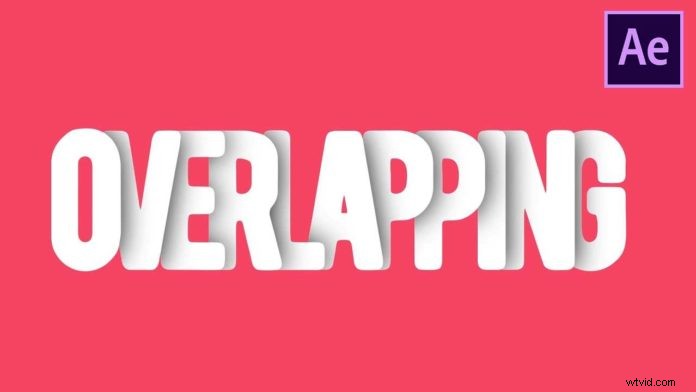
Here is another nice text effect tutorial for After Effect from Videolancer. If you want to spice up your boring title animation, you can use this overlapping shadow technique to give it a nice 3D depth look.

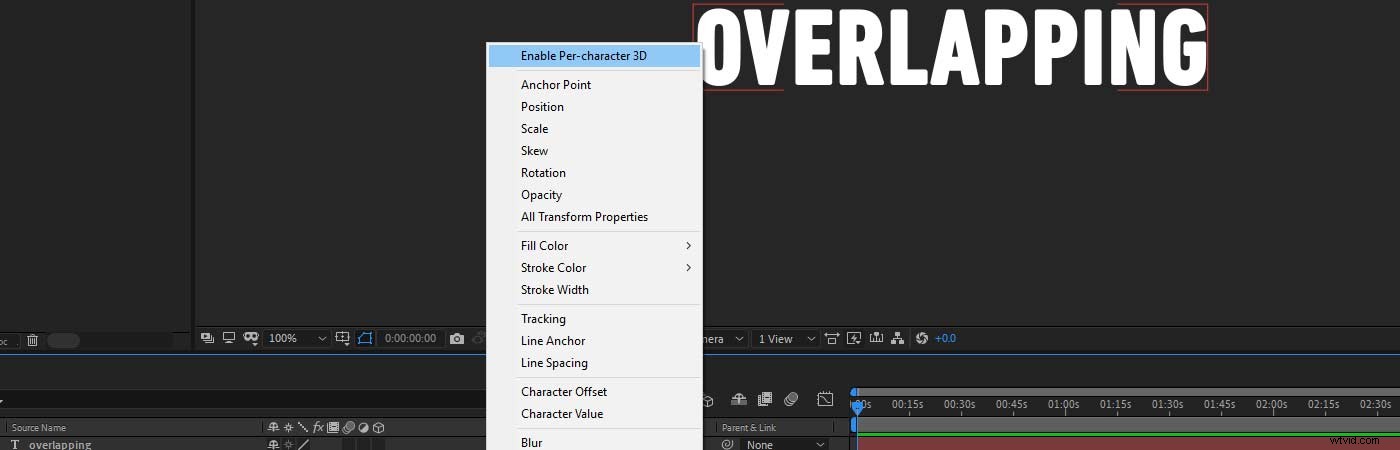
Enable per-character 3D

The trick here is to reduce the tracking value so the characters overlap each other. Then in the text layer under the Animator menu select “Enable per-character 3D”. Now you will be able to target each character separately with any animation value.
Create Stunning Overlapping Shadow Title Effects in After Effects

Now when you rotate the characters on the y-axis a little bit and apply a shadow you will end up with this nice overlapping look.

For the shadow to work properly just duplicate the text layer, give it a nice dark color, shift it a little bit in the z-axis (so it is sitting behind the actual text) and then blur it.

Head over to the video below to see a step-by-step tutorial by videolancer on how to create this in Adobe After Effects:


  1. Master Callout Title Tracking in After Effects: 3 Easy Steps

  2. Top 10 Advanced After Effects Techniques for Stunning Video Effects

  3. Master 5 Stunning Glitch Effects in Adobe After Effects – No Plugins Needed

  4. Create Stunning Glowing Lines Effects in After Effects: Step-by-Step Tutorial

  5. Master Infinite Zoom Effects in After Effects: Pro Step-by-Step Tutorial

Adobe After Effects
  1. How to Create Stunning Bouncing Text Animations in Adobe After Effects

  2. Create Realistic Clouds in After Effects: Pro Tutorial to Fix Overexposed Skies

  3. Master Text Animations in After Effects: 2 Easy Pro Techniques

  4. After Effects Tutorial: Create Reactive Audio Spectrum Visualizer (No Plugins Needed)

  5. Master the Iconic Tarantino Crash Zoom Effect in After Effects

  6. Recreate Marvel's Dark Phoenix Face Veins VFX Effect in After Effects

  7. Top 10 Best After Effects Features of 2020: Supercharge Your Workflow

  8. 24 Expert Premiere Pro & After Effects Tutorials: Master Text Effects & Animations