
Every content creator knows that reaching audiences in their native language unlocks worldwide engagement. Most creators produce videos in English, but the English‑speaking market is saturated. The solution? Translate your videos into Spanish subtitles.
Spanish is spoken by over 500 million people worldwide—making it the second‑most spoken native language. By adding Spanish subtitles, you instantly open your content to viewers in Spain, Mexico, Argentina, and a vast Spanish‑speaking community in the United States. SubtitleBee makes this transition fast, reliable, and cost‑effective.
Why Translate English to Spanish Subtitles?
Spanish speakers are one of the most active digital audiences, especially in Latin America where mobile video consumption is booming.
Adding Spanish subtitles helps you:
- Reach a Massive Audience: Spanish is the official language of 21 countries. Subtitles let you promote your brand across three continents without producing entirely new videos.
- Boost SEO: YouTube and Google index subtitles. Spanish subtitles increase visibility in Spanish‑language search results, driving organic traffic.
- Improve Retention: Studies show bilingual viewers often prefer subtitles in their native language to capture technical nuances and cultural references.
How to Translate English to Spanish Video Subtitles with SubtitleBee
SubtitleBee’s AI‑powered platform turns your English video into a Spanish‑subtitled version in minutes. No linguistic expertise required—just follow these simple steps.
1. Create a SubtitleBee Account
Visit SubtitleBee and sign up. As a cloud‑based service, you won’t need to install anything locally.
2. Log In and Upload Your Video
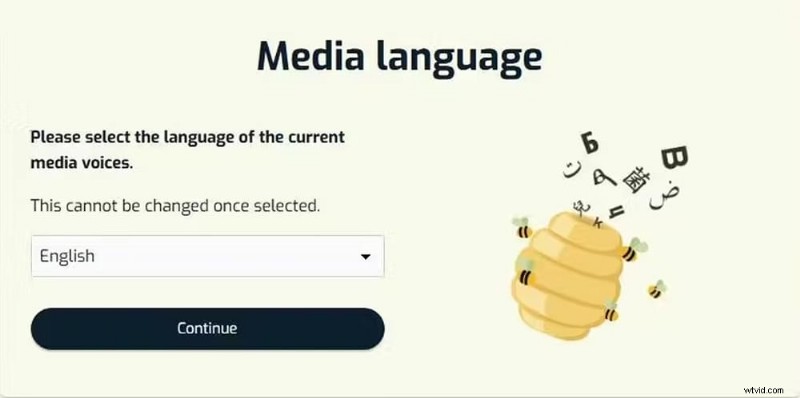
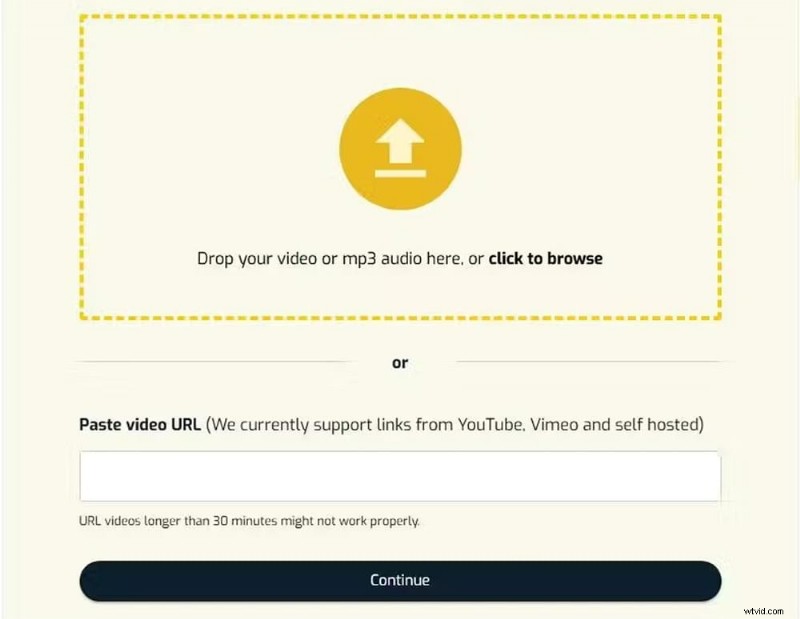
Click Upload new file and select English as the media language. You can drag and drop a file or paste a YouTube/Vimeo link. Supported formats include MP4, MOV, AVI, WMV, and WebM.
3. Generate an English Transcription
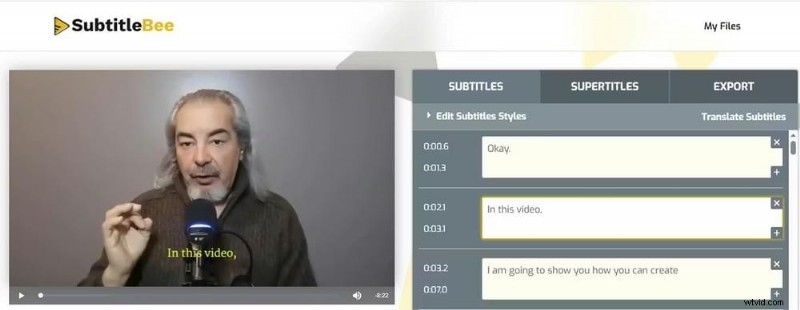
Once you click “Continue,” SubtitleBee’s AI listens to the audio and creates an English transcript automatically.
4. Edit the English Transcript
Review the transcript for accuracy. Even the best AI can make minor errors—fixing them ensures your Spanish translation will be spot‑on.
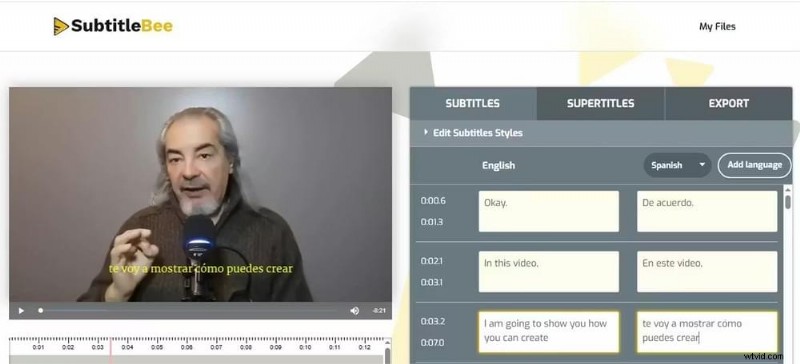
5. Translate to Spanish Subtitles
Click Translate Subtitles, choose Spanish, and let the AI generate the subtitles within seconds. Adjust font style, color, and positioning to keep the text readable against your video background.
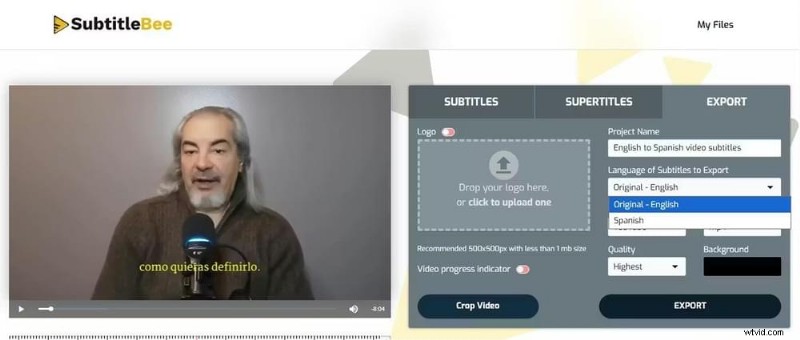
6. Export Your Spanish‑Subtitled Video
When satisfied, click Export. SubtitleBee burns the subtitles into the video, and you can also download an SRT or VTT file for use as closed captions on platforms like YouTube.
Why Reviewing the Spanish Subtitles Matters
Spanish is a gendered language, and verb conjugations vary by speaker. AI excels at neutral Spanish, but reviewing your subtitles ensures:
- Regional Accuracy: Spanish in Spain (Castilian) differs from Mexican Spanish. Tailoring the tone improves resonance with your target audience.
- Line Length: Spanish text is often 20–25% longer than English. Reviewing timing prevents subtitles from disappearing before viewers can read them.
What Content Thrives with Spanish Subtitles?
To maximize engagement, consider translating:
- Educational & How‑to Videos: Demand for technical training and self‑development content is high in Spanish‑speaking markets.
- Entertainment & Vlogs: From K‑dramas to Western lifestyle vlogs, Spanish subtitles broaden reach.
- Business & Marketing: Spanish‑subtitled ads often achieve lower cost‑per‑click (CPC) due to less competition compared to English‑only campaigns.
Conclusion
With SubtitleBee, adding Spanish subtitles to your English videos is quick, stress‑free, and scalable. Turn a 10‑minute video into a Spanish‑subtitled version in minutes—while you grab a coffee. Reach new viewers, build a global community, and grow your brand worldwide.
Related Reads:
How to translate Hindi to English subtitles
How to translate video to English subtitles
FAQs
How to put English subtitles on a Spanish video?
Upload the Spanish video to SubtitleBee, let the AI generate a Spanish transcription, then use the Translate feature to select English. Export the video with English subtitles burned in and download an SRT file.
How to translate a video from English to Spanish for free?
SubtitleBee offers a free trial that lets you upload a video and test translation features at no cost. Sign up, upload an English file, and select Spanish to see results.
How do I translate the subtitles of a video?
Use a subtitle generator like SubtitleBee: upload the video, let the AI transcribe the audio, then choose the target language. Review and edit before exporting the final subtitles or video.
Can AI translate a video?
Yes. Modern AI uses Natural Language Processing (NLP) to transcribe audio, translate text, and synchronize subtitles with the speaker’s voice.
Can I add multiple languages in SubtitleBee?
Absolutely. SubtitleBee supports over 120 languages—including Spanish, French, Korean, and more—enabling you to create a “Global Edition” of your content.