
Have you encountered such a problem - videos are shaky if you don’t hold your device steadily while recording? how to stabilize videos? To solve this problem, here introduce the top 6 best video stabilizers. However, most video stabilizers don’t provide other video-editing features. For more features, try MiniTool software.
What is a video stabilizer?
A video stabilizer uses its advanced algorithm to analyze the selected video and stabilizes it by utilizing the full performance of your device.
3 Best Video Stabilizers (Desktop)
#Arcsoft Video Stabilizer
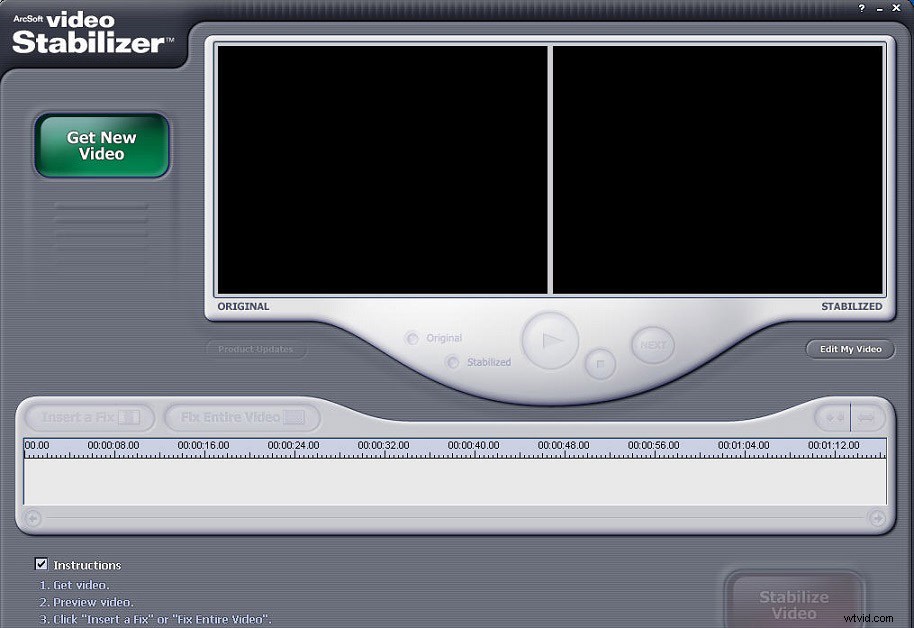
Arcsoft Video Stabilizer is a simple video stabilizer app. The tool provides a very user-friendly interface, you just need to add the video you want to edit and select the part of the video you want to repair. In addition, you can select and repair the entire video as needed.
After selecting the video clip that you want to stabilize, click the Stabilize Video button and the program will begin the stabilization process. However, the tool does not support any advanced options and can only accept few file formats - AVI, MPG and MPEG.
#Turbo Video Stabilizer
Unlike most video stabilizer apps, Turbo Video Stabilizer not only supports videos up to 4K resolution, provides 3D stabilization, but also allows you to rotate videos at any time. The tool supports multiple formats, so it can read almost all video files. What’s more, it also supports uploading videos directly from YouTube and Facebook.
Turbo Video Stabilizer is not a professional video editor, so you will not use it to make impressive music videos. The tool is free to try, but you need to purchase a license if you want to continue using it.
#Deshaker
Deshaker is a video stabilizer plugin for VirtualDub, while VirtualDub is a free capture and coding tool for Windows. Video stabilization is not a native option on VirtualDub, but it can be easily achieved with this video stabilizer plugin.
To use Deshaker, you must first download VirtualDub. Then load the shaky video on VirtualDub. Once the video is open, go to the Video tab and click Filter. Select the Deshaker plugin to begin the processing. Finally, save the video to watch a stable video.
3 Best Video Stabilizers (Online)
#Ezgif Video Stabilizer
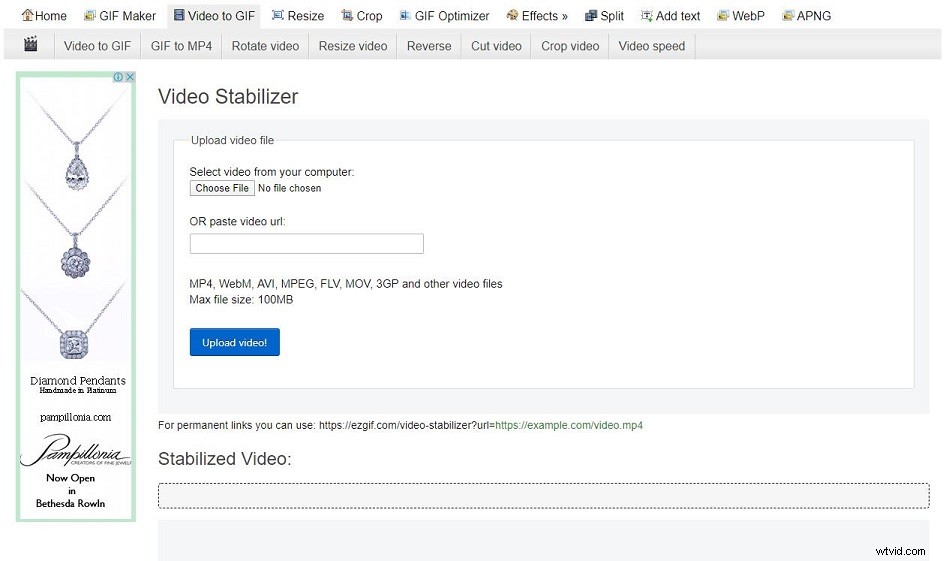
Ezgif Video Stabilizer is a free, simple online tool for video stabilization. You can use it to remove shaking from videos. In addition to providing a quick and easy way to stabilize video clips, it can also optimize, crop, and resize GIFs. Also, you can use it to convert video to GIF, change playback speed or add subtitles.
Please keep in mind that Ezgif only allows you to upload a single file smaller than 120 MB. However, you don't have to worry about the format of the video because the platform supports almost all popular file formats such as MP4, AVI or MPEG.
#Video Stabilize
If you are looking for an easy way to stabilize, slice or rotate videos, video stabilization may be one of your best choices. The tool has no file size limit, which means you can upload video clips of all sizes.
In addition, the platform supports all common file formats, such as MOV or MP4, so you stabilize videos in any format.
#FileConverto Online Video Stabilizer
FileConverto is a site where you can convert, compress and edit multimedia files (MP4, MOV, MP3, WAV, PDF, PNG, JPEG) online. This site provides countless tools such as Video Stabilizer, Video Compressor, Video Downloader, Reverse/Rewind Video, Audio Converter, etc.
Use this online video stabilizer tool to stabilize the shaking video footage captured by your device. In addition, the tool runs through a web browser, so you don't need to install any software. Just upload the video file and click the Stabilize Video button.
Bottom Line
The above have discussed the top 6 best video stabilizers. Many of these come free of charge, but some of them do have licenses and add-ons that you can purchase to upgrade them. Which one do you prefer?
If you have any questions or suggestions about it, please let us know via admin@wtvid.com or share them in the comments section below.