
Text to speech apps are really helpful when you have no time to read articles. They can turn text to voice in different languages and allows you to change the voice speed. This post will present the features of the 4 best text to speech app and show how they work.
If you plan to add narration to your video and don’t want to record narration in your voice (To add voice file to your video, try MiniTool MovieMaker). What should you do? Perhaps text to speech software can help you out! However, most of the text to speech services on the market are paid. So how to convert text to voice for free? Here give you 3 best text to speech apps. Let’s get started!
1. From Text to Speech
From Text to Speech is a free web-based app that offers text to voice service with natural sounding voices. With it, you can use it to read text aloud with 5 different voices including female and male voices. Moreover, it can convert text to voice in US English, British English, French, Spanish, German, Italian, Portuguese and Russian.
Besides, it offers 4 speed options: Slow, Medium, Fast, Very Fast, You can choose the speed option you like.
Here’s how to convert text to speech.
Step 1. Go to From Text to Speech website.
Step 2. Copy and paste the text in the box and select the language, voice, speed you want. Step 3. Then click on Create Audio File.
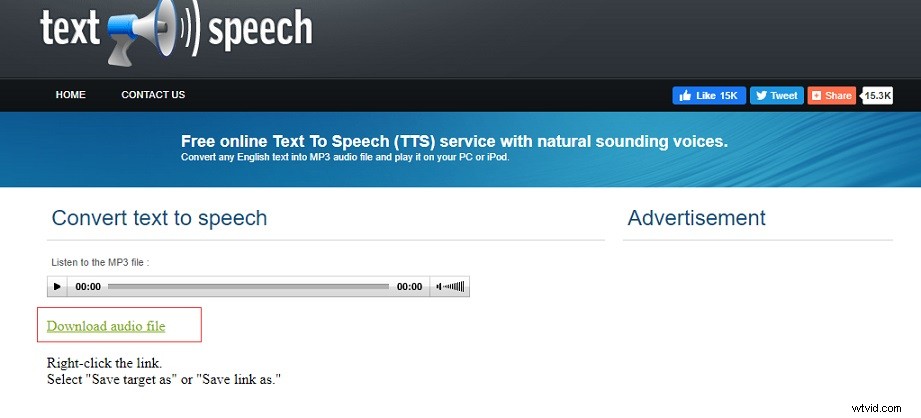
Step 4. It will take a few seconds to process your file. After that, you can preview the audio file. This post uses Adobe Flash Player to display the audio content. If you find Adobe Flash Player is blocked in browsers, read this post to unblock it: How to Unblock Adobe Flash Player.
Step 5. Tap on Download audio file to download it from the website.
2. Wideo
Another best text to speech app is Wideo. Wideo is a great voice generator that has tons of voices you can choose from. With the easy-to-understand interface, you can easily master how to convert text to speech. This voice generator is free and web-based, you can use it in any browsers.
Follow the steps below to convert text to MP3 with the best text to speech app.
Step 1. Open the Wideo website in your web browsers.
Step 2. Paste your text in the box and choose the voice you like.
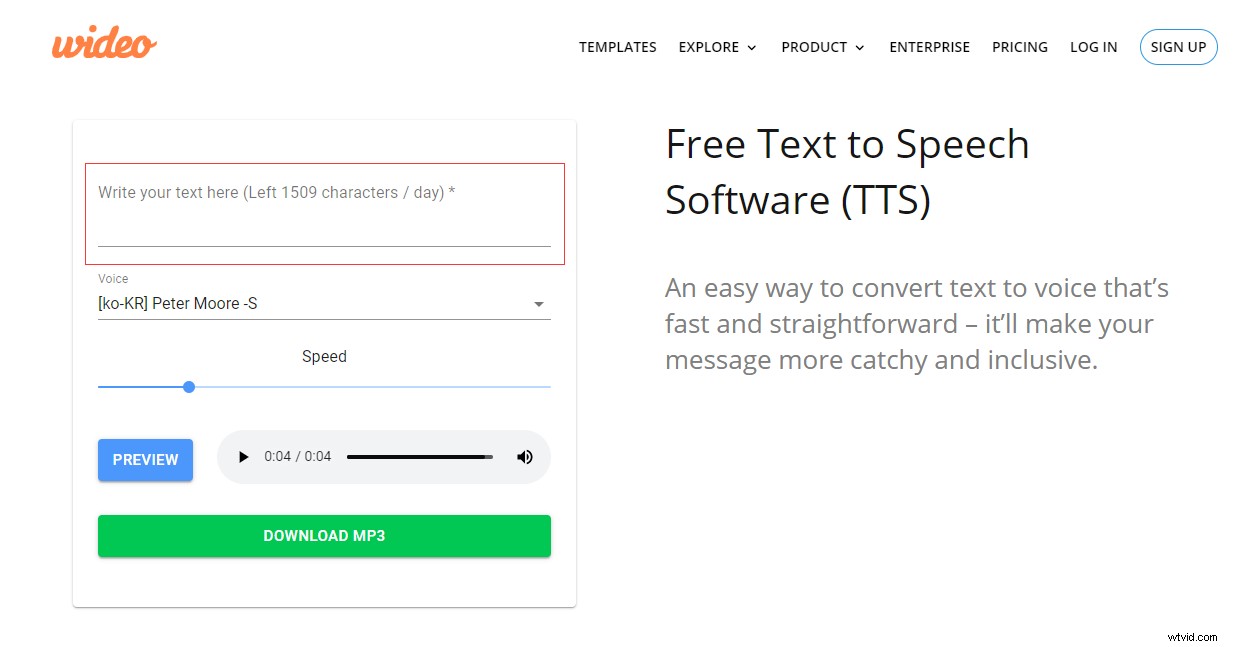
Step 3. Click the PREVIEW button to play the voice. If you feel the voice speed is slow, you can move the Speed slider to adjust the speed of the voice.
Step 4. Finally, press the DOWNLOAD MP3 button to download the MP3 file.
Related article: How to Convert MP3 to Text/Speech to Text in 2020.
3. Animaker
Animaker, a free text to speech app, can create human-like voice overs for your text or videos. It comes with the advanced voice controls that allow you to add tone or emphasis to the selected word. It supports over 50 voices and 25 different languages.
Here’s how:
Step 1. Go to Animaker website and sign up with Google account.
Step 2. Tap on Voice to launch the text to speech tool.
Step 3. Select the desired language and voice, then enter the text in the box.
Step 4. Click the Wave button to change the pitch, volume, speed of the voice and click Reset to generate the audio file.
Step 5. After a while, you can play the audio and download it to your device.
Conclusion
Here are 3 best text to speech apps in this post. Which one do you prefer? If you have better voice generators to recommend, share them in the comments area.