
Ableton Live and FL Studio are both excellent DAW applications to make music. Ableton vs FL Studio, which one is the best for you? To help you pick the best music maker, this post will tell you the main differences between Ableton and FL Studio. If you want to add music to video and edit it, try MiniTool MovieMaker.
Ableton vs FL Studio? But what are they? Ableton Live is a digital audio workstation, designed to be the tool for composing, recording, arranging, mixing, mastering, as well as live performances. FL Studio is also a piece of DAW software to enable artists to make music using virtual instruments, synthesizers, recorded samples, and effects.
FL Studio vs Ableton, which music maker is perfect for you? To help you decide between them, this post will compare Ableton vs FL Studio with the following two aspects.
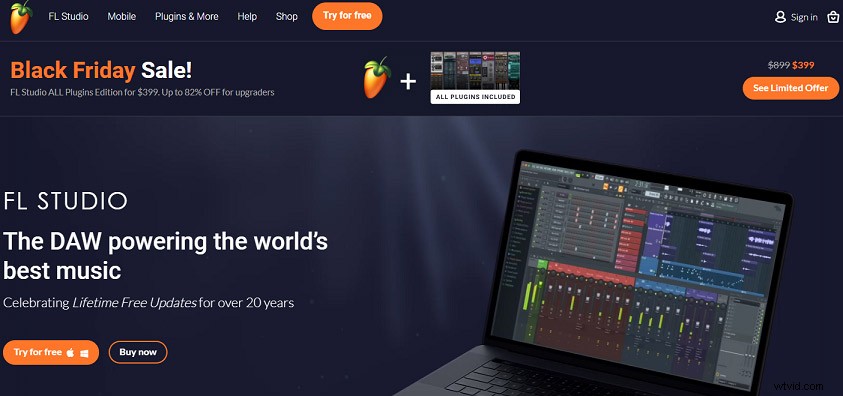
Ableton vs FL Studio – Price and System Requirements
When it comes to FL Studio vs Ableton, their price does matter, especially you’re a beginner who wants to create music on a budget. You may wonder how much is FL Studio or Ableton? What’s the FL Studio cost or Ableton cost?
Both provide users a free trial. Ableton gives a 90-day trial with all the features. But FL Studio offers a free version that is equivalent to FL Studio Edition plus All Plugins Bundle, and with a few limitations. The free version of FL Studio is time unlimited and fully functional, and it enables you to export WAV, MP3, FLAC, MIDI, and videos, and it lets you save projects.
If you want to buy Ableton, it offers you 3 options.
|
Ableton Version |
Ableton Price |
|
Intro |
$99 |
|
Standard |
$449 |
|
Suite |
$749 |
FL Studio gives you 4 choices.
|
Fl Studio Version |
Fl Studio Price |
|
Fruity Edition |
$99 |
|
Producer Edition |
$199 |
|
Signature Bundle |
$299 |
|
FL Studio + All Plugins Bundle |
$899 |
Now, let’s look at the system requirements of Ableton and FL Studio. Ableton is compatible with Windows 7/8/10 (64bit) and Mac OS X 10.11.6 or later. Fl Studio is available on Windows 7/8/10 (and 32bit 64bit) and macOS 10 or later. Both are not compatible with the Linux system. However, FL Studio offers a mobile version for phones and tablets (Android, iOS, Windows).
Ableton vs FL Studio – Key Features
When talking about FL Studio vs Ableton, the key features should not be ignored. Ableton has three versions and they share some common features, but the Standard and Suite versions have additional features, effects, instruments, and packs. Here’s an overview of the key features of them.
|
Key Features |
Intro |
Standard |
Suite |
|
Software Instruments |
4 |
5 |
15 |
|
Sounds |
1500+ |
1800+ |
5000+ |
|
Audio Effects |
21 |
34 |
55 |
|
MIDI Effects |
8 |
8 |
17 |
Likewise, the 4 FL studio editions provide different features.
Fruity Edition is the entry-level virtual music studio, designed for users who want piano roll and pattern clips in the playlist for sequencing, but don’t need audio clips, audio recording, Slicex or Edison.
Producer Edition is an all-in-one virtual studio with a full song and microphone recording, giving the advanced functions.
Signature Bundle includes all features of Producer Edition and has more additional advanced plugins.
FL Studio + All Plugins Bundle has all features and plugins available at the time of purchase.
Bottom Line
This post compares Ableton vs FL Studio about their price and system requirements, and key features. And if you are familiar with the two music makers and you’d like to share other differences of them, you can leave your opinions below.