
When it comes to illustrator vs Photoshop, you may wonder what is adobe illustrator? Luckily, this post will tell you what is adobe illustrator and show you the main differences between Illustrator and Photoshop. If you’re searching for a free photo video maker, MiniTool MovieMaker is the best choice.
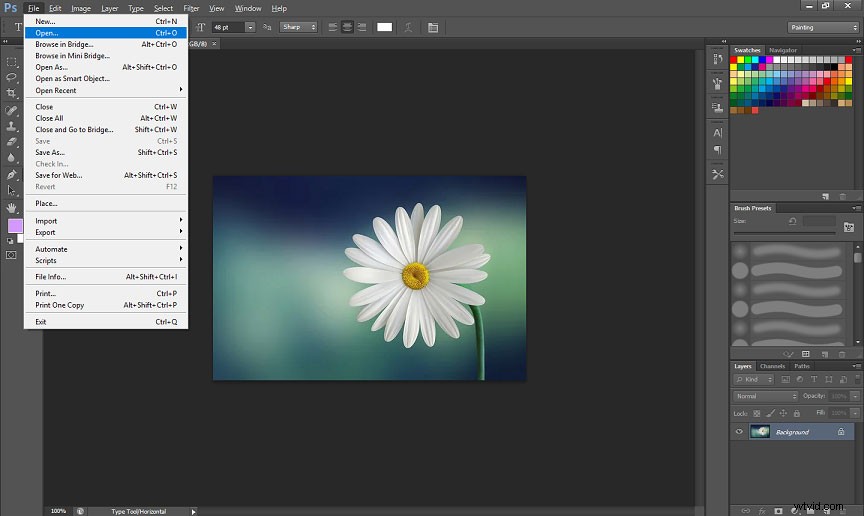
As we all know, Photoshop is one of the adobe products used for image editing. It’s one of the most popular and professional raster graphics editors available for Windows and Mac. It offers a load of editing features and tools, allowing you to create, edit, and save images. Before learning about illustrator vs Photoshop, let’s understand what is adobe illustrator?
What Is Adobe Illustrator?
Adobe Illustrator is a vector graphics editor and design program that’s also developed by Adobe Inc and compatible with Windows and Mac. This program enables users to create and customize vector graphics images and save them in vector graphics formats like EPS, SVG, PDF, etc. With flexible drawing tools, it allows you to design and create logos, icons, illustrations, wallpapers, and more.
When you scale an image, you may notice that the image looks more and more blurry. But with a vector graphics can be infinitely zoomed in or zoomed out without damaging the resolution. By the way, the common raster image format includes TIFF, JPEG, GIF, PCX, BMP, PNG files, etc.
Illustrator vs Photoshop
To let you know the differences between adobe illustrator vs Photoshop, this post will compare the two graphics editors from the following aspects.
Price
Adobe Illustrator and Photoshop offers 3 same subscription plans: annual plan, paid monthly - $20.99/month, annual plan, prepaid - $239.88/year, monthly plan – 31.49/month. If you want more detailed information about Adobe products, just click here.
Features
Features of Adobe Illustrator
Illustrator is a powerful vector graphics application for designers and artists to create logos, icons, charts, wallpaper, banners, etc. It offers built-in design templates and presets. It offers multiple and flexible artboards, free conversion options, custom design choices, support for color synchronization, and has SVG export option, and more. Besides, it provides smart guides.
And it also offers many tools, including drawing, typing, reshaping, slicing and cutting, painting, moving and zooming, etc.
Features of Photoshop
Photoshop is a professional image editing application and it’s one of the best choices for pixel-based image editing. And it works with the most popular file formats.
Photoshop offers many tools, including the pen tool, clone stamp tool, shape tool, measuring and navigation, and selection tool. With these tools, you can crop, rotate, flip images, add text to photos, remove objects, and more.
Moreover, it has a color replacement tool to change the color of an image. And it allows you to make a GIF from a still image or a video, apply filters to the picture, remove image background, rasterize a layer, etc.
Conclusion
About illustrator vs Photoshop, which one to choose? If you want to create something from scratches, such as logos or other similar designs, adobe illustrator is the better choice for you. If you want to edit or enhance your images or add borders, blemish removals, Photoshop comes as the best choice.
If you’d like to share more information about Photoshop vs illustrator, you can leave your opinions in the below comments area.