
There’s a lot of hype surrounding Descript Video Editor right now. So we’re here to ask a big question: Is Descript the future of video editing?
But before we dive into that MASSIVE question, let’s start with an easier one: What is Descript?
Descript is a very simple, easy to use video editing platform.
It allows you to edit videos by editing text like a document. How? Descript transcribes your video and learns your voice so it can patch up any mistakes you made while filming using the AI voice.
Here’s exactly what we’ll cover in this full Descript review:
- What Does Descript Do?
- Why You Should Do Base Edits In Descript
- Is Descript The Future Of Video Editing?
Let’s run through more of an overview of what Descript actually does.
What Does Descript Do?
Descript started out as an audio editing tool (mostly for podcast editing) but there’s a bunch of new video editing features that make it an awesome option for video editing.
So now it can be used as a start-to-finish video editing tool.
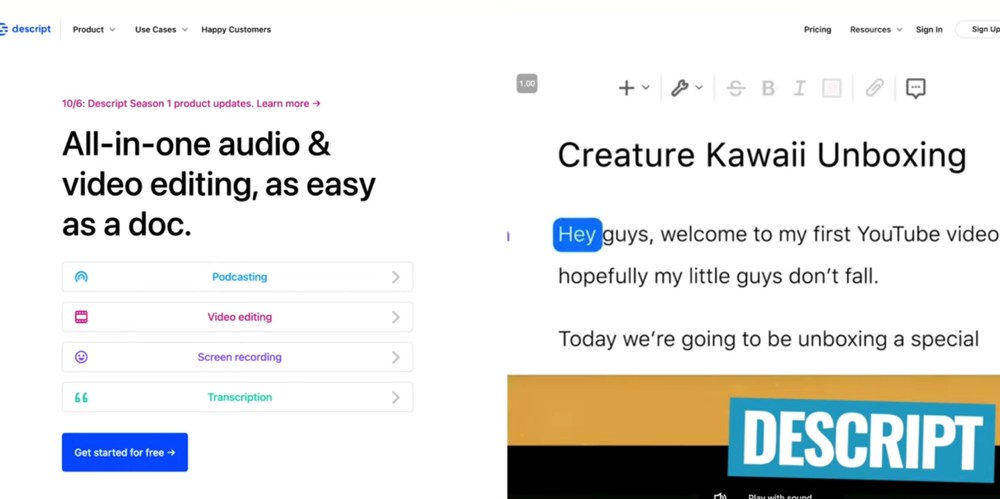
Descript is an awesome video editing software that could change the way people edit
All you need to do is drag and drop your video file into a Descript project. After a few quick seconds, you will have a full word-for-word transcript of everything you said in that video.
You can then edit your footage by editing that transcript.
So, if you have extra footage of yourself doing mic checks or any preparations before you begin presenting – you can simply highlight that text and press Delete on your keyboard. This removes not only the text but also that bad footage as well.
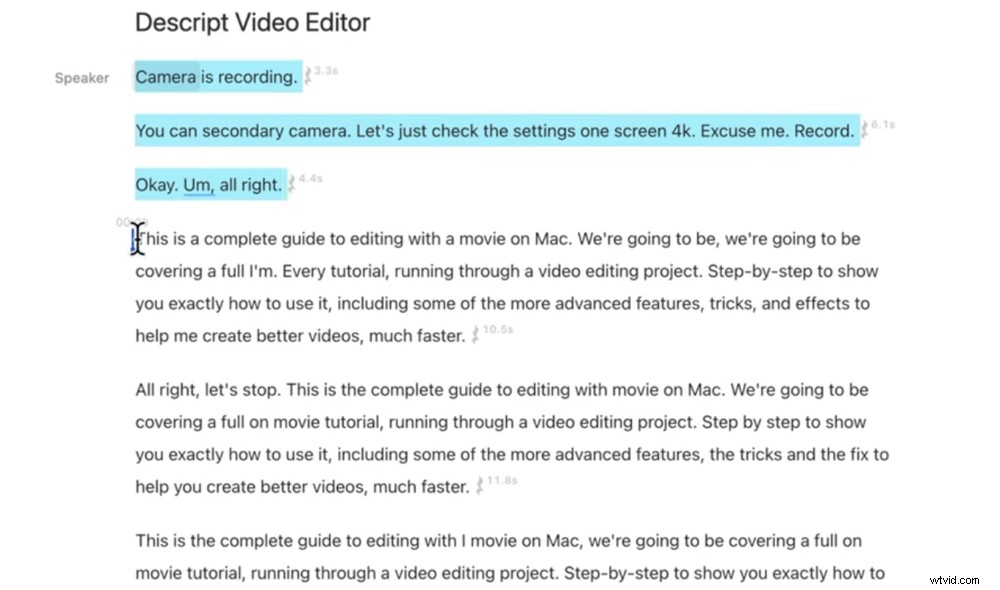
You can delete bad footage as easily as deleting text
This is really powerful. Being able to view the transcript makes it so easy to see where you’ve made mistakes and where you restarted a section while filming.
To do this in usual editing software, you would need to play through every single take to find the good one – which is SO much more time consuming!
You can even scroll through the Descript editing timeline to see where there are any pauses in audio and easily delete them there.
Or to speed up this process even further, you can bulk remove all of your pauses with the Shorten word gaps tool.
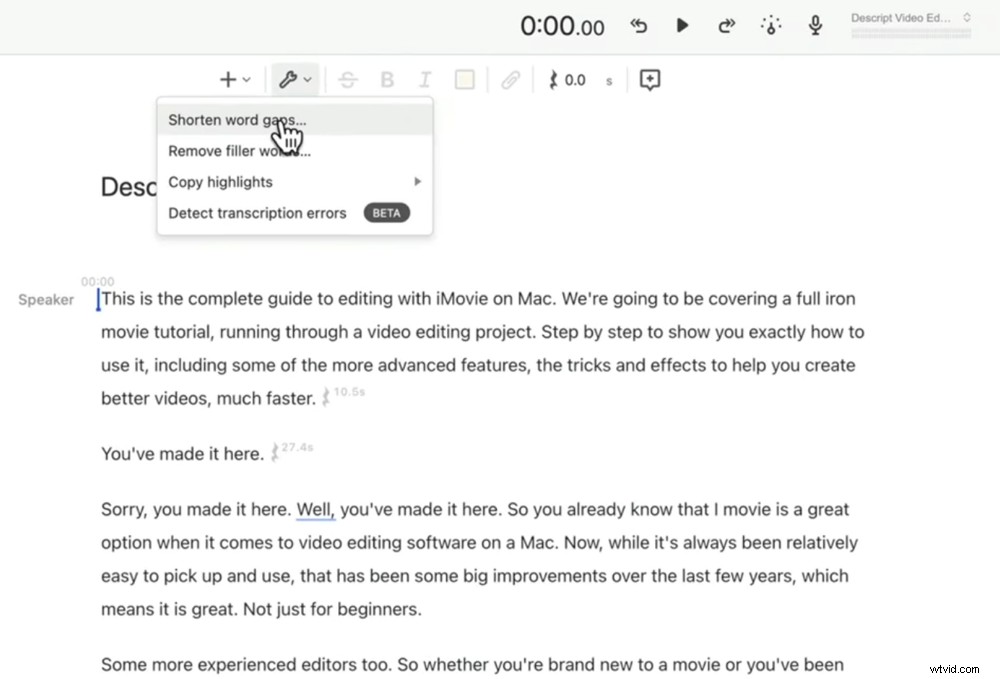
Shortening word gaps and removing filler words are two incredible features in Descript
If you’re someone who says ‘um’, ‘uh’, ‘well’ or other filler words like that – you’re going to love this. You can remove all of these with the press of a button using the Remove filler words tool.
There are lots of other really cool features that will help with your video creation. You can:
- Save out captions and subtitles (as both subtitle files and text documents)
- Add subtitles directly into your video
- Add music and B-roll
- Edit with team members using the collaborative editing tools
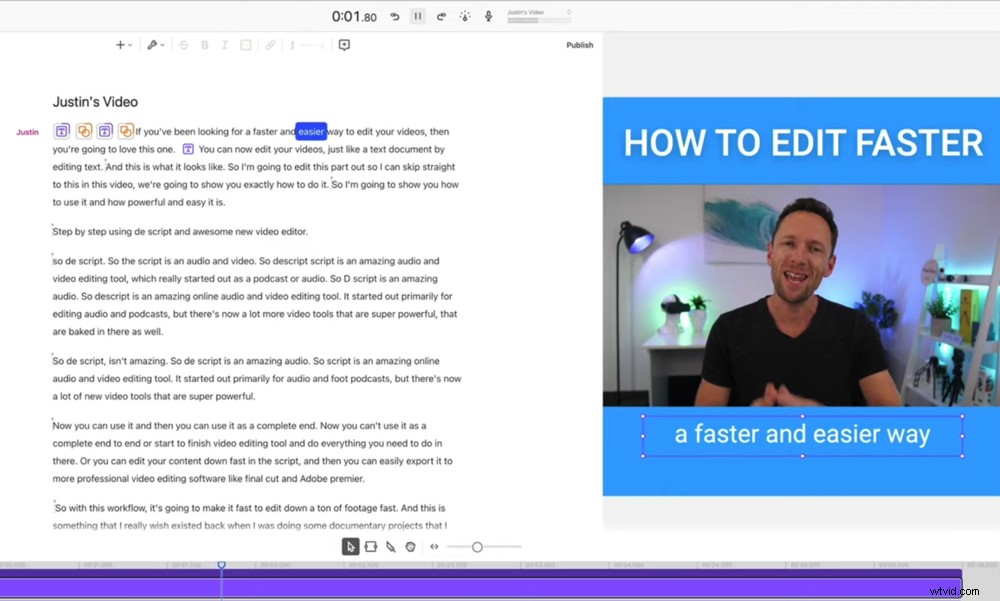
There are heaps of video creation tools that allow you edit from start to finish
Of course, it’s not just the editing functionalities that make Descript a game changer. As we mentioned earlier, you can use the AI technology to copy your voice. This is called the Overdub feature.
It might not be 100% accurate but it’s going to sound eerily close to your voice! To teach Descript what your voice sounds like, all you need to do is upload a video. The more video content you upload, the more Descript can analyze and the more accurate it will be.
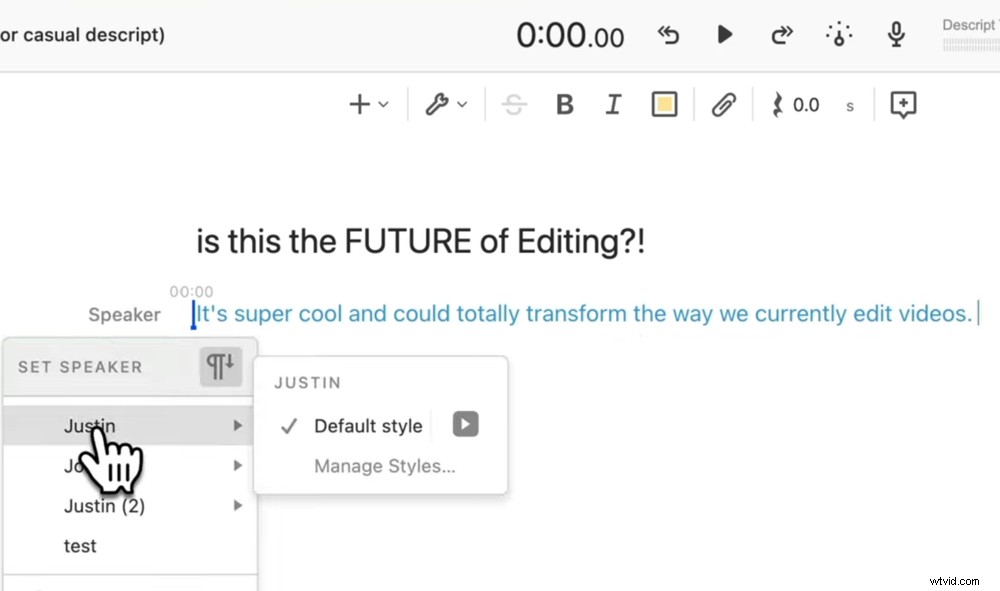
Simply type the text, select which speaker you want to use and then playback the AI voice
Previously, you had to read 15 – 20 minutes worth of text on screen and then send off that sample so that the Descript AI could learn your voice. But now it’s so much easier!
We’ve only uploaded a 10 minute video so far and it sounds incredibly good.
Once you’ve uploaded content for Descript to learn, it’s as simple as typing text into your project. It will then generate the voice and you can play it back.
Why You Should Do Base Edits In Descript
Descript really is a complete end-to-end video editing solution that you can use to edit footage then add titles, graphics, music and save out as a completed video. But we think the most powerful way to use Descript is for base edits.
We just love how quickly you can cut down your footage and this is exactly what we’ll be using Descript for. We’ve already begun using it for this purpose.
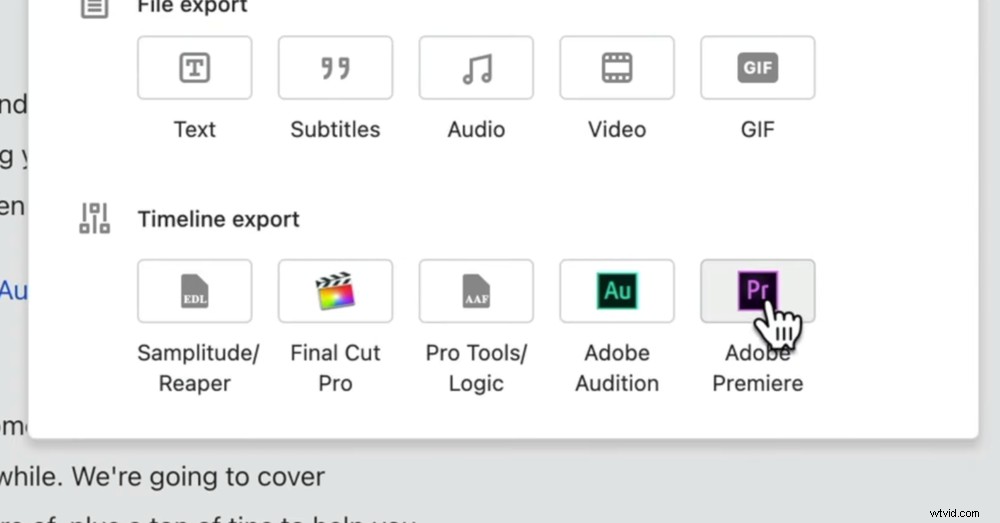
You can upload your project directly to professional software like Final Cut and Premiere
So start by quickly and easily removing all the bad takes and mistakes in Descript. Then export the project directly to software like Adobe Premiere or Final Cut Pro and finish the edit with those applications.
This way you’re utilizing Descript’s insanely fast editing functionalities alongside the professional editing tools available in Premiere or Final Cut.
So, Is Descript The Future Of Video Editing?
It’s a strong ‘yes’ from us. We see this as a turning point in video editing.
The Overdub feature isn’t something we’d use to write out full sentences at this point. But if you’ve misquoted something or said the wrong price for example, this is a perfect solution.
All you have to do is highlight the incorrect text, delete it and type in the correct information. So for fixes to small mistakes like that – Descript is incredible. You don’t need to go and re-shoot anything!
Not to mention the speed with which you base edit. This is something that would have been an absolute game changer on the documentary projects we’ve worked on in the past. For these we’d interview lots of different people and have two to three hours of footage for each of them… We WISH Descript had been around back then!
Could AI be the future of video editing?
And with more training – who knows how accurate Overdub could become…
So this is incredible if you’re someone who is serious about streamlining their video creation process. But also if you’re someone who doesn’t want to dive into a full, professional video editing software – this might be a way for you to start creating content and getting your message out there.
We think this is something that’s really going to change the game in terms of video editing for a lot of people.
To sum up: Descript has made video editing not only faster but also more accessible. If you ask us, it is the future of video editing.
If you found this Descript review helpful, please share it on social media or with others who might like to learn more about this awesome video editing software.