
In March 2021, Nikon released their brand-new editing software entitled Nikon NX Studio. So, how can you access it, how much does it cost and what features does it have? Stay tuned to find out all about Nikon NX and how to use it!
What Is Nikon NX?
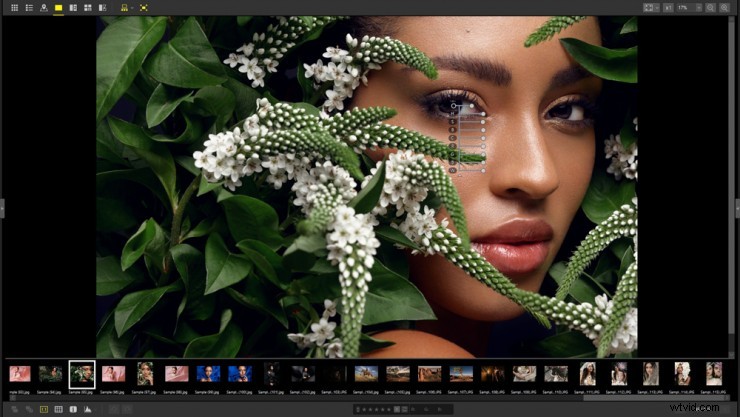
NX Studio is Nikon’s new standalone software for processing and editing both video and still images captured from Nikon cameras. This includes the company’s most recent mirrorless camera, the Nikon Z7 II.
The software was made available at the beginning of March 2021, and allows for viewing, processing and editing of still images and video. It is supported on both Windows and Mac operating systems, plus it is free to download from Nikon’s website.
How Does Nikon NX Work?
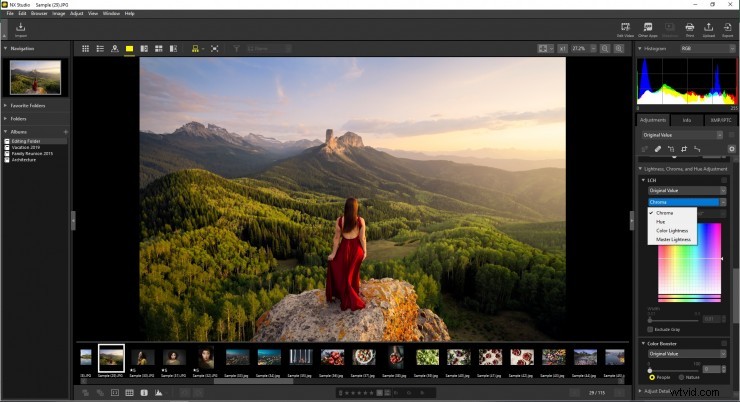
Nikon NX has a built-in video editor that allows you to trim clips, add music or splice multiple clips into a project.
Some Features
- View, process and edit still images and video in one place
- Use color control to adjust brightness, saturation, hue and contrast
- Process RAW images from .NEF and .NRW
- Adjust white balance, exposure and noise reduction
- Retouch using the Retouch Brush tool
- Transfer images to Nikon’s image sharing and storage service, called NIKON IMAGE SPACE
- Connect your YouTube account without needing to use YouTube’s web interface
Usability
- A variety of display options including filmstrip with both horizontal and vertical preview options
- Easy-to-read shooting information display
- Compatibility with other software such as Nikon Transfer 2 and Camera Control Pro 2

Nikon NX Reviews
As far as reception goes, Nikon NX has been hailed as similar to Lightroom and Adobe suites in terms of its functionality. It merges Nikon’s ViewNX-I and Capture ND-D programs, combining the organizational abilities of one with the post-processing capabilities of the other. Plus, the software is free! This means that amateur photographers can access a sleek and well-functioning software without having to commit to spending money on a subscription or package. Perfect for experimenting!