
Fading to black is the smoothest dissolve transition there is, but it’s good for more than just endings. Let’s take a look at what it can do.
If you’ve read any editing textbook, you’ll learn that editing should be invisible. If an editor has done their job right, the work will go unnoticed. It’s only when we see jarring cuts that we lose the sense of immersion. The moment the audience becomes aware of the cut is the moment you’ve failed.
In The Blink of an Eye, Walter Murch (editor of Apocalypse Now) argues that editing should proceed with natural human reaction. For example, if an action takes place off-screen, and the character looks at the noise, we should cut to the action just like we would turn our heads. If a character slides a hidden note to our protagonist, we should cut to a closeup of the message.
Yet, fading out to black (or white) is seemingly unnatural. Other than falling asleep (or passing out), when do we see something fade to black? By fading a scene to black, we’re pulling the audience out of the film. So, why does it work so well?
In an interview with FilmSound.org, Kiran Ganti asks veteran editor Walter Murch if editors are trying to make the audience aware that it’s happening?
When to Fade Out
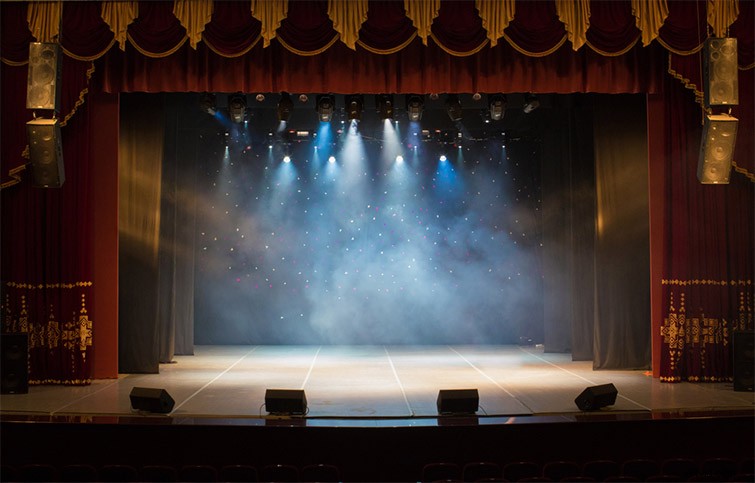
In part, the fade-to-black or dissolve-to-black (since it’s technically a dissolve to a black matte) also works well because it’s an unmistakable theater throwback. In theater, a fade-out/fade-down (again called a fade-to-black) is in complete darkness.
In a practical sense, this is when the crew changes the set and the actors change costumes. But, in a symbolic and narrative sense, the fade-to-black concludes the entire scene. And, in essence, that’s what this classic move is in filmmaking—the visual conclusion of a chapter.
As with most aspects of filmmaking, there’s no single set way to do one thing. However, the fade-to-black transition tends to work best in the following circumstances:
- Fading from the end of a theme to the beginning of another.
- Fading from one character’s narrative to another.
- Fading into a later date.
If you were to fade out from a family dinner scene, which lacks a definitive thematic ending, to a scene later in the night (in the same location), the transition wouldn’t feel natural.
We can see these principles in action in any blockbuster trailer, such as the following:
We see two dozen fade-ins and -outs during the trailer—quite often from clip-to-clip. However, each fade-out or fade-in adheres to the principles we discussed above.
Scenes that look chronologically close to one another are cut together, yet scenes that take place at different times or in different locations get a fade-out. These are recognized cinematic traits. They tell us that we’re transitioning to a later moment in the story—either thematically, temporally, or geographically.
Since this article addresses the basics of the fade-to-black transition, let’s touch on a few ways to include them using popular NLEs.
There are many ways to do this, but here are a couple of examples.
Premiere Pro
- Expand the thumbnail height, use the Pen tool (P) to create two opacity keyframes, and lower the further keyframe to 0% opacity.
Or
- Open the Effects panel, and drag the Dip to Black transition to the end of your clip.
Note: Using the transition preset will also affect the adjacent clip by fading it from black. To only affect one clip, you must make sure there’s at least a 1-frame space.
DaVinci Resolve
- Drag the white handles at the beginning and end of every clip. This will create a fade-in or -out, with a duration determined by how far you’ve brought the handles in.
Or
- Use the Dip to Color video transition. However, this transition requires the user to fully implement the parameters of the transition in the inspector panel. This is good for further customization, but not optimal for a fast-and-easy fade-to-black.