
Household lighting and onboard webcams may work for some home offices, but if you want to stand out in the virtual world, consider these lighting setups.
Virtual training and professional development isn’t going away anytime soon. As more companies, schools, and universities are moving their operations partially or fully online, the functional benefits of these remote setups will be around in one form or another for the foreseeable future. That means that the era of hastily cobbled meetings, and setups with dim lighting and poor camera resolution, has passed.
Recruiters are competing for the most professional and inspiring virtual interview systems, and instructors of all sorts are settling in for virtual training environments that can yield the same results as traditional conference rooms. If you want to stand out in the online game, it’s a good idea to pick up a few pieces of equipment to make your presentation best in class, instead of simply good enough.
Here are a few pieces of equipment to consider.
Improve Your Camera Resolution with an External Webcam
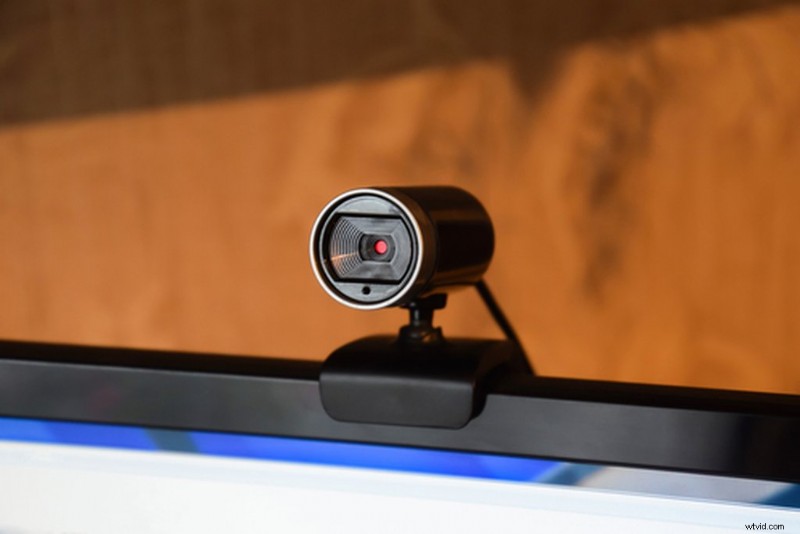
The initial surge in online communication in lieu of face-to-face meetings has crested. So, many remote workers are realizing that they aren’t satisfied with the results of onboard webcams and poor lighting conditions, which can result in grainy, unpleasant, and unprofessional images. There are many reasons you might get an unsatisfactory image. Anything from an under-powered onboard camera to insufficient lighting in your remote working space, can cause your camera to struggle to capture a sharp image. But, before you go shopping, what exactly is a webcam?
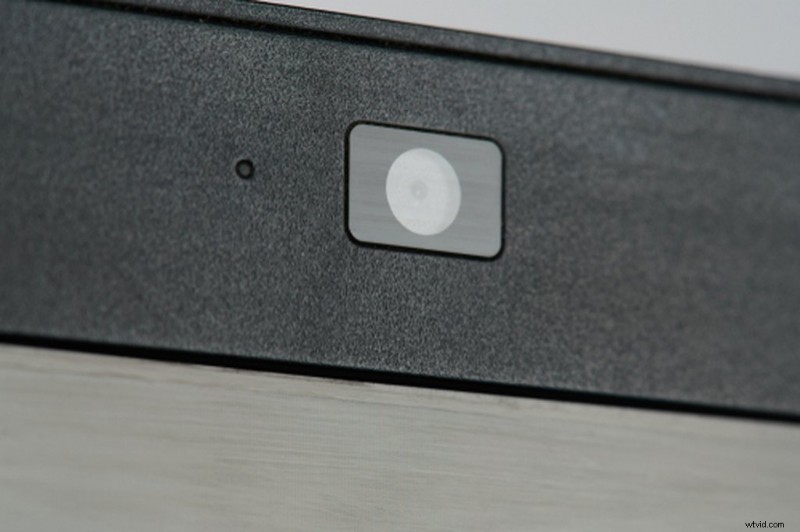
A webcam is usually either a “network camera” or an “IP camera.” The cameras that fall into these two categories have slightly different functions. A “network camera” is the webcam you’re used to. It’s either built into your device — usually indicated by a small circle at the very top of your screen (the lens) — or connected to your computer externally — usually via a USB cable. These cameras are pretty easy to use, primarily for short-term streaming.
An “IP camera” is for longer-term use with higher resolution. These cameras are commonly a part of twenty-four-hour security surveillance or pet cams. You’ll also find them on streams that depend on steady video for longer than a typical meeting or training session.
Network cameras are more common and easier to find and install. So, they’ll be sufficient for most of your virtual workspace needs. The benefit of an external network camera is not only that it may be more powerful than your onboard, but that you can also adjust its position. If you’re using a built-in webcam, you’ll be locked into a straight-on position with your screen. However, if you use multiple monitors or want to be able to look away from your computer screen to address your audience, an external webcam allows you to make adjustments to your framing for every shoot.
Our friends over at PremiumBeat have assembled this list of their top-five affordable webcam recommendations — including how much you can expect to pay for each.
Now, let’s talk about lighting.
Lighting Virtual Workspaces
If the quality of your streaming video depends primarily on the capability of your webcam, then how you light yourself and your workspace is a close second. Most of us simply turn on a desk lamp and try to make sure the ceiling fan isn’t creating a strobe effect (you are checking this, right?). However, the angle of the light, ambient conditions beyond your windows, and the brightness of your background all play critical roles in making you look fully human (and capable at what you do), and not an out-of-focus, out-of-touch shadow just trying to keep up.
But, before you click “buy now” on some of our lighting recommendations, check out this video on the principles of three-point lighting, and how you can very easily use them to create your own masterclass environments.
You don’t necessarily need all three sources of light to look professional in your video. However, if you want to go above and beyond, and really outshine your virtual competitors, you can mix and match the lights from our list below to recreate the setups in the video.
Of course, if you simply want to look bright and clear as quickly (and cheaply) as possible, let’s dive into our first recommendation.
Using a Ring Light to Improve Your Virtual Workspace
The ring light is a simple device that has exploded in popularity as much of the working world has shifted its operations online. It’s a simple light in the shape of a ring, powered by LEDs. They’re great because you can position them almost anywhere. Many are dimmable, so you can also customize the light output to suit your preferences. Ring lights also create attractive, circular specular highlights in your eyes. However, if (like me) you wear glasses, then this can create an additional problem to solve. More on this later.
Neewer SMD LED 18-inch Ring Light
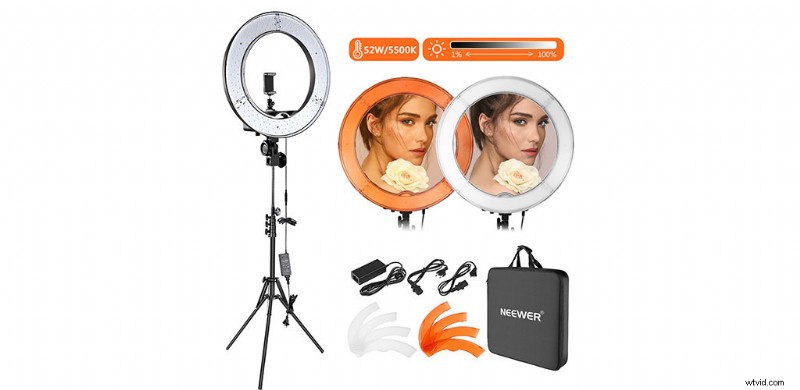
The Neewer SMD LED Ring Light is a reliable workhorse, perfect for self-starters or general online professionals. It has 240 individual LED lights that are dimmable from 1-100 percent, giving you full control over the intensity of the light. This light has a sturdy surface-mounted design (hence the “SMD”), so you can set this up directly on your desk or a table nearby. Or, use the freestanding tripod to keep your workspace clutter-free.
It only draws 55W, and it has a fixed color temperature of 5500K across the entire range of its brightness. This means it’ll closely match daylight-balanced lights at any percentage of output. This kit also includes two sets of color filters (white for cool light and orange for warm light), that can help you diffuse the light, and avoid the specular lighting problem I mentioned above. At around $100, this kit won’t break the bank, and it should last long enough to justify the price.
Angler Bi-Color LED Ring Light
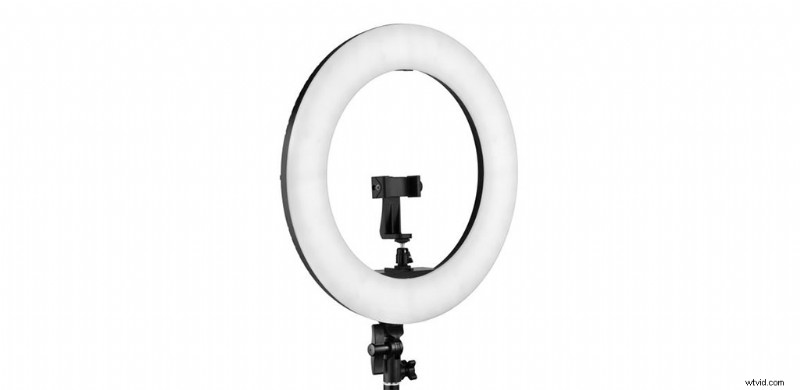
If you want to step slightly up from the Neewer and take a bit more control of your lighting output, consider the Angler Bi-Color LED Ring Light. Like the Neewer, the Angler Ring Light comes in at eighteen inches in diameter. So, it’ll fit on most desktops or tabletops if you don’t want to set it up on its stand. And, like the Neewer, it also uses 240 LEDs to create its light.
However, the Angler offers a couple of extra bells and whistles. Instead of a fixed color temperature of 5500K, the Angler offers an adjustable range from 3200-5600K, giving you more options for toning the feel of the lighting. The output is adjustable from 1-100 percent, and the Angler runs on either AC or DC power, so you can easily take it with you if you need to stream from somewhere other than your home workspace setup. The Angler Ring Light even supports a mirror in its center, so you see exactly how you look before your webcam lens even gets involved. Expect to pay about $170 for a full kit to support this light.
Lighting Your Workspace with LED Panel Lights
While ring lights clearly light your face well (and that’s what we’re talking about here), they can be somewhat limiting as unitaskers. They’re small enough that they’ll fit well in most home workspaces, but they’re also large enough that it’s not easy to get away with multiple ring lights if there are other aspects of your stream that need good lighting. That’s where LED panel lights come in.
LED panel lights come in a wide range of sizes. Plus, many of the larger models are industry standards for lighting film and video sets. However, they also scale down to much smaller, more manageable sizes, perfect for adding punches of light to yourself or aspects of your workspace.
Let’s start with my favorite.
Aputure Amaran AL-M9
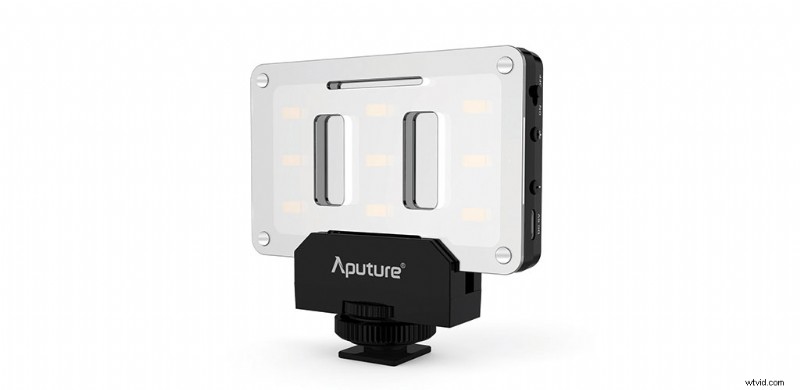
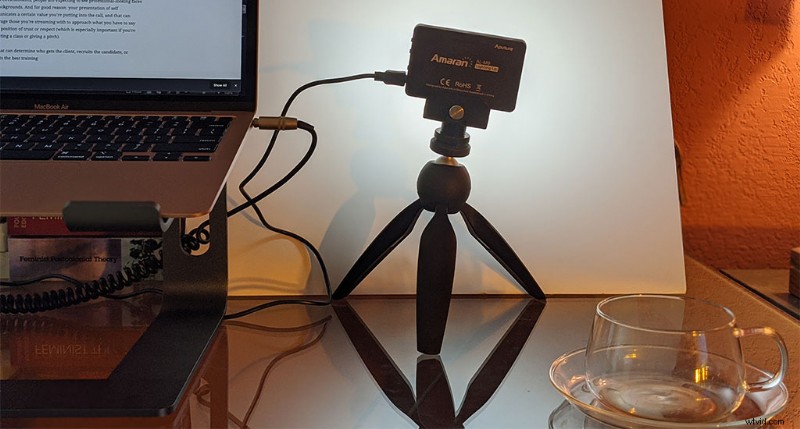
This pocket-sized LED panel will fit almost anywhere, which makes it popular among filmmakers. You can easily tuck it away on a shelf or hide it behind something on your desk to create lightscapes along your wall. Or, use it to add backlighting or fill lighting (watch that video on interview lighting again).
Unlike the ring light, an LED panel doesn’t leave a hollow for a webcam lens, so it may be very near to your webcam, but not perfectly encircling it. This means that you can get shadows, depending on its orientation. You can easily eliminate them with a second light or a simple bounce board. You can see a bounce board in action here.
The Aputure Amaran AL-M9 comes in just under $50, so it’s half the price of the Neewer ring light. (I pair mine with a Manfrotto tabletop tripod — an extra $20.) The Al-M9 also has a fixed color temperature of 5500K (noticing a pattern here?), and it’ll run for almost two hours on a full charge. (Pro tip: Keep it plugged into your computer while you’re streaming for even longer periods of use.)
The light is fully dimmable, from Perfect! to Oh, wow that’s bright!, and it comes with a threaded adapter you can attach to your camera or, like me, to a tripod. With the bounce board I mentioned above, or a bit of diffusion material (I’ve used parchment paper from my kitchen in a pinch), you can easily soften this little powerhouse and eliminate harsh glare from your glasses. If you’ve got the budget for three or four of these little lights, you can turn your entire home office into a proper set.
GVM 800D-RGB LED Studio Video Light
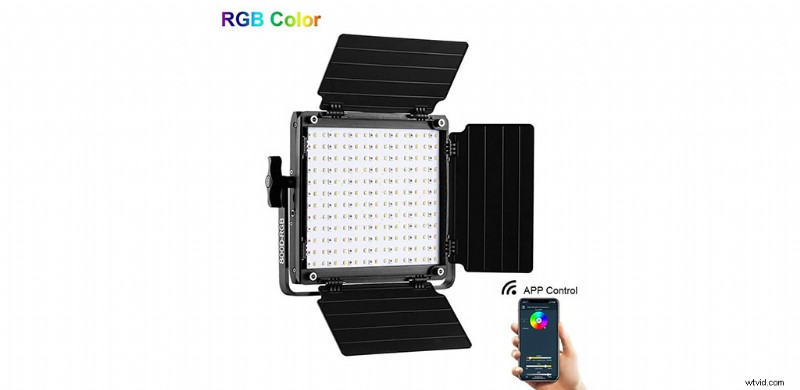
If you want to go bigger without getting into pricey studio lights, check out the GVM 800D-RGB Studio Video Light. Sure, you could buy some fancier, more expensive studio LED panels. But this light will get the job done reliably, and it’s a great light to start with if you’re interested in scaling up your lighting game.
This LED light panel goes for about $100. It’s dimmable from 0-100 percent, and it has an adjustable color temperature range from 3200-5600K. The unit also features adjustable barn doors, so you can shape and direct the light’s output. Check out this video on shaping and bouncing light, if you want to know more about what you can do with a light like this.
There’s a lot you can do to customize the look and feel of this light’s output. Just bear in mind, you’ll need a stand to support it.
Lighting Your Workspace with Softbox Lights
Next in our list of options for your perfectly lit virtual workspace are desktop softbox lights. Of the options we’ve looked at so far, these are your best options for diffused light that doesn’t create harsh reflections or blast you out of your office chair with intensity.
A softbox is sort of like a hood for your light. They house a built-in diffusion screen to reduce those hard shadows and cast light evenly across a surface. They’re perfect if your goal is clean, even lighting that makes you look sharp and focused without creating a distraction (popular among gamers who stream). They range in size from kinda-small to not-small-at-all.
Neewer CN-160 LED Light Panel + Neewer Photography Light Softbox Diffuser Kit + Manfrotto Tabletop Tripod
This desktop-sized combo won’t take over your entire home workspace, and it brings together two elements we’ve already discussed: LED mini light panels and diffusion. Pair these two with the Manfrotto tabletop tripod and you’ve got a mini photography setup that’ll give you a professional glow. (For best results, use a pair of these setups to make sure you’re fully and evenly lit.)
- Neewer CN-160 LED Light Panel – $25
- Neewer Photography Light Softbox Diffuser Kit – $15
- Manfrotto tabletop tripod – $20
The Aputure 120D + Aputure Light Dome II
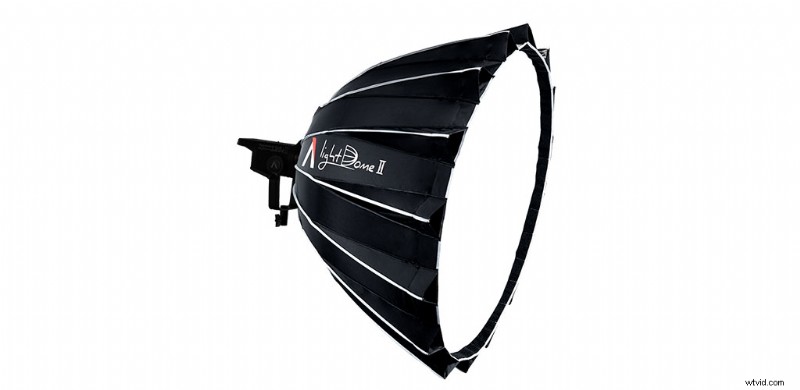
If you need to light more than your face or your immediate workspace, like say, a studio, a staged training area, or another large environment, then go big. The Aputure 120D paired with the Aputure Light Dome II is a professional lighting duo. This is a studio light — you’ve seen what this light can do in any of our video tutorials shot in our studio. Fully unfolded, the Light Dome is about thirty-five inches, so it’s big. But, if you’ve got the room, it can give anything you wish to highlight a custom, professional look that’ll be the envy of everyone on your call.
- Aputure 120D – $220
- Aputure Light Dome II – $745
Putting the Lighting Setups to Work
There are a number of reasons why you might need to invest in one of these lighting setups. So, keep the different capabilities of the examples listed here in mind when customizing your area.
The right setup is going to depend on how much you need to light (yourself, yourself and your desk, yourself and the entire room), and none of these elements are mutually exclusive. If the desktop softbox setup is sufficient to the lighting, angle, and diffused reflection you need, but you still have a dull background, then pair your setup with one or two of the Amaran LED panels and tuck them behind the furniture to create backlighting. Or, if the ring light does the trick from the front, but you want to pop against your background without actually lighting the whole room, then add the GVM LED panel as a backlight. Try your hand at bouncing, blocking, or shaping the light, too. Even the subtlest differences can affect how you appear in your virtual workspace.
If you’re participating in online professional development or certification, you might find that digital authentication of your testing I.D. (often dependent on a baseline photo you take of yourself) depends on the lighting of your face — if you’re too blurry or grainy, you might not even be able to prove you’re you.
On the other hand, if you’re meeting with clients, doing consulting work via video stream, or onboarding new team members to a company or project, you need to be the best-lit face on the screen. Since the new has worn off of virtual environments, people are expecting to see professional-looking faces and backgrounds. And for good reason. Your presentation of yourself communicates a certain value you’re putting into the call, and that can encourage those you’re streaming with to approach what you have to say from a position of trust and/or respect (which is especially important if you’re conducting a class or giving a pitch).
How you appear in consultations, professional meetings, or any work-related streaming situation can determine who gets the client, recruits the candidate, or conducts the best training — or even who’s putting in the extra effort to show that they’re taking their role with the company or team seriously. We may no longer all wear formal attire in the workplace, but if there’s a modern equivalent, it’s how you look digitally. So, invest in yourself. And, to borrow an old phrase, “dress for success.”
Looking for more tips on setting up your video workspace? Check out these articles.
- Use These Inexpensive Hacks to Manipulate Your Video Lighting
- Color Temperature and 3 Point Lighting Basics
- 13 Photographers on Lighting Techniques for Small-Budget Shoots
- 10 Practical Tips for Getting Your Livestream Ready Tonight
- The 5 Best Mobile Lenses for Under $150
Cover image by Cabeca de Marmore.