
Comparing Six AI Video Editors for Short‑Form Clips: My 2026 Review
In today’s content ecosystem, speed is no longer the limiting factor. The real challenge is how AI tools preserve conversational context when trimming long‑form videos into bite‑size Shorts, Reels, or TikToks. After running the same 37‑minute podcast through six popular AI editors, I found clear patterns in how each platform balances hook intensity with narrative continuity.
This article focuses on one metric: the degree to which each tool keeps the flow of a real conversation intact while producing ready‑to‑publish clips with minimal manual touch‑ups.
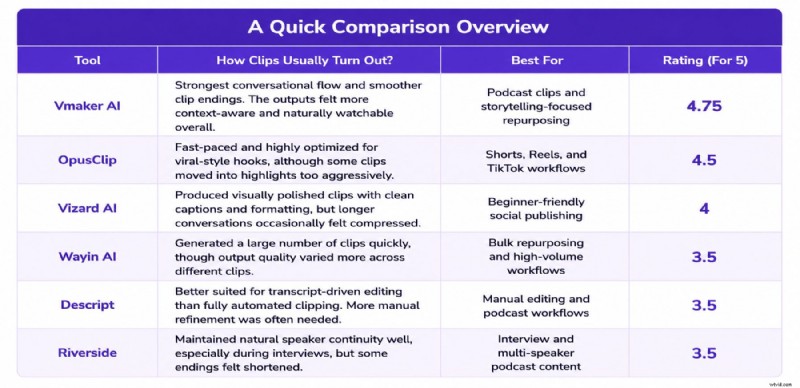
A Quick Comparison Overview
Testing Methodology
Podcast: "Give Me 37 Minutes… I’ll Save You 20+ Years Of A Wasted Life" featuring Jay Shetty and Ed Mylett.
Criteria: Same source file on every platform; free plans used; no post‑generation edits; evaluation solely on clip quality and conversational flow.
1. Vmaker AI
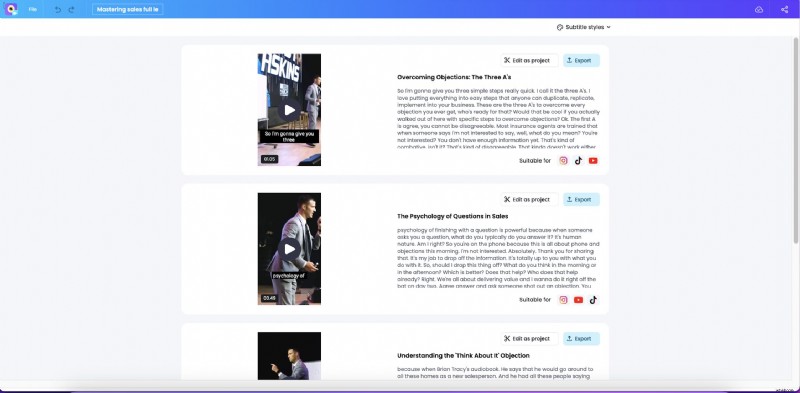
Vmaker AI excels at keeping the dialogue’s natural pacing. It builds in enough context before the key moment and closes each clip cleanly, avoiding abrupt cuts. This results in almost seamless transitions that feel like genuine conversation snippets.
Best For
- Podcasters & interviewers seeking publish‑ready clips
- Knowledge‑sharing content creators
- Story‑driven videos that benefit from context
Clip Quality: 4.7/5
Where It Still Struggles
When the user demands ultra‑quick highlights, Vmaker AI may skip the most dramatic moments, requiring light manual trimming for maximum punch.
2. OpusClip
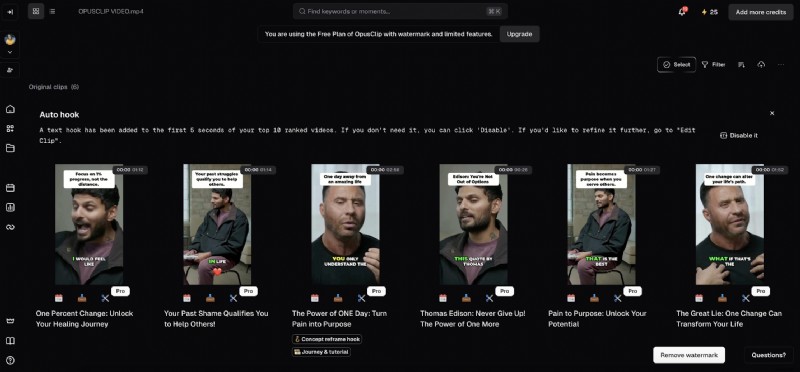
OpusClip’s strength lies in surfacing high‑energy, emotionally charged moments early in the clip, which boosts hook engagement on Shorts and Reels. However, it often cuts away the conversational lead‑in, making the excerpt feel abrupt.
Best For
- Fast‑paced social media workflows
- High‑volume viral content creators
- TikTok‑style editing
Clip Quality: 4.5/5
Where It Still Struggles
Some clips lose the emotional buildup that originally framed the punchline, leaving viewers feeling disconnected from the broader discussion.
3. Vizard AI
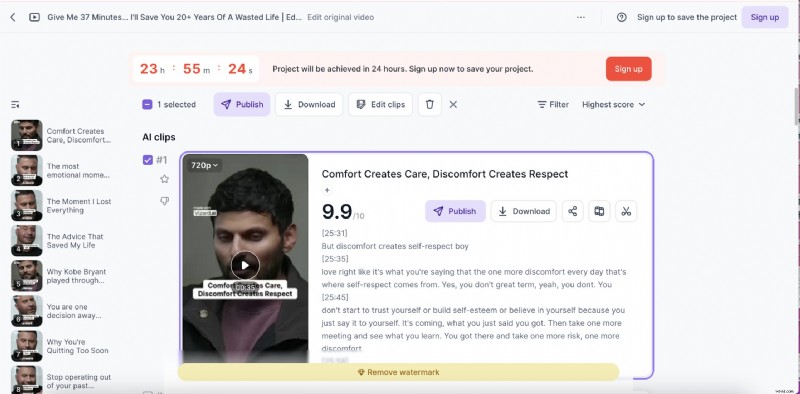
Vizard AI delivers polished, captioned vertical videos instantly. Its re‑framing is clean, but a few starts feel slightly jarring because the tool jumps in before the full conversational context is established.
Best For
- Beginner creators needing minimal edits
- Fast vertical publishing
- Clean, professional look
Clip Quality: 4/5
Where It Still Struggles
In longer dialogues, the tool occasionally rushes past conversational turns, shortening the impact of key moments.
4. Wayin AI
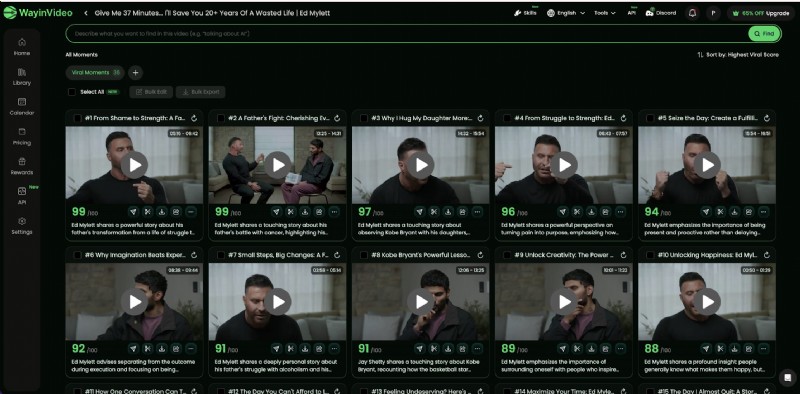
Wayin AI prioritizes volume, generating around 35 clips from the same podcast. While it captures many high‑energy segments, the sheer quantity leads to selection fatigue, and several clips lack conversational context.
Best For
- Bulk clip generation for agencies
- High‑volume publishing teams
- Rapid content testing
Clip Quality: 3.5/5
Where It Still Struggles
Consistency dips across clips; some begin too abruptly without adequate setup, and the volume makes it hard to spot the truly coherent moments.
5. Descript
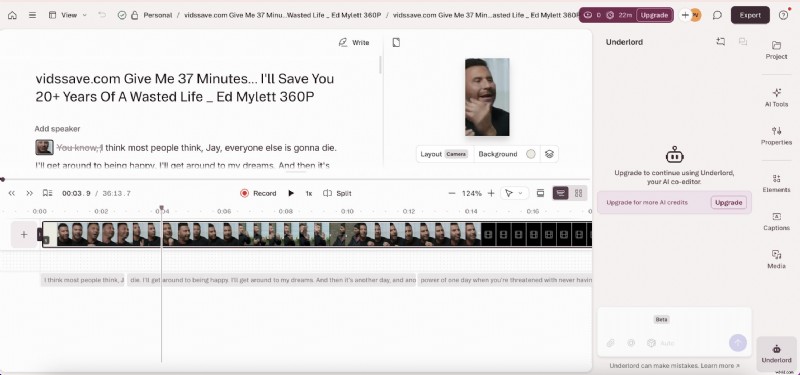
Descript operates more like a transcript‑driven editor than an auto‑clipper. While it gives editors granular control, it requires more manual work to produce conversationally smooth clips. The AI assists with captions and reframing but does not fully preserve dialogue flow automatically.
Best For
- Transcript‑centric editing
- Podcast production with high editorial control
- Dialogue‑heavy workflows
Clip Quality: 3.5/5
Where It Still Struggles
Without manual refinement, some clips miss key conversational beats that other tools highlight automatically.
6. Riverside
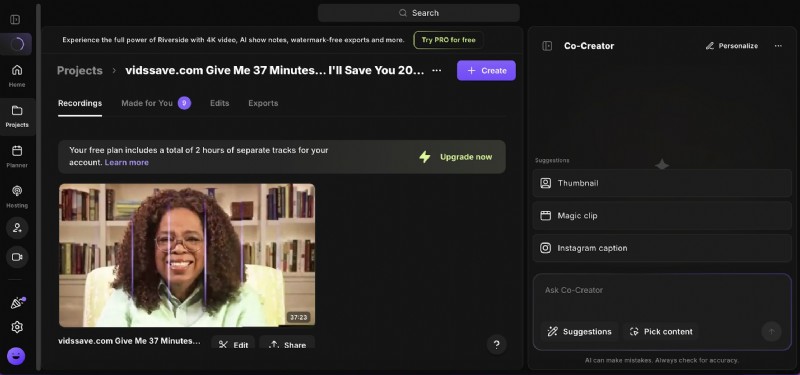
Riverside excels at maintaining speaker continuity in multi‑speaker settings. The AI keeps the conversation’s natural rhythm, but occasional framing glitches and abrupt endings can leave the viewer with an incomplete sense of closure.
Best For
- Podcast and interview production
- Multi‑speaker discussions
- Content requiring natural pacing
Clip Quality: 3.5/5
Where It Still Struggles
Some clips cut off too early, truncating the dialogue’s natural conclusion and leaving a sense of abruptness.
How AI Editors Handle the Same Conversation
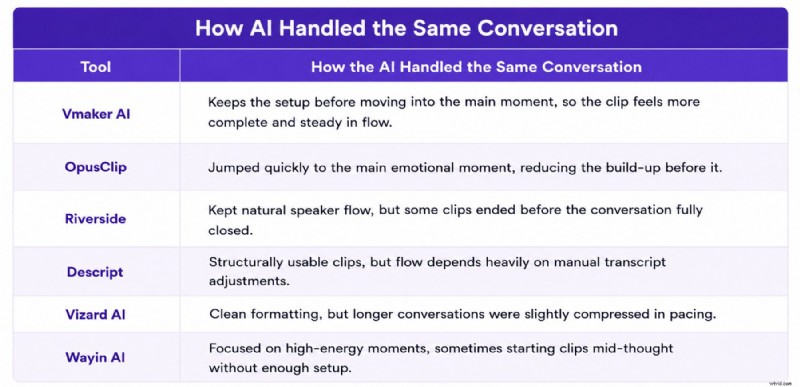
Across all six tools, two distinct philosophies emerged: one focuses on extracting the most attention‑grabbing moments, the other on preserving conversational context. The choice hinges on whether you prioritize volume or narrative integrity.
Key Takeaways
Speed and feature set aside, the decisive factor is how each platform balances hook intensity with context. The best clips retain:
- Pre‑hook setup
- Emotional build‑up
- Consistent speaker rhythm
- Clear, contextual ending
For high‑volume workflows, tools like OpusClip or Wayin AI are efficient. For creators seeking natural conversational snippets, Vmaker AI or Riverside provide the most authentic feel.
FAQs
What is the best AI tool for turning long videos into Shorts?
Vmaker AI and OpusClip shine for auto‑highlighting and ready‑to‑publish vertical formats, but choose Vmaker AI if conversational flow matters more.
What is the best AI video editor for content repurposing?
Vmaker AI, OpusClip, Vizard AI, Riverside, and Descript each serve different workflows: fast viral clips, conversational storytelling, transcript editing, bulk generation, or high‑volume publishing.
How does Vmaker AI differ from OpusClip?
Vmaker AI preserves dialogue context, while OpusClip focuses on rapid hook extraction and emotional spikes.
Which AI tool is best for podcast clips?
Vmaker AI and Riverside excel at maintaining conversational continuity; Descript suits editors who prefer transcript control.
Can AI editors clip webinars and screen recordings into Shorts?
Yes—most modern AI editors automatically identify key moments, generate captions, and reframe content for vertical platforms.
Are there free AI editors that can create Shorts?
Platforms like Vmaker AI, OpusClip, Vizard AI, Riverside, and Descript offer free plans with limited branding watermarks, ideal for testing before upgrading.
How many languages does Vmaker AI support for dubbing?
Vmaker AI supports multilingual dubbing and subtitle generation across a wide range of global languages.
Which AI editor works best for L&D and corporate training?
Tools that prioritize conversational clarity—Vmaker AI, Riverside, and Descript—are better suited for knowledge‑heavy training content.
Do AI‑generated clips need manual editing before publishing?
The degree of required editing varies by platform and content type; most tools benefit from minor adjustments to pacing or caption accuracy.

Shreshtra
Shreshtra is a Content Marketer at Animaker, where she’s helped creators and businesses bring their stories to life with 2D animation for 3+ years. Since joining, she has contributed through easy‑to‑follow guides and SEO‑driven content, helping Animaker’s community grow organically from 18 M to 30 M+ users worldwide. She covers topics ranging from AI‑powered voice tools to subtitle generators and the latest in video creation technology, with the goal of making animation simple, fun, and accessible for everyone. Shreshtra has also written extensively on how animation can transform L&D and training, highlighting Animaker’s growing impact in the corporate space. When she’s not busy writing content for Animaker, you’ll often find her lost in a thriller novel or vibing to her favorite K‑pop playlists. She believes that just like a good story or a great song, the right video can connect people across the world.